Home › Graphics & Design

 US
US
1 of 1 storefronts
Content in en-US
Content in en-US
Information
Preview 2 platforms
iPhone 3 images


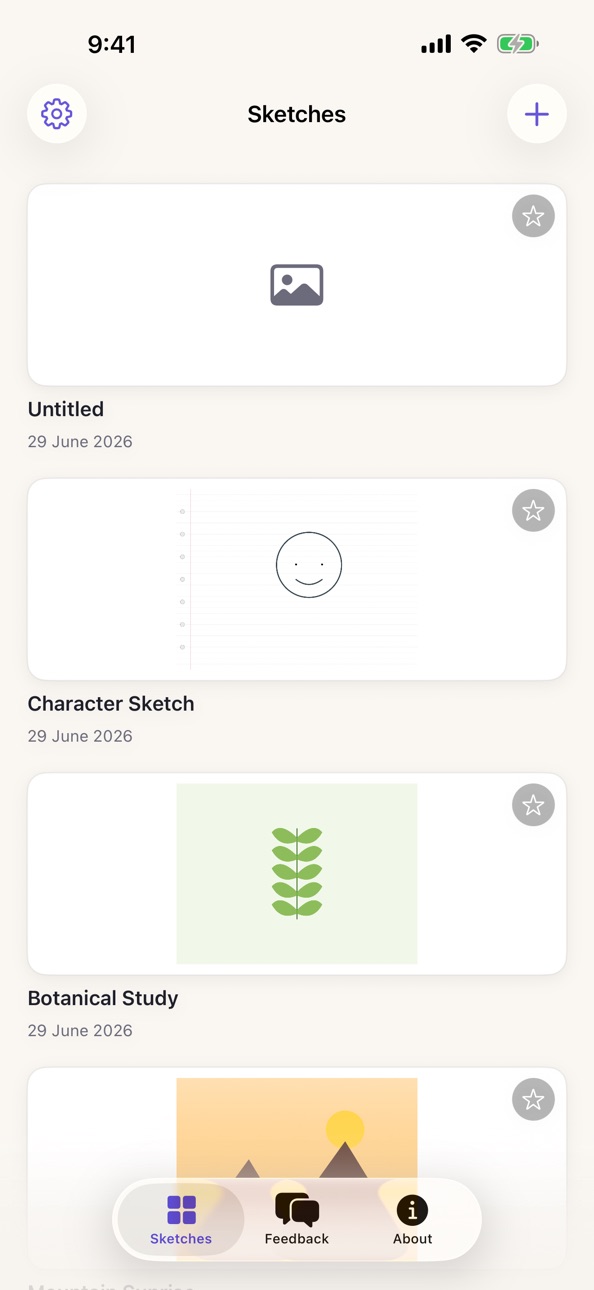
iPad 3 images


What’s New Version 1.6
• Fixed the View in AR preview jumping and swimming as you moved the device: the floating sketch now stays rock-steady in front of the camera until you tap a surface to place it.
• Added quick page-clearing to the eraser: tap the eraser again to Clear Current Page or Clear All Pages (clearing every page asks for confirmation first). Both are undoable.
Description
Sketchbook Studio is a natural drawing studio made for iPad and Apple Pencil. Sketch, paint, and illustrate with pressure-sensitive brushes, then bring your art into the real world with AR.
FEATURES
- Brushes: pen, pencil, marker, crayon, fountain, monoline and watercolor
- Adjustable brush size and a full color picker with opacity
- Color fill (paint bucket) and a precise eraser
- Layers: add, duplicate, reorder, lock, hide and blend with per-layer opacity
- Ruler for clean straight lines
- Symmetry guides: vertical, horizontal and 4-way kaleidoscope
- Filter effects: mono, sepia, vibrant, invert, comic and soft blur
- Page templates: blank, ring file, ruled, grid, dot grid, isometric, storyboard and music staff
- Learn by tracing: import a photo as an adjustable-opacity reference overlay
- Apple Pencil with palm rejection
- Place your finished sketch into the real world as an AR effect
- Your sketches are saved on your device
Whether you are sketching ideas, studying from references, designing characters or just doodling, Sketchbook Studio gives you a fast, natural canvas on iPad.
Accessibility
ipadiphonemacrealityDevicetvoswatch
Version history 7 versions
Build 887998434v1.62026-07-08 22:07:49
• Fixed the View in AR preview jumping and swimming as you moved the device: the floating sketch now stays rock-steady in front of the camera until you tap a surface to place it.
• Added quick page-clearing to the eraser: tap the eraser again to Clear Current Page or Clear All Pages (clearing every page asks for confirmation first). Both are undoable.
Build 887933243v1.5.12026-07-07 21:37:47
• Fixed the canvas not resizing when the iPad side panel or pages sidebar is expanded or collapsed: artwork stayed at the old zoom, rendered oversized and clipped under the panel, and the page-flip pull gesture stopped working. The page now re-fits to the visible area (an active pinch-zoom is preserved).
Build 887880369v1.52026-07-06 21:22:15
• Major stability fix: all layers now zoom and pan together — strokes always land exactly where you draw them, on every layer, at every zoom level.
• One persistent drawing canvas across layer and page switches: switching layers no longer resets the zoom or drops in-flight strokes onto the wrong layer.
• Procreate-style quick gestures: two-finger tap to undo, three-finger tap to redo.
• New page-flip gesture: drag firmly past the bottom edge of the page for the next page (creates one past the last), past the top edge for the previous page (creates one before the first).
• Finger drawing is now off by default on iPad (Apple Pencil draws; fingers pan, zoom and undo) with a new one-tap toolbar toggle; on iPhone fingers still draw by default.
• Palm rejection while drawing: a resting palm can no longer pan or zoom the page mid-stroke.
• Layers panel: live thumbnail previews per layer (Procreate-style) and a per-layer opacity control.
• Pages sidebar: reliable thumbnails and smooth drag-to-reorder (stable page identity).
• Pickers and Adjustments open in the right side panel on iPad (auto-expanding) instead of a pop-up sheet over the canvas.
• Fixed layer opacity being applied twice to non-active layers.
• Fixed adjustments and filters erasing artwork in Dark Mode (ink was baked in colour-inverted, turning white on the white paper). Applies to all adjustments, filters, exports and thumbnails.
• Fixed a shape being dropped if you switched tools while still adjusting it — it is now baked in automatically (e.g. drag out a circle, then tap Fill: the circle stays and can be filled).
• Fill tool now opens a colour dialog right on the toolbar (colour well + quick swatches).
• Flood fill no longer treats ruled/grid template lines as boundaries.
• Autosave: your work is saved a few seconds after every change and when the app goes to the background.
Build 887785736v1.42026-07-04 05:14:14
• Insert a Photo or Insert a File: add images from your photo library or the Files app as artwork layers (Procreate-style Add), alongside the existing tracing-reference import.
• The fill tool now fills vector shapes: tap inside a placed shape to give it a crisp vector fill in the current colour — tap again with a new colour to replace it.
• Canvas flood fill is fully undoable and re-fillable with another colour.
• New Adjustments panel with live preview: Hue/Saturation/Brightness, Colour Balance, Gradient Map, Gaussian Blur, Motion Blur, Noise, Sharpen, Bloom, Halftone and Chromatic Aberration.
• Six new shapes: Diamond, Star, Pentagon, Hexagon, Arrow and Heart.
• New Stardust brush that sprinkles twinkling stars and dust as you drag.
• Adjustable eraser size with a live size preview.
• Pages sidebar on iPad: see every page as a thumbnail, drag to reorder, tap the trash to delete, tap to jump to a page.
• Apple Pencil double-tap (or squeeze on Pencil Pro) toggles the eraser.
• Orientation lock now works on iPad; the editor opens locked to landscape and you can unlock or re-lock from the menu.
• Flick between pages with one finger in Pencil-only mode (two fingers any time); swiping up past the last page starts a new page.
• Grid/template and transform controls promoted to the top toolbar.
• Faster, cleaner colour fills, slimmer default shape outlines, and shape colour/fill updates apply live while placing a shape.
Build 887681505v1.32026-07-02 17:56:41
• Vector shapes: draw rectangles, circles, triangles and straight lines.
• Shape handles: rotate to any angle, resize, and flip horizontally or vertically before placing.
• Optional solid fill colour for shapes, in addition to the outline.
• Flip a layer horizontally or vertically, and a new Fit to Canvas control.
• Lock the screen orientation explicitly to Portrait or Landscape (or Auto).
• New Motion Blur and Liquify effects.
Build 887605331v1.22026-06-30 03:26:18
Fixed a bug that prevented drawing on the canvas when the side panel was open — sketching with Apple Pencil and finger now works reliably. Brush size now affects every brush, including Charcoal. Strokes no longer occasionally disappear after drawing. Undo now covers fills, effects, page and layer changes — not just strokes.
Build 887257379v1.12026-06-29 07:59:20
No pricing data captured yet — comparisons appear once the app has paid storefronts or in-app purchases.
Availability 1 of 1 storefronts
| Region | Language | Price | Ratings | Avg | Version |
|---|---|---|---|---|---|
| US | en-US | Free | 0 | — | 1.6 |
Change log 11 changes · US
✎
releaseNotes updated
• Fixed the View in AR preview jumping and swimming as you moved the device: the floating sketch now stays rock-steady in front of the camera until you tap a su
✎
description updated
Sketchbook Studio is a natural drawing studio made for iPad and Apple Pencil. Sketch, paint, and illustrate with pressure-sensitive brushes, then bring your art
✎
subtitle updated
Draw, paint & sketch in AR
✎
name updated
Sketchbook Studio
◆
Version 1.6 released
• Fixed the View in AR preview jumping and swimming as you moved the device: the floating sketch now stays rock-steady in front of the camera until you tap a surface to place it.
• Added quick page-clearing to the eraser: tap the eraser aga
◆
Version 1.5.1 released
• Fixed the canvas not resizing when the iPad side panel or pages sidebar is expanded or collapsed: artwork stayed at the old zoom, rendered oversized and clipped under the panel, and the page-flip pull gesture stopped working. The page now
◆
Version 1.5 released
• Major stability fix: all layers now zoom and pan together — strokes always land exactly where you draw them, on every layer, at every zoom level.
• One persistent drawing canvas across layer and page switches: switching layers no longer r
◆
Version 1.4 released
• Insert a Photo or Insert a File: add images from your photo library or the Files app as artwork layers (Procreate-style Add), alongside the existing tracing-reference import.
• The fill tool now fills vector shapes: tap inside a placed sh
◆
Version 1.3 released
• Vector shapes: draw rectangles, circles, triangles and straight lines.
• Shape handles: rotate to any angle, resize, and flip horizontally or vertically before placing.
• Optional solid fill colour for shapes, in addition to the outline.
◆
Version 1.2 released
Fixed a bug that prevented drawing on the canvas when the side panel was open — sketching with Apple Pencil and finger now works reliably. Brush size now affects every brush, including Charcoal. Strokes no longer occasionally disappear afte
◆
Version 1.1 released