Home › Photo & Video

 US
US
1 of 1 storefronts
Content in en-US
Content in en-US
Information
Preview 2 platforms
iPhone 9 images




iPad 4 images



What’s New Version 1.5.5
What's New in v1.5.5
English
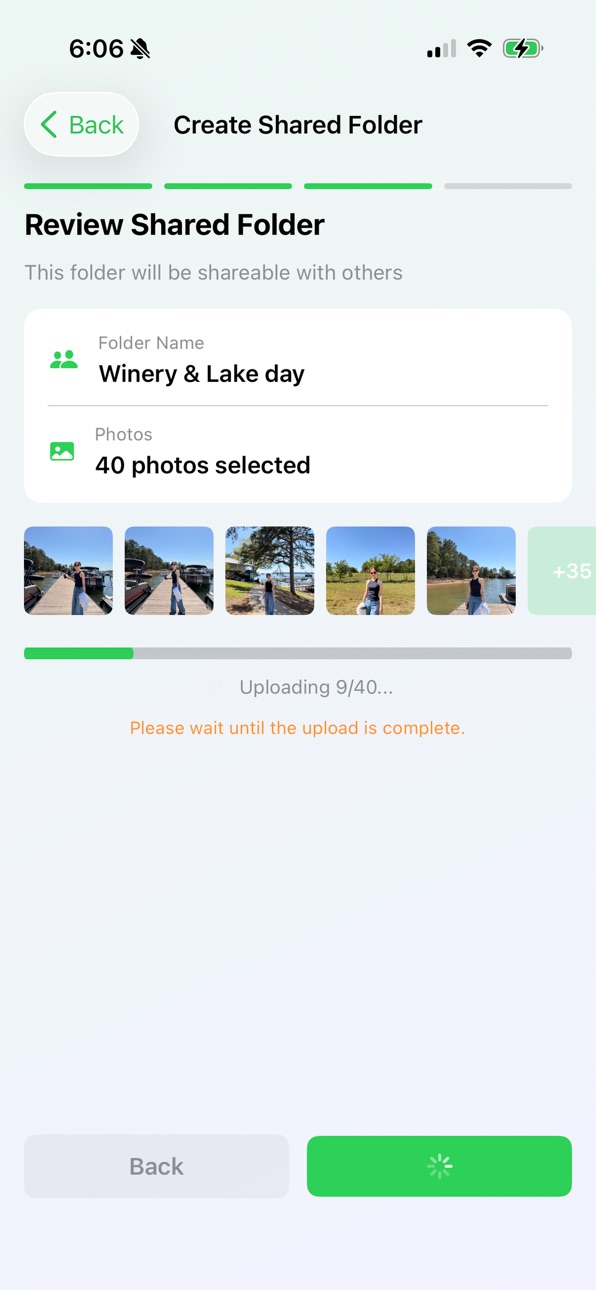
• Dramatically faster photo uploads — photos now upload in parallel and are optimized before sending
• Food, Landscape & Furry Friends filters respond instantly — photos are categorized in the background and remembered
• Shared folders: re-analyze right after adding photos, likes appear instantly, and results update live when the folder is re-analyzed
• Photos sent from other folders or Favorites now keep their original capture date and full resolution
• New "Upload Date" sort, plus the capture date now shows in the photo preview
• People tab: name several face groups at once, and undo accidental merges
• Fixed photos that stayed stuck on a loading spinner
• Many stability, translation, and performance improvements
한국어
• 사진 업로드 속도 대폭 개선 — 병렬 업로드 및 전송 최적화
• 음식·풍경·동물 친구들 필터가 즉시 반응 — 백그라운드에서 미리 분류하고 기억합니다
• 공유 폴더: 사진 추가 직후 바로 재분석 가능, 좋아요 즉시 표시, 재분석 결과 실시간 반영
• 다른 폴더/즐겨찾기에서 보낸 사진도 원본 화질과 실제 촬영 날짜 유지
• "업로드일" 정렬 추가, 사진 미리보기에 촬영 날짜 표시
• 인물 탭: 여러 얼굴 그룹 한 번에 이름 짓기, 실수로 합친 그룹 되돌리기
• 계속 로딩 중이던 사진 표시 문제 수정
• 안정성·번역·성능 다수 개선
Description
Stop scrolling through hundreds of similar photos — let AI find your best shots.
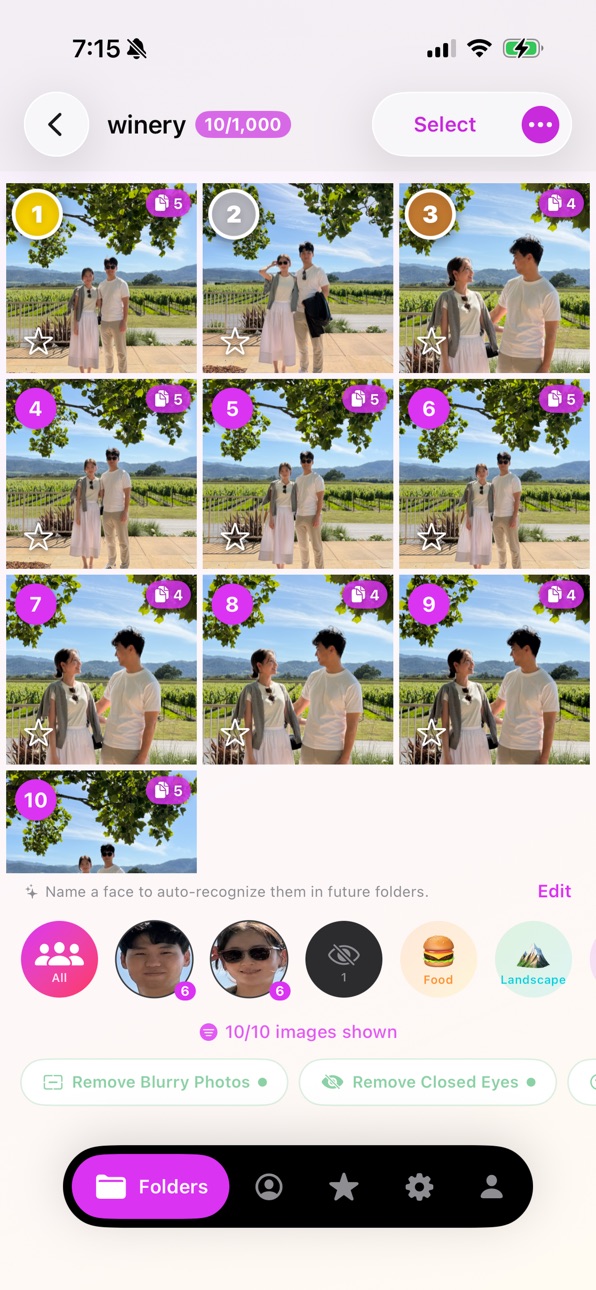
PhotoPicky uses artificial intelligence to analyze your photos and rank them by quality. Simply create a folder, add your photos, and tap "Analyze with AI." In seconds, you'll know which photos are the sharpest, best-lit, and most flattering.
KEY FEATURES
• AI-Powered Analysis — Automatically detects blurry photos, closed eyes, poor lighting, obstructed faces, and duplicates.
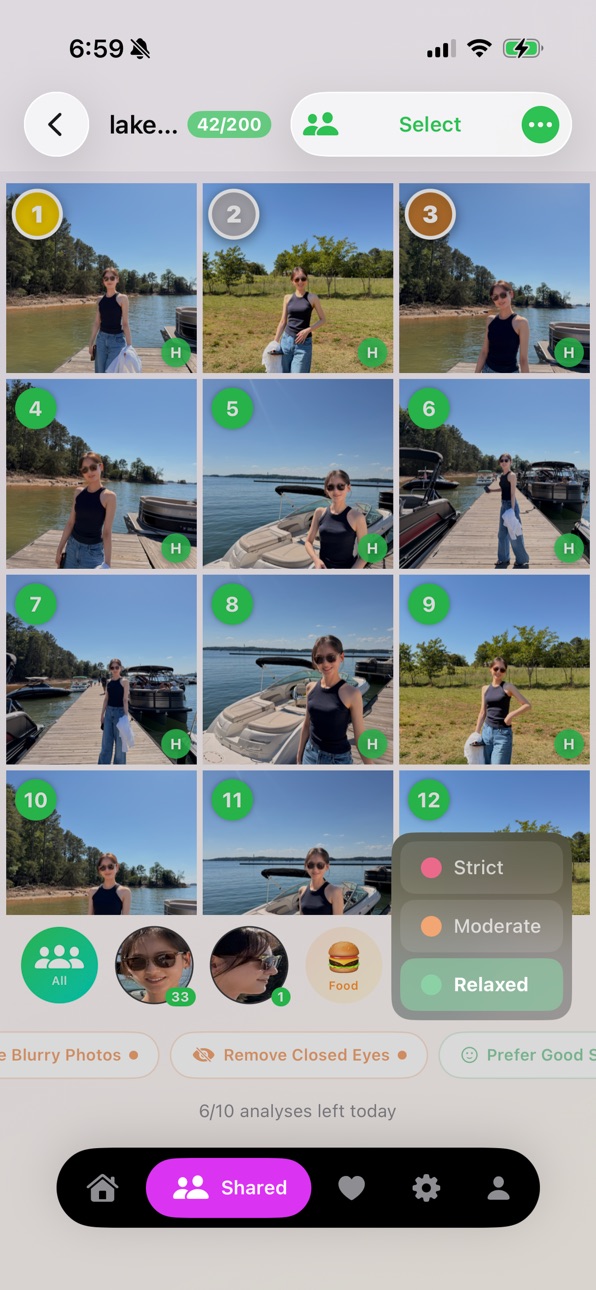
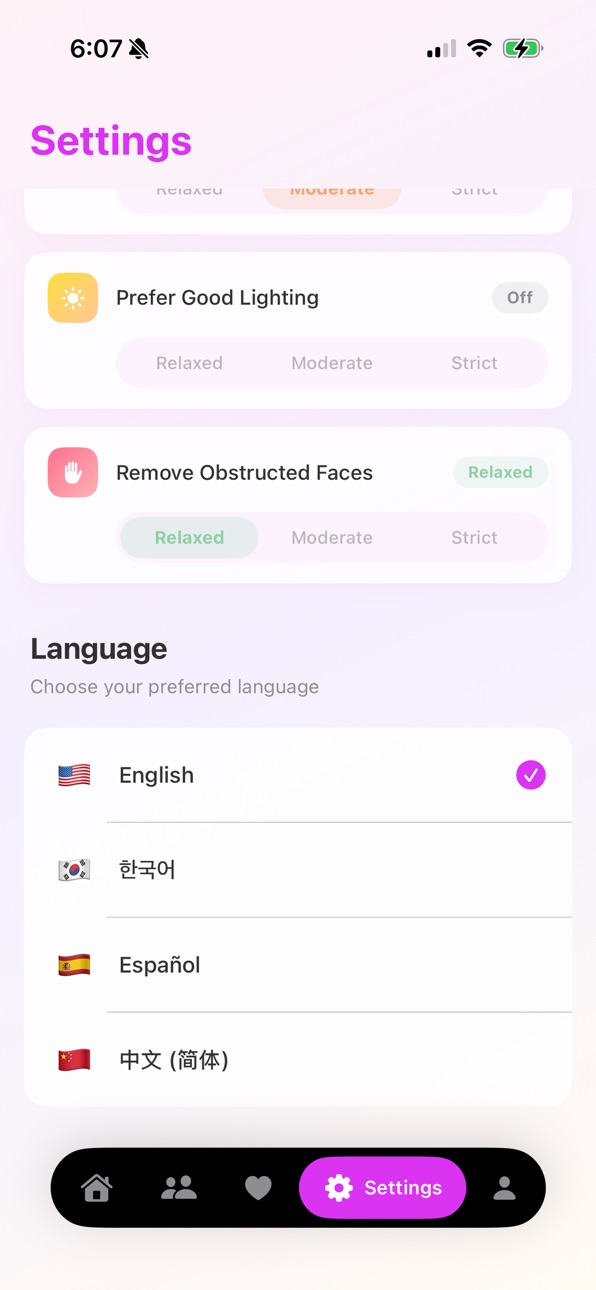
• Smart Filters — Apply filters like "Remove Blurry Photos" or "Prefer Good Smiles" with adjustable strictness levels (Relaxed, Moderate, Strict).
• Ranked Results — See your photos ranked from best to worst so you always keep the right ones.
• Favorites — Save your top picks to an in-app favorites collection for quick access.
• Shared Folders — Invite friends and family to collaborate on shared folders. Everyone can add photos and vote on the best ones together.
• Folder Groups — Organize your folders into groups for events, trips, or projects.
• People Detection — Browse photos grouped by the people in them.
• Photo Album Export — Save your best photos directly to a "PhotoPicky" album in your Photos library.
• Share Easily — Share your top-ranked photos with friends and family in one tap.
• Cloud Sync — Sign in with Google to sync your folders and data across devices.
PERFECT FOR
• Choosing the best group photo
• Sorting through vacation or event photos
• Cleaning up your camera roll
• Picking the best selfie
• Photographers reviewing large batches
Download PhotoPicky and let AI do the picking for you.
Terms of Use (EULA): https://www.apple.com/legal/internet-services/itunes/dev/stdeula/
Privacy Policy: https://hjlee9295.github.io/photo_picky_privacy/
Both links are also displayed in the app's subscription paywall screen.
수백 장의 비슷한 사진을 일일이 넘길 필요 없어요 — AI가 최고의 사진을 골라드립니다.
PhotoPicky는 인공지능으로 사진을 분석하고 품질 순으로 순위를 매겨줍니다. 폴더를 만들고, 사진을 추가하고, "AI로 분석하기"를 누르기만 하면 됩니다. 몇 초 안에 어떤 사진이 가장 선명하고, 조명이 좋고, 잘 나왔는지 알 수 있습니다.
주요 기능
• AI 분석 — 흐릿한 사진, 감은 눈, 나쁜 조명, 가려진 얼굴, 중복 사진을 자동으로 감지합니다.
• 스마트 필터 — "흐릿한 사진 제거", "좋은 미소 선호" 등의 필터를 세기 조절(여유, 보통, 엄격)과 함께 적용할 수 있습니다.
• 랭킹 보기 — 사진을 최고에서 최저 순으로 정렬하여 항상 가장 잘 나온 사진을 보관할 수 있습니다.
• 즐겨찾기 — 마음에 드는 사진을 앱 내 즐겨찾기에 저장하여 빠르게 접근할 수 있습니다.
• 공유 폴더 — 친구와 가족을 초대하여 함께 사진을 모으고, 가장 좋은 사진을 함께 골라보세요.
• 폴더 그룹 — 이벤트, 여행, 프로젝트별로 폴더를 그룹으로 묶어 정리하세요.
• 인물별 분류 — 사진 속 인물별로 사진을 모아 볼 수 있습니다.
• 사진 앨범 내보내기 — 최고의 사진을 사진 라이브러리의 "PhotoPicky" 앨범에 바로 저장할 수 있습니다.
• 간편 공유 — 한 번의 탭으로 최고 순위 사진을 친구와 가족에게 공유하세요.
• 클라우드 동기화 — Google로 로그인하여 기기 간 폴더와 데이터를 동기화할 수 있습니다.
이런 분들에게 추천합니다
• 단체 사진에서 최고의 한 장을 고르고 싶을 때
• 여행이나 행사 사진을 정리하고 싶을 때
• 카메라 롤을 깔끔하게 정리하고 싶을 때
• 가장 잘 나온 셀카를 고르고 싶을 때
• 대량의 사진을 검토하는 사진작가
PhotoPicky를 다운로드하고 AI에게 선별을 맡겨보세요.
In-App Purchases US pricing
PhotoPicky Pro Subscription Subscription
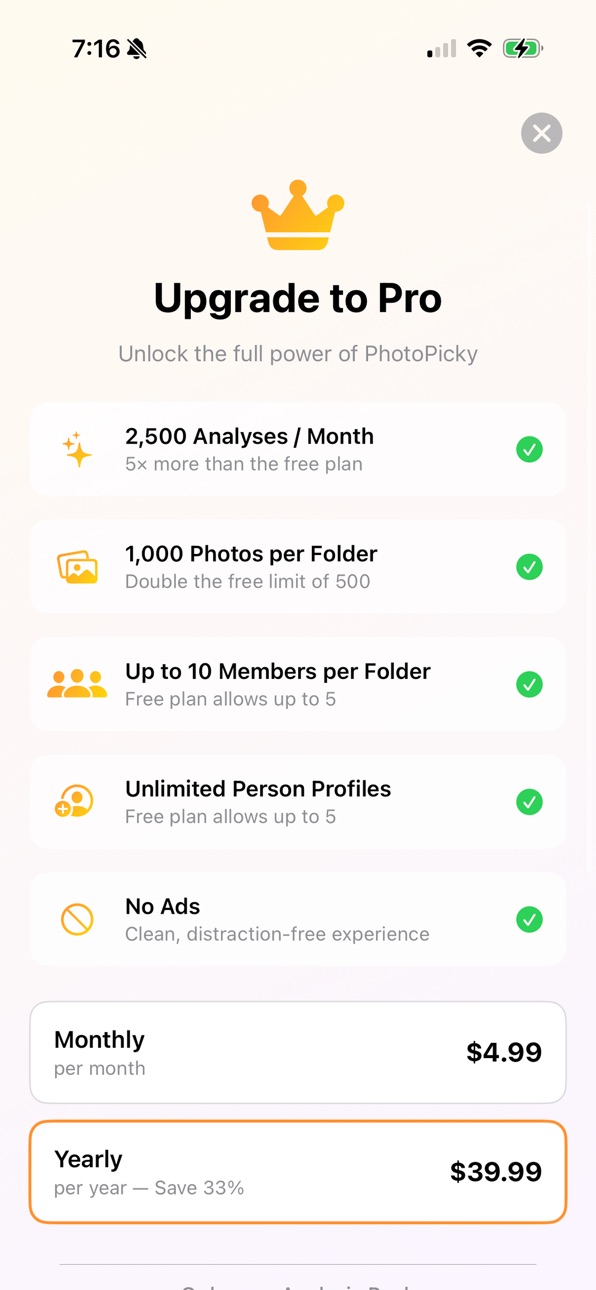
PhotoPicky Pro Yearly · Yearly$39.99
PhotoPicky Pro Monthly · Monthly$4.99
Capabilities
In-App Purchases
Accessibility
ipadiphonemacrealityDevicetvoswatch
Version history 7 versions
Build 888135754v1.5.52026-07-11 22:58:38
What's New in v1.5.5
English
• Dramatically faster photo uploads — photos now upload in parallel and are optimized before sending
• Food, Landscape & Furry Friends filters respond instantly — photos are categorized in the background and remembered
• Shared folders: re-analyze right after adding photos, likes appear instantly, and results update live when the folder is re-analyzed
• Photos sent from other folders or Favorites now keep their original capture date and full resolution
• New "Upload Date" sort, plus the capture date now shows in the photo preview
• People tab: name several face groups at once, and undo accidental merges
• Fixed photos that stayed stuck on a loading spinner
• Many stability, translation, and performance improvements
한국어
• 사진 업로드 속도 대폭 개선 — 병렬 업로드 및 전송 최적화
• 음식·풍경·동물 친구들 필터가 즉시 반응 — 백그라운드에서 미리 분류하고 기억합니다
• 공유 폴더: 사진 추가 직후 바로 재분석 가능, 좋아요 즉시 표시, 재분석 결과 실시간 반영
• 다른 폴더/즐겨찾기에서 보낸 사진도 원본 화질과 실제 촬영 날짜 유지
• "업로드일" 정렬 추가, 사진 미리보기에 촬영 날짜 표시
• 인물 탭: 여러 얼굴 그룹 한 번에 이름 짓기, 실수로 합친 그룹 되돌리기
• 계속 로딩 중이던 사진 표시 문제 수정
• 안정성·번역·성능 다수 개선
Build 888066794v1.5.42026-07-10 19:11:08
What's New in v1.5.4:
Shared folders got a major upgrade!
• Members now see analysis results instantly — no more waiting on "Preparing analysis"
• Photos you add to a shared folder are analyzed automatically
• Likes from other members show up in seconds
• Shared folders are now sorted by date, just like your own folders
• Face names you add stay private to you — everyone labels people their own way
Plus:
• Undo a face merge right after making it, with a warning when groups belong to different named people
• A tidier People tab — unnamed faces are collapsed to the top 6
• Sharper closed-eye detection, computed at full resolution on your device
• Bug fixes and stability improvements
Build 887976076v1.5.32026-07-09 05:09:33
What's New (v1.5.3):
• New filter: Furry Friends — see all your pet and animal photos at a glance
• Analysis results are now sorted by date taken
• More accurate closed-eyes detection, now computed at full resolution
• Big reduction in memory usage — smooth even with large folders
• Improved purchase & data reliability, plus many bug fixes
What's New (v1.5.2):
• Fixed a critical bug where purchased upload packs could be lost if the server was temporarily unavailable
• Photos no longer shift or get mixed up after deleting images from a folder
• Significantly reduced memory usage — no more crashes on large folders
• Fixed group title disappearing after viewing a folder
• Fixed account deletion not properly removing server data
• Improved data safety with atomic file writes
• Universal link support for promo and referral codes
v1.5.1 What's New:
• Performance improvements: faster folder saving and smoother scrolling
• Fixed a crash that could occur when navigating between folders
• Fixed folders sometimes leaving their assigned groups after sync
• Added bulk actions in group view: Move to Group, Make Shared, Delete
• UI improvements in group detail view
수정사항 v1.5.1:
• 성능 개선: 폴더 저장 속도 향상 및 스크롤 개선
• 폴더 간 이동 시 발생하던 크래시 수정
• 동기화 후 폴더가 그룹에서 빠져나오던 문제 수정
• 그룹 내 일괄 작업 추가: 다른 그룹으로 이동, 공유 폴더 만들기, 삭제
• 그룹 상세 화면 UI 개선
What's New in Version 1.5:
• People & Face Recognition — AI recognizes and names faces across all your folders. Auto-recognition learns from your tags.
• Similar Photo Groups — Automatically groups near-duplicate photos and marks the best as keeper.
• Drag-to-Select — Quickly select multiple photos by dragging across the grid.
• Referral Program — Invite friends and both get 30 days of Pro free (up to 3 per year).
• Promo Code Support — Redeem promo codes for rewards.
• Folder Expiration Alerts — Push notifications 3 days and 1 day before folder data expires, with in-app reminders to save photos to Favorites.
• Analysis Pack — Purchase 500 extra analyses (valid 1 year) without a subscription.
• Chinese Simplified (简体中文) language support.
• Pro upgrade: 2,500 monthly analyses, 1,000 photos/folder, unlimited person profiles, up to 10 members per shared folder.
• Favorites improvements, photo count display, and comprehensive bug fixes.
새로운 기능 (버전 1.5):
• 인물 & 얼굴 인식 — AI가 모든 폴더에서 얼굴을 인식하고 이름을 지정합니다. 태그 기반 자동 인식 학습.
• 유사 사진 그룹 — 거의 동일한 사진을 자동 그룹화하고 가장 좋은 사진을 대표로 표시.
• 드래그 선택 — 그리드에서 드래그하여 여러 사진을 빠르게 선택.
• 추천 프로그램 — 친구를 초대하면 서로 30일 Pro 무료 (연간 최대 3회).
• 프로모 코드 — 프로모 코드를 입력하여 혜택을 받으세요.
• 폴더 만료 알림 — 폴더 데이터 삭제 3일 전, 1일 전 푸시 알림. 즐겨찾기에 사진 저장을 안내합니다.
• 분석 패키지 — 구독 없이 500회 추가 분석 구매 (1년 유효).
• 중국어 간체(简体中文) 지원.
• Pro 업그레이드: 월 2,500회 분석, 폴더당 1,000장, 무제한 인물 프로필, 공유 폴더당 최대 10명.
• 즐겨찾기 개선, 사진 수 표시, 종합적인 버그 수정 및 안정성 개선.
Build 887759066v1.4.12026-07-03 22:28:12
What's New in v1.4:
• Onboarding Tutorial — New interactive walkthrough for first-time users, showing how AI filters, face detection, shared folders, and favorites work
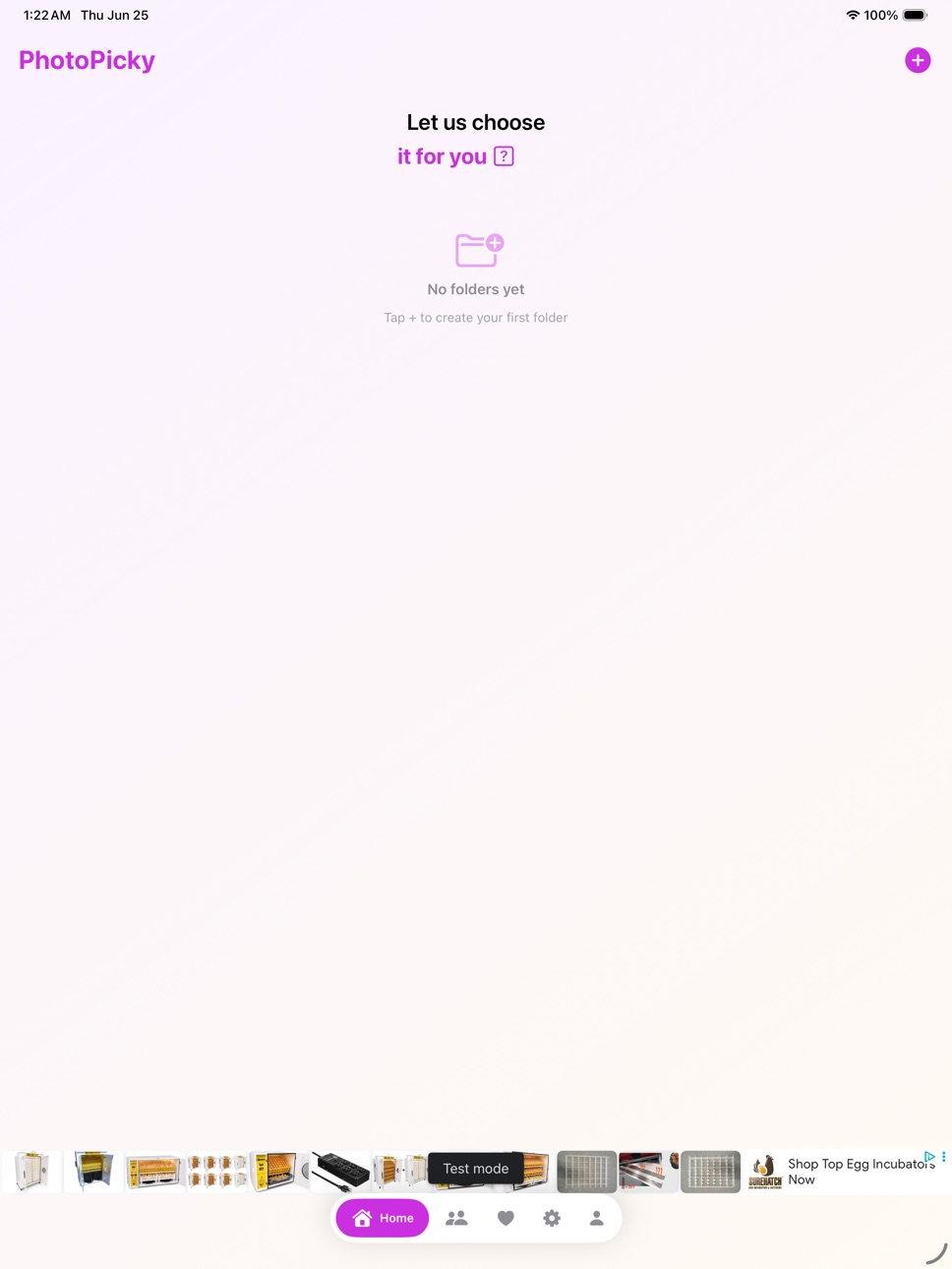
• Improved Empty States — Friendly welcome screens with quick-action buttons when you have no folders yet
• Hi-Res Photo Preview — Full-resolution image loading in the photo viewer for sharper detail
• Uploader Names — See who uploaded each photo in shared folders
• Push Notification Navigation — Tapping a notification now takes you directly to the relevant folder
• Smart Retention Reminder — A gentle nudge if you haven't tried your first analysis yet
• Likes for Shared Folders — React to photos with likes and see who liked what
• Sort by Likes — Sort shared folder photos by most liked, rank, or newest
• Favorites Icon Update — Favorites now use a star icon for clearer distinction
• Analysis Pack Support — Purchase extra analysis packs when you've used your daily limit
• Improved Folder Sync — Smarter duplicate detection, better shared vs. personal folder classification
• Localization Updates — Expanded Korean, Spanish, and Chinese translations throughout the app
• Bug Fixes & Polish — Various UI improvements, localization fixes, and stability enhancements
Build 887702527v1.3.22026-07-02 19:48:22
• Analysis Pack — Need more analyses? Purchase a pack of 10 extra analyses, valid for 1 year.
• Increased photo limits — Free users can now add up to 50 photos per folder (previously 30). Pro users can add up to 200.
• Bug fixes and improvements — Fixed an issue where analysis could fail after reinstalling the app. Resolved duplicate notifications and ads appearing after analysis completes.
Build 887563152v1.3.12026-07-01 14:32:09
v1.3.1 — What's New
New Features
• Drag selection: In selection mode, drag across photos to select/deselect multiple at once. Auto-scrolls at screen edges with haptic feedback.
• Sort folders in groups: Sort by recently modified, photo count, or name.
• Folder rename syncs to server: Name changes sync across devices.
• Favorites deletion syncs to server: Deleted favorites no longer reappear after reinstall.
• New Pro benefit displayed: "200 Photos per Shared Folder" shown on paywall.
UI/UX Improvements
• Step-by-step back navigation in folder creation (photo selection → naming → review).
• Upload progress bar for shared folders + swipe-to-dismiss blocked during upload.
• Waiting UI persists when leaving a folder mid-analysis ("Uploading photos..." + cancel/retry option).
• Sign-out confirmation dialog.
• Improved Food/Landscape filters: Shows only matching photos; filter bar always visible after analysis.
• Notification badge auto-clears on app launch.
Bug Fixes
• Analysis count: Syncs with server before checking; only decremented on success. Fixed HTTP 400 being incorrectly treated as daily limit.
• Folder sync deduplication: Blocks concurrent sync calls; auto-removes duplicate local folders.
• Improved shared folder detection: Uses member_count, invite_code, user_role in addition to is_shared.
• Restored folders fetch results directly from server after reinstall.
• Analysis timeout/stuck state auto-cleanup.
• Fixed favorites reappearing from server after user deleted them all.
Stability
• Memory optimization: Photos processed one at a time during selection, upload, and save. Thumbnailing + autoreleasepool applied throughout.
• Failed shared folder creation auto-cleans empty server folders.
Localization
• Full 4-language support (EN, KO, ES, ZH) for login, onboarding, privacy, and paywall screens.
Build 887235844v1.2.12026-06-28 17:24:15
Price history by region
Currency
Show
Columns
Search
Availability 1 of 1 storefronts
| Region | Language | Price | Ratings | Avg | Version |
|---|---|---|---|---|---|
| US | en-US | Free | 2 | 5.0 | 1.5.5 |
Change log 11 changes · US
✎
releaseNotes updated
What's New in v1.5.5
English
• Dramatically faster photo uploads — photos now upload in parallel and are optimized before sending
• Food, Landscape &
✎
description updated
Stop scrolling through hundreds of similar photos — let AI find your best shots.
PhotoPicky uses artificial intelligence to analyze your photos and rank them b
✎
subtitle updated
Let us choose it for you
✎
name updated
PhotoPicky
◆
Version 1.5.5 released
What's New in v1.5.5
English
• Dramatically faster photo uploads — photos now upload in parallel and are optimized before sending
• Food, Landscape & Furry Friends filters respond instantly — photos are categorized in the backgro
◆
Version 1.5.4 released
What's New in v1.5.4:
Shared folders got a major upgrade!
• Members now see analysis results instantly — no more waiting on "Preparing analysis"
• Photos you add to a shared folder are analyzed automatically
• Likes from other members sho
◆
Version 1.5.3 released
What's New (v1.5.3):
• New filter: Furry Friends — see all your pet and animal photos at a glance
• Analysis results are now sorted by date taken
• More accurate closed-eyes detection, now computed at full resolution
• Big reduction in mem
◆
Version 1.4.1 released
What's New in v1.4:
• Onboarding Tutorial — New interactive walkthrough for first-time users, showing how AI filters, face detection, shared folders, and favorites work
• Improved Empty States — Friendly welcome screens with quick-action b
◆
Version 1.3.2 released
• Analysis Pack — Need more analyses? Purchase a pack of 10 extra analyses, valid for 1 year.
• Increased photo limits — Free users can now add up to 50 photos per folder (previously 30). Pro users can add up to 200.
• Bug fixes and improve
◆
Version 1.3.1 released
v1.3.1 — What's New
New Features
• Drag selection: In selection mode, drag across photos to select/deselect multiple at once. Auto-scrolls at screen edges with haptic feedback.
• Sort folders in groups: Sort by recently modified, photo cou
◆
Version 1.2.1 released