Home › Health & Fitness

 US
US
1 of 1 storefronts
Content in en-US
Content in en-US
Information
Apple ID6780660193
Bundle IDvkani.NextWalk
SellerSeller
Min iOS18.0
Min macOS15.0
Device familiesiphone
Released2026-06-18
Copyright© 2026 Victoria Kanicka
Privacy policyLink ↗
Preview 1 platform
iPhone 5 images



What’s New Version 2.0
Fonts updated.
Description
Walks are the easiest exercise to procrastinate on. There's no class booked, no trainer waiting, nothing on the calendar. You could go anytime — which somehow means you keep not going. "In five minutes" turns into a missed afternoon.
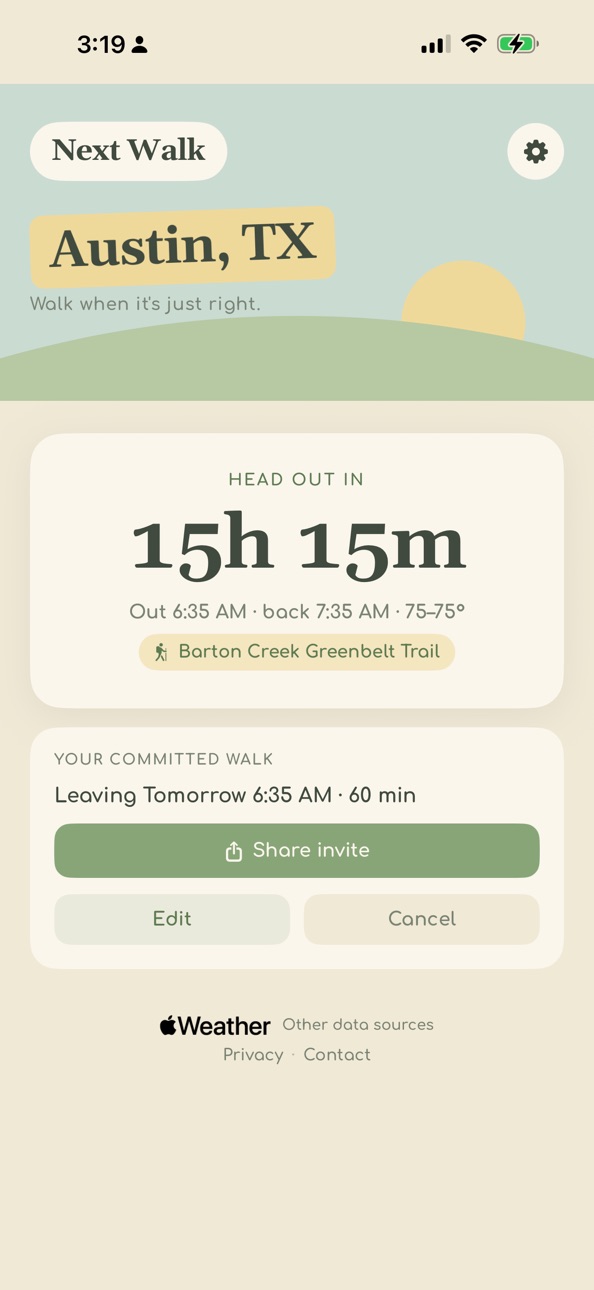
Next Walk fixes that by making the walk a real decision: a specific time, and a specific place. That's what turns "I should" into "I'm out the door."
It starts with the weather, because getting outside when conditions are actually good is what makes a walk something you want to repeat. But you shouldn't have to check a weather app every day to catch the right window.
So Next Walk watches it for you and quietly taps you on the shoulder when your next good walking opportunity is coming up — no app to open, no login, nothing to remember. Commit with one tap, pick a nearby park or trail if you want, and a countdown on your Lock Screen walks you right up to the moment to head out the door.
In a sea of apps built around tracking and streaks, Next Walk cares about one thing: getting you outside instead of losing another walk to procrastination, distraction, or bad weather.
Quiet setup, no account, nothing to log. The app you don't have to remember to use — just let it coach you from the background.
This is for all the walks you meant to take.
Accessibility
ipadiphonemacrealityDevicetvoswatch
Version history 9 versions
Build 887870969v2.02026-07-06 21:45:59
Fonts updated.
Build 887804688v1.92026-07-04 05:17:10
After completing a walk, user may receive a prompt to review app.
Build 887569197v1.82026-06-29 17:12:10
Setup just got friendlier. A new home-screen checklist guides you through adding the widget and Lock Screen countdown, with step-by-step animations. Test your live countdown in one tap, get help finding a walk window when it's too hot, and check off or commit to walks right from the widget. Plus a few delightful touches — and polish throughout.
Build 887397367v1.42026-06-26 08:30:25
New: attach a nearby park or trail to your walk, mark the places you've been, and pin your favorites to the top.
Build 887485732v1.62026-06-26 20:30:38
New: User can opt into walking without daylight, and user has the option to fallback to indoor walking. User can find an indoor destination nearby or use a treadmill at home or gym. User can hide and unhide an outdoor destinations as needed. Commit sheet layout upgraded.
Build 887359449v1.32026-06-24 15:13:12
User will see additional weather details when committing to a walk: feels like temperature, humidity, wind and visibility.
Build 887166949v1.12026-06-19 14:05:20
Added percent chance of rain, and warnings for severe storms and flooding.
Build 887197545v1.22026-06-19 23:38:09
Fixed an issue where a walk could be marked done early, and added error messages for a user to screenshot if location update fails.
Build 887009927v1.02026-06-18 08:56:28
No pricing data captured yet — comparisons appear once the app has paid storefronts or in-app purchases.
Availability 1 of 1 storefronts
| Region | Language | Price | Ratings | Avg | Version |
|---|---|---|---|---|---|
| US | en-US | Free | 3 | 5.0 | 2.0 |
Change log 13 changes · US
✎
releaseNotes updated
Fonts updated.
✎
description updated
Walks are the easiest exercise to procrastinate on. There's no class booked, no trainer waiting, nothing on the calendar. You could go anytime — which somehow m
✎
subtitle updated
Daily walk habit & countdown
✎
name updated
Next Walk
◆
Version 2.0 released
Fonts updated.
◆
Version 1.9 released
After completing a walk, user may receive a prompt to review app.
◆
Version 1.8 released
Setup just got friendlier. A new home-screen checklist guides you through adding the widget and Lock Screen countdown, with step-by-step animations. Test your live countdown in one tap, get help finding a walk window when it's too hot, and
◆
Version 1.6 released
New: User can opt into walking without daylight, and user has the option to fallback to indoor walking. User can find an indoor destination nearby or use a treadmill at home or gym. User can hide and unhide an outdoor destinations as needed
◆
Version 1.4 released
New: attach a nearby park or trail to your walk, mark the places you've been, and pin your favorites to the top.
◆
Version 1.3 released
User will see additional weather details when committing to a walk: feels like temperature, humidity, wind and visibility.
◆
Version 1.2 released
Fixed an issue where a walk could be marked done early, and added error messages for a user to screenshot if location update fails.
◆
Version 1.1 released
Added percent chance of rain, and warnings for severe storms and flooding.
◆
Version 1.0 released