Home › Music

 US
US
1 of 1 storefronts
Content in en-US
Content in en-US
Information
Preview 2 platforms
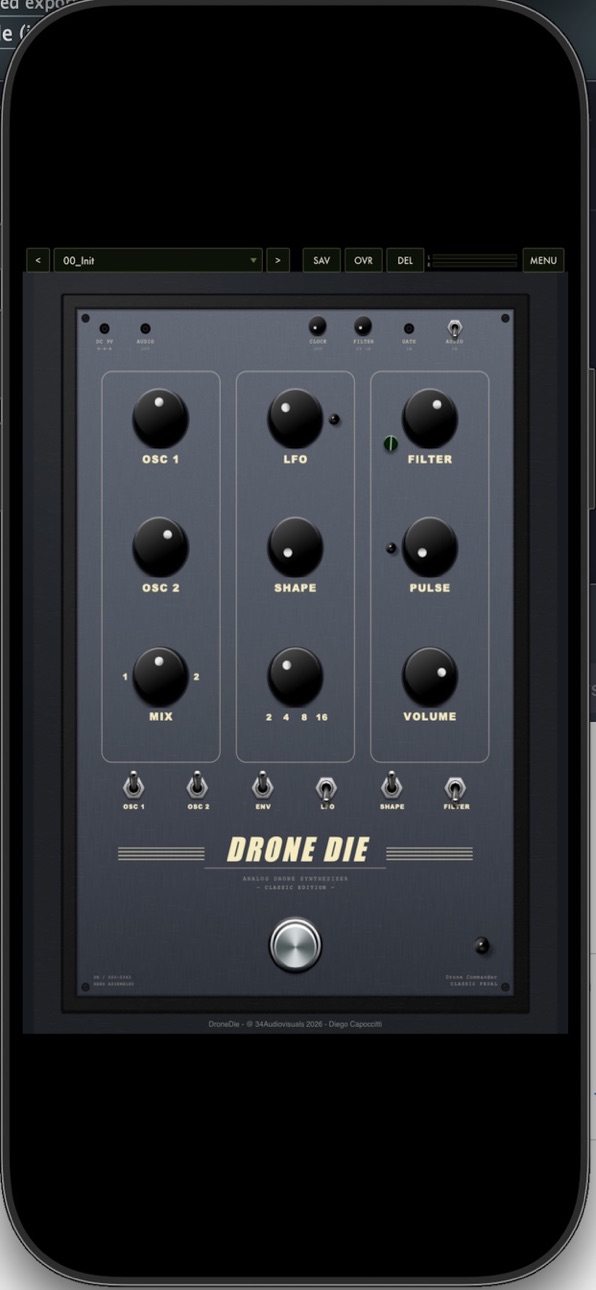
iPhone 1 image
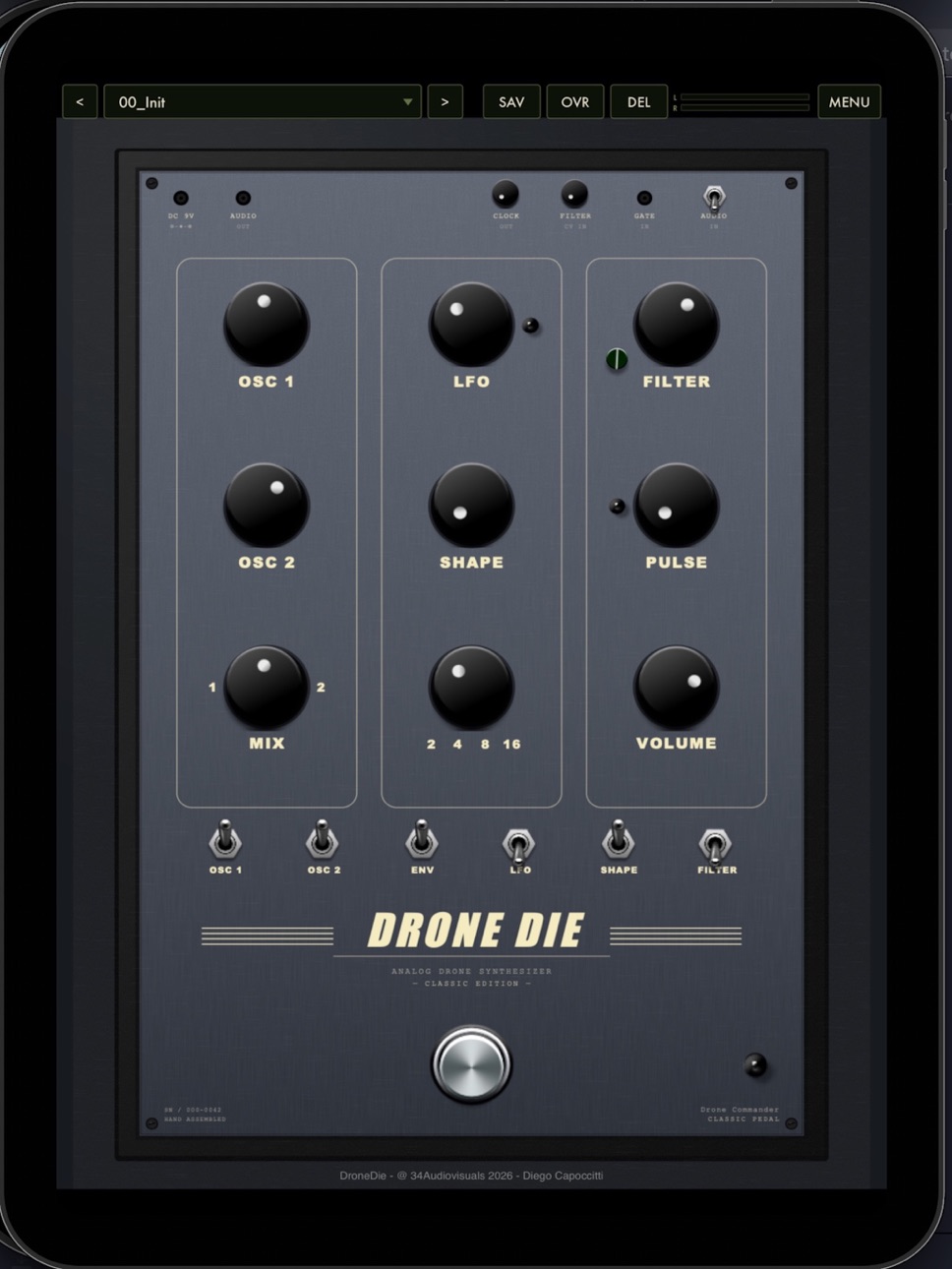
iPad 1 image
What’s New Version 1.1.1
Fix - the effect also responds to MIDI in hosts that route MIDI to effects (AUM, Drambo, Cubasis, Loopy Pro…)
Description
DroneDie is a drone synthesizer built for deep, slowly evolving textures and dark ambient soundscapes. Inspired by the character of classic analog drone machines, it gives you an immediate, tactile instrument for sculpting tone and atmosphere — wherever you are.
Coax out shifting pads, unsettling tones, and rich harmonic beds from a compact interface designed for live tweaking and sound exploration.
KEY FEATURES
• Dual oscillators with continuous, hands-on control
• Resonant filter for dark, gritty, or smooth shaping
• Multiple LFOs and sample & hold for organic, ever-changing movement
• Wide tuning range, from sub-bass rumbles to piercing highs
• Low-latency engine for responsive, real-time performance
• Clean, focused layout made for sculpting sound with your fingertips
PERFECT FOR
• Dark ambient, drone, and experimental music
• Film, game, and video sound design
• Live performance and improvisation
• Preset Bar (Factory + User)
• AU Plugin (AUv3) + Standalone
• Touch-friendly interface inspired by the original hardware panel
• Adding tension and atmosphere to any production
Whether you're scoring a scene, building a track, or simply exploring sound, DroneDie rewards experimentation.
By 34Audiovisuals.
Accessibility
ipadiphonemacrealityDevicetvoswatch
Version history 5 versions
Build 887308355v1.1.12026-06-23 17:07:34
Fix - the effect also responds to MIDI in hosts that route MIDI to effects (AUM, Drambo, Cubasis, Loopy Pro…)
Build 887236773v1.1.02026-06-21 17:11:46
## 1.1.0
**New: FX / Audio In mode is back on iOS.**
DroneDie now ships as two Audio Unit plug-ins inside one app:
- **DroneDie** — the instrument (play it from a MIDI keyboard or sequencer).
- **DroneDie FX** — an audio effect: run any track or live input through the
Moog-style ladder filter, LFO, PLL pulse and envelope. The effect also responds
to MIDI in hosts that route MIDI to effects (AUM, Drambo, Cubasis, Loopy Pro…).
**Reworked touch controls.**
- New info bar at the bottom of the panel shows the name, value and a short
description of the control you are touching — works for knobs and switches.
- The value pop-up next to each knob is now smaller, so it no longer covers
nearby controls when you tweak two knobs at once.
- **Double-tap** a knob to reset it to its default value.
- **Touch and hold** a knob to type an exact value (this now works correctly as
an Audio Unit, where the old entry box did not appear).
Build 887094912v1.0.72026-06-20 20:18:39
DroneDie for iOS — v1.0.5
UI:
- Preset bar is now always visible. The preset/menu bar is fixed at the top of the interface and can no longer be hidden by the zoomed UI — even while pinch-zooming and panning, it stays on top and fully tappable.
- Fixed unresponsive controls. Preset dropdowns, the MENU button, and other top-bar items are now reliably tappable (they were previously scrolled off-screen / covered when the UI was zoomed).
- Larger, touch-friendly top controls. The preset/menu bar and its buttons are bigger and easier to hit on iOS.
- Bigger small knobs. Clock Sync, Filter CV In, and Audio In have been enlarged so they're usable by touch.
- Larger menus. Preset menus, preset sub-menus, and the MENU popup now use a bigger font (22pt) and taller, finger-friendly rows (44px), consistent between main menus and sub-menus.
- Pinch-to-zoom improvements
- Multitouch on controls now works. Touches that start on a knob, switch, footswitch, or other control are excluded from the pinch gesture, so you can adjust two controls at once.
- No more accidental zoom. The UI no longer zooms when you grab a second control while adjusting a knob.
- Pinch-to-zoom and panning are confined to the synth area below the fixed preset bar.
- Controls no longer get stuck after a two-finger gesture.
- Preset bar redesigned for iPhone: compact buttons, readable preset name, meters kept.
- Top bar now clears the Dynamic Island.
AUv3:
- Fixed no sound when used as an AUv3 instrument in GarageBand/Logic.
- Preset combo and MENU now open correctly inside the plugin (AUv3).
- Save/Delete preset dialogs no longer freeze the interface.
Build 887007364v1.02026-06-16 09:57:19
Build 887059594v1.0.22026-06-16 23:41:44
• Stability and performance improvements.
Price history by region
Currency
Show
Columns
Search
Availability 1 of 1 storefronts
| Region | Language | Price | Ratings | Avg | Version |
|---|---|---|---|---|---|
| US | en-US | USD 4.99 | 1 | 5.0 | 1.1.1 |
Change log 9 changes · US
✎
releaseNotes updated
Fix - the effect also responds to MIDI in hosts that route MIDI to effects (AUM, Drambo, Cubasis, Loopy Pro…)
✎
description updated
DroneDie is a drone synthesizer built for deep, slowly evolving textures and dark ambient soundscapes. Inspired by the character of classic analog drone machine
✎
subtitle updated
Dark drone & texture machine
✎
name updated
DroneDie: Drone Synthesizer
◆
Version 1.1.1 released
Fix - the effect also responds to MIDI in hosts that route MIDI to effects (AUM, Drambo, Cubasis, Loopy Pro…)
◆
Version 1.1.0 released
## 1.1.0
**New: FX / Audio In mode is back on iOS.**
DroneDie now ships as two Audio Unit plug-ins inside one app:
- **DroneDie** — the instrument (play it from a MIDI keyboard or sequencer).
- **DroneDie FX** — an audio effect: run any t
◆
Version 1.0.7 released
DroneDie for iOS — v1.0.5
UI:
- Preset bar is now always visible. The preset/menu bar is fixed at the top of the interface and can no longer be hidden by the zoomed UI — even while pinch-zooming and panning, it stays on top and fully tappa
◆
Version 1.0.2 released
• Stability and performance improvements.
◆
Version 1.0 released