Home › Utilities

 US
US
1 of 1 storefronts
Content in en-US
Content in en-US
Information
Preview 3 platforms
iPhone 5 images


iPad 5 images



Mac 3 images


What’s New Version 1.0.6(18)
• Fixed whole-book search after automatic TXT chapter splitting.
• Safer deletion sync: deleting a book on one device now marks it as deleted on other devices instead of removing their local copies.
Description
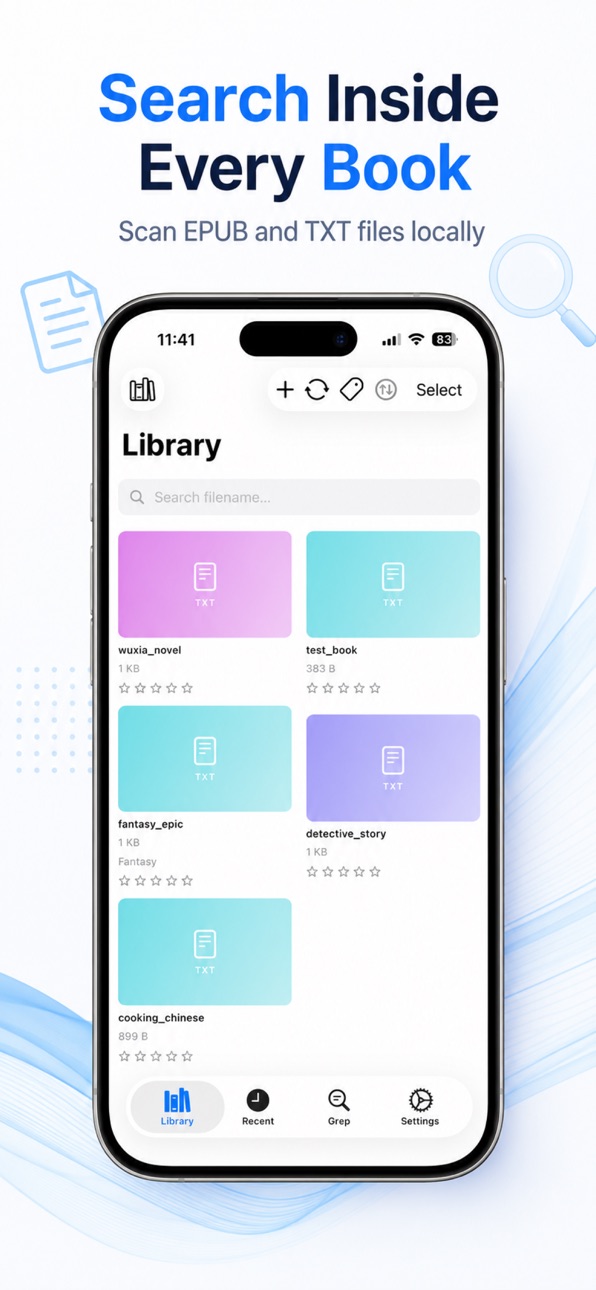
BiblioFuse Grep Tag Reader is a focused toolkit for readers who want to search inside their EPUB and TXT files, tag their collection, and sync between Mac and iPhone over Wi-Fi.
GREP SCAN — FREE AND UNLIMITED
Search the full text of books in your library. No developer-run cloud index, no upload for scanning — Grep Tag reads directly from your files. Enter any keyword, tap Search, and see which books contain it.
KEYWORD PROFILES FOR RECURRING SEARCHES
Build named profiles using AND, OR, and NOT logic — "Sci-Fi AND dragons NOT romance" — and re-run them whenever your library grows. Enable Auto-run to tag new books automatically on import.
TAG YOUR COLLECTION
Apply tags from scan results with a single tap, or tag books manually. Filter your library by one or more tags to instantly see every book in a genre. The free tier includes 5 tags; Pro unlocks unlimited.
TXT BOOK COVER MATCHING (PRO) — UNIQUE FEATURE
Most apps ignore TXT files when it comes to covers. Grep Tag finds cover images automatically: when a folder contains an image with the same filename as your TXT book, it's picked up as the cover. You can also long-press any TXT book and paste a direct image URL — Grep Tag downloads, crops, and saves it alongside the file so the cover survives any re-scan.
EPUB COVER EXTRACTION — FREE
EPUB covers are read directly from the file and displayed in your library grid — no manual setup needed.
ORGANISE INTO FOLDERS (PRO)
Move books into subfolders directly from the app without leaving BiblioFuse. File paths are updated as part of the move.
Wi-Fi SYNC BETWEEN DEVICES (PRO)
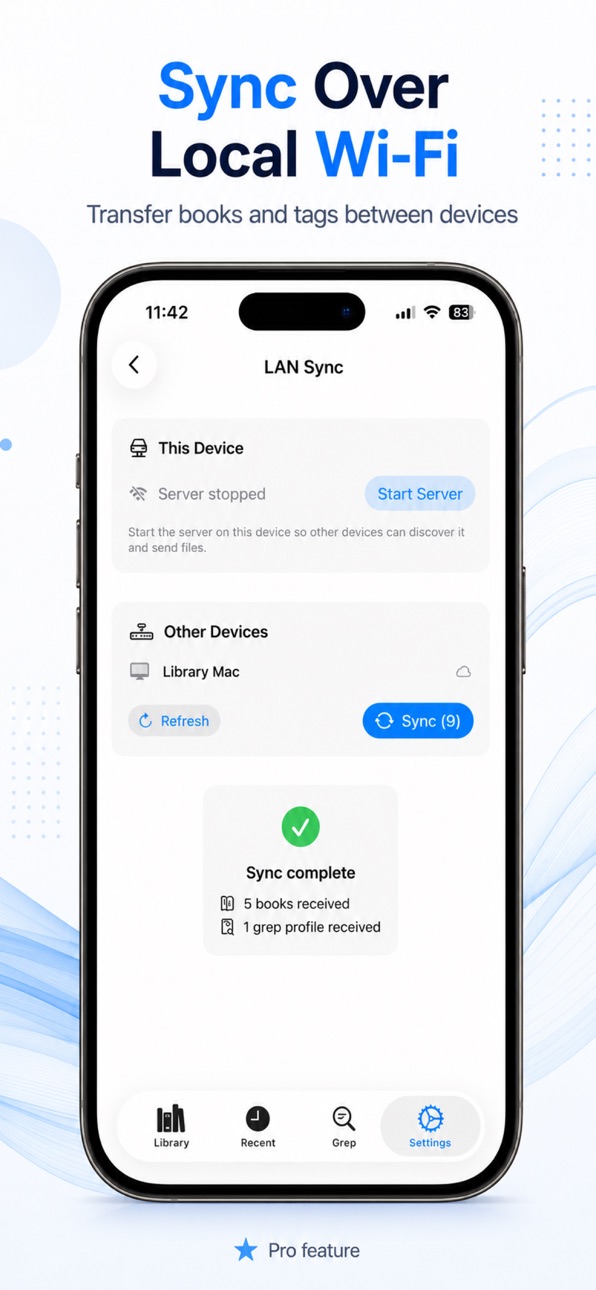
Transfer books and tags directly over your local Wi-Fi. iCloud is used only for small discovery metadata when enabled; books are not uploaded to developer-run servers.
BUILT-IN READER — MAKE IT YOURS
Read TXT and EPUB with a reader you can tune to your eyes: choose from multiple typefaces with live previews — or import your own fonts — and pick Sepia, Gray or Black (OLED) themes. Adjust size, line spacing, brightness, justified alignment and bold. Find any word inside a book, look up definitions, listen with text-to-speech (volume and voice control), and keep your place with bookmarks and chapter navigation. On Mac and iPhone.
SUPPORTS ALL MAJOR SCRIPTS
Latin, CJK (Chinese, Japanese, Korean), Arabic, Cyrillic — find keywords in any language.
WHAT'S FREE
• Full grep scan — unlimited keywords and scans
• Up to 5 tags
• Import Tag DB
• EPUB cover extraction
PRO UNLOCKS
• Unlimited tags
• Unlimited Grep profiles (free: 2)
• Move & organise files into folders
• Wi-Fi sync between Mac and iPhone
• TXT cover auto-match & URL fetch
Privacy: Books are processed locally or transferred over your own Wi-Fi. No tracking. No developer-run book server.
Legal:
Privacy - https://mlt-solutions.github.io/app-legal-docs/bibliofusegreptagread/PRIVACY
EULA - https://www.apple.com/legal/internet-services/itunes/dev/stdeula/
Capabilities
In-App Purchases
Accessibility
ipadiphonemacrealityDevicetvoswatch
Version history 7 versions
Build 887987985v1.0.6(18)2026-07-08 22:08:50
• Fixed whole-book search after automatic TXT chapter splitting.
• Safer deletion sync: deleting a book on one device now marks it as deleted on other devices instead of removing their local copies.
Build 887925823v1.0.5(17)2026-07-07 17:18:14
Fixed an issue where reading progress and bookmarks could be lost or misplaced after the previous chapter-detection update. Your place in EPUB and TXT books now saves and resumes correctly, and bookmarks stay put.
Build 887881766v1.0.4(16)2026-07-06 22:14:37
• New reader fonts with live previews — Iowan, Charter, Palatino, Kaiti (Chinese) and more, each shown in its own style; or import your own .ttf/.otf fonts
• Reading comfort — Sepia, Gray and Black (OLED) themes, screen dimming, justified text and bold, on Mac and iPhone
• Find in book — search any word inside the book you're reading (TXT & EPUB)
• Dictionary Look Up — select a word to see its definition
• Smarter chapter detection across more languages (Spanish, French, Portuguese, Dutch, Indonesian, Malay, Russian, Korean, Japanese)
• Share a book from the Library, plus macOS reading refinements
Build 887538167v1.0.3 (14)2026-06-28 16:55:31
Reader navigation is smoother and more predictable for TXT and EPUB books. Tap or click side areas to page first, and only change chapters at chapter boundaries. Previous-chapter jumps now land directly at the chapter end without flashing the top first.
Build 887527700v1.0.2(13)2026-06-27 20:13:25
Pro entitlement status now refreshes automatically when the app starts.
Build 886924052v1.0.0 (7)2026-06-25 01:16:34
Build 887424978v1.0.1(10)2026-06-25 18:04:47
• Improved Wi-Fi sync reliability and iCloud device discovery
• Library sort order is now consistent across devices
• TTS sleep timer added
• Folder scan now shows live indexing progress
No pricing data captured yet — comparisons appear once the app has paid storefronts or in-app purchases.
Availability 1 of 1 storefronts
| Region | Language | Price | Ratings | Avg | Version |
|---|---|---|---|---|---|
| US | en-US | Free | 0 | — | 1.0.6(18) |
Change log 11 changes · US
✎
releaseNotes updated
• Fixed whole-book search after automatic TXT chapter splitting.
• Safer deletion sync: deleting a book on one device now marks it as deleted on other devices i
✎
description updated
BiblioFuse Grep Tag Reader is a focused toolkit for readers who want to search inside their EPUB and TXT files, tag their collection, and sync between Mac and i
✎
subtitle updated
Search, Tag & Organise Books
✎
name updated
BiblioFuse Grep Tag Reader
◆
Version 1.0.6(18) released
• Fixed whole-book search after automatic TXT chapter splitting.
• Safer deletion sync: deleting a book on one device now marks it as deleted on other devices instead of removing their local copies.
◆
Version 1.0.5(17) released
Fixed an issue where reading progress and bookmarks could be lost or misplaced after the previous chapter-detection update. Your place in EPUB and TXT books now saves and resumes correctly, and bookmarks stay put.
◆
Version 1.0.4(16) released
• New reader fonts with live previews — Iowan, Charter, Palatino, Kaiti (Chinese) and more, each shown in its own style; or import your own .ttf/.otf fonts
• Reading comfort — Sepia, Gray and Black (OLED) themes, screen dimming, justified t
◆
Version 1.0.3 (14) released
Reader navigation is smoother and more predictable for TXT and EPUB books. Tap or click side areas to page first, and only change chapters at chapter boundaries. Previous-chapter jumps now land directly at the chapter end without flashing t
◆
Version 1.0.2(13) released
Pro entitlement status now refreshes automatically when the app starts.
◆
Version 1.0.1(10) released
• Improved Wi-Fi sync reliability and iCloud device discovery
• Library sort order is now consistent across devices
• TTS sleep timer added
• Folder scan now shows live indexing progress
◆
Version 1.0.0 (7) released