Home › Productivity

 US
US
1 of 1 storefronts
Content in en-US
Content in en-US
Information
Apple ID6779615915
Bundle IDcom.farmingai.usbcamera
SellerSeller
Min iOS13.0
Device familiesmac, watch, iphone, ipad, ipod
Released2026-06-18
Copyright© Farming AI Inc
Privacy policyLink ↗
Preview 4 platforms
iPhone 8 images


iPad 6 images



Mac 4 images



Apple Watch 4 images


What’s New Version 1.3.0
■ Improved: Sharper Apple Watch preview
• The live camera preview on your Apple Watch is now noticeably sharper
• Still includes shutter & lamp, Digital Crown manual focus, and double-tap autofocus
■ Other
• General stability and bug fixes
Description
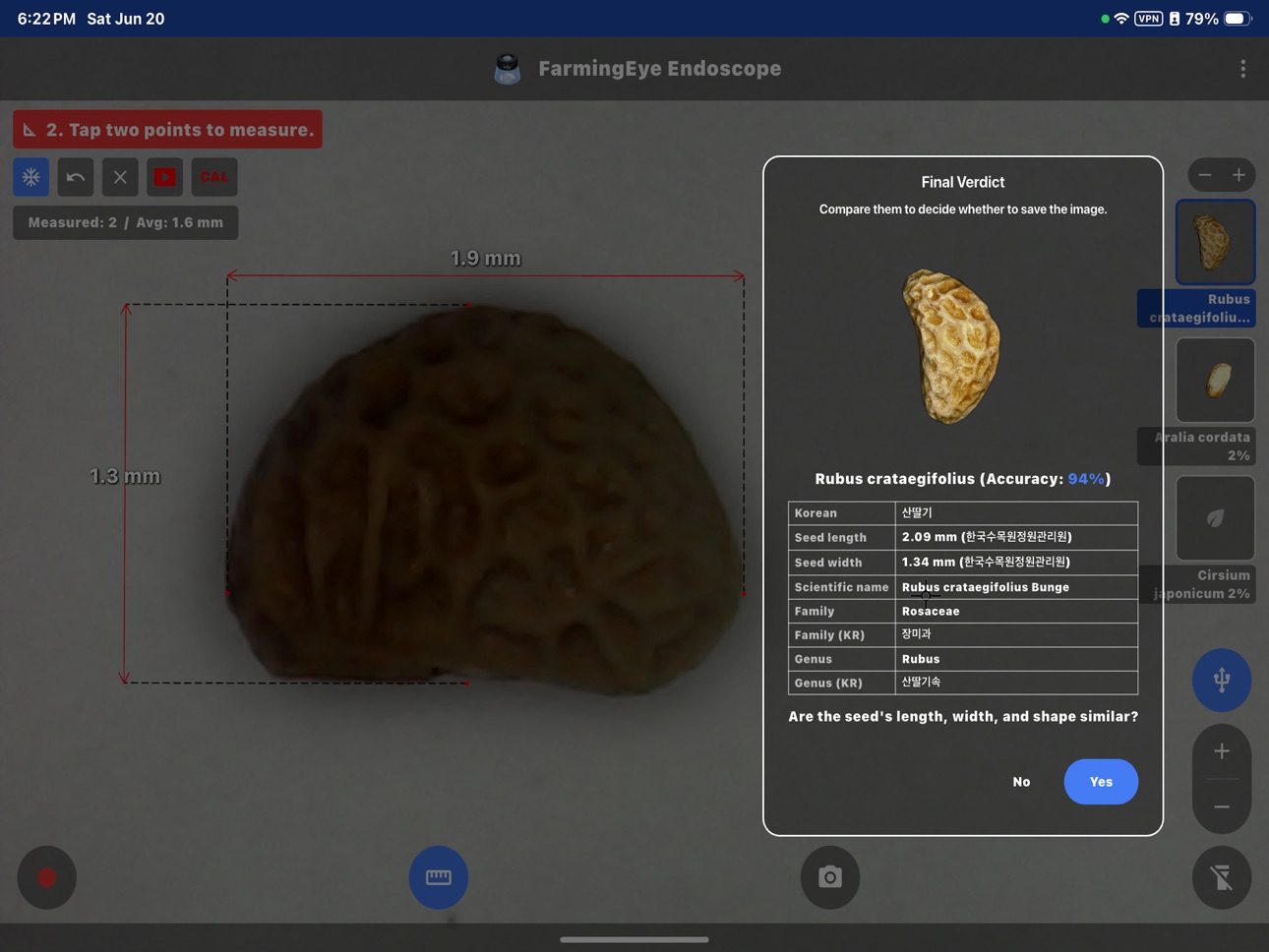
Measure anything in millimeters right on your screen. Connect a USB endoscope or microscope (UVC) to your iPad via USB-C, or point your iPhone/iPad rear camera at the subject, then tap two points to measure the real distance. Works with USB microscopes (e.g. Leica), borescope inspection cameras, otoscopes, and more.
■ On-screen ruler ■
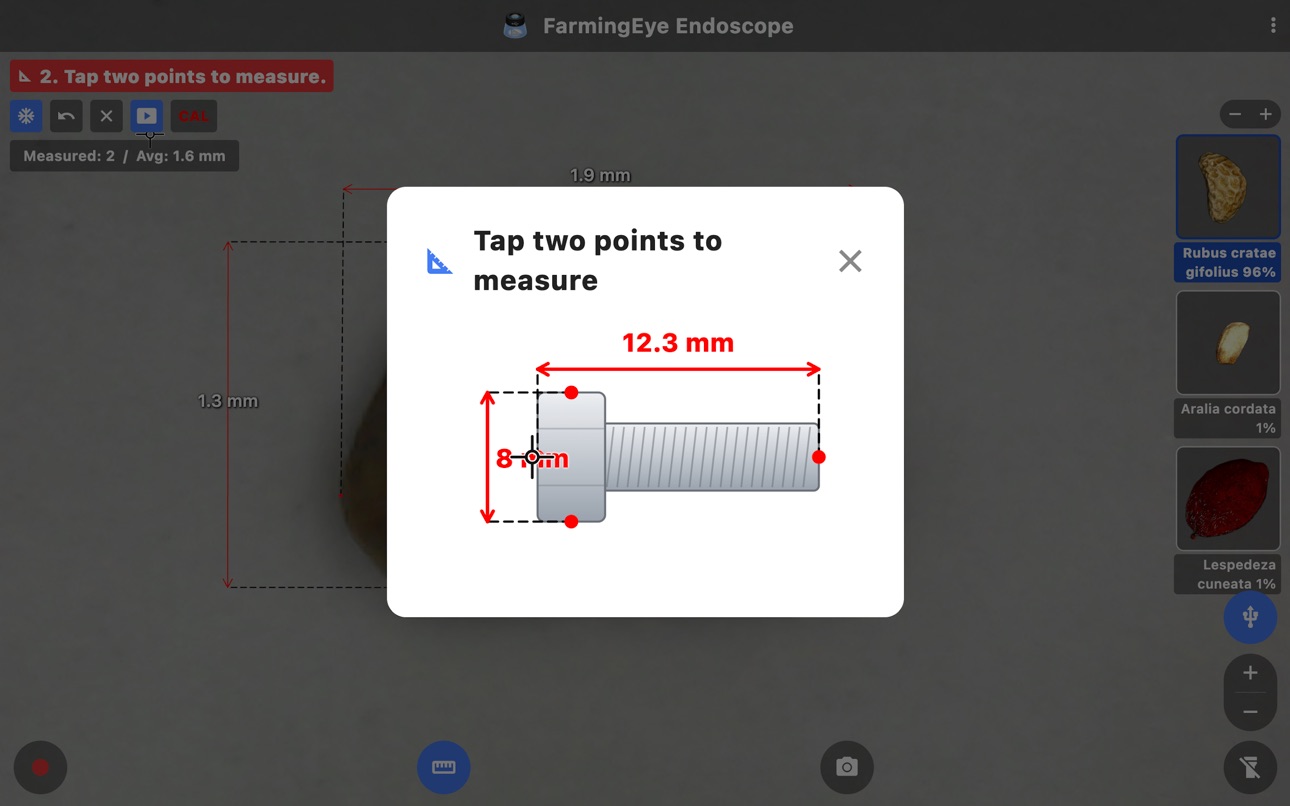
• Tap two points → enter the real length (mm) → calibrate once
• After that, tap any two points to measure instantly in millimeters
• Reference/measurement arrows, drag labels to reposition, optional grid
• Calibration is saved — measure right away next time
■ Camera ■
• iPad: live view from a USB-C external UVC camera (endoscope/microscope/webcam) — a powered hub is recommended
• iPhone/iPad rear camera: lock focus on a loupe or close subject with the manual-focus slider
• Macro (ultra-wide) mode focuses on very close subjects on supported devices
• Up to 4× digital zoom, LED lamp (flashlight) toggle
• Note: external USB cameras require an iPad with USB-C; iPhone uses its built-in rear camera
■ Apple Watch remote ■
• Control the camera from your Apple Watch — shutter and lamp (torch)
• Manual focus with the Digital Crown; double-tap to autofocus
• Live camera preview right on your wrist
• Works while the iPhone app's camera screen is open (iPhone rear camera)
■ AI seed identification ■
• Identify Korean forest tree seeds in real time, right in the camera view
• Runs fully on-device — no internet connection required
• Shows the top 3 most likely matches
■ Capture & record ■
• Photo capture (optional date/time stamp on the image)
• Video recording (on-screen timer, audio on/off)
• Saved straight to Photos; tap the thumbnail to open it
■ Great for ■
• Automotive, plumbing, and industrial inspection
• USB microscope viewing and measurement
• Forestry and seed identification
• Otoscope and other home use
■ 20 languages ■
Korean, English, Chinese (Simplified/Traditional), Japanese, Spanish, French, German, Russian, Portuguese, Italian, Arabic, Hindi, Indonesian, Thai, Vietnamese, Turkish, Polish, Dutch, Swedish
■ Privacy ■
All photos, videos, and audio stay on your device and are never uploaded.
■ Contact ■
farmingai.ceo@gmail.com / +82-507-1473-1394
Accessibility
ipadiphonemacrealityDevicetvoswatch
Version history 4 versions
Build 887388554v1.3.02026-06-24 21:25:36
■ Improved: Sharper Apple Watch preview
• The live camera preview on your Apple Watch is now noticeably sharper
• Still includes shutter & lamp, Digital Crown manual focus, and double-tap autofocus
■ Other
• General stability and bug fixes
Build 887279054v1.2.02026-06-22 21:23:43
■ New: Apple Watch remote
• Trigger the shutter and toggle the lamp right from your wrist
• Manual focus with the Digital Crown; double-tap to autofocus
• Live camera preview on the watch
• (Works while the iPhone app's camera screen is open)
■ New: AI Seed Identification
• Identify Korean forest tree seeds in real time, right in the camera view
• Runs fully on-device — no internet required
• Shows the top 3 most likely matches
■ Improvements
• More reliable external USB (UVC) camera connection on iPad
• Refined manual focus and macro handling for close-up subjects
• Captured photos now show a clean date/time stamp only
• General stability and bug fixes
External USB cameras require iPadOS; iPhone uses its built-in rear camera.
Build 887199871v1.1.02026-06-20 20:18:53
■ New: AI Seed Identification
You can now identify Korean forest tree seeds in real time,
right from the camera screen.
• Runs fully on-device — no internet connection required
• Shows the top 3 most likely matches (Top-3)
• Works instantly in the live camera preview, no extra
capture needed
■ Improved External USB Camera (Endoscope) Stability
• Fixed crashes that could occur while using an external
UVC camera
• Improved overall camera connection and detection
■ Other Improvements & Bug Fixes
• Fixed an issue where the AI identification model failed
to run in some environments
• Improved error reporting for clearer feedback
• General stability and usability improvements
All your usual features remain available: live USB endoscope
and webcam video, photo capture, video recording, and the
on-screen millimeter ruler measurement tool.
Please note
• Requires macOS 11.0 (Big Sur) or later.
• Exposure/brightness control for external UVC cameras is
not supported due to macOS limitations.
We'd love your feedback — let us know about any issues and
we'll address them quickly. Thank you!
Build 886881617v1.0.12026-06-18 12:57:52
No pricing data captured yet — comparisons appear once the app has paid storefronts or in-app purchases.
Availability 1 of 1 storefronts
| Region | Language | Price | Ratings | Avg | Version |
|---|---|---|---|---|---|
| US | en-US | Free | 0 | — | 1.3.0 |
Change log 8 changes · US
✎
releaseNotes updated
■ Improved: Sharper Apple Watch preview
• The live camera preview on your Apple Watch is now noticeably sharper
• Still includes shutter & lamp, Digital Crow
✎
description updated
Measure anything in millimeters right on your screen. Connect a USB endoscope or microscope (UVC) to your iPad via USB-C, or point your iPhone/iPad rear camera
✎
subtitle updated
USB microscope & mm ruler
✎
name updated
FarmingEye Endoscope
◆
Version 1.3.0 released
■ Improved: Sharper Apple Watch preview
• The live camera preview on your Apple Watch is now noticeably sharper
• Still includes shutter & lamp, Digital Crown manual focus, and double-tap autofocus
■ Other
• General stability and bug
◆
Version 1.2.0 released
■ New: Apple Watch remote
• Trigger the shutter and toggle the lamp right from your wrist
• Manual focus with the Digital Crown; double-tap to autofocus
• Live camera preview on the watch
• (Works while the iPhone app's camera screen is ope
◆
Version 1.1.0 released
■ New: AI Seed Identification
You can now identify Korean forest tree seeds in real time,
right from the camera screen.
• Runs fully on-device — no internet connection required
• Shows the top 3 most likely matches (Top-3)
• Works
◆
Version 1.0.1 released