Home › Developer Tools

 US
US
1 of 1 storefronts
Content in en-US
Content in en-US
Information
Preview 2 platforms
iPhone 6 images



iPad 6 images


Description
Stop fighting tmux on a touchscreen.
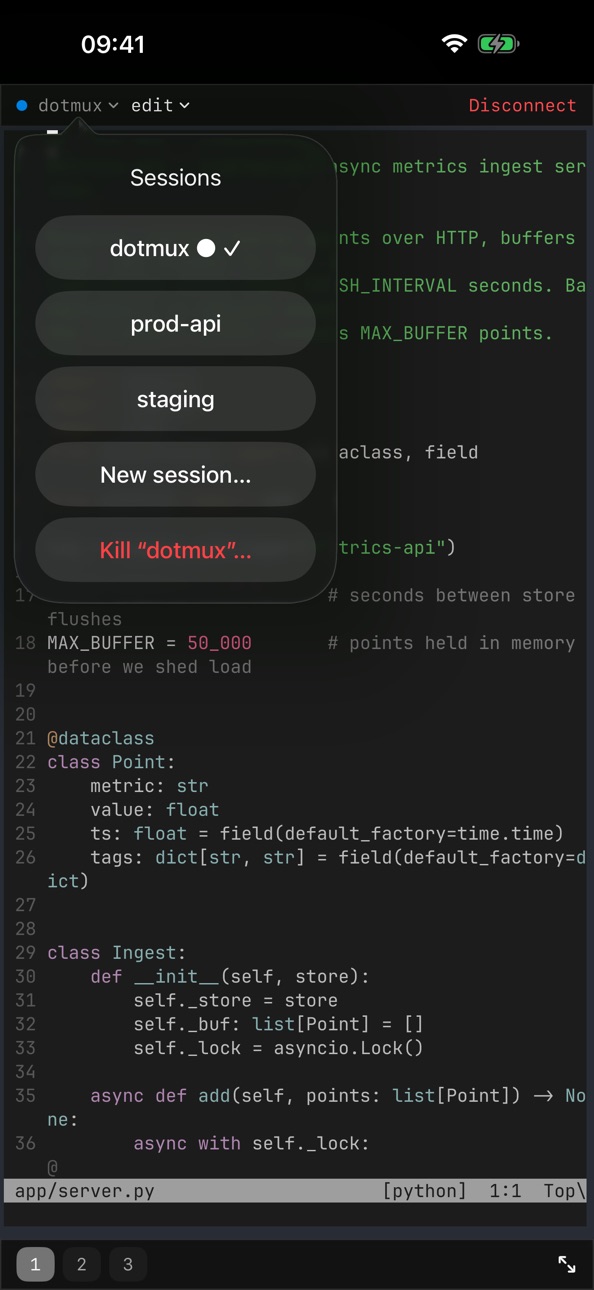
dotMux speaks tmux control mode natively and rebuilds your remote workspace as real iOS UI — the way iTerm2 does on the Mac. Your remote tmux windows and panes become native tabs and views you drive entirely by touch.
NATIVE tmux, NOT raw text
- Remote tmux windows become native tabs.
- Every pane becomes a native view — focused full-screen on iPhone, true side-by-side splits on iPad.
- Switch windows and panes by tapping or swiping, not by hunting for a prefix key.
- If a host has no tmux, dotMux falls back gracefully to a plain terminal.
REAL SSH, DONE RIGHT
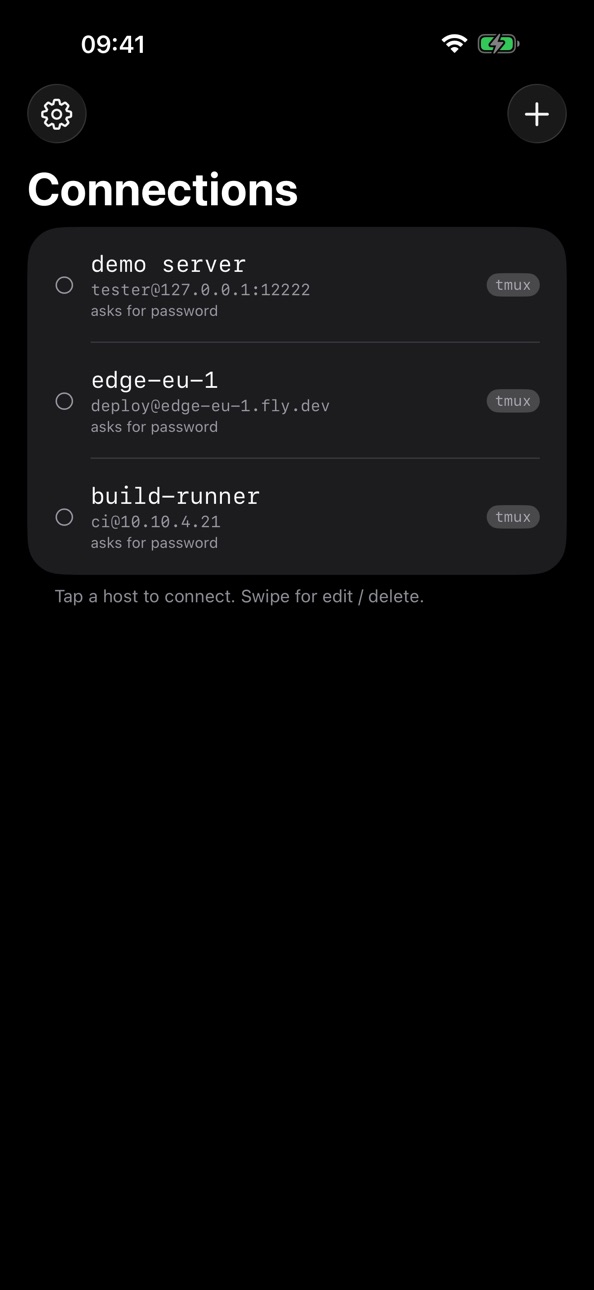
- Password and public-key authentication.
- Import your ed25519 keys by paste or from Files — passphrase-protected keys included.
- Or generate a key that lives in the Secure Enclave: non-exportable, signing happens in-chip, the private key never leaves the device.
- Connect directly from your device to your own servers. No middleman, no developer backend.
PICK UP WHERE YOU LEFT OFF
- The session picker lists every tmux session on the host and marks the ones already attached.
- Switch sessions in place, or create named ones on the fly.
- iOS suspended the app? Long-running jobs keep running on the server. When you come back, dotMux re-attaches to your tmux session and your tabs and panes rebuild themselves.
A KEYBOARD BUILT FOR TERMINALS
- A helper bar above the keyboard with the keys terminals actually need: Esc, Ctrl, Tab and more.
- A drag-pad arrow joystick with press-and-hold repeat for cursor movement and shell history.
- Sticky modifiers, and a hide-to-floating-dock control when you want the screen back.
- Native iOS 26 styling that respects your system tint.
SECURITY THAT STAYS ON YOUR DEVICE
- Face ID app-lock, plus a second Face ID gate per credential, with a short configurable grace period.
- Credentials live in the Keychain and Secure Enclave, bound to this device — never synced to iCloud, never sent anywhere.
- A privacy cover hides the terminal in the app switcher.
- dotMux collects no data. No analytics, no tracking, no ads, no account, no sign-up.
MADE FOR iPad TOO
- One universal app for iPhone and iPad.
- Open hosts side by side in multiple windows; built for hardware keyboard and trackpad.
PRICING
- Free: save and connect to one host, fully featured.
- Unlimited Hosts: a one-time $3.99 purchase to save as many servers as you like. No subscription. Restore Purchases supported.
Note: RSA keys are not supported (modern OpenSSH disables the SHA-1 ssh-rsa signature). Use ed25519 or a Secure Enclave key.
In-App Purchases US pricing
One-Time Purchases
dotMux — Unlimited Hosts$1.99
Capabilities
In-App Purchases
Accessibility
ipadiphonemacrealityDevicetvoswatch
Version history 1 versions
Build 886877532v1.1.32026-06-24 21:08:37
Price history by region
Currency
Show
Columns
Search
Availability 1 of 1 storefronts
| Region | Language | Price | Ratings | Avg | Version |
|---|---|---|---|---|---|
| US | en-US | Free | 0 | — | 1.1.3 |
Change log 4 changes · US
✎
description updated
Stop fighting tmux on a touchscreen.
dotMux speaks tmux control mode natively and rebuilds your remote workspace as real iOS UI — the way iTerm2 does on the Ma
✎
subtitle updated
Shells as native tabs & panes
✎
name updated
dotMux easy SSH with tmux
◆
Version 1.1.3 released