Home › Graphics & Design

 US
US
1 of 1 storefronts
Content in en-US
Content in en-US
Information
Preview 2 platforms
iPhone 5 images

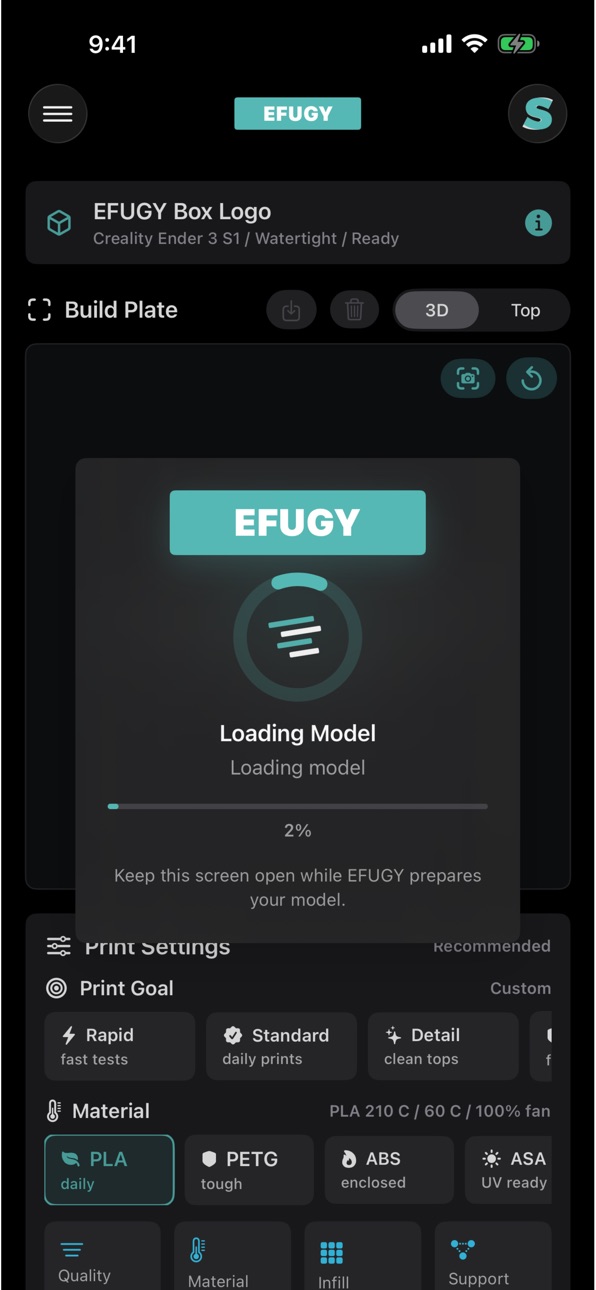


iPad 4 images


What’s New Version 1.2
EFUGY 3D Slicer 1.2 improves the local-first mobile 3D printing workflow for STL/OBJ model prep, slicer settings, preview, and G-code export.
• Improved STL and OBJ import workflows from Files, iCloud Drive, AirDrop, Mail, and other iOS share flows.
• Expanded printer, nozzle, material, and profile setup for common FDM printing workflows.
• Improved support controls, including Off, Scaffold, and Adaptive support options.
• Added clearer slicer controls for surface flow, infill, quality, material, and print-goal settings.
• Improved build plate, model preview, and G-code/toolpath review screens.
• Improved G-code export workflows for saving locally, sharing through apps like Slack, and transferring to SD cards or available Files locations.
• Improved app polish, reliability, and App Store readiness for iPhone and iPad.
Description
EFUGY 3D Slicer lets makers, designers, engineers, and 3D printing hobbyists work with printer profiles and model files directly on iPhone and iPad. Import, inspect, prepare, slice, preview, and export print-ready files whenever a practical print job or creative idea shows up.
EFUGY supports STL and OBJ model import, G-code preview/export workflows, printer/material/nozzle profiles, mesh checks, support options, surface flow tuning, infill controls, and build-plate views so you can review print jobs before you print.
GET STARTED
• Bring your own STL or OBJ model file, a compatible FDM printer, and the material/nozzle settings you want to use.
IMPORT
• Import and view STL and OBJ models for quick print preparation.
• Open files from iCloud Drive, Files, AirDrop, or other iOS share workflows.
• Inspect model dimensions, build volume fit, and mesh readiness before slicing.
PREPARE
• Select printer, material, nozzle, quality, infill, and support settings.
• Tune PLA, PETG, ABS, ASA, TPU, and other common FDM material workflows.
• Choose support options including Off, Scaffold, and Adaptive.
• Adjust surface flow, crosshatched infill, and print-goal presets for different jobs.
PREVIEW
• Navigate the 3D build plate with model and toolpath views.
• Review top-down and 3D perspectives before exporting.
• Check sliced G-code behavior, extrusion paths, and compatibility warnings.
EXPORT
• Generate and export G-code for supported printer profiles.
• Save G-code locally, share it through iOS apps, or transfer it to SD cards and available Files locations.
• Keep slicing local-first with no required cloud slicing account.
SUPPORT: https://rulemobile.com/efugy-3d-slicer/support
OPTIONAL ACCESS
+ Files: Import model files and export G-code through iOS document workflows.
+ Mail: Open a pre-filled support email only when you choose to report a bug or send feedback.
EFUGY's core slicer, preview, and export tools continue to work even if optional sharing or email actions are not used.
Accessibility
ipadiphonemacrealityDevicetvoswatch
Version history 2 versions
Build 887453160v1.22026-06-25 23:02:02
EFUGY 3D Slicer 1.2 improves the local-first mobile 3D printing workflow for STL/OBJ model prep, slicer settings, preview, and G-code export.
• Improved STL and OBJ import workflows from Files, iCloud Drive, AirDrop, Mail, and other iOS share flows.
• Expanded printer, nozzle, material, and profile setup for common FDM printing workflows.
• Improved support controls, including Off, Scaffold, and Adaptive support options.
• Added clearer slicer controls for surface flow, infill, quality, material, and print-goal settings.
• Improved build plate, model preview, and G-code/toolpath review screens.
• Improved G-code export workflows for saving locally, sharing through apps like Slack, and transferring to SD cards or available Files locations.
• Improved app polish, reliability, and App Store readiness for iPhone and iPad.
Build 886841541v1.02026-06-16 10:11:08
No pricing data captured yet — comparisons appear once the app has paid storefronts or in-app purchases.
Availability 1 of 1 storefronts
| Region | Language | Price | Ratings | Avg | Version |
|---|---|---|---|---|---|
| US | en-US | Free | 1 | 5.0 | 1.2 |
Change log 6 changes · US
✎
releaseNotes updated
EFUGY 3D Slicer 1.2 improves the local-first mobile 3D printing workflow for STL/OBJ model prep, slicer settings, preview, and G-code export.
• Improved STL an
✎
description updated
EFUGY 3D Slicer lets makers, designers, engineers, and 3D printing hobbyists work with printer profiles and model files directly on iPhone and iPad. Import, ins
✎
subtitle updated
Slice STL & OBJ to G-code
✎
name updated
EFUGY 3D Slicer
◆
Version 1.2 released
EFUGY 3D Slicer 1.2 improves the local-first mobile 3D printing workflow for STL/OBJ model prep, slicer settings, preview, and G-code export.
• Improved STL and OBJ import workflows from Files, iCloud Drive, AirDrop, Mail, and other iOS sh
◆
Version 1.0 released