Home › Music

 US
US
1 of 1 storefronts
Content in en-US
Content in en-US
Information
Apple ID6778987974
Bundle IDcom.maxapps.MA3Remote
SellerSeller
Min iOS17.0
Min macOS14.0
Device familiesiphone, ipad
Released2026-07-02
Copyright© 2026 Maksim Chernikov. All rights reserved.
Privacy policyLink ↗
Preview 2 platforms
iPhone 10 images




iPad 4 images


What’s New Version 1.1.0
Your iPhone now works as a bridge: connect a game controller or a MIDI device to your phone, and the app passes everything you do straight to your grandMA3 console - no computer needed.
• Gamepad control — plug in a PS5 or Xbox controller and move Pan/Tilt and executors
• MIDI controllers — connect a MIDI device and control faders, knobs and pads
• Tap Tempo for Speed Masters — set BPM by tapping, drive multiple masters at once
• Various fixes and improvements
Description
MA3 Remote turns your iPhone or iPad into a fast, reliable wireless remote for grandMA3 lighting consoles and onPC — built for programmers and operators who need control while moving around the stage.
Connect over your local network via OSC, run the included feedback plugin on the console, and you get live two-way control in your hand.
FREE
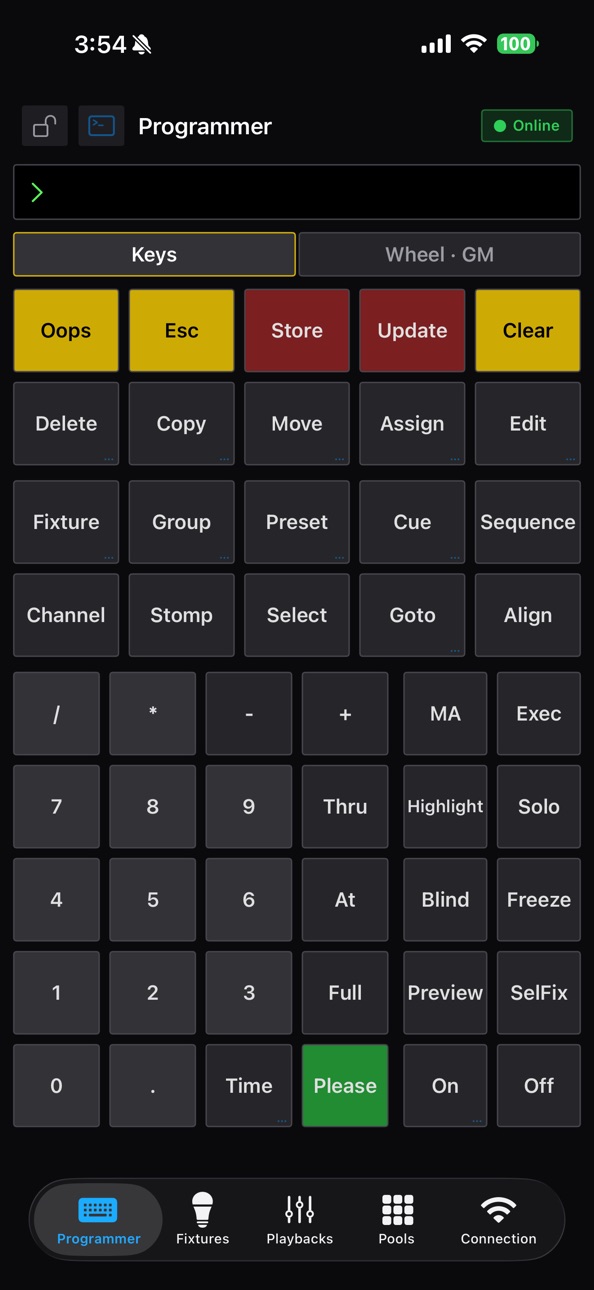
• Command Programmer — a console-accurate keypad. Type commands exactly like on the desk (Fixture, Group, At, Thru, Full, Please) with multi-press keywords, the level wheel and Grand Master.
PRO (one-time purchase, no subscription)
• Playbacks — motor-fader lanes with executor buttons, the X-Keys block, encoders and the master section, all live.
• Cue sheets — tap any executor to expand the full sequence and fire Go right from the app.
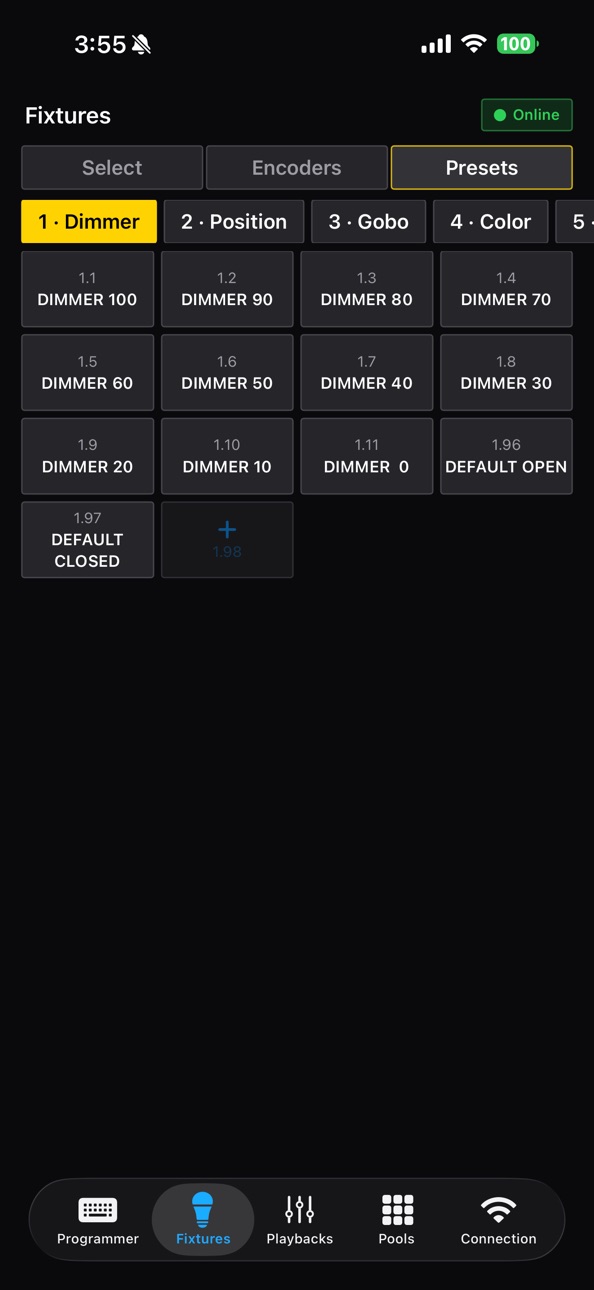
• Fixtures & Layout — select fixtures, drive encoders, and see your rig in the exact grandMA3 Layout positions with pinch-zoom pixel mapping.
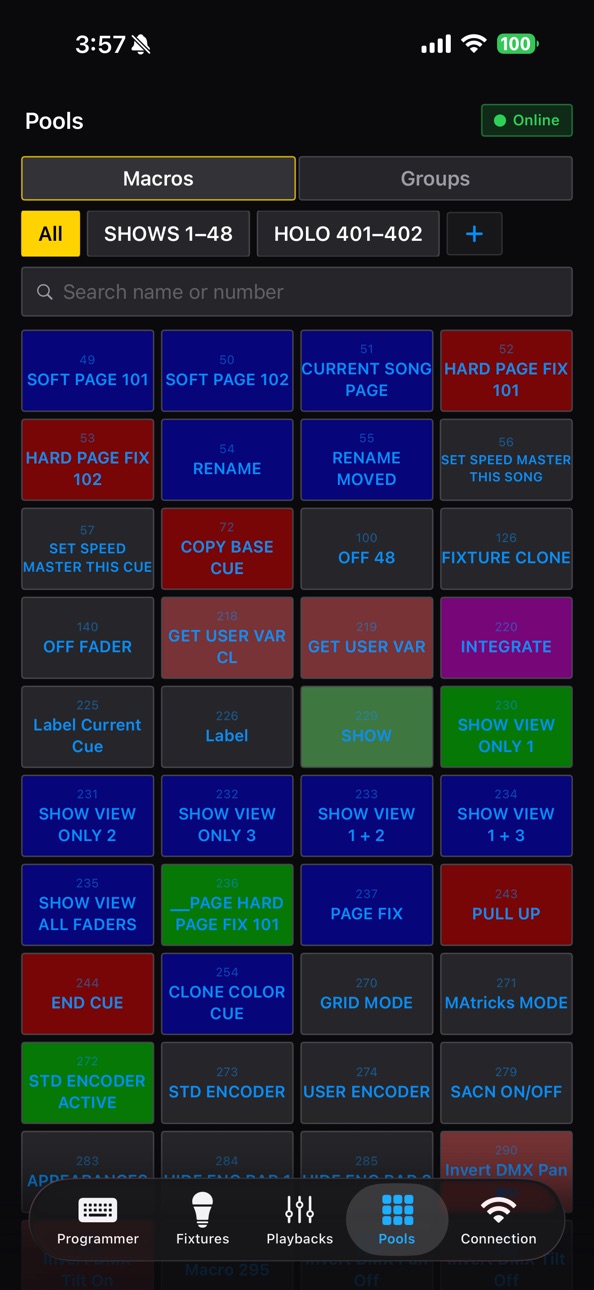
• Pools — macros and groups with the colours assigned on the console.
• Bundled console plugin — export the feedback plugin straight from the app.
WHAT YOU NEED
• A grandMA3 console or grandMA3 onPC on the same network.
• The MA3RemoteFeedback plugin (included in the app) running on the console.
Not affiliated with or endorsed by MA Lighting. grandMA3 is a trademark of MA Lighting International GmbH.
In-App Purchases US pricing
One-Time Purchases
MA3 Remote Pro$19.99
Capabilities
In-App Purchases
Accessibility
ipadiphonemacrealityDevicetvoswatch
Version history 2 versions
Build 888137735v1.1.02026-07-11 18:16:16
Your iPhone now works as a bridge: connect a game controller or a MIDI device to your phone, and the app passes everything you do straight to your grandMA3 console - no computer needed.
• Gamepad control — plug in a PS5 or Xbox controller and move Pan/Tilt and executors
• MIDI controllers — connect a MIDI device and control faders, knobs and pads
• Tap Tempo for Speed Masters — set BPM by tapping, drive multiple masters at once
• Various fixes and improvements
Build 886802846v1.02026-07-01 20:32:38
Price history by region
Currency
Show
Columns
Search
Availability 1 of 1 storefronts
| Region | Language | Price | Ratings | Avg | Version |
|---|---|---|---|---|---|
| US | en-US | Free | 0 | — | 1.1.0 |
Change log 6 changes · US
✎
releaseNotes updated
Your iPhone now works as a bridge: connect a game controller or a MIDI device to your phone, and the app passes everything you do straight to your grandMA3 cons
✎
description updated
MA3 Remote turns your iPhone or iPad into a fast, reliable wireless remote for grandMA3 lighting consoles and onPC — built for programmers and operators who nee
✎
subtitle updated
GrandMa3 Remote Control
✎
name updated
MA3 Remote
◆
Version 1.1.0 released
Your iPhone now works as a bridge: connect a game controller or a MIDI device to your phone, and the app passes everything you do straight to your grandMA3 console - no computer needed.
• Gamepad control — plug in a PS5 or Xbox controller
◆
Version 1.0 released