Home › Education

 US
US
1 of 1 storefronts
Content in en-US
Content in en-US
Information
Preview 2 platforms
iPhone 6 images


iPad 6 images


What’s New Version 1.0.6
We polished how the app feels in your hand.
· Swipe in from the left edge for a smoother "back" gesture
· Easier double consonants/vowels (ㅃ, ㅉ, ㅖ…) — just press and hold a key
· Crisper, more natural typing vibration
· Fixed a glitch where letters sometimes wouldn't register in Tap Fighter
One letter at a time — keep going!
Description
The easiest way to learn Korean (Hangul) typing — built for absolute beginners and seniors.
Whether you've never touched a Korean keyboard or you type slowly, this app helps you learn one letter at a time, at your own pace.
■ Perfect for
· Korean learners starting with the keyboard
· Seniors who find phone typing difficult
· Anyone learning the Cheonjiin or Dubeolsik layout
· People who prefer large, clear text
■ Key features
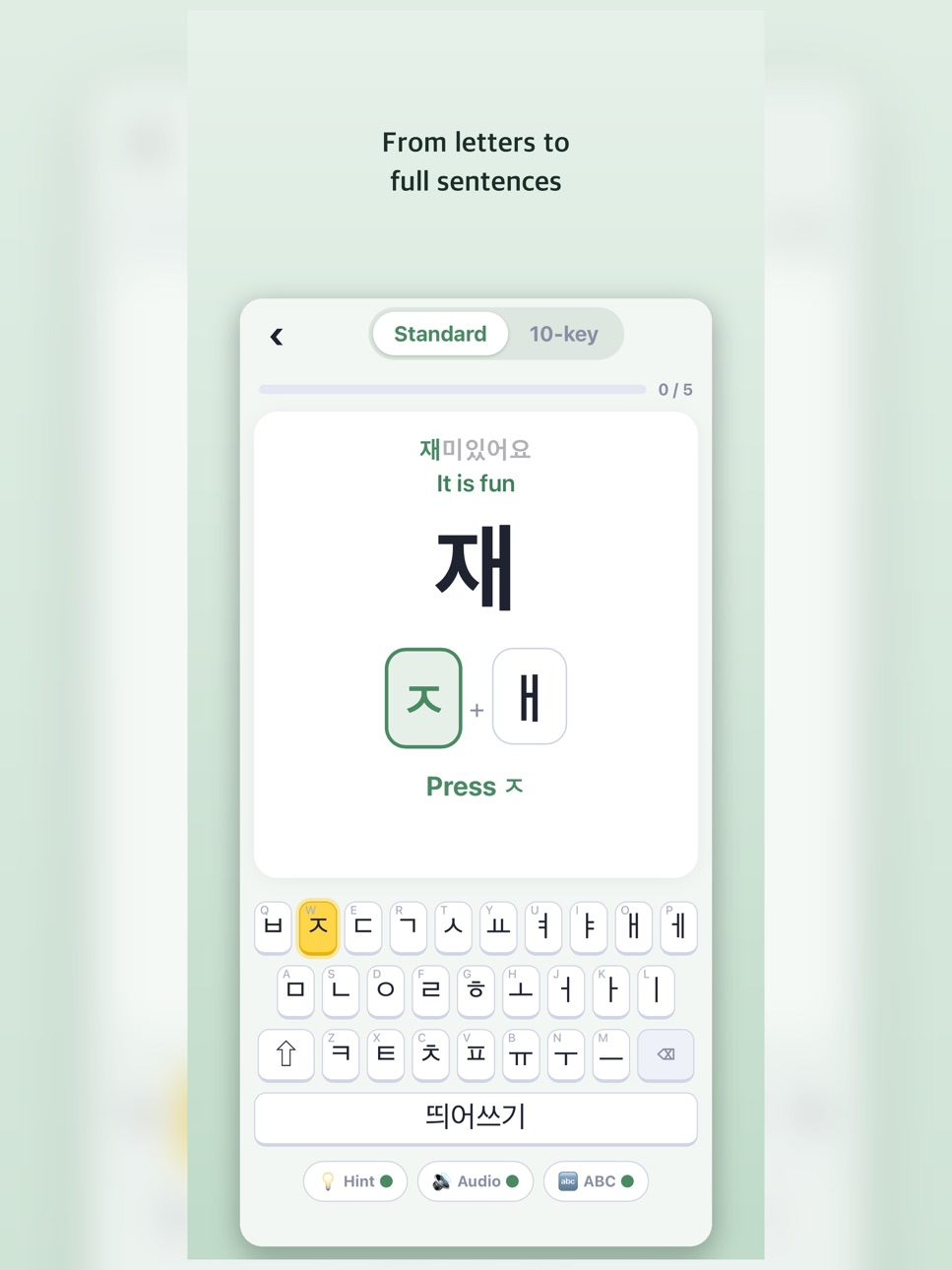
· Big text — comfortable, easy-to-read letters
· Key highlight guide — the next key to press lights up in yellow
· Two layouts — practice both Dubeolsik and Cheonjiin
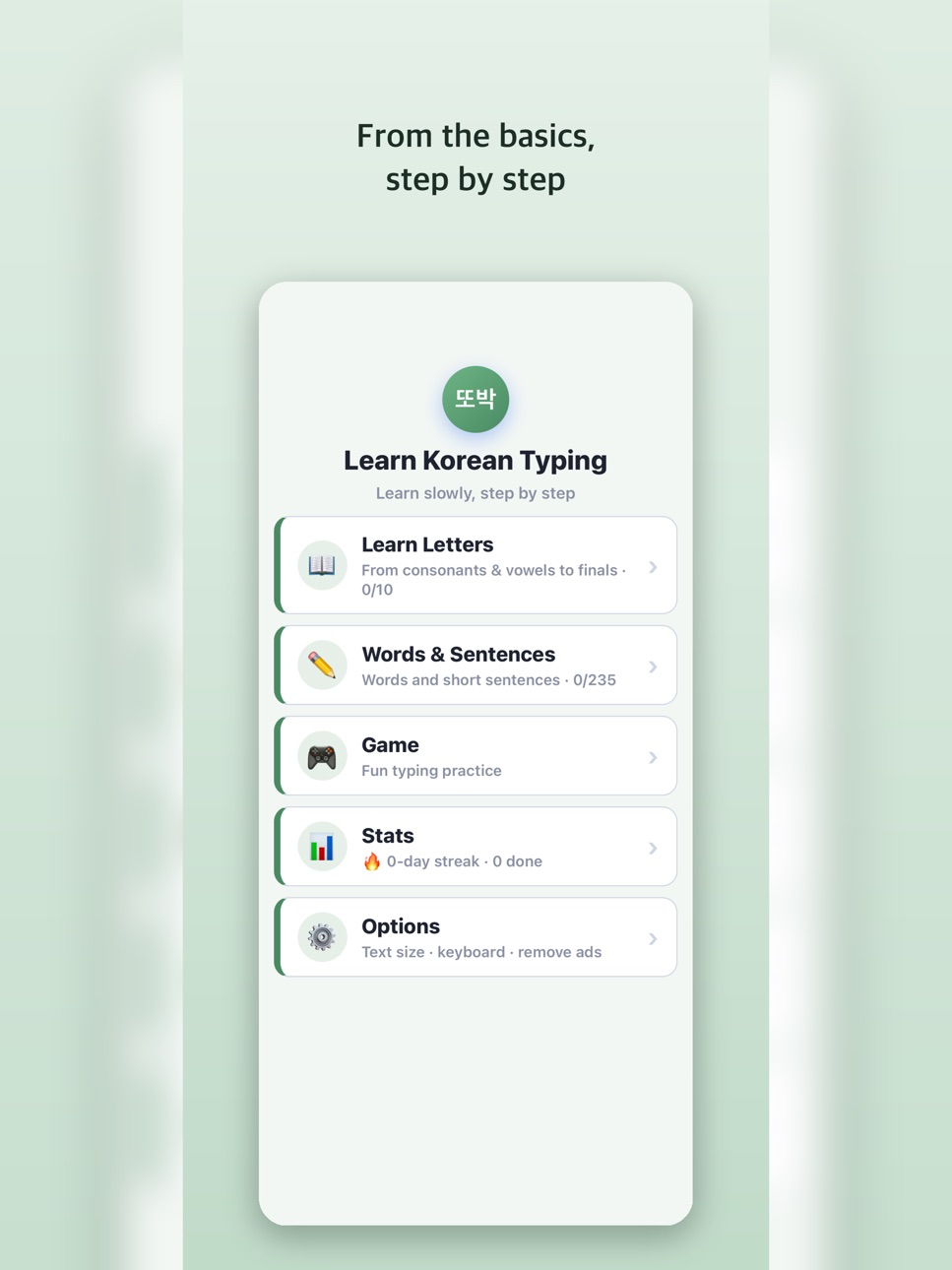
· Step by step — from consonants, vowels and final letters to words and sentences
· Rich content — everyday words, proverbs, quotes, song lyrics, K-drama titles and more
· Hear it — listen to letters and words read aloud
· Typing game — build speed while having fun
· Accurate input — a built-in keyboard means letters never break apart
■ Why you'll like it
· No memorizing — just follow the on-screen guide
· Mistakes are fine — repeat slowly until it feels natural
· Works offline — practice anywhere, anytime
Start today, one letter at a time.
Capabilities
In-App Purchases
Accessibility
ipadiphonemacrealityDevicetvoswatch
Version history 6 versions
Build 887526612v1.0.62026-06-27 18:46:31
We polished how the app feels in your hand.
· Swipe in from the left edge for a smoother "back" gesture
· Easier double consonants/vowels (ㅃ, ㅉ, ㅖ…) — just press and hold a key
· Crisper, more natural typing vibration
· Fixed a glitch where letters sometimes wouldn't register in Tap Fighter
One letter at a time — keep going!
Build 887215209v1.0.52026-06-24 20:59:24
A new game and handy features!
· Tap Fighter — a new fighting game where you type to smash the incoming letters
· Chain hits to unleash roundhouse kicks, flying kicks and fireballs
· In another language? Each Korean key now shows its English (QWERTY) letter
· Clearer "Remove Ads" info and stability improvements
One letter at a time — keep going!
Build 887197478v1.0.32026-06-19 21:55:58
Small but nice improvements!
· In Large Text mode, lesson titles now fit neatly on one line
· Minor visual polish
One letter at a time — keep going!
Build 887091965v1.0.22026-06-17 17:52:23
A fresh new look!
· Soft new colors and a refreshed design
· Larger guidance text for easier reading
· Restore-purchase and minor improvements
One letter at a time — keep going!
Build 886786919v1.02026-06-15 09:42:43
Build 886987378v1.0.12026-06-15 19:05:21
Thanks for using the app! This update makes things smoother.
· More reliable "Restore Purchase" for ad removal
· Correct display of the app's supported languages
· Minor bug fixes and stability improvements
Keep going — one letter at a time.
No pricing data captured yet — comparisons appear once the app has paid storefronts or in-app purchases.
Availability 1 of 1 storefronts
| Region | Language | Price | Ratings | Avg | Version |
|---|---|---|---|---|---|
| US | en-US | Free | 0 | — | 1.0.6 |
Change log 10 changes · US
✎
releaseNotes updated
We polished how the app feels in your hand.
· Swipe in from the left edge for a smoother "back" gesture
· Easier double consonants/vowels (ㅃ, ㅉ, ㅖ…) — just pre
✎
description updated
The easiest way to learn Korean (Hangul) typing — built for absolute beginners and seniors.
Whether you've never touched a Korean keyboard or you type slowly,
✎
subtitle updated
Learn the Korean keyboard
✎
name updated
Hangul Typing for Beginners
◆
Version 1.0.6 released
We polished how the app feels in your hand.
· Swipe in from the left edge for a smoother "back" gesture
· Easier double consonants/vowels (ㅃ, ㅉ, ㅖ…) — just press and hold a key
· Crisper, more natural typing vibration
· Fixed a glitch wher
◆
Version 1.0.5 released
A new game and handy features!
· Tap Fighter — a new fighting game where you type to smash the incoming letters
· Chain hits to unleash roundhouse kicks, flying kicks and fireballs
· In another language? Each Korean key now shows its Engli
◆
Version 1.0.3 released
Small but nice improvements!
· In Large Text mode, lesson titles now fit neatly on one line
· Minor visual polish
One letter at a time — keep going!
◆
Version 1.0.2 released
A fresh new look!
· Soft new colors and a refreshed design
· Larger guidance text for easier reading
· Restore-purchase and minor improvements
One letter at a time — keep going!
◆
Version 1.0.1 released
Thanks for using the app! This update makes things smoother.
· More reliable "Restore Purchase" for ad removal
· Correct display of the app's supported languages
· Minor bug fixes and stability improvements
Keep going — one letter at a ti
◆
Version 1.0 released