Home › Photo & Video

 US
US
1 of 1 storefronts
Content in en-US
Content in en-US
Information
Apple ID6776077682
Bundle IDcom.dts.smoothly.dualcam
SellerSeller
Min iOS16.6
Min macOS13.5
Device familiesiphone, ipad
Released2026-06-05
Copyright© CDTS LABOR PROTECTION JOINT STOCK COMPANY
Privacy policyLink ↗
Preview 2 platforms
iPhone 7 images



iPad 6 images


What’s New Version 1.0.8
In this regular update (1.0.8), we bring new ways to create with footage you already have - import photos and videos directly from your Photos library or the Files app, and pair an imported clip with your live camera in the new Reaction (Duet) mode.
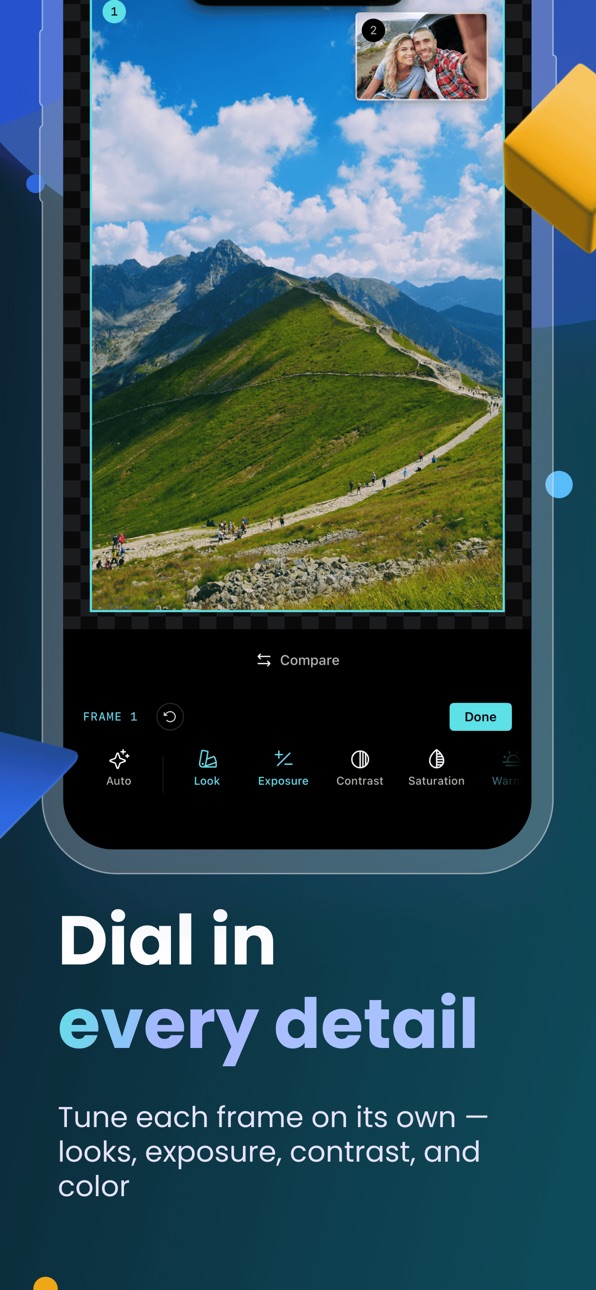
Editing gets more powerful too, with the new Video Trim to cut your clips to the perfect moment, and a one-tap Auto that analyzes each frame and sets exposure, color, and look for you. DualTake now runs great on iPad as well, with full landscape support and layouts tuned for the larger screen.
Also includes various UI/UX refinements and performance improvements.
Found a bug or have a suggestion? Go to Settings > Send Feedback - we read every message and use your input to shape future updates.
Description
Welcome to DualTake — your complete dual-camera studio for shooting two angles at once, pro-grade color, hands-on manual controls, and a private, non-destructive editor. DualTake is where creators capture both sides of the moment.
Record your front and back cameras at the very same time, or two framings of a single scene, and save them together as one paired take. React to a clip from your library, or import your own photos and videos to re-edit. Frame it, grade it, and refine it all in one place — then post. Download DualTake today.
DUALTAKE APP FEATURES:
DUAL CAMERA CAPTURE
- Record the front and back cameras simultaneously, so your face and your scene live in one shot.
- Capture two crops of a single scene when you want both framings of the same moment.
- Save every shot as one atomic paired take — never choose between angles again.
REACTION (DUET) MODE
- Pair an imported video with your live camera — the clip plays in one frame while your camera records in the other.
- React to anything from your library: trailers, gameplay, music, or a friend's clip.
- The imported clip and your reaction roll together and save as one paired take, ready to trim and post.
FRAME IT YOUR WAY
- Choose picture-in-picture, side by side, or stacked top-and-bottom layouts.
- Switch between square, classic, and widescreen aspect ratios for any platform.
- Swap which camera leads and slide the inset until the composition feels right.
LOOKS AND PRO COLOR GRADING
- Apply a one-tap look to grade your footage instantly.
- Fine-tune contrast, saturation, warmth, highlights, and shadows to taste.
- Import your own .cube LUTs to keep your signature color consistent on every upload.
MANUAL PRO CONTROLS
- Set exposure, ISO, shutter, white balance, and focus by hand.
- Lock exposure and focus so your shot never hunts mid-take, and light a scene with the torch.
- Trigger the shutter with the volume buttons or Camera Control for steady, solo shooting.
PROFESSIONAL MONITORING TOOLS
- Frame with a live histogram and zebra stripes to nail your exposure.
- Use focus peaking and false color to confirm focus and tone before you record.
- See exactly what you'll capture, right in the viewfinder.
PHOTO AND VIDEO IN ONE APP
- Shoot photos or video with the same dual-camera setup.
- Grab a still mid-recording without ever cutting.
- Capture and quality options adapt to your iPhone, so more capable models unlock more.
IMPORT FROM PHOTOS AND FILES
- Bring photos and videos you already have into DualTake from your Photos library or the Files app.
- Restyle imported media with the same looks, color grading, retouch, and borders as your own captures.
- Everything lands in your private library and filters into its own view, so imports are easy to find.
NON-DESTRUCTIVE EDITOR
- Restyle any take without ever touching the original file.
- Add a creative look, smooth skin with a gentle retouch, and balance the audio between clips.
- Trim your clips to the perfect moment and finish with a clean border or picture-in-picture, then change your mind anytime.
PRIVATE BY DEFAULT
- Every take lands in a fast, private in-app library, grouped and easy to browse.
- DualTake saves to your Photos only when you ask it to.
- Location tagging is optional and always under your control.
DualTake requires an iPhone running iOS 16.6 or later. Single-camera capture works across supported iPhones, while recording the front and back cameras at the same time requires a model with Apple's multi-camera support (iPhone XS, iPhone XR, and later). The volume buttons and Camera Control shutter require iOS 17.2 or later, and Camera Control is available on the iPhone models that include it.
Read more about our terms of service here —
https://camfusion.top/app/terms-of-uses/camfusion/
Read more about our privacy policy here —
https://camfusion.top/app/privacy-policy/camfusion/
Capabilities
In-App Purchases
Accessibility
ipadiphonemacrealityDevicetvoswatch
Version history 5 versions
Build 887599201v1.0.82026-07-02 10:39:18
In this regular update (1.0.8), we bring new ways to create with footage you already have - import photos and videos directly from your Photos library or the Files app, and pair an imported clip with your live camera in the new Reaction (Duet) mode.
Editing gets more powerful too, with the new Video Trim to cut your clips to the perfect moment, and a one-tap Auto that analyzes each frame and sets exposure, color, and look for you. DualTake now runs great on iPad as well, with full landscape support and layouts tuned for the larger screen.
Also includes various UI/UX refinements and performance improvements.
Found a bug or have a suggestion? Go to Settings > Send Feedback - we read every message and use your input to shape future updates.
Build 887430891v1.0.72026-06-27 09:17:39
In this regular update (1.0.7), we bring pro-grade capture - record in ProRes, take HDR photos, and shoot with Apple Log color - along with a new Face Retouch for smoother portraits.
Editing and export get better too, with refined Picture-in-Picture and border controls, high-quality export, and the option to export your original ProRes clips untouched. The Gallery now supports multi-select and detailed Media Info, and smarter default settings keep your device cooler while recording.
Also includes onboarding improvements, broader language support, and various UI/UX refinements and performance improvements.
Found a bug or have a suggestion? Go to Settings > Send Feedback - we read every message and use your input to shape future updates.
Build 887026531v1.0.62026-06-24 22:25:19
In this regular update (1.0.6), we introduces Gallery and Editor — manage your content library, edit footage before and after shooting, and export or share with ease.
Also includes UI/UX refinements and performance improvements.
Found a bug or have a suggestion? Go to Settings > Send Feedback — we read every message and use your input to shape future updates.
Build 886655555v1.0.12026-06-08 12:10:43
Fix bug: Crash App when Change orientation
Build 886457598v1.02026-06-06 02:25:26
No pricing data captured yet — comparisons appear once the app has paid storefronts or in-app purchases.
Availability 1 of 1 storefronts
| Region | Language | Price | Ratings | Avg | Version |
|---|---|---|---|---|---|
| US | en-US | Free | 0 | — | 1.0.8 |
Change log 9 changes · US
✎
releaseNotes updated
In this regular update (1.0.8), we bring new ways to create with footage you already have - import photos and videos directly from your Photos library or the Fi
✎
description updated
Welcome to DualTake — your complete dual-camera studio for shooting two angles at once, pro-grade color, hands-on manual controls, and a private, non-destructiv
✎
subtitle updated
Dual camera + react mode
✎
name updated
DualTake
◆
Version 1.0.8 released
In this regular update (1.0.8), we bring new ways to create with footage you already have - import photos and videos directly from your Photos library or the Files app, and pair an imported clip with your live camera in the new Reaction (Du
◆
Version 1.0.7 released
In this regular update (1.0.7), we bring pro-grade capture - record in ProRes, take HDR photos, and shoot with Apple Log color - along with a new Face Retouch for smoother portraits.
Editing and export get better too, with refined Picture-i
◆
Version 1.0.6 released
In this regular update (1.0.6), we introduces Gallery and Editor — manage your content library, edit footage before and after shooting, and export or share with ease.
Also includes UI/UX refinements and performance improvements.
Found a bu
◆
Version 1.0.1 released
Fix bug: Crash App when Change orientation
◆
Version 1.0 released