Home › Developer Tools

 US
US
1 of 1 storefronts
Content in en-US
Content in en-US
Information
Preview 2 platforms
iPhone 6 images




iPad 6 images




What’s New Version 1.0.3
- Support NerdFont + custom font download
- Cleaner UI for Settings screen
Description
A tmux-first mobile terminal built for the Agent Age.
You're running coding agents and long-lived sessions on real servers — and you want to check in, steer them, and unblock them from your phone. TermRover is an SSH terminal designed for exactly that: first-class tmux, plus two things you won't find in most mobile terminals — send images straight to your agents, and talk to them by voice.
DRIVE TMUX WITH YOUR THUMBS
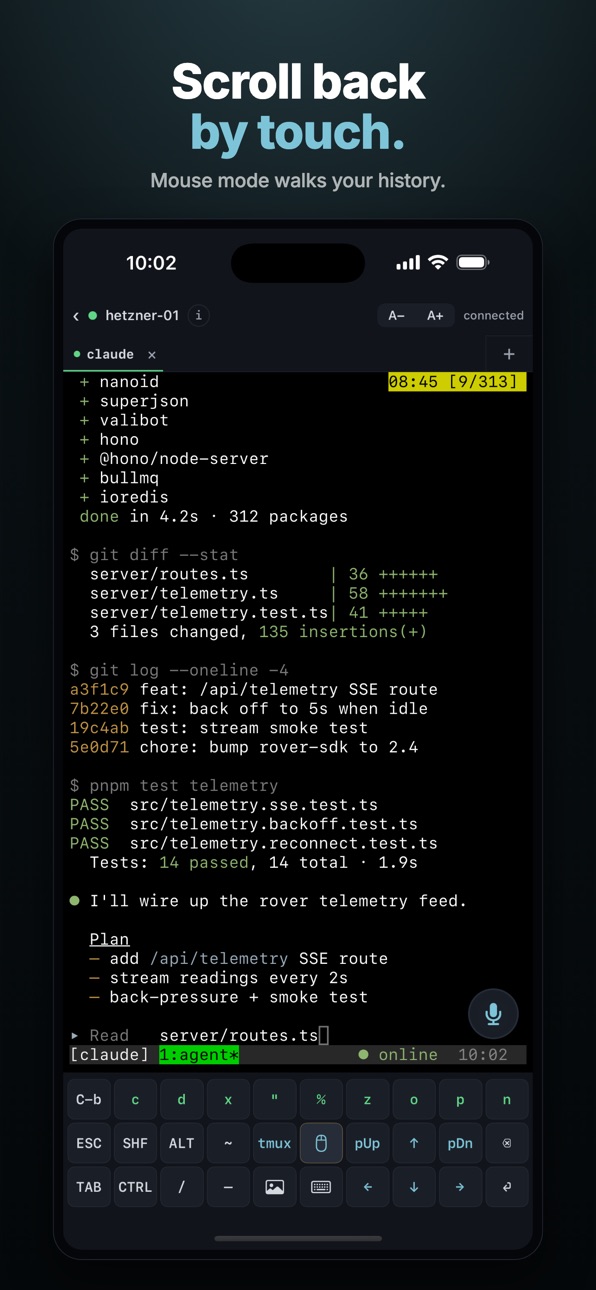
• Quick Row — fire Tab, Esc, Ctrl, arrows and the other keys agents need, without hunting through the keyboard
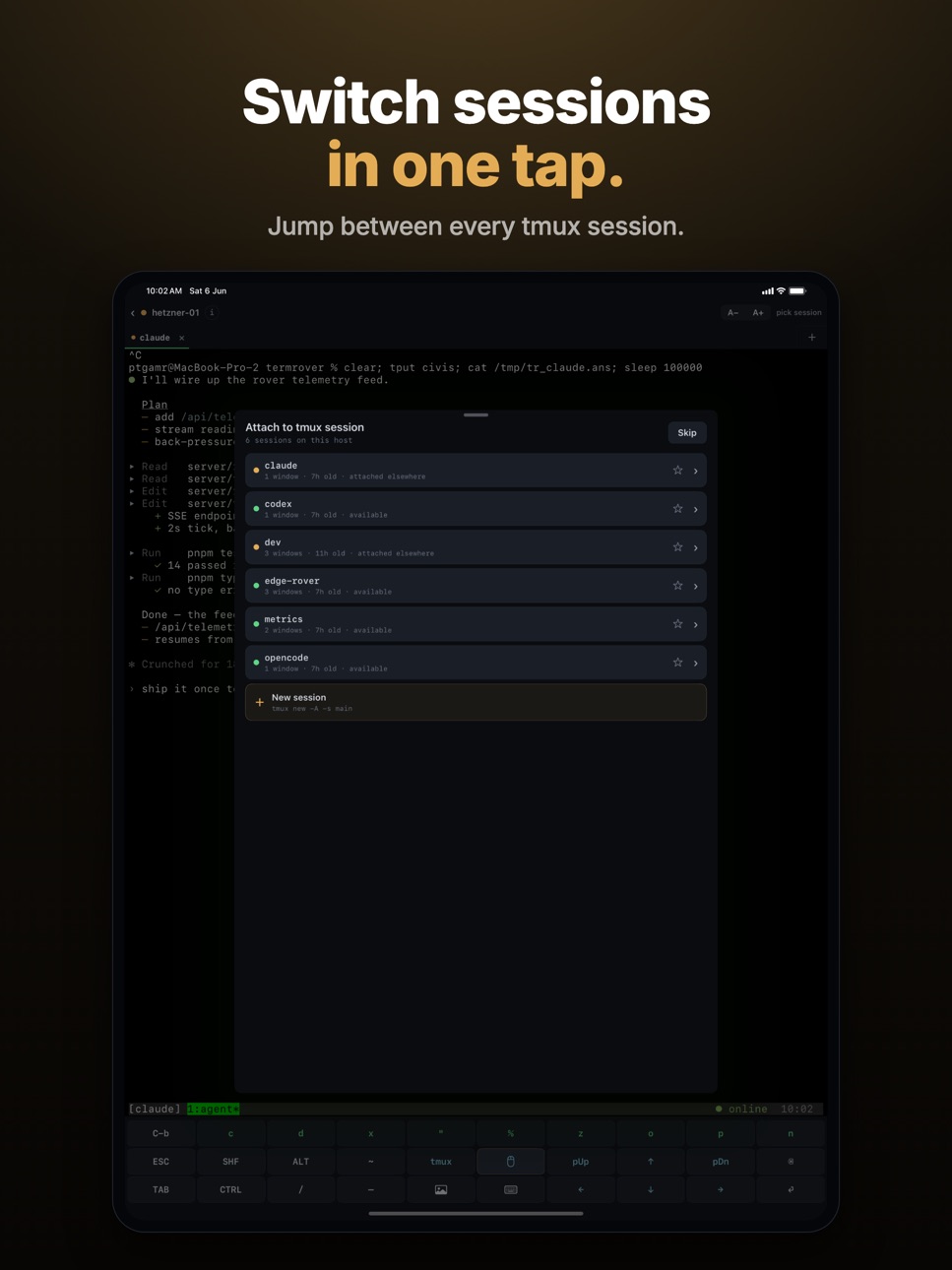
• Switch tmux sessions and windows in a single tap
• Scroll back through history by touch, with native mouse-mode support
• A terminal actually built for a touchscreen — not a desktop one bolted onto a phone
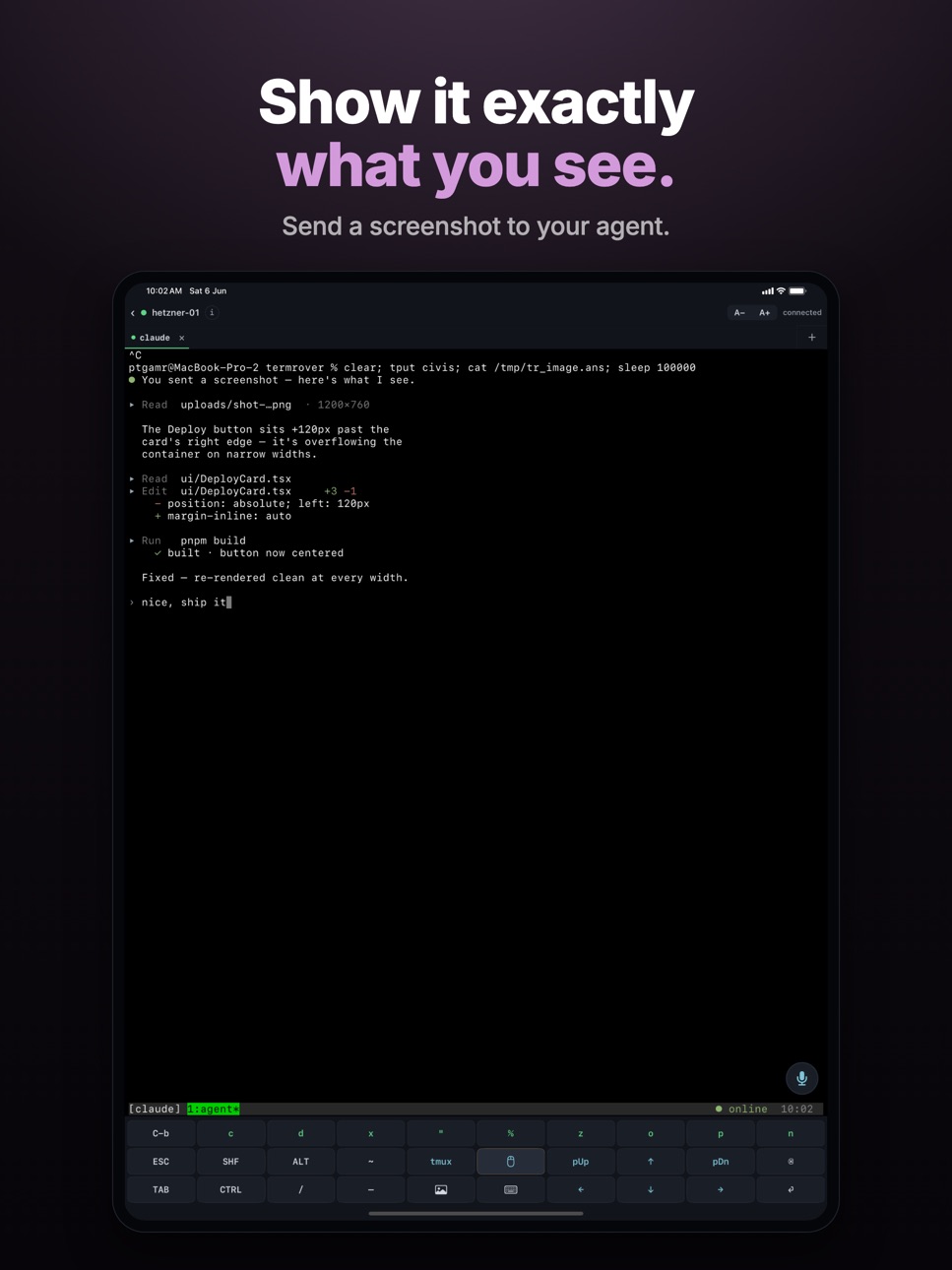
SHOW YOUR AGENT WHAT YOU SEE
• Attach a screenshot or photo and hand it straight to the agent in your session
• Ideal for design feedback, error screens, diagrams — anything faster to show than to type
TALK TO YOUR AGENT, HANDS-FREE
• Dictate prompts by voice; the transcript drops straight into the composer, ready to send
• Describe what you want while you're away from the keyboard
CONNECT SECURELY
• Standard SSH — password and OpenSSH key (Ed25519/RSA) authentication
• Host-key verification on first connect (trust-on-first-use), so you always know which server you're talking to
• Manage multiple hosts and jump back into your work in seconds
FREE TO USE, PRO WHEN YOU NEED IT
Everything you need to connect and work is free — full SSH, full tmux, and a daily allowance of voice dictation and image attaches. TermRover Pro lifts those daily limits (unlimited voice, unlimited image-to-agent) and unlocks the full theme set, via an optional annual subscription (with a 7-day free trial) or a one-time lifetime purchase. A subscription auto-renews unless cancelled at least 24 hours before the period ends; manage or cancel it in your App Store account settings.
Your keys and credentials are stored in the iOS Keychain. TermRover collects no personal data for tracking.
More information: https://termrover.sh
Guide: https://termrover.sh/guide.html
Privacy policy: https://termrover.sh/privacy.html
In-App Purchases US pricing
TermRover Pro Subscription
Yearly 7-day free trial$24.99
One-Time Purchases
TermRover$79.99
Capabilities
In-App Purchases
Accessibility
ipadiphonemacrealityDevicetvoswatch
Version history 3 versions
Build 887815643v1.0.32026-07-04 21:56:13
- Support NerdFont + custom font download
- Cleaner UI for Settings screen
Build 887510904v1.0.12026-06-27 20:46:54
- Fix crashes when opening the app in Mac and use the tmux button.
Build 886421873v1.02026-06-26 21:34:20
Price history by region
Currency
Show
Columns
Search
Availability 1 of 1 storefronts
| Region | Language | Price | Ratings | Avg | Version |
|---|---|---|---|---|---|
| US | en-US | Free | 0 | — | 1.0.3 |
Change log 7 changes · US
✎
releaseNotes updated
- Support NerdFont + custom font download
- Cleaner UI for Settings screen
✎
description updated
A tmux-first mobile terminal built for the Agent Age.
You're running coding agents and long-lived sessions on real servers — and you want to check in, steer th
✎
subtitle updated
SSH & tmux terminal for agents
✎
name updated
TermRover
◆
Version 1.0.3 released
- Support NerdFont + custom font download
- Cleaner UI for Settings screen
◆
Version 1.0.1 released
- Fix crashes when opening the app in Mac and use the tmux button.
◆
Version 1.0 released