Home › Photo & Video

 US
US
1 of 1 storefronts
Content in en-US
Content in en-US
Information
Apple ID6775567897
Bundle IDcom.daniellewis.videoclipnote
SellerSeller
Min iOS26.0
Min macOS12.0
Device familiesiphone
Released2026-06-12
Copyright© 2026 Daniel Lewis
Privacy policyLink ↗
Preview 1 platform
iPhone 3 images
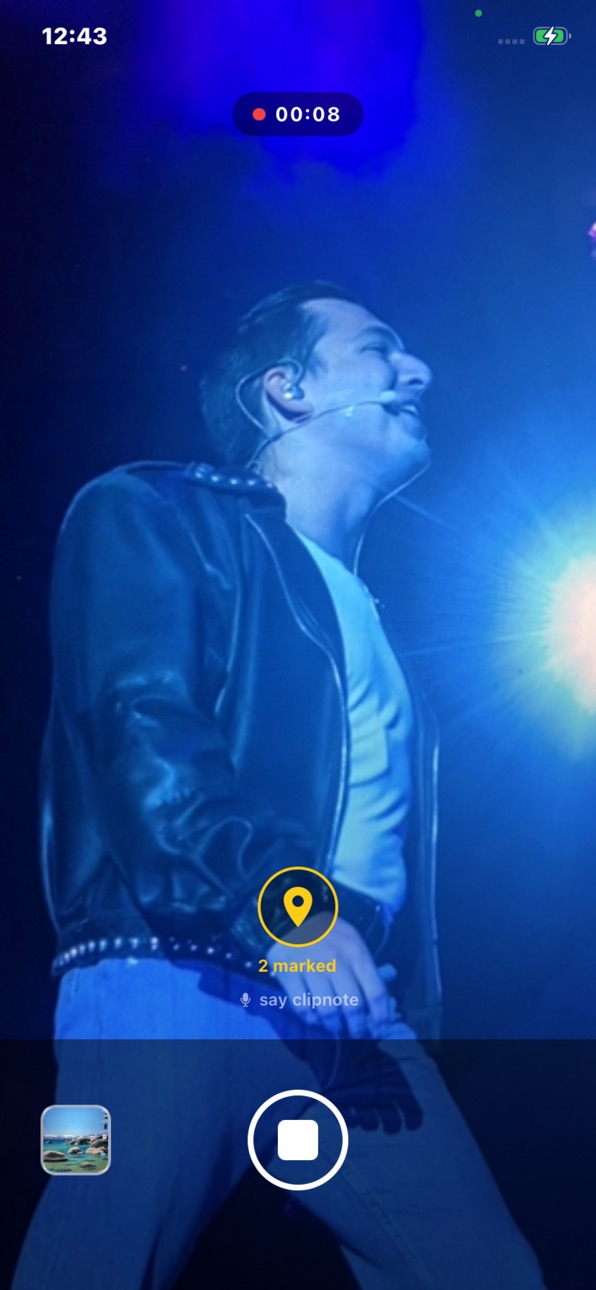
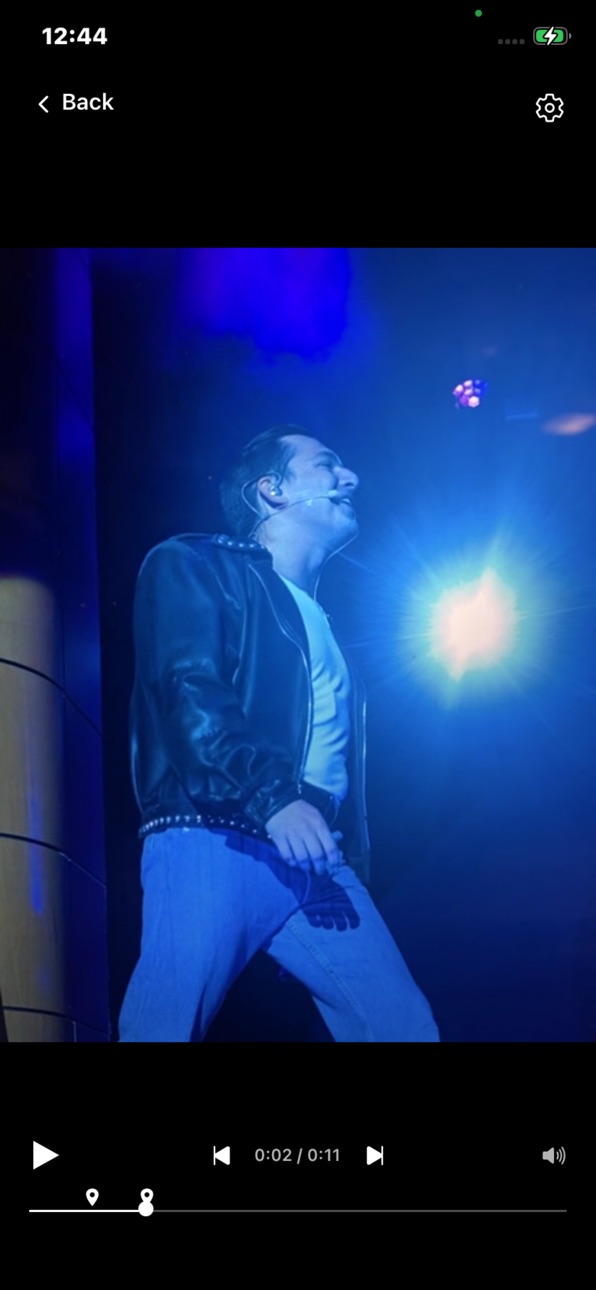
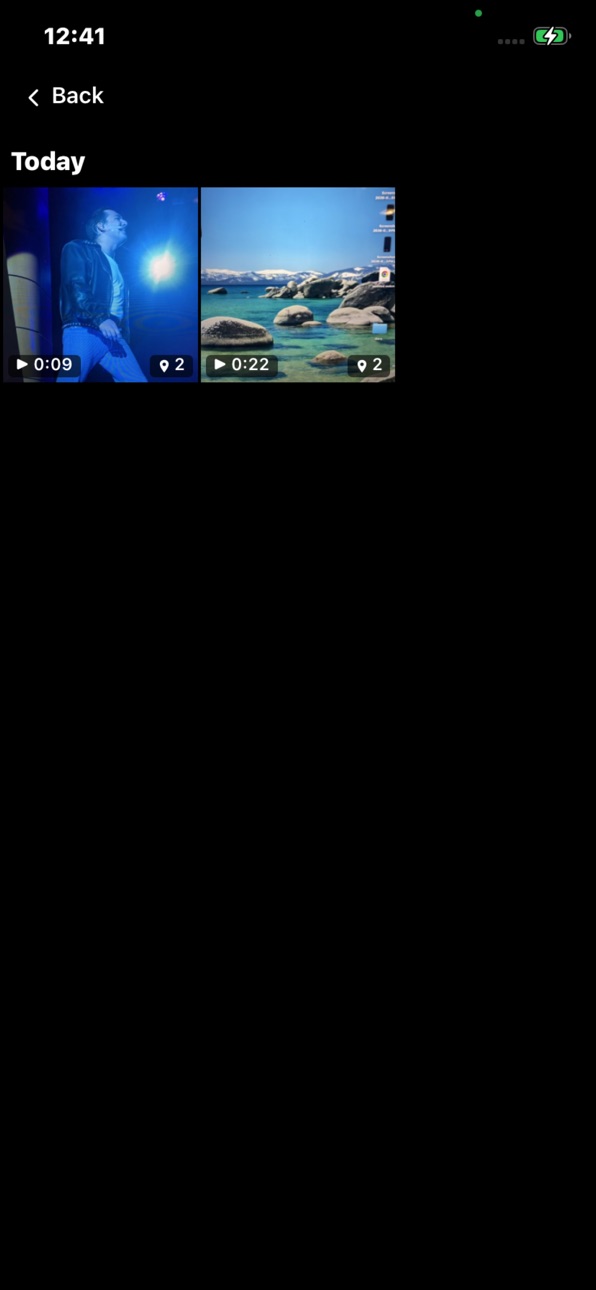
What’s New Version 3.0.0
What's new in 3.0.0
• Voice notes — say "clip note" or tap Mark to attach spoken notes that transcribe automatically, fully offline
• Import any camera-roll video and annotate it
• Add and edit markers while watching playback
• Export your notes: copy to clipboard, burn them into a video, or share a recording with another VideoClipNote user
• Movable notes panel, volume slider, and ±3s skip controls
• More reliable "clip note" detection, plus bug fixes
Description
VideoClipNote is the simplest way to review video and capture your thoughts at the exact moments that matter. Designed for dance teachers and coaches, it lets you mark key moments and attach spoken notes — hands-free — then jump straight back to them on playback.
Record a session, or import a video you already have. Flag anything worth revisiting by saying “clip note” out loud, or tap the Mark button — VideoClipNote pins that exact moment. Speak after you mark, and your words are transcribed into a note on that marker, fully offline and even over music. On playback, your markers appear on the timeline: tap one to jump straight there, read the note, and edit it if you want.
• Mark moments hands-free by saying “clip note” — or tap the Mark button, with no interruption to your session
• Speak a note after marking and it’s transcribed automatically, fully offline
• Import an existing camera-roll video and annotate it after the fact
• Jump between markers on the timeline, and type or re-record any note by hand
• Export your notes as text, burn them into a video, or share a recording with another VideoClipNote user
• Recordings save to your camera roll automatically
In-App Purchases US pricing
One-Time Purchases
VideoClipNote Pro$4.99
Capabilities
In-App Purchases
Accessibility
ipadiphonemacrealityDevicetvoswatch
Version history 3 versions
Build 887426052v3.0.02026-06-27 05:44:46
What's new in 3.0.0
• Voice notes — say "clip note" or tap Mark to attach spoken notes that transcribe automatically, fully offline
• Import any camera-roll video and annotate it
• Add and edit markers while watching playback
• Export your notes: copy to clipboard, burn them into a video, or share a recording with another VideoClipNote user
• Movable notes panel, volume slider, and ±3s skip controls
• More reliable "clip note" detection, plus bug fixes
Build 887220020v2.12026-06-20 20:20:30
This update makes voice marking more reliable and gives you far more control over the camera.
New
• Pinch-to-zoom on the record screen
• Camera settings: torch, video resolution, and rule-of-thirds grid lines
• Microphone test with a live level meter — check you're loud and clear, and confirm the app hears "clip note" before you record
• Adjustable microphone gain (1x–8x) to suit quiet or loud rooms
• Wake-word sensitivity control, so you can tune how readily "clip note" triggers
• Playback "lead-in" — jump to a few seconds before each marker to see the run-up
• A new branded launch screen
Improved
• "Clip note" markers now land right when you start speaking
• More sensitive voice detection by default, so markers are less likely to be missed
Fixed
• Your phone now vibrates when "clip note" is detected during recording
• Recordings whose video was deleted from your camera roll are now cleaned up automatically — no more broken thumbnails
• Removed empty space below the record button on Face ID iPhones
Build 886395314v1.02026-06-13 00:01:15
Price history by region
Currency
Show
Columns
Search
Availability 1 of 1 storefronts
| Region | Language | Price | Ratings | Avg | Version |
|---|---|---|---|---|---|
| US | en-US | Free | 0 | — | 3.0.0 |
Change log 7 changes · US
✎
releaseNotes updated
What's new in 3.0.0
• Voice notes — say "clip note" or tap Mark to attach spoken notes that transcribe automatically, fully offline
• Import any camera-roll vi
✎
description updated
VideoClipNote is the simplest way to review video and capture your thoughts at the exact moments that matter. Designed for dance teachers and coaches, it lets y
✎
subtitle updated
Mark moments. Review faster.
✎
name updated
VideoClipNote
◆
Version 3.0.0 released
What's new in 3.0.0
• Voice notes — say "clip note" or tap Mark to attach spoken notes that transcribe automatically, fully offline
• Import any camera-roll video and annotate it
• Add and edit markers while watching playback
• Export your
◆
Version 2.1 released
This update makes voice marking more reliable and gives you far more control over the camera.
New
• Pinch-to-zoom on the record screen
• Camera settings: torch, video resolution, and rule-of-thirds grid lines
• Microphone test with a live
◆
Version 1.0 released