Home › Utilities

 US
US
1 of 1 storefronts
Content in en-US
Content in en-US
Information
Preview 1 platform
iPhone 8 images


What’s New Version 1.0.2
- UI improvements
- Animate deformed structures
- Export in PDF
- Bug fixes
Description
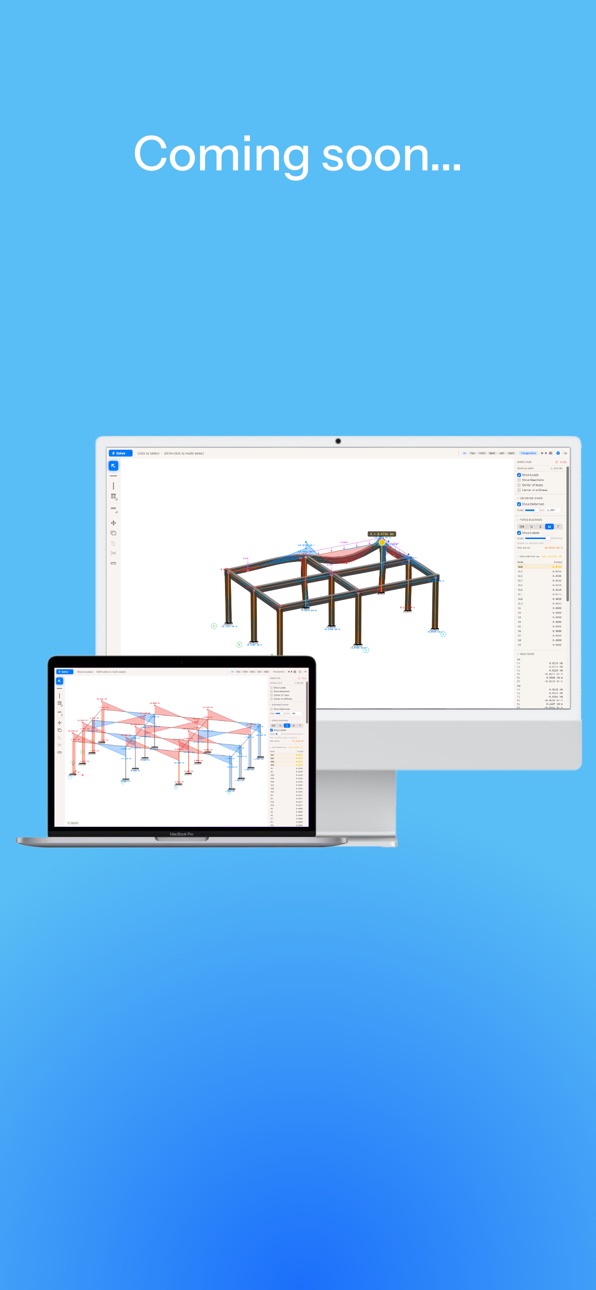
MacCiv is the world's first Apple-native structural engineering app — a fast, beautiful finite-element tool for analyzing 2D and 3D frames right on your iPhone and soon on Mac
Build a structure, hit Solve, and instantly read the internal forces and deformations: axial, shear, bending-moment and torsion diagrams, support reactions and deflected shapes. No clunky desktop software, no steep learning curve — just a clean, intuitive interface designed for the way you think.
WHAT YOU CAN DO
• Draw beams and columns, place supports (fixed, pinned, roller, hinge) and apply loads (distributed, point, trapezoidal, moments)
• Solve full 3D frames with a real finite-element engine
• Read coloured N / shear / moment / torsion diagrams drawn on the tension side, plus reactions and displacements
• Switch between concrete, steel and wood members — each with proper material classes (EC2 / EC3 / EC5)
• View your model as a true 3D solid, with steel shown as I-beams
• See the seismic centre of mass and centre of stiffness for each structure
BUILT FOR STUDENTS
• Teaching mode: leave a load blank and MacCiv shows the answer as a formula (qL²/8, PL/4, …) instead of a number — perfect for learning statics
• Metric and imperial units
• Available in 9 languages
NATIVE EVERYWHERE
MacCiv is designed from the ground up for Apple platforms — it looks and feels right on macOS, iPhone and iPad, with full multitouch and a navigation cube for orbiting your model.
FREE, WITH AN OPTIONAL UPGRADE
MacCiv is free to use, supported by occasional ads. Prefer a clean, ad-free experience? Unlock MacCiv Pro with a single one-time purchase — it removes ads on all your devices, forever.
Questions or feedback? We'd love to hear from you:
maccivapp@gmail.com
In-App Purchases US pricing
One-Time Purchases
MacCiv Pro$9.99
Capabilities
In-App Purchases
Accessibility
ipadiphonemacrealityDevicetvoswatch
Version history 3 versions
Build 887664059v1.0.22026-07-01 14:29:49
- UI improvements
- Animate deformed structures
- Export in PDF
- Bug fixes
Build 887354879v1.0.12026-06-24 00:41:55
- Rotate supports to any angle — inclined rollers (e.g. 45°) now act as real structural constraints, not just visual rotations.
- Beams and columns start material-free — work in pure statics by default, then add concrete, steel or wood whenever you want.
- Teaching mode now scales symbolic loads — set 2P, P/2, 3P/2 and more, typed as simple equations.
- Place multiple point loads on a single member, and snap them precisely onto nodes.
- Switch between Metric and Imperial right from the start and grid screens, with corrected kip/kip·ft labels.
- Clearer force diagrams — crisp vertical steps at point loads, labelled peak and spike dots, and precise values on hover.
- Refined typography and various fixes throughout.
Build 886393514v1.0.02026-06-19 09:45:57
Price history by region
Currency
Show
Columns
Search
Availability 1 of 1 storefronts
| Region | Language | Price | Ratings | Avg | Version |
|---|---|---|---|---|---|
| US | en-US | Free | 0 | — | 1.0.2 |
Change log 7 changes · US
✎
releaseNotes updated
- UI improvements
- Animate deformed structures
- Export in PDF
- Bug fixes
✎
description updated
MacCiv is the world's first Apple-native structural engineering app — a fast, beautiful finite-element tool for analyzing 2D and 3D frames right on your iPhone
✎
subtitle updated
Design, build and analysis
✎
name updated
MacCiv
◆
Version 1.0.2 released
- UI improvements
- Animate deformed structures
- Export in PDF
- Bug fixes
◆
Version 1.0.1 released
- Rotate supports to any angle — inclined rollers (e.g. 45°) now act as real structural constraints, not just visual rotations.
- Beams and columns start material-free — work in pure statics by default, then add concrete, steel or wood when
◆
Version 1.0.0 released