Home › Photo & Video

 US
US
1 of 1 storefronts
Content in en-US
Content in en-US
Information
Apple ID6774739334
Bundle IDcom.maksimborovets.app1530
SellerSeller
Min iOS15.1
Min macOS12.0
Device familiesiphone, ipod
Released2026-06-04
Copyright© 2026 Maksim Borovets
Privacy policyLink ↗
Preview 1 platform
iPhone 7 images


What’s New Version 1.0.2
• Landscape capture overhaul: videos now save at the right resolution and orientation no matter how you're holding the phone.
• Reset button now works at every buffer state — previously it appeared to do nothing once the ring filled to 15s.
• Smoother rotation handling between portrait and landscape.
Description
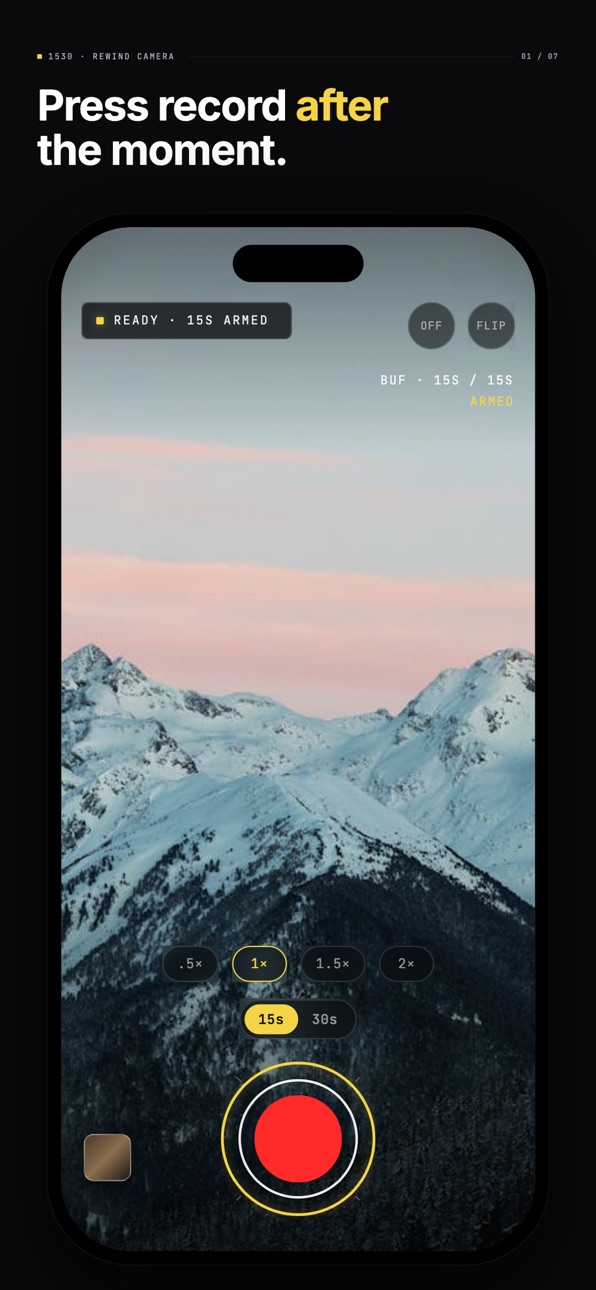
Press record after the moment.
15|30 is a camera that already recorded it. The last 15 or 30 seconds are always rolling through a buffer in memory. When something happens, tap once — the past is saved, and recording continues forward until you stop.
THE PROBLEM
The moment you want has already happened. By the time you fumble open the camera and press record, it's gone. Or you record for an hour hoping to catch ten seconds, then dig through it later.
THE INSTRUMENT
15|30 holds the camera open with a rolling buffer running. Nothing is written to disk until you decide. One tap captures what already happened plus what's about to happen. No app to launch in a panic. No record button to find. Just the past, on demand.
FEATURES
· 15s or 30s rolling buffer, in memory only
· One tap saves the past + keeps recording forward
· Full HD 1080p video
· Cinema HUD · monospace numerics
· Tap to focus · pinch to zoom · quick zoom presets (.5×, 1×, 1.5×, 2×)
· Portrait-locked viewfinder, rotating controls for landscape
· Available in English, Українська, Deutsch, Español
· No subscription · no account · no telemetry
WHAT IT IS NOT
Not a social app. Not a filter pack. Not a feature inside another camera. 15|30 is a single instrument, built for one job.
FAQ
Does it always record? The buffer only lives in memory until you tap. Nothing is written to disk before then.
Battery? Roughly comparable to using the stock camera with the viewfinder open.
Storage? A 30-second clip at 1080p is about 30–40 MB.
Accessibility
ipadiphonemacrealityDevicetvoswatch
Version history 3 versions
Build 887276742v1.0.22026-06-23 06:55:23
• Landscape capture overhaul: videos now save at the right resolution and orientation no matter how you're holding the phone.
• Reset button now works at every buffer state — previously it appeared to do nothing once the ring filled to 15s.
• Smoother rotation handling between portrait and landscape.
Build 886916675v1.0.12026-06-15 19:20:16
• Landscape recording fix: videos now save with the correct orientation, no matter how you're holding the phone.
• Stability improvements.
Build 886301861v1.02026-06-04 09:34:55
No pricing data captured yet — comparisons appear once the app has paid storefronts or in-app purchases.
Availability 1 of 1 storefronts
| Region | Language | Price | Ratings | Avg | Version |
|---|---|---|---|---|---|
| US | en-US | Free | 0 | — | 1.0.2 |
Change log 7 changes · US
✎
releaseNotes updated
• Landscape capture overhaul: videos now save at the right resolution and orientation no matter how you're holding the phone.
• Reset button now works at every
✎
description updated
Press record after the moment.
15|30 is a camera that already recorded it. The last 15 or 30 seconds are always rolling through a buffer in memory. When someth
✎
subtitle updated
Catch the moment you missed
✎
name updated
15|30 Replay Camera
◆
Version 1.0.2 released
• Landscape capture overhaul: videos now save at the right resolution and orientation no matter how you're holding the phone.
• Reset button now works at every buffer state — previously it appeared to do nothing once the ring filled to 15s.
◆
Version 1.0.1 released
• Landscape recording fix: videos now save with the correct orientation, no matter how you're holding the phone.
• Stability improvements.
◆
Version 1.0 released