Home › Utilities

 US
US
1 of 1 storefronts
Content in en-US
Content in en-US
Information
Preview 2 platforms
iPhone 9 images



iPad 7 images


What’s New Version 1.2.1
• Fuller, more polished translations in your language
• Bug fixes and improvements
Description
App Volume: a volume per app — the per-app volume control iPhone & iPad have been missing.
Going from a quiet podcast to TikTok? No more eardrum panic. Watching Netflix at full blast while music streams quietly? Each app gets its own volume. Stop mashing the side button every time you switch apps. App Volume uses Apple's official Shortcuts engine — no jailbreak, no warranty risk, no privacy trade.
— WHY IT EXISTS —
iOS has ONE global media volume: whatever you played last sets the level for whatever you open next. Spotify-to-TikTok startles everyone on the bus, YouTube-to-Audible needs another readjust, headphones and speakers need different levels — iOS doesn't fix any of this.
Apple never built this in. So we did — the official way, using Apple's own Shortcuts engine. Legal, safe, no hacks.
— HOW IT WORKS —
1. Create a volume profile and add your apps with their target volumes (TikTok 30%, Podcast 70%, Netflix 80%).
2. The in-app guide walks you through installing our pre-built template in Apple Shortcuts (one-time; every app you add later just works).
3. Follow the in-app animation to set up one Personal Automation — switching apps auto-applies the right volume.
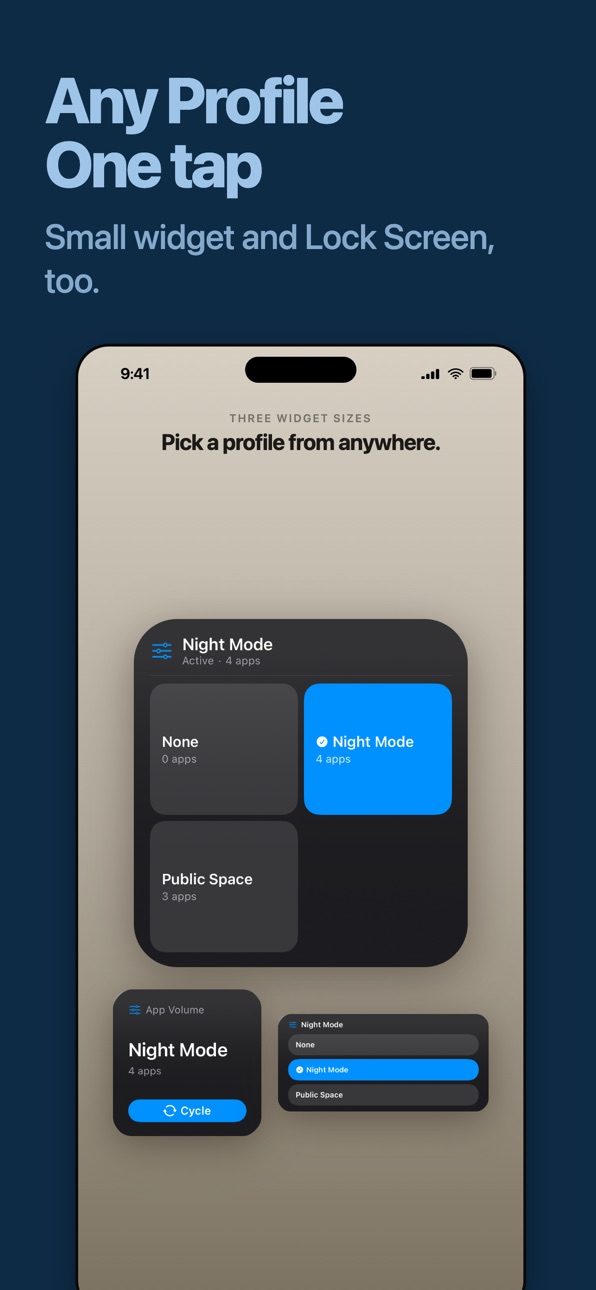
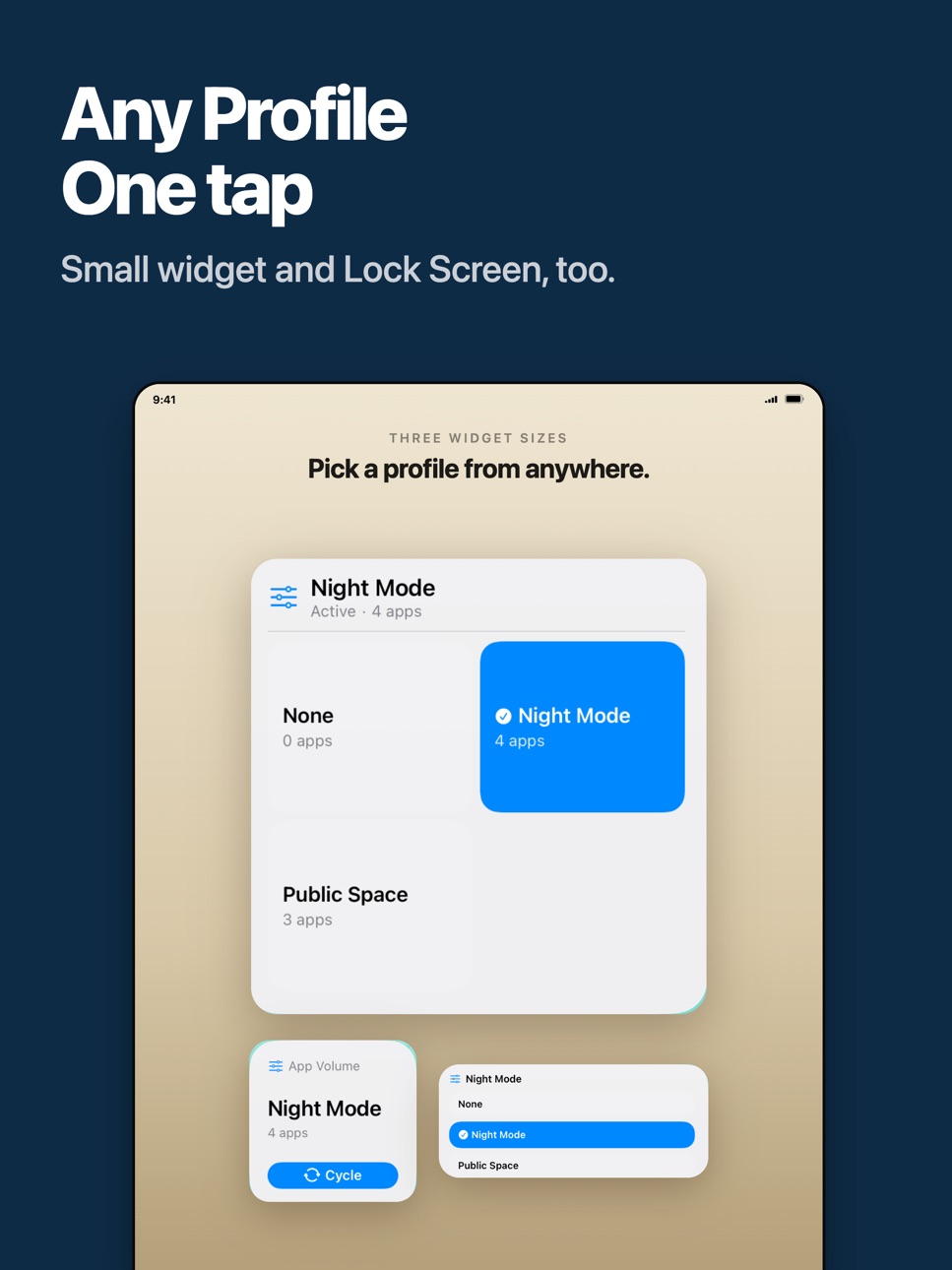
4. Add the widget to Lock Screen, Home Screen, or Control Center — tap to switch the whole profile in one go.
— USE CASES —
• A volume per app — Podcast 70%, music 60%, video 80%. Set once; switching apps auto-applies.
• Night vs day — Build two profiles; tap the widget before bed to drop every app's volume at once.
• Focus vs leisure — Study apps louder, social apps quieter. Tap when you sit down to study.
• Movie time — Tap into a "Cinema" profile when Netflix opens, back to normal when you're done.
• Out vs home — A "Public" profile with everything low; tap before walking into the office or class.
— FEATURES —
• Per-app volume targets — independent volumes for any app on iPhone and iPad
• Volume profiles — bundle rules into named profiles, swap the whole set instantly
• Lock Screen widget — see active profile + tap to cycle
• Home Screen widget — large, medium, small
• Control Center widget (iOS 18+) — one-tap switch from anywhere
• Apple Shortcuts integration — pre-built template, in-app wizard walks you through setup
• Switch notifications — silent banner when profile applies (vibrate-only or off in Settings)
• iCloud backup — profiles backed up to your iCloud
• 46 languages
— PRIVACY FIRST —
• No tracking — Firebase Crashlytics for crashes + basic Analytics, that's it
• No microphone, no location, no contacts
• Full transparency — in-app FAQ details exactly how the Shortcuts integration works
• Privacy Policy in Settings → Privacy
• Ready-made profiles — browse Discover and install Bedtime or Silent Game Ads in one tap.
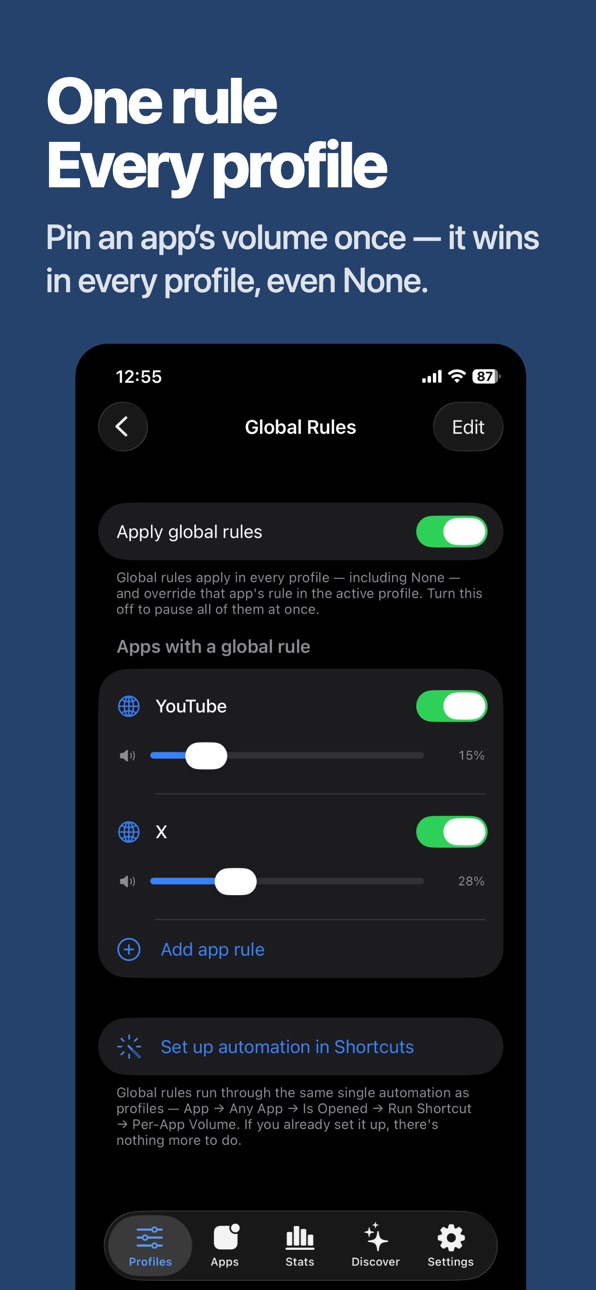
• Global rules — pin an app's volume across every profile; great for games that should always open muted.
• Share your setup — send any profile as a picture + link a friend can import.
— WHY NOT JUST USE iOS SHORTCUTS DIRECTLY? —
You can! But you'd have to:
- Write one Shortcut per app per volume
- Remember which volume goes with which app
- Manually wire every context switch (day, night, focus, leisure)
App Volume does it in one tap — pre-built template handles every app you add later, you never touch Shortcuts again.
— SUPPORT —
In-app FAQ for setup help. Feedback button to email us directly — we read every message.
Built for iPhone and iPad. From a one-person studio. Transparent development.
Terms of Use (EULA) : https://www.apple.com/legal/internet-services/itunes/dev/stdeula/
In-App Purchases US pricing
One-Time Purchases
App Volume Pro$6.99
Capabilities
In-App Purchases
Accessibility
ipadiphonemacrealityDevicetvoswatch
Version history 5 versions
Build 887627196v1.2.12026-07-02 03:09:33
• Fuller, more polished translations in your language
• Bug fixes and improvements
Build 886777599v1.2.02026-06-12 07:57:50
• Discover tab: install ready-made volume profiles — Bedtime, Silent Game Ads, Commute and more — in one tap
• Global Rules: a per-app rule that applies in every profile, even None
• Mute on open: set any app to 0%
• Share profiles as a picture + link your friends can import
• Siri & Action Button: mute everything or switch profiles hands-free
• Instant share sheet, fresher Discover design, bug fixes
Build 886653119v1.1.12026-06-10 04:34:39
• Now available in many more languages
• Stability improvements and bug fixes
Build 886363274v1.0.12026-06-07 16:59:48
This update focuses on stability and polish.
• Fixed several bugs for a smoother, more reliable experience
• Various UX improvements across the app
Thanks for using App Volume! Have feedback? Tap Feedback in Settings — we read every message.
Build 886129611v1.0.02026-05-31 11:48:50
Price history by region
Currency
Show
Columns
Search
Availability 1 of 1 storefronts
| Region | Language | Price | Ratings | Avg | Version |
|---|---|---|---|---|---|
| US | en-US | Free | 3 | 3.3 | 1.2.1 |
Change log 9 changes · US
✎
releaseNotes updated
• Fuller, more polished translations in your language
• Bug fixes and improvements
✎
description updated
App Volume: a volume per app — the per-app volume control iPhone & iPad have been missing.
Going from a quiet podcast to TikTok? No more eardrum panic. Watchin
✎
subtitle updated
Volume profiles + widget tap
✎
name updated
App Volume: a volume per app
◆
Version 1.2.1 released
• Fuller, more polished translations in your language
• Bug fixes and improvements
◆
Version 1.2.0 released
• Discover tab: install ready-made volume profiles — Bedtime, Silent Game Ads, Commute and more — in one tap
• Global Rules: a per-app rule that applies in every profile, even None
• Mute on open: set any app to 0%
• Share profiles as a pic
◆
Version 1.1.1 released
• Now available in many more languages
• Stability improvements and bug fixes
◆
Version 1.0.1 released
This update focuses on stability and polish.
• Fixed several bugs for a smoother, more reliable experience
• Various UX improvements across the app
Thanks for using App Volume! Have feedback? Tap Feedback in Settings — we read every messa
◆
Version 1.0.0 released