Home › Utilities

 US
US
1 of 1 storefronts
Content in en-US
Content in en-US
Information
Preview 3 platforms
iPhone 5 images


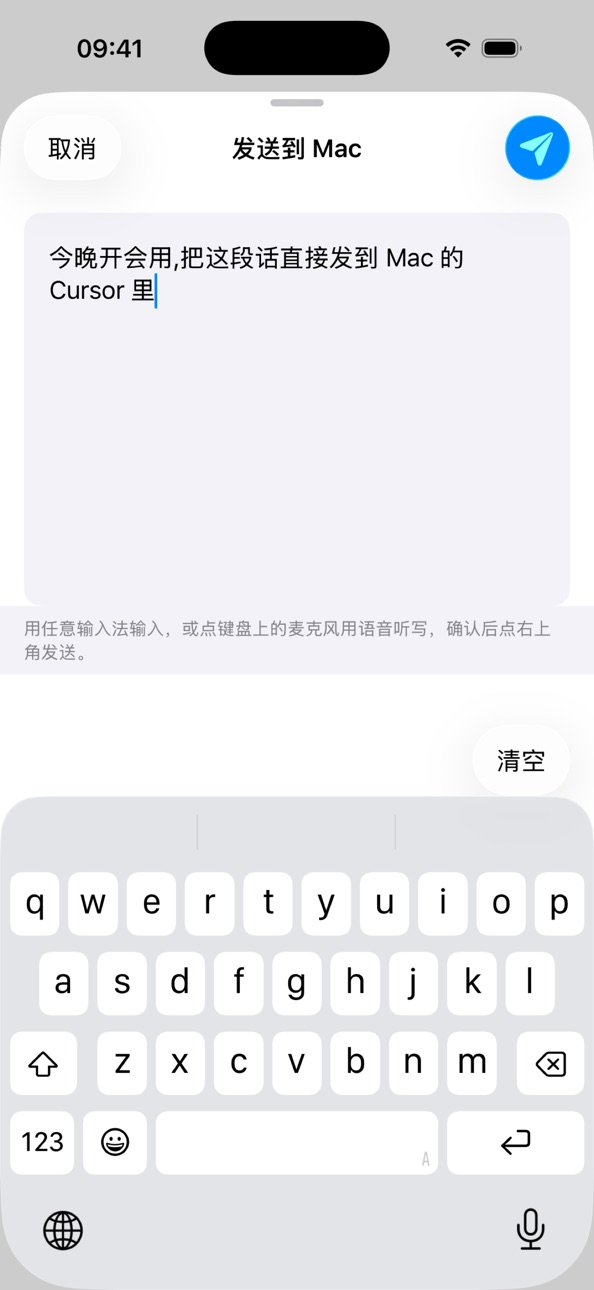


iPad 6 images


Mac 1 image

What’s New Version 1.2.2
This update brings stability improvements and bug fixes, making pairing and voice typing in WisprPad smoother and more reliable.
Description
WisprPad turns your iPhone into a wireless trackpad and voice input for your Mac.
Once paired with the companion WisprPad Mac app over local Wi-Fi:
• Use the iPhone trackpad to drive the Mac cursor — supports tap, double-tap, drag, scroll
• Hold the mic button to dictate; the recognized text is typed into the focused text field on Mac when you release
• Return and Backspace keys sit beside the mic button; Backspace supports hold-to-repeat
• Adaptive portrait and landscape layouts; mic button placement is customizable
• Speech recognition runs on-device through Apple's offline engine on macOS — no audio leaves your local network
Great for:
• Running a keynote or demo without standing at the keyboard
• Anyone who dictates faster than they type
• Keeping the iPad on screen while using iPhone as a flexible secondary input
Note: Requires the companion WisprPad Mac app (same name, available on the Mac App Store). Both devices must be on the same Wi-Fi network.
Accessibility
ipadiphonemacrealityDevicetvoswatch
Version history 6 versions
Build 886914896v1.2.22026-06-21 09:34:12
This update brings stability improvements and bug fixes, making pairing and voice typing in WisprPad smoother and more reliable.
Build 886586423v1.2.12026-06-07 07:04:27
• New: rate WisprPad right from Settings
• Improved: internal refinements and minor fixes
Build 886349275v1.2.02026-06-01 01:47:49
· Pairing now validates a per-device token to block same-name local devices from impersonation
· iOS keyboard "globe key" can now switch away from WisprPad
· Onboarding: first-time hint animations for the floating control buttons
· Mac: new Settings window with selectable on-device speech engine (SenseVoice / Apple)
· Mac: recording list auto-trims to the most recent 5 entries
· Team and project links added to the About page on both apps
· Stability and crash recovery improvements
Build 886329500v1.1.12026-05-31 03:03:38
· Pairing now validates a per-device token to block same-name local devices from impersonation
· iOS keyboard "globe key" can now switch away from WisprPad
· Onboarding: first-time hint animations for the floating control buttons
· Mac: new Settings window with selectable on-device speech engine (SenseVoice / Apple)
· Mac: recording list auto-trims to the most recent 5 entries
· Team and project links added to the About page on both apps
· Stability and crash recovery improvements
Build 886295647v1.1.02026-05-30 07:00:21
· New on-device speech recognition — faster, with better mixed Chinese/English accuracy
· New "Joystick" mode in landscape; switch between trackpad and joystick right from the top bar
· New floating orbs: a scroll orb (swipe to scroll, left/right for mouse buttons) and an arrow-key orb
· Hold the delete key to delete continuously
· Record button can now switch to system dictation (Globe key) mode
· First-run onboarding and smoother pairing: pull to refresh, clearer "waiting for Mac approval" status
Build 886051832v1.0.12026-05-27 12:56:23
No pricing data captured yet — comparisons appear once the app has paid storefronts or in-app purchases.
Availability 1 of 1 storefronts
| Region | Language | Price | Ratings | Avg | Version |
|---|---|---|---|---|---|
| US | en-US | Free | 2 | 5.0 | 1.2.2 |
Change log 10 changes · US
✎
releaseNotes updated
This update brings stability improvements and bug fixes, making pairing and voice typing in WisprPad smoother and more reliable.
✎
description updated
WisprPad turns your iPhone into a wireless trackpad and voice input for your Mac.
Once paired with the companion WisprPad Mac app over local Wi-Fi:
• Use the i
✎
subtitle updated
Wireless Trackpad & Dictation
✎
name updated
WisprPad
◆
Version 1.2.2 released
This update brings stability improvements and bug fixes, making pairing and voice typing in WisprPad smoother and more reliable.
◆
Version 1.2.1 released
• New: rate WisprPad right from Settings
• Improved: internal refinements and minor fixes
◆
Version 1.2.0 released
· Pairing now validates a per-device token to block same-name local devices from impersonation
· iOS keyboard "globe key" can now switch away from WisprPad
· Onboarding: first-time hint animations for the floating control buttons
· Mac: new
◆
Version 1.1.1 released
· Pairing now validates a per-device token to block same-name local devices from impersonation
· iOS keyboard "globe key" can now switch away from WisprPad
· Onboarding: first-time hint animations for the floating control buttons
· Mac: new
◆
Version 1.1.0 released
· New on-device speech recognition — faster, with better mixed Chinese/English accuracy
· New "Joystick" mode in landscape; switch between trackpad and joystick right from the top bar
· New floating orbs: a scroll orb (swipe to scroll, left
◆
Version 1.0.1 released