Home › Entertainment

 US
US
1 of 1 storefronts
Content in en-US
Content in en-US
Information
Apple ID6771099409
Bundle IDdev.tnc.iptv
SellerSeller
Min iOS16.0
Min macOS13.0
Device familiesiphone, ipad
Released2026-06-03
Copyright© 2026 Madhukar Konda
Privacy policyLink ↗
Preview 2 platforms
iPhone 8 images




iPad 8 images
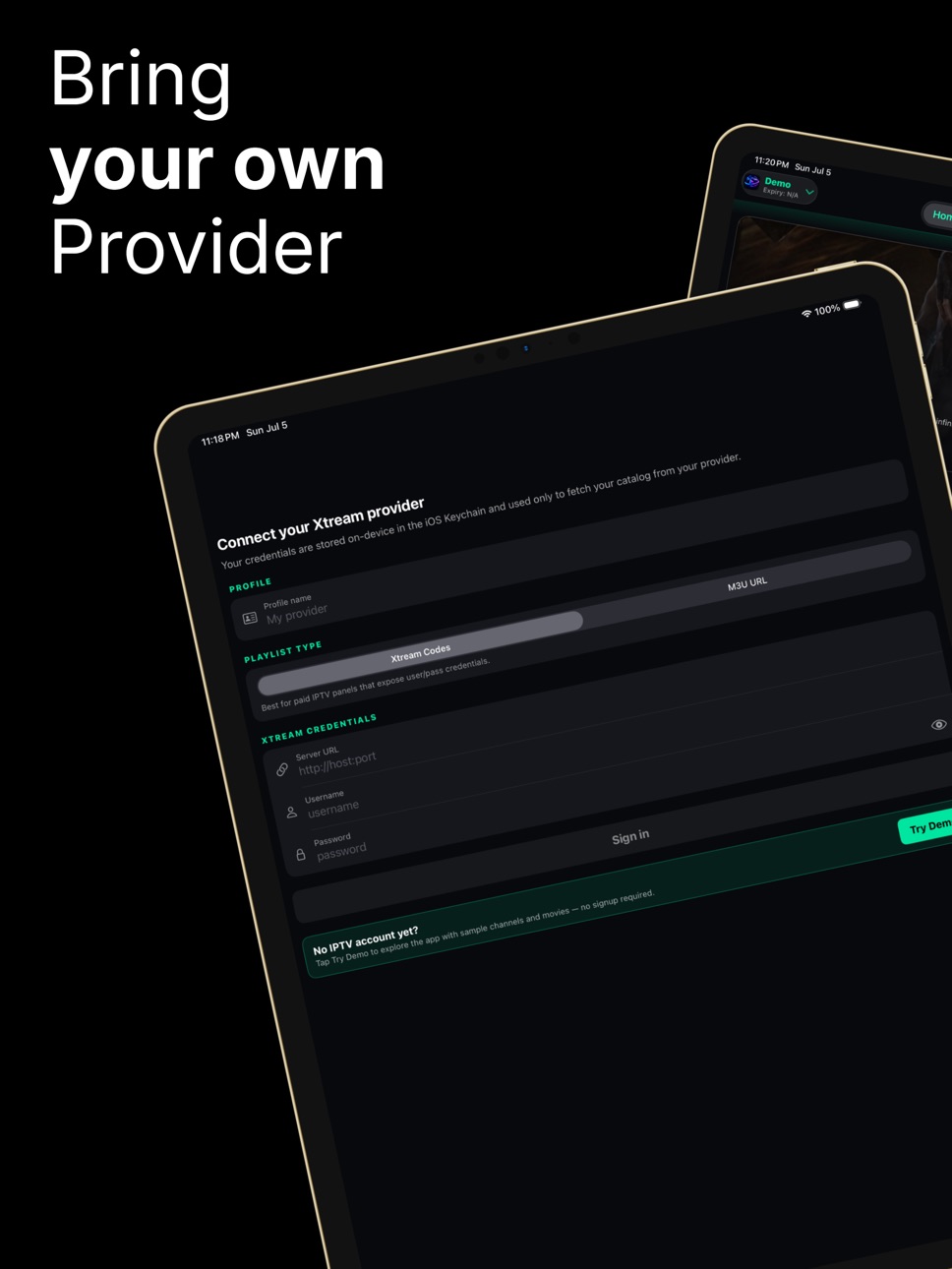

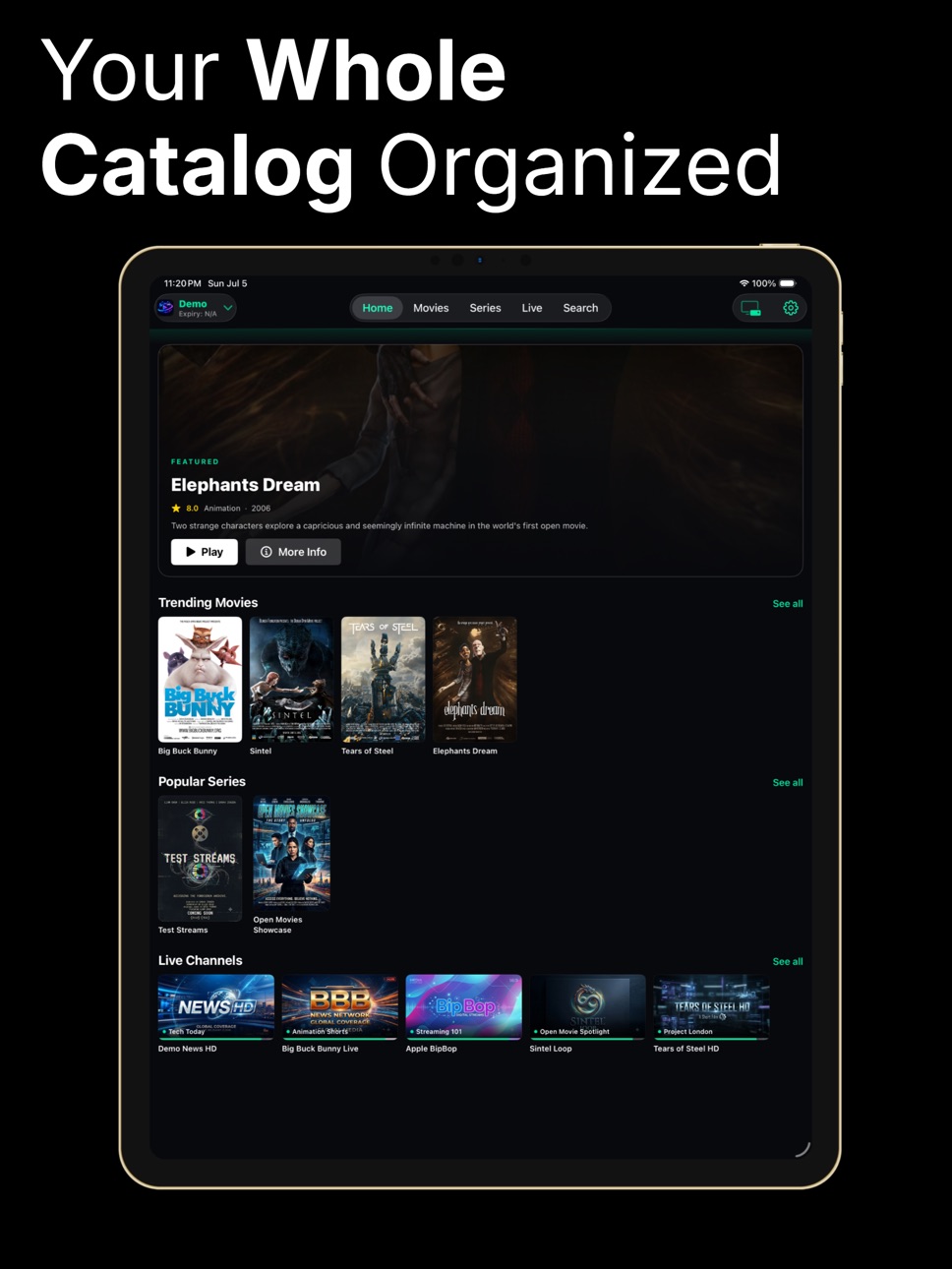


What’s New Version 2.1.0
• Universal iPad app — a native, full-screen layout that adapts to every iPad size and orientation.
• Redesigned TV Guide — a clean "Now & Next" list on iPhone with live progress and an expandable full schedule, plus the classic multi-hour grid on iPad.
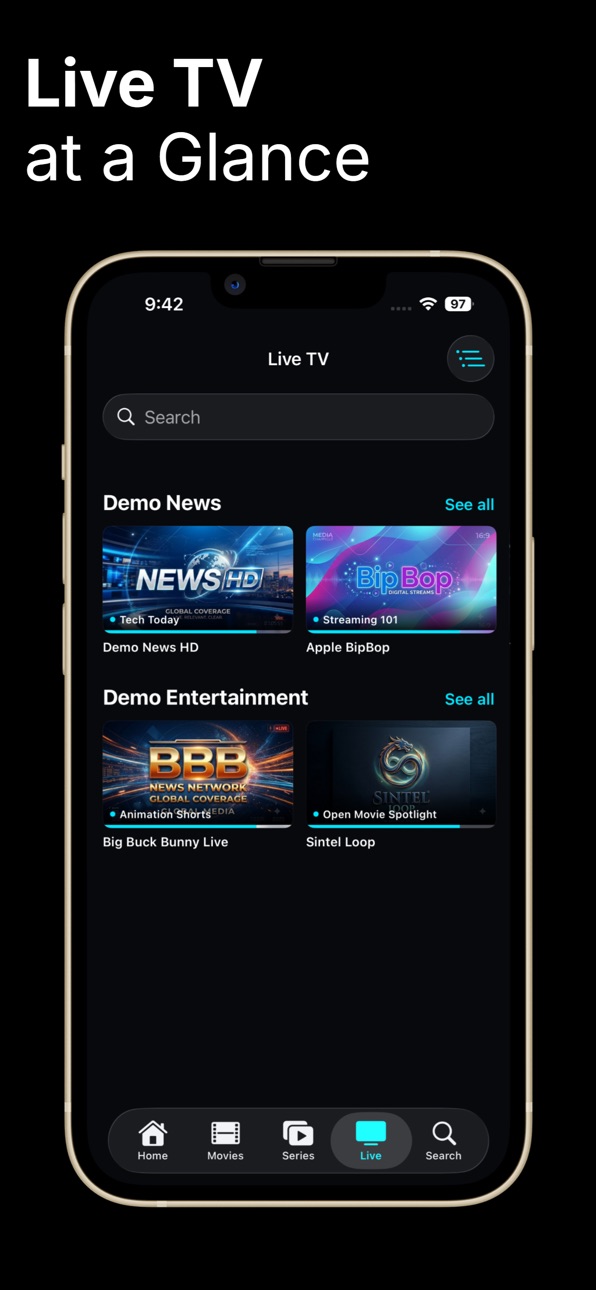
• Live "now playing" — channel tiles across Home and lists now show what's on right now.
• Try before you sign in — Demo Mode now includes a full program guide, so you can explore the whole experience instantly.
• Faster and smoother — quicker catalog loading, snappier scrolling on large playlists, and smarter artwork caching.
• Settings always one tap away — refined the Home toolbar so the gear is always right there.
• Stability fixes — resolved crashes on large channel guides and search results for a more reliable experience.
Thanks for using TnC IPTV Player! Have feedback or a feature request? We'd love to hear from you.
Description
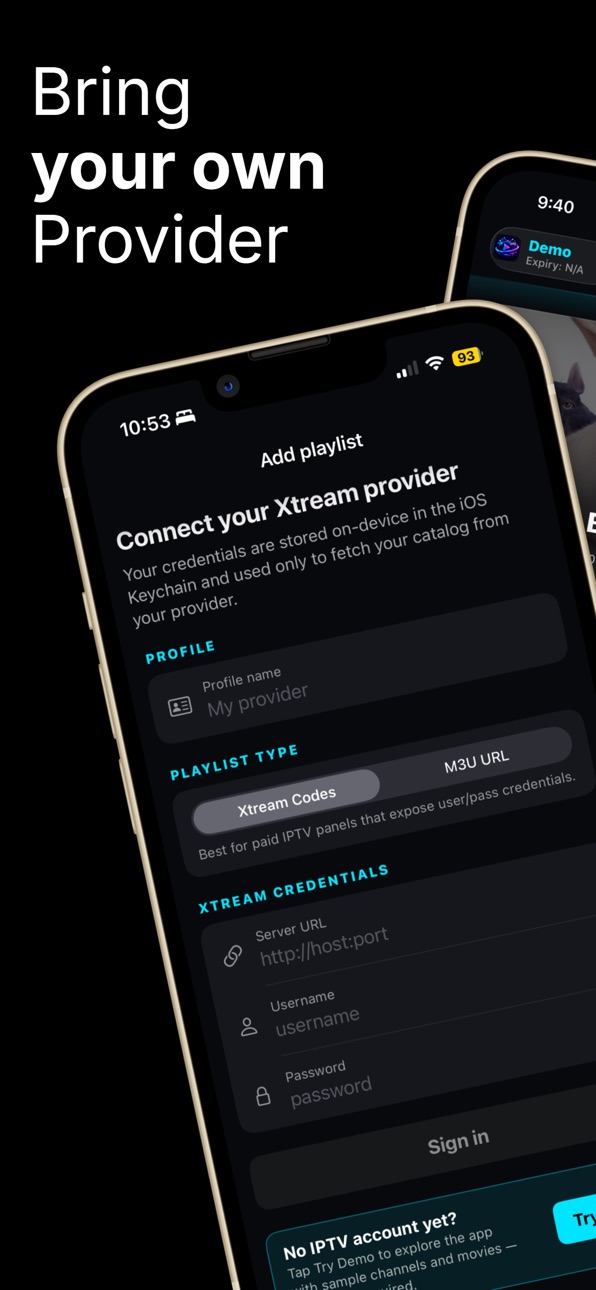
TnC IPTV Player is a clean, fast media player for any Xtream Codes provider or M3U playlist. Sign in with your own provider URL, username, and password, or load a standard M3U / M3U8 playlist. The app talks to that provider's standard Xtream Codes API or parses your M3U playlist and renders your channels, movies, and series with a native iOS interface.
The app does not include or distribute any media content. You bring your own subscription.
WHAT YOU GET
• Live TV — browse your channels, jump straight into playback
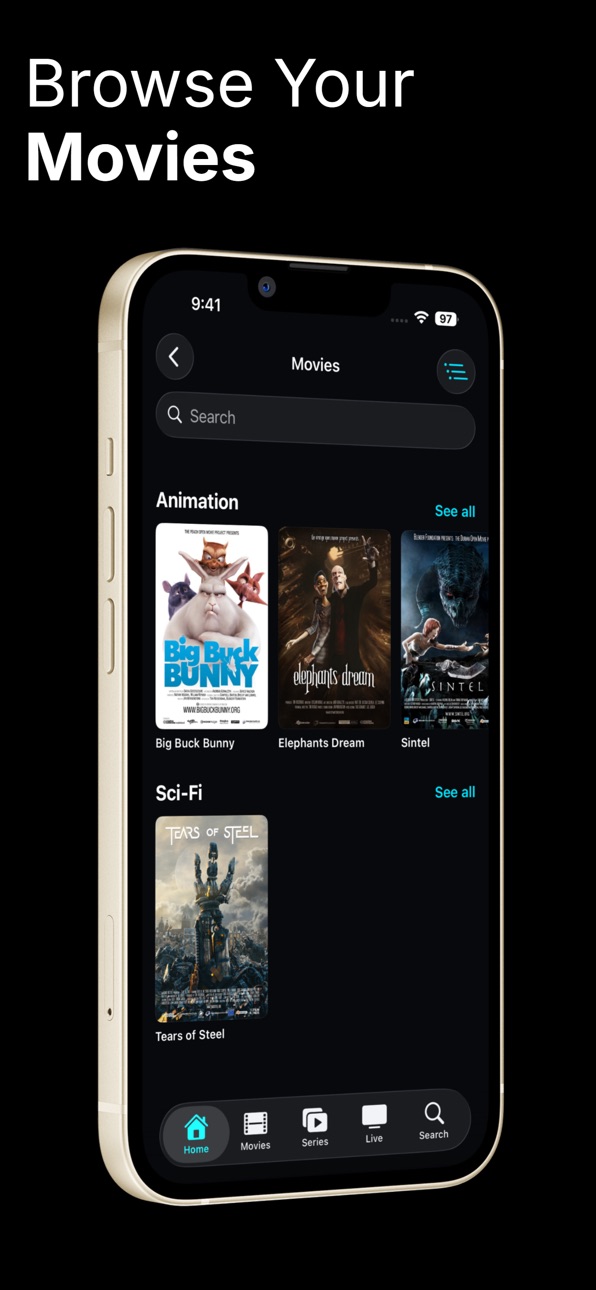
• Movies — posters, plot, cast, rating, release year
• Series — seasons, episodes, episode descriptions
• Continue Watching — picks up movies and episodes right where you left off, with a Resume / Start Over choice on reopen
• Favorites — one tap to star channels, movies, and series for instant access from Home
• Search across your entire playlist
• Sort any category (A to Z, Z to A, Recently Added) and any series by episode order or title
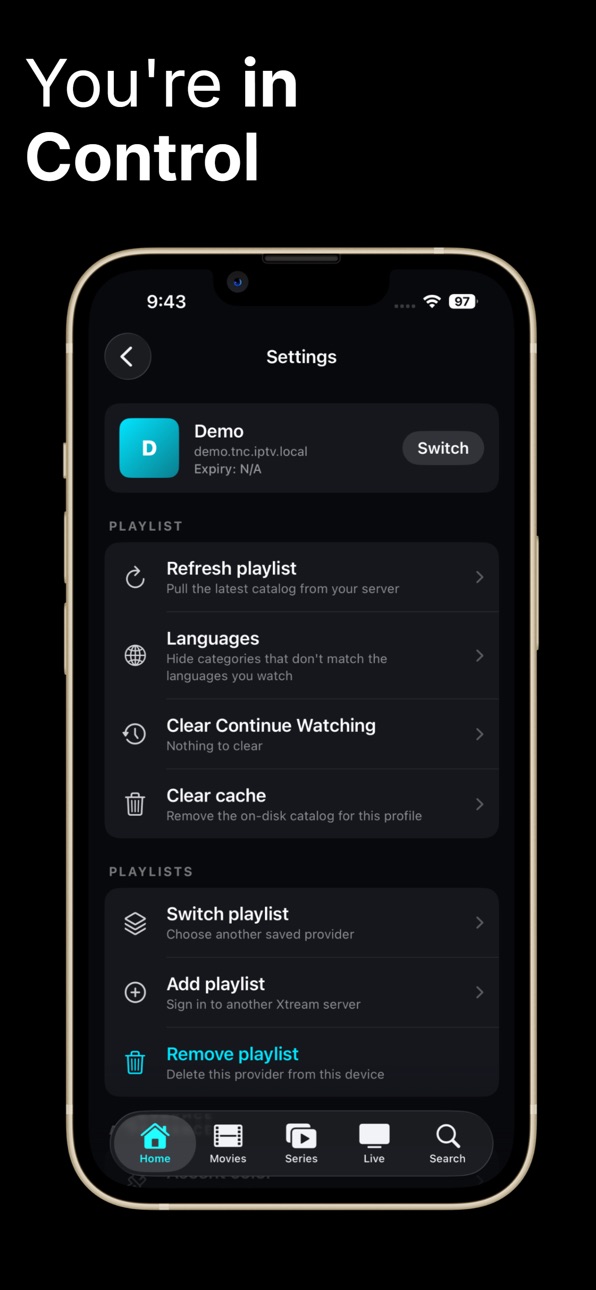
• Languages filter — auto-generated from your playlist so the picker only shows what you actually have
• Multi-profile — save and switch between several Xtream Codes and M3U accounts without re-typing credentials
DESIGNED FOR iPHONE
• Native SwiftUI throughout; no embedded web views
• Recently released hero card on Home, filtered by your language preference, so the spotlight surfaces what you'd actually watch
• Six pickable accent themes (Mint Green, Sky Cyan, Royal Blue, Violet, Sunset Amber, Rose) that apply live across the entire app with no relaunch
• Pull to refresh resync of the catalog when your provider adds new content
• Stylish chrome with a brand tinted divider between toolbar and content
PLAYER
• Hardware accelerated playback via AVPlayer
• Resume position saved per title, synced into the Continue Watching row
PRIVACY
• No ads, no analytics, no tracking
• Provider credentials and playlist URLs stored on device only, in the iOS Keychain
• No account required with us. The app has no servers of its own
• Privacy policy linked from the store listing
• Uninstalling the app removes all locally stored data
REQUIREMENTS
• iPhone running iOS 16 or later
• Your own subscription with an Xtream Codes; compatible provider, or an M3U / M3U8 playlist
• Internet connection
SUPPORT
• Email: tnc.appteam@gmail.com
This app is provided as-is for personal use. The developer is not affiliated with any IPTV provider and does not endorse, supply, or recommend any source of content. You are responsible for ensuring your use of the app and any provider you connect to it complies with the laws of your country.
Accessibility
ipadiphonemacrealityDevicetvoswatch
Version history 9 versions
Build 887767715v2.1.02026-07-06 21:10:23
• Universal iPad app — a native, full-screen layout that adapts to every iPad size and orientation.
• Redesigned TV Guide — a clean "Now & Next" list on iPhone with live progress and an expandable full schedule, plus the classic multi-hour grid on iPad.
• Live "now playing" — channel tiles across Home and lists now show what's on right now.
• Try before you sign in — Demo Mode now includes a full program guide, so you can explore the whole experience instantly.
• Faster and smoother — quicker catalog loading, snappier scrolling on large playlists, and smarter artwork caching.
• Settings always one tap away — refined the Home toolbar so the gear is always right there.
• Stability fixes — resolved crashes on large channel guides and search results for a more reliable experience.
Thanks for using TnC IPTV Player! Have feedback or a feature request? We'd love to hear from you.
Build 887242154v2.0.12026-06-21 18:37:20
* Favorite live channels directly from the player and from search results — not just from list screens.
* Richer resume cards: a progress bar, status badges (a red LIVE pill or “N min left”), and a centered play glyph.
* Remove from Continue Watching with a long-press/context action.
* Live channels now appear in the Continue Watching “See all” view (previously only movies showed).
* Player improvements
Back button now auto-hides with the controls for a clean fullscreen view, and reliably stays reachable.
The buffering spinner only appears during startup, so brief mid-playback stalls no longer flip the screen back to a spinner.
More reliable live playback: smarter stream-URL fallbacks and an AVPlayer fallback when a stream can't be decoded, so channels start playing more often.
Build 887161341v2.0.02026-06-18 21:51:37
Version 2.0 — Now with M3U support!
Sign in with an M3U / M3U8 playlist in addition to Xtream Codes, and switch between them anytime.
• NEW: M3U / M3U8 playlist support; bring any playlist, no Xtream account needed
• NEW: Favorite live channels from the player and channel lists
• Improved live TV playback reliability
• Polished fullscreen player with auto-hiding controls
• Bug fixes and performance improvements
Build 887003434v1.4.152026-06-17 01:17:57
Smoother search on Movies, Series, and Live: filtering large playlists no longer causes UI hitches while you type. Thanks for the feedback!
Build 886906813v1.4.142026-06-13 16:48:35
New aspect-ratio button in the player. Tap the screen to show controls, then cycle Fit / Fill / Stretch to fix channels that broadcast at the wrong shape (4:3 inside 16:9, anamorphic streams, etc.).
Your chosen mode is remembered between sessions.
Build 886747984v1.4.132026-06-10 01:49:09
Movie & series details look great now, Long titles now wrap cleanly on the detail screen instead of running off the edge.
The Play button stays anchored under the title even with long names.
Fixed a case where some series opened with a blank detail page.
Live TV channels you've recently watched now appear in the Continue Watching row alongside movies and episodes.
The app now stays in portrait everywhere except the video player, which still rotates to landscape when you turn the device.
Stability and layout fixes across the detail screens.
Build 886656056v1.3.82026-06-08 17:08:33
Tighter top layout on Movies / Series / Live TV — title moves inline with the toolbar so the search field and first poster row appear higher up.
New "Jump to category" button on the Movies / Series / Live landing screens. Browse a searchable list of every category with item counts and jump straight to that rail — no more endless scrolling through 100+ providers.
Build 886502100v1.3.62026-06-04 16:20:48
Tapping a Continue Watching tile now works reliably.
Resume no longer lands on a black screen.
Posters now appear in the Continue Watching row instead of generic placeholders.
First-launch & playlist switching
Home page now auto-loads the catalog right after you add (or switch) a playlist.
Top-bar search on Live / Movies / Series keeps the grouped category layout instead of flipping to one giant flat list.
The About > Version row now reflects the actual installed build (e.g. 1.3.6 (47)) instead of a hardcoded 1.0.
Build 885879806v1.02026-06-03 15:20:24
No pricing data captured yet — comparisons appear once the app has paid storefronts or in-app purchases.
Availability 1 of 1 storefronts
| Region | Language | Price | Ratings | Avg | Version |
|---|---|---|---|---|---|
| US | en-US | Free | 1 | 5.0 | 2.1.0 |
Change log 13 changes · US
✎
releaseNotes updated
• Universal iPad app — a native, full-screen layout that adapts to every iPad size and orientation.
• Redesigned TV Guide — a clean "Now & Next" list on iPhone
✎
description updated
TnC IPTV Player is a clean, fast media player for any Xtream Codes provider or M3U playlist. Sign in with your own provider URL, username, and password, or load
✎
subtitle updated
TnC IPTV Player
✎
name updated
TnC IPTV Player
◆
Version 2.1.0 released
• Universal iPad app — a native, full-screen layout that adapts to every iPad size and orientation.
• Redesigned TV Guide — a clean "Now & Next" list on iPhone with live progress and an expandable full schedule, plus the classic multi-hour
◆
Version 2.0.1 released
* Favorite live channels directly from the player and from search results — not just from list screens.
* Richer resume cards: a progress bar, status badges (a red LIVE pill or “N min left”), and a centered play glyph.
* Remove from Continu
◆
Version 2.0.0 released
Version 2.0 — Now with M3U support!
Sign in with an M3U / M3U8 playlist in addition to Xtream Codes, and switch between them anytime.
• NEW: M3U / M3U8 playlist support; bring any playlist, no Xtream account needed
• NEW: Favorite live ch
◆
Version 1.4.15 released
Smoother search on Movies, Series, and Live: filtering large playlists no longer causes UI hitches while you type. Thanks for the feedback!
◆
Version 1.4.14 released
New aspect-ratio button in the player. Tap the screen to show controls, then cycle Fit / Fill / Stretch to fix channels that broadcast at the wrong shape (4:3 inside 16:9, anamorphic streams, etc.).
Your chosen mode is remembered between se
◆
Version 1.4.13 released
Movie & series details look great now, Long titles now wrap cleanly on the detail screen instead of running off the edge.
The Play button stays anchored under the title even with long names.
Fixed a case where some series opened with a blan
◆
Version 1.3.8 released
Tighter top layout on Movies / Series / Live TV — title moves inline with the toolbar so the search field and first poster row appear higher up.
New "Jump to category" button on the Movies / Series / Live landing screens. Browse a searchabl
◆
Version 1.3.6 released
Tapping a Continue Watching tile now works reliably.
Resume no longer lands on a black screen.
Posters now appear in the Continue Watching row instead of generic placeholders.
First-launch & playlist switching
Home page now auto-loads the
◆
Version 1.0 released