Home › Utilities

 US
US
1 of 1 storefronts
Content in en-US
Content in en-US
Information
Preview 1 platform
iPhone 10 images
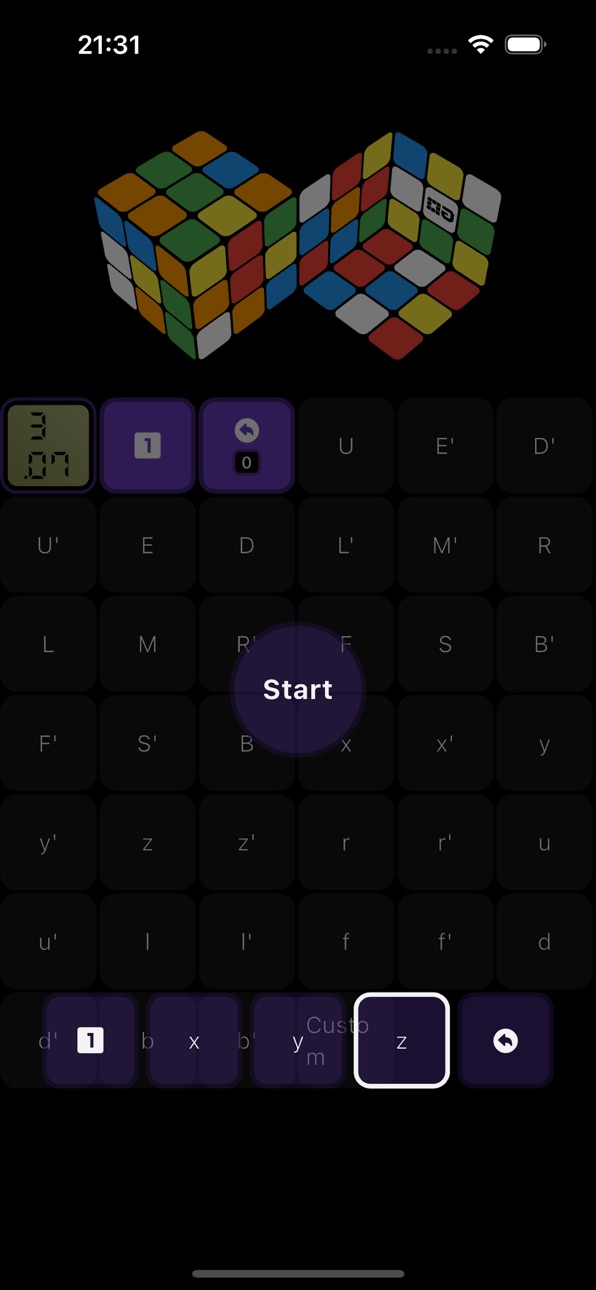


What’s New Version 1.8
The Settings button now supports viewing history in non-timer mode.
Description
Between your fingertips, the cube becomes more than a puzzle. It transforms into a logical training system that can be understood, broken down, practiced, and mastered.
Cubing GO is a professional digital training tool for speedcubing and blindfold solving. It digitizes the entire solving process by integrating timing, blindfold practice, performance analysis, and extensive customization, turning every solve into a structured learning experience.
1. Build custom algorithm sets and break complex solves into clear learning steps
Instead of memorizing algorithms mechanically, freely combine and organize solving methods to suit your own thinking. Over time, develop a smooth, efficient, and reliable solving system with fewer mistakes and greater consistency.
2. Compare your performance with cubers worldwide through GO.id
Time your solves alongside Cubing GO users around the world and compare your training results. The goal is not only faster times, but also a clear view of your improvement and training progress.
3. Extensive cube appearance and sticker customization
Choose from a variety of themes and sticker styles to create your own personalized cube interface, combining focused practice with your own visual style.
4. Automatically record every solve and visualize your progress
Every solve is saved automatically, including solve times, practice history, and long-term trends. Visual charts help you identify weaknesses, track improvement, and optimize your training plan.
Accessibility
ipadiphonemacrealityDevicetvoswatch
Version history 9 versions
Build 887904543v1.82026-07-06 23:04:55
The Settings button now supports viewing history in non-timer mode.
Build 887863369v1.72026-07-05 23:16:22
The Settings button now supports viewing history in non-timer mode.
Build 887615573v1.62026-07-03 01:17:18
Font adjustments, improved performance, and reduced power consumption
Build 887550734v1.52026-06-29 23:15:51
Add blindfold solving feature
Build 887497451v1.42026-06-26 22:31:43
Add practice mode with partial UI adjustments
Build 887341064v1.32026-06-25 03:08:23
Partial UI Improvements & Performance Improvements
Build 887237337v1.22026-06-21 22:57:52
Partial UI Improvements
Build 885604755v1.02026-06-19 02:57:10
Build 887174898v1.12026-06-19 23:52:26
Enhanced Touch Controls
No pricing data captured yet — comparisons appear once the app has paid storefronts or in-app purchases.
Availability 1 of 1 storefronts
| Region | Language | Price | Ratings | Avg | Version |
|---|---|---|---|---|---|
| US | en-US | Free | 0 | — | 1.8 |
Change log 13 changes · US
✎
releaseNotes updated
The Settings button now supports viewing history in non-timer mode.
✎
description updated
Between your fingertips, the cube becomes more than a puzzle. It transforms into a logical training system that can be understood, broken down, practiced, and m
✎
subtitle updated
Cube for speedsolving & BLD
✎
name updated
Cubing GO
◆
Version 1.8 released
The Settings button now supports viewing history in non-timer mode.
◆
Version 1.7 released
The Settings button now supports viewing history in non-timer mode.
◆
Version 1.6 released
Font adjustments, improved performance, and reduced power consumption
◆
Version 1.5 released
Add blindfold solving feature
◆
Version 1.4 released
Add practice mode with partial UI adjustments
◆
Version 1.3 released
Partial UI Improvements & Performance Improvements
◆
Version 1.2 released
Partial UI Improvements
◆
Version 1.1 released
Enhanced Touch Controls
◆
Version 1.0 released