Home › Sports

 US
US
1 of 1 storefronts
Content in en-US
Content in en-US
Information
Apple ID6768219425
Bundle IDcom.Durian.PingPi.Global
SellerSeller
Min iOS16.6
Min macOS13.5
Device familiesiphone, ipad
Released2026-05-30
Copyright© 2026 Sijin Zhang
Privacy policyLink ↗
Preview 2 platforms
iPhone 6 images


iPad 6 images


What’s New Version 1.0.2
- Fixed a bug with the slider on the Match Review onboarding screen on iOS 26
- Added multilingual support for announcement notifications
- Fixed several known issues and improved the overall user experience
Description
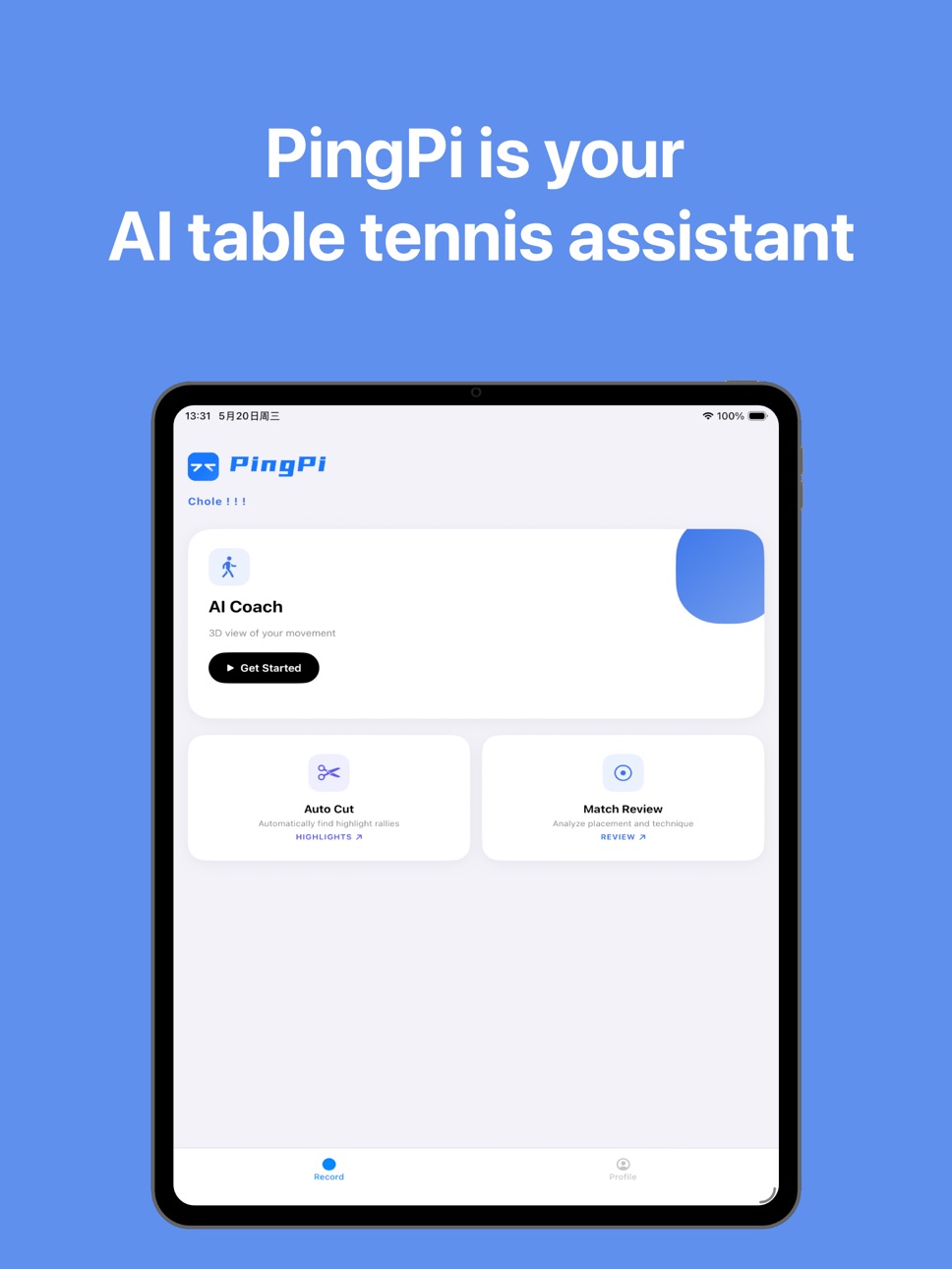
PingPi turns table tennis videos into AI coaching insights, match review reports and clean highlight clips using only your phone.
Built for table tennis players, coaches and teams, PingPi helps you understand what happened in practice or competition without spending hours scrubbing through footage. Upload a training or match video, then review rallies, ball placement, stroke details and post-session data in one place.
AI COACHING & 3D MOTION ANALYSIS
Stop guessing what went wrong in your technique. PingPi converts your movement into a 3D model you can inspect from different angles. Biomechanics-based metrics such as elbow angle, body position and center-of-mass height help you see the details behind each stroke, so you can train with clearer goals.
MATCH REVIEW & TACTICAL ANALYSIS
Break down a full table tennis match automatically. PingPi tracks rallies, shot patterns, landing zones and key moments to help you understand your strengths, recurring mistakes and tactical choices. Use the data to review opponents, improve shot selection and prepare smarter for the next match.
AUTOMATIC HIGHLIGHT EDITING
Spend more time playing and less time editing. PingPi removes dead time and keeps the rallies that matter, helping you create clean highlight reels for your coach, teammates or social channels.
DESIGNED FOR
• Table tennis and ping pong players who want measurable progress
• Competitive athletes who need deeper video and performance analysis
• Coaches and clubs who want visual feedback for lessons and team review
Whether you are practicing forehand drives, backhand consistency, serves, footwork or match tactics, PingPi gives every training session a clearer feedback loop.
Privacy Policy: https://pingpi.pro/privacy
Terms of Use: https://pingpi.pro/terms
In-App Purchases US pricing
PingPi Plus Subscription
Yearly · Yearly 1-year free trial$95.99
Monthly · Monthly 1-month free trial$14.99
Capabilities
In-App Purchases
Accessibility
ipadiphonemacrealityDevicetvoswatch
Version history 3 versions
Build 886435724v1.0.22026-06-02 19:57:17
- Fixed a bug with the slider on the Match Review onboarding screen on iOS 26
- Added multilingual support for announcement notifications
- Fixed several known issues and improved the overall user experience
Build 886379971v1.0.12026-06-01 18:00:23
- Optimized the onboarding UI to improve the first-time user experience
- Improved time zone settings for more accurate time display
- Enhanced the notification message display style for clearer readability
- Fixed several known issues to improve overall stability and user experience
Build 885513250v1.0.02026-05-30 14:05:29
Price history by region
Currency
Show
Columns
Search
Availability 1 of 1 storefronts
| Region | Language | Price | Ratings | Avg | Version |
|---|---|---|---|---|---|
| US | en-US | Free | 4 | 4.3 | 1.0.2 |
Change log 7 changes · US
✎
releaseNotes updated
- Fixed a bug with the slider on the Match Review onboarding screen on iOS 26
- Added multilingual support for announcement notifications
- Fixed several known
✎
description updated
PingPi turns table tennis videos into AI coaching insights, match review reports and clean highlight clips using only your phone.
Built for table tennis player
✎
subtitle updated
Ping Pong Video Analysis
✎
name updated
PingPi - AI Table Tennis Coach
◆
Version 1.0.2 released
- Fixed a bug with the slider on the Match Review onboarding screen on iOS 26
- Added multilingual support for announcement notifications
- Fixed several known issues and improved the overall user experience
◆
Version 1.0.1 released
- Optimized the onboarding UI to improve the first-time user experience
- Improved time zone settings for more accurate time display
- Enhanced the notification message display style for clearer readability
- Fixed several known issues to i
◆
Version 1.0.0 released