Home › Utilities

 US
US
1 of 1 storefronts
Content in en-US
Content in en-US
Information
Preview 2 platforms
iPhone 6 images


iPad 6 images


What’s New Version 1.0.3
• Added Dutch, Swedish, Norwegian, Danish, Finnish, Polish, Czech, Greek, Hungarian, Romanian, Ukrainian, and Slovak localizations
• Added iPad adaptations for a better large-screen experience
• Improved performance and responsiveness across layouts and the interface
Description
CutList helps woodworkers, cabinet makers, and DIY builders turn their cut lists into optimized sheet layouts in seconds, right on your iPhone, fully offline.
Whether you’re building cabinets, shelves, drawers, or any panel project, CutList figures out the most efficient way to cut your parts from plywood, MDF, melamine, or any sheet stock. No more wasted material, no more guesswork.
============================
WHY WOODWORKERS LOVE CUTLIST
* FAST LAYOUT GENERATION
Enter your sheet sizes and parts, tap Generate, and see optimized layouts instantly.
* ON-DEVICE AI SCAN (PRO)
Snap a photo of handwritten or printed cut lists. AI OCR reads and imports parts automatically, fully offline.
* STEP-BY-STEP CUT SEQUENCE
Follow clear cutting instructions with exact coordinates directly from your iPhone.
* MATERIAL COST & WASTE TRACKING
Track material usage, waste percentage, and project costs before cutting.
* INCH & METRIC SUPPORT
Supports inches with fractions and millimeters for global woodworking standards.
* GRAIN DIRECTION LOCK
Keep wood grain patterns aligned correctly for cabinet doors and visible surfaces.
* KERF & EDGE BANDING
Customize saw blade kerf and edge banding allowance for accurate layouts.
* EXPORT TO PDF (PRO)
Export layouts and cut sequences as PDF files for printing or sharing.
* AIRPRINT SUPPORT (PRO)
Print layouts directly from your iPhone using AirPrint.
* PROJECT HISTORY
Save, reopen, edit, and duplicate projects anytime.
============================
SUBSCRIPTION REQUIRED FOR PRO FEATURES
CutList includes free basic layout generation features. Advanced features including AI Scan, PDF Export, AirPrint, unlimited projects, and additional professional tools require an active Pro subscription.
Subscription pricing is displayed inside the app and may vary by region.
Subscriptions auto-renew unless canceled at least 24 hours before the end of the current billing period. You can manage or cancel subscriptions anytime in your Apple ID settings.
============================
BUILT FOR PRIVACY
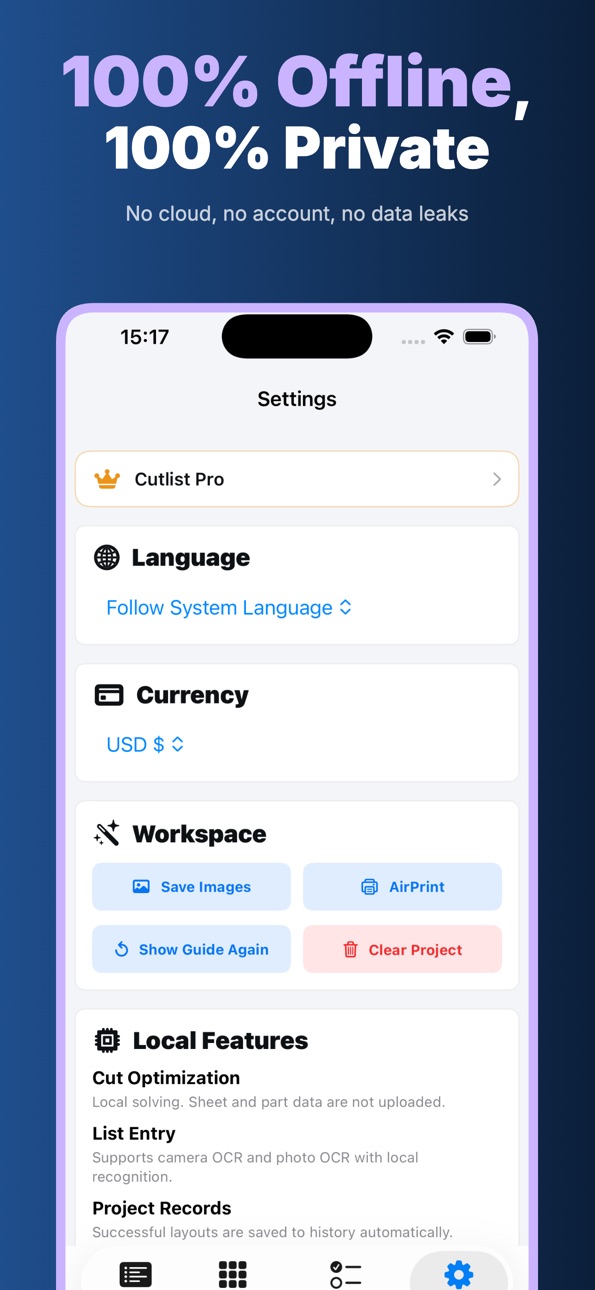
CutList runs entirely on your device. No account required. No cloud uploads. No tracking. Your project data never leaves your iPhone.
============================
WHO IT’S FOR
* Professional cabinet makers and carpenters
* Furniture builders and woodworking shops
* DIY woodworkers and home renovators
* CNC operators planning sheet layouts
* Anyone working with plywood, MDF, or panel materials
Privacy Policy:
https://woodcuttool.com/legal/cutlist/privacy/
Terms of Use:
https://www.apple.com/legal/internet-services/itunes/dev/stdeula/
Questions or feedback? Email us anytime — we read every message.
In-App Purchases US pricing
CutList Pro Subscription Subscription
CutList Pro Monthly · Monthly 7-day free trial$9.99
CutList Pro Yearly · Yearly 7-day free trial$49.99
Capabilities
In-App Purchases
Accessibility
ipadiphonemacrealityDevicetvoswatch
Version history 4 versions
Build 886805954v1.0.32026-06-30 22:12:24
• Added Dutch, Swedish, Norwegian, Danish, Finnish, Polish, Czech, Greek, Hungarian, Romanian, Ukrainian, and Slovak localizations
• Added iPad adaptations for a better large-screen experience
• Improved performance and responsiveness across layouts and the interface
Build 886463312v1.0.22026-06-04 18:53:59
• Added Traditional Chinese, Japanese, Korean, Italian, Turkish, and Indonesian localizations
• Added iPad adaptations for a better large-screen experience
• Improved performance and responsiveness across layouts and the interface
Build 885774229v1.0.12026-05-19 13:54:34
• Added CutList Pro with unlimited layouts and advanced tools
• Improved sheet cutting optimization speed and layout quality
• Enhanced OCR import, PDF/image export, and project history
• Fixed minor UI and stability issues
Build 885505624v1.02026-05-12 16:40:39
Price history by region
Currency
Show
Columns
Search
Availability 1 of 1 storefronts
| Region | Language | Price | Ratings | Avg | Version |
|---|---|---|---|---|---|
| US | en-US | Free | 3 | 5.0 | 1.0.3 |
Change log 8 changes · US
✎
releaseNotes updated
• Added Dutch, Swedish, Norwegian, Danish, Finnish, Polish, Czech, Greek, Hungarian, Romanian, Ukrainian, and Slovak localizations
• Added iPad adaptations for
✎
description updated
CutList helps woodworkers, cabinet makers, and DIY builders turn their cut lists into optimized sheet layouts in seconds, right on your iPhone, fully offline.
✎
subtitle updated
Sheet Cutting for Woodworkers
✎
name updated
CutList: Plywood Optimizer
◆
Version 1.0.3 released
• Added Dutch, Swedish, Norwegian, Danish, Finnish, Polish, Czech, Greek, Hungarian, Romanian, Ukrainian, and Slovak localizations
• Added iPad adaptations for a better large-screen experience
• Improved performance and responsiveness acros
◆
Version 1.0.2 released
• Added Traditional Chinese, Japanese, Korean, Italian, Turkish, and Indonesian localizations
• Added iPad adaptations for a better large-screen experience
• Improved performance and responsiveness across layouts and the interface
◆
Version 1.0.1 released
• Added CutList Pro with unlimited layouts and advanced tools
• Improved sheet cutting optimization speed and layout quality
• Enhanced OCR import, PDF/image export, and project history
• Fixed minor UI and stability issues
◆
Version 1.0 released