Home › Developer Tools

 US
US
1 of 1 storefronts
Content in en-US
Content in en-US
Information
Apple ID6768164349
Bundle IDcom.nordcom.swift-iPerf
SellerSeller
Min iOS26.0
Min macOS26.0
Device familiesiphone, realityDevice, ipad
Released2026-05-12
Copyright© 2026 Dilan Paradis
Privacy policyLink ↗
Preview 3 platforms
iPhone 3 images


iPad 4 images


Apple Vision Pro 4 images


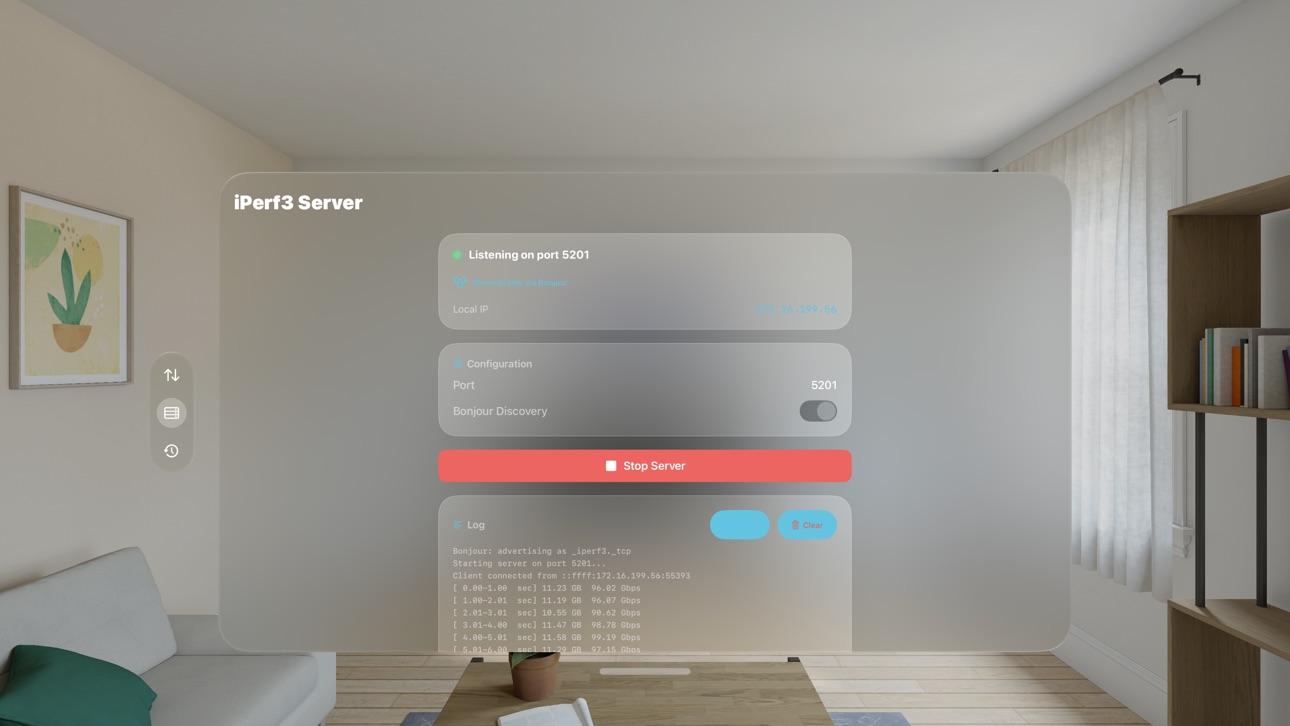

Description
iPerf Pulse brings the industry-standard iperf3 network throughput tool to iPhone, iPad, Mac, and Apple Vision Pro wrapped in a fast, modern interface
designed for everyday speed-testing on your local network.
Whether you're diagnosing a Wi-Fi dead spot, benchmarking a new mesh router, or verifying the bandwidth of an Ethernet link, iPerf Pulse measures the
real, raw throughput between two devices without relying on any internet speed-test server.
KEY FEATURES
• Client and Server modes - run a test against any iperf3 server, or turn your device into one so other devices can test against it.
• Bonjour discovery - nearby iPerf Pulse servers appear automatically on your local network. No IP-typing required.
• TCP and UDP - measure reliable throughput with TCP, or push UDP to test jitter and packet loss.
• Live charts - watch bandwidth update in real time during the test.
• Bidirectional - measure upload and download simultaneously.
• Configurable - parallel streams, custom duration, MSS, window size, congestion control, DSCP, and more.
• UDP rate control - unlimited by default, with an in-app field to cap the rate when you want to.
• History - every test is saved locally with full interval data, so you can compare runs later.
• Universal app - one purchase covers iPhone, iPad, Mac, and Apple Vision Pro.
• Private by design - no analytics, no tracking, no accounts. The app never contacts any server you didn't choose.
HOW TO USE
1. Run an iperf3 server somewhere on your network (another device with iPerf Pulse, or `iperf3 -s` on a Mac/Linux box).
2. Open iPerf Pulse, pick the server from the Bonjour list or enter its IP.
3. Tap Start.
ABOUT IPERF3
iPerf Pulse embeds iperf3, the open-source network measurement tool maintained by ESnet and Lawrence Berkeley National Laboratory. iperf3 is the same
engine used by network engineers worldwide; iPerf Pulse exposes its full feature set behind a clean, touch-first UI. Distributed under the BSD 3-Clause
license - see the About screen inside the app for the full notice.
REQUIREMENTS
iPerf Pulse is designed for the latest Apple operating systems and uses Local Network access to discover and connect to iperf3 servers. No internet
connection is required for testing on your own network.
Accessibility
ipadiphonemacrealityDevicetvoswatch
Version history 1 versions
Build 885504552v1.0.02026-05-13 10:52:09
No pricing data captured yet — comparisons appear once the app has paid storefronts or in-app purchases.
Availability 1 of 1 storefronts
| Region | Language | Price | Ratings | Avg | Version |
|---|---|---|---|---|---|
| US | en-US | Free | 0 | — | 1.0.0 |
Change log 4 changes · US
✎
description updated
iPerf Pulse brings the industry-standard iperf3 network throughput tool to iPhone, iPad, Mac, and Apple Vision Pro wrapped in a fast, modern interface
designed
✎
subtitle updated
Network Speed Test
✎
name updated
iPerf Pulse
◆
Version 1.0.0 released