Home › Productivity

 US
US
1 of 1 storefronts
Content in en-US
Content in en-US
Information
Preview 1 platform
iPhone 9 images


What’s New Version 1.0.2
Improved responsiveness when switching between main tabs and moving around the app.
Reduced extra UI work in the text player for smoother long-document playback and faster interaction.
Polished saved-audio recovery, cloud output refreshes, and small interface details across the app.
Description
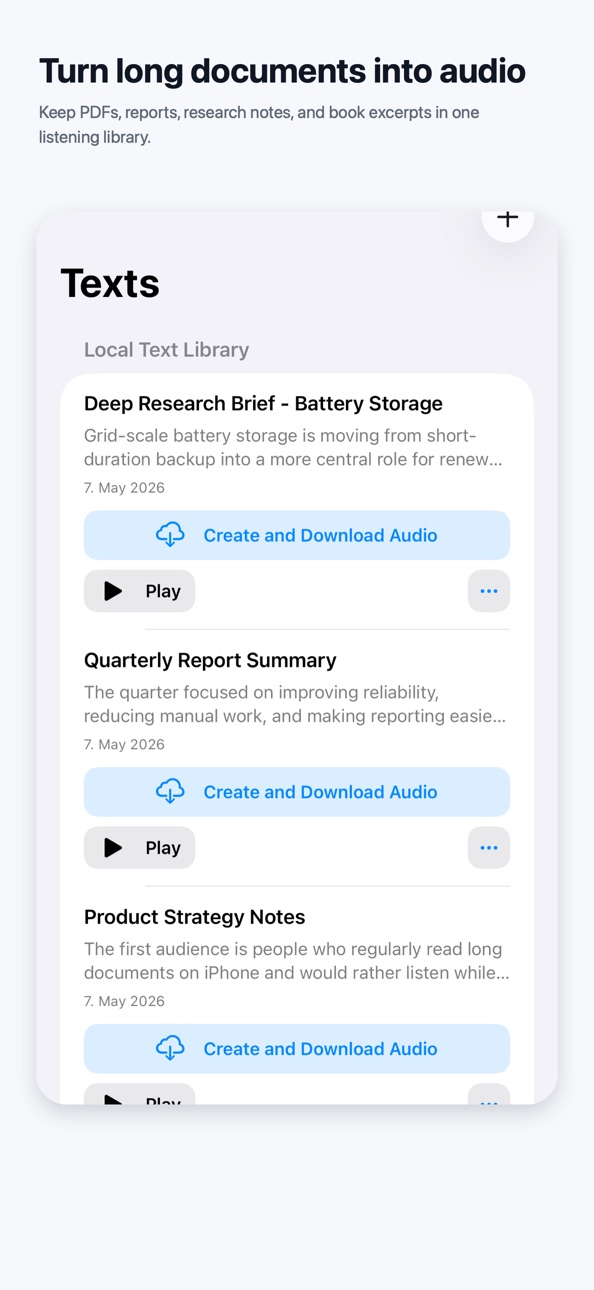
Turn text, PDF ebooks, notes, and documents into audio you can keep listening to.
Lirivo is a text-to-speech reader for iPhone built around real reading moments: walking, commuting, cooking, studying, resting your eyes, or getting through longer material when staying on the screen is not realistic.
Start instantly with built-in iPhone voices. No cloud account is required for basic listening.
When you want more natural voice options, connect your own Azure or Google Cloud account. Lirivo connects directly from your iPhone, stores credentials locally in iOS Keychain, and does not send your provider keys to a Lirivo-operated server.
What you can do with Lirivo:
- Paste text or import documents you want to hear.
- Listen with a focused text player that keeps the current passage visible.
- Save generated audio files for offline replay.
- Use player controls made for longer sessions: play, pause, speed, skip, and resume.
- Choose built-in iPhone voices for simple local playback.
- Optionally use Azure or Google Cloud voices when you want cloud-generated speech.
- Use dark mode and accessibility-friendly playback flows.
Lirivo is especially useful for long PDFs, PDF ebooks, notes, reports, Markdown, study material, and any text you would rather listen to than read on screen.
Cloud voice features are optional. Azure and Google Cloud usage depends on your own provider account, provider availability, and provider pricing. PDF results work best with documents that contain selectable text.
Accessibility
ipadiphonemacrealityDevicetvoswatch
Version history 3 versions
Build 887111905v1.0.22026-06-23 14:02:52
Improved responsiveness when switching between main tabs and moving around the app.
Reduced extra UI work in the text player for smoother long-document playback and faster interaction.
Polished saved-audio recovery, cloud output refreshes, and small interface details across the app.
Build 886987641v1.0.12026-06-17 09:42:44
Improved generated-audio compatibility with Google Cloud voice models, especially for longer documents and text with many links.
Fixed voice selection, language filtering, and Create Audio File sheet behavior so generated-audio setup feels more consistent.
Polished saved-audio controls, cloud output recovery, accessibility labels, and general UI reliability.
Build 885333165v1.02026-05-28 15:57:24
No pricing data captured yet — comparisons appear once the app has paid storefronts or in-app purchases.
Availability 1 of 1 storefronts
| Region | Language | Price | Ratings | Avg | Version |
|---|---|---|---|---|---|
| US | en-US | Free | 0 | — | 1.0.2 |
Change log 7 changes · US
✎
releaseNotes updated
Improved responsiveness when switching between main tabs and moving around the app.
Reduced extra UI work in the text player for smoother long-document playbac
✎
description updated
Turn text, PDF ebooks, notes, and documents into audio you can keep listening to.
Lirivo is a text-to-speech reader for iPhone built around real reading moment
✎
subtitle updated
Listen and Save Audio
✎
name updated
Lirivo: Text to Speech
◆
Version 1.0.2 released
Improved responsiveness when switching between main tabs and moving around the app.
Reduced extra UI work in the text player for smoother long-document playback and faster interaction.
Polished saved-audio recovery, cloud output refreshes
◆
Version 1.0.1 released
Improved generated-audio compatibility with Google Cloud voice models, especially for longer documents and text with many links.
Fixed voice selection, language filtering, and Create Audio File sheet behavior so generated-audio setup feels
◆
Version 1.0 released