Home › Lifestyle

Easyfreedom Player-Random Play
Rediscover your old videos!
 US
US
1 of 1 storefronts
Content in en-US
Content in en-US
Information
Apple ID6765878388
Bundle IDcom.easyfreeplayer.app
SellerSeller
Min iOS17
Min macOS14.0
Device familiesiphone, ipad
Released2026-05-12
Copyright© Easyfreedom 2026
Privacy policyLink ↗
Preview 2 platforms
iPhone 7 images


iPad 6 images




What’s New Version 1.8
Optimize some details to improve user experience.
Description
Easyfreedom – Play Your Way!
This is a powerful and unique video player designed for iOS users. In addition to playing common video formats like MKV, AVI, MP4, MOV, WMV, RMVB, FLV, TS, MTS, ASF, DivX, OGG, and many others, we’ve pioneered a brand new mode: random clip playback!
Once enabled, videos no longer have to be played from start to finish. Instead, based on the number of clips and duration per clip you set in Custom Rules, the player randomly selects clips from the entire video and plays them in order (or shuffled). It’s like browsing short videos while revisiting a long movie – old videos feel new every time.
You can choose between two rhythms:
Play clips in the current video first (with options to loop clips, select order, or shuffle), then move to the next video in your list.
Or enable full-list shuffle, which randomly mixes clips from multiple videos in your list and plays them continuously in random order – perfect for casual viewing with pleasant surprises.
You can also adjust whether to allow clip overlap and how often the random parameters refresh.
Other Features:
Custom Rules – Play Your Way
Create multiple playback rules and combine them into dozens of playback modes.
Random Video Clip Playback
Shuffle and recombine clips to rediscover old videos in new ways.
Wide Format Compatibility & Efficient Playback
Supports MKV, AVI, MP4, MOV, WMV, RMVB, FLV, TS, MTS, ASF, DivX, OGG, and many more.
Encrypted Space – Privacy Protection
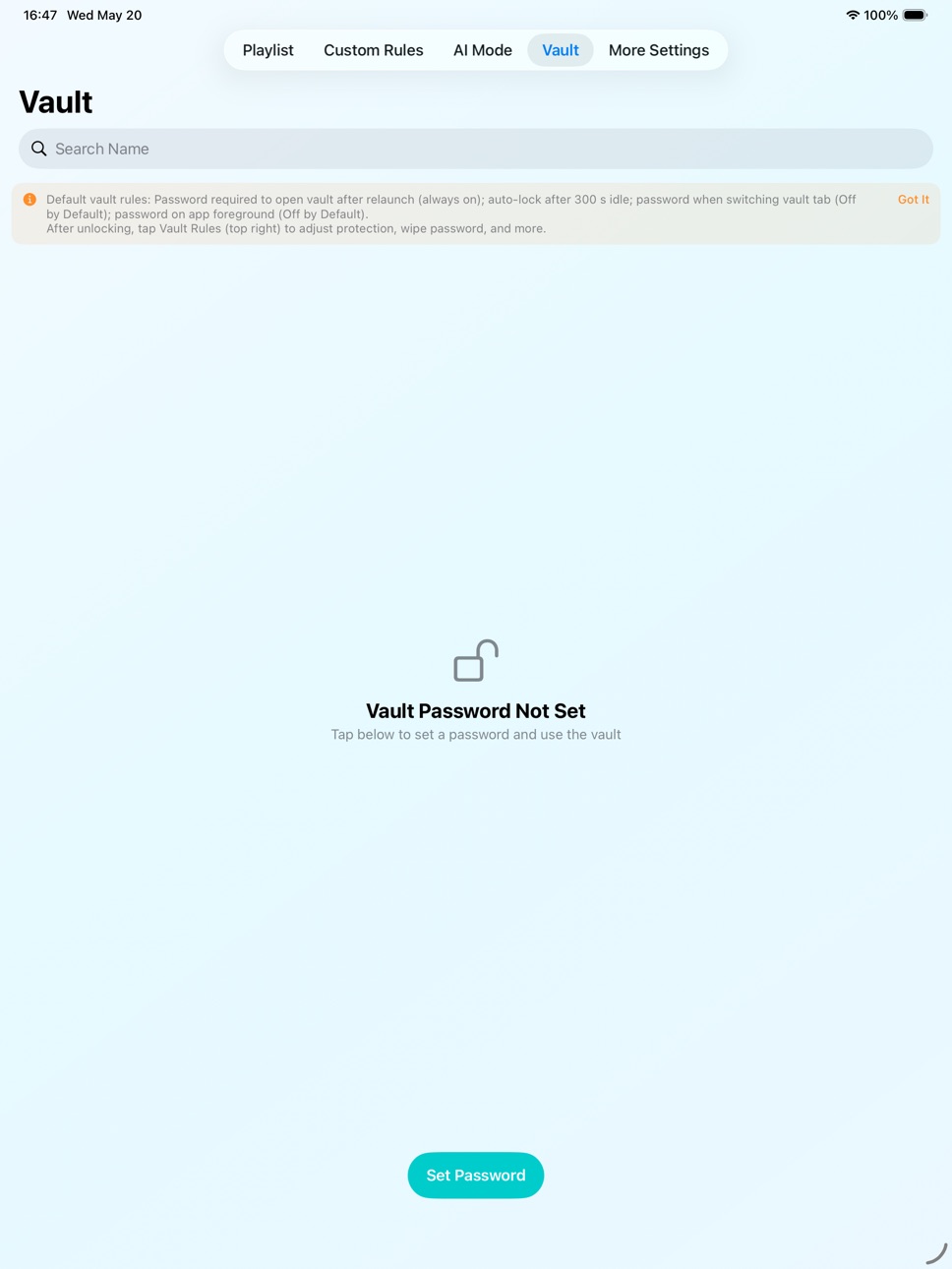
Supports space encryption and a special self-destruct password.
Clean Experience
We promise that during the validity period of your VIP membership, we will not display any advertisements to you.
The App includes VIP services:
Weekly $0.99, Monthly $2.99, Yearly $9.99, Lifetime $19.99.The above prices are subject to change based on promotional activities and exchange rates in different countries or regions. Please refer to the actual price displayed before payment. Purchasing any of the above memberships will unlock all paid features.
Terms of Use: https://docs.qq.com/doc/DUVJZY3J1VFFWZGNt
Privacy Policy: https://docs.qq.com/doc/DUURiU2J1QmxXb2hq
Capabilities
In-App Purchases
Accessibility
ipadiphonemacrealityDevicetvoswatch
Version history 8 versions
Build 886966264v1.82026-06-15 17:17:25
Optimize some details to improve user experience.
Build 886807261v1.72026-06-11 17:22:51
Many thanks again for your feedback! Here’s what’s new in this update:
Fixed an issue where “Stopped” could appear during normal playback, and a brief flicker at the start of playback.
Added personalization options on Settings > Launch Password, including Quick Face ID on Launch and Auto-Lock After Timeout. Turn them on only if you want them.
When you send the app to the background, the interface is automatically blurred to protect your privacy. This is on by default; you can turn it off at the bottom of Custom Rules.
Improved text readability in Dark Mode.
Added an optional FPS display (off by default). To enable it, open More in the top-right corner while playing a video.
Build 886339736v1.62026-05-31 18:13:40
1. Added a long-press on the screen to enable speed-up playback (releasing restores normal playback speed). The default speed can be adjusted via the "More" button in the top-right corner of the video playback page, with available speeds including: 0.5X, 0.75X, 1.5X, 2X, 3X, 5X, 8X, 16X.
2. Greatly optimized the experience of sliding the progress bar when playing videos, and added a small window preview that allows you to preview the target progress screen when sliding the progress bar. This feature can be turned on or off on the "Custom Rules" page.
3. You can now choose to set an app launch password, unlocking via Face ID or gesture password (note: the launch password is independent of and does not affect the private space password). This feature can be set in "Settings → Launch Password".
4. At present, you can modify the automatic hiding time of the playback interface control bar to between 1 and 5 seconds. This function can be set on the "Custom Rules" page.
5. Redesigned the screen size occupied by the playlist, making it more convenient to switch between videos.
Build 886242284v1.52026-05-28 20:39:43
1. Support duplicate file filtering when adding videos;
2. When storing, deleting, encrypting, and moving videos, multiple or all batch operations are supported;
3. When playing, the screen supports dual finger zoom and scaling, hardware decoding, and original image ratio playback.
Build 885947785v1.32026-05-21 16:07:03
This is a major update with new personalization options. Please read these release notes and the in-app guidance before upgrading or using the app.
【Four ways to import videos】
1.Import file (no copy)
Very fast when importing from local storage. Uses no extra space, but files do not appear in your device’s Files folder—they can only be managed and played inside the app. If you delete the original file, the item in the app will no longer work.
2.Import file (copy)
Supports transfer over USB when connected to a computer, and moving files from other folders into the app. Speed depends on your device and file size. Uses additional storage (you may delete the original). Files appear in your device’s folder; you can manage and play them in the app, or move them elsewhere from Files.
3.Add from Photos
Same as Import file (copy), mainly for videos in your photo library.
4.Wi‑Fi transfer
Same as Import file (copy)—best when you have Wi‑Fi but no cable.
Choose the method that fits your situation.
【Bug fixes】
1.Urgent fix for an issue on iPad and Mac where some video formats could not be added to the playlist.
2.Improved Wi‑Fi file transfer for a smoother experience.
Thank you to everyone who shared feedback!
Build 885902018v1.22026-05-20 17:03:15
The following optimizations have been made based on user suggestions, and it is recommended that you upgrade and use them:
1. Now it supports transferring files to the app through Wi Fi, paired with a computer browser for transfer, without the need for a data cable, and the speed is very fast! (Recommended to use Safari browser with transmission for better experience)
2. Fully supports English, Traditional Chinese, Simplified Chinese, and can directly switch the displayed language within the app; Other languages will also be gradually launched, please stay tuned
3. Fixed an issue in the AI mode.
Build 885767099v1.12026-05-18 04:03:48
1、删除了快速切换片段时会出现的一些状态提示,让您的观看体验更加清爽;
2、修复了锁屏、列表循环时可能出现的一个小问题。
Build 885185769v1.02026-05-12 09:04:54
No pricing data captured yet — comparisons appear once the app has paid storefronts or in-app purchases.
Availability 1 of 1 storefronts
| Region | Language | Price | Ratings | Avg | Version |
|---|---|---|---|---|---|
| US | en-US | Free | 17 | 4.7 | 1.8 |
Change log 12 changes · US
✎
releaseNotes updated
Optimize some details to improve user experience.
✎
description updated
Easyfreedom – Play Your Way!
This is a powerful and unique video player designed for iOS users. In addition to playing common video formats like MKV, AVI, MP4,
✎
subtitle updated
Rediscover your old videos!
✎
name updated
Easyfreedom Player-Random Play
◆
Version 1.8 released
Optimize some details to improve user experience.
◆
Version 1.7 released
Many thanks again for your feedback! Here’s what’s new in this update:
Fixed an issue where “Stopped” could appear during normal playback, and a brief flicker at the start of playback.
Added personalization options on Settings > Launch Pass
◆
Version 1.6 released
1. Added a long-press on the screen to enable speed-up playback (releasing restores normal playback speed). The default speed can be adjusted via the "More" button in the top-right corner of the video playback page, with available speeds in
◆
Version 1.5 released
1. Support duplicate file filtering when adding videos;
2. When storing, deleting, encrypting, and moving videos, multiple or all batch operations are supported;
3. When playing, the screen supports dual finger zoom and scaling, hardware de
◆
Version 1.3 released
This is a major update with new personalization options. Please read these release notes and the in-app guidance before upgrading or using the app.
【Four ways to import videos】
1.Import file (no copy)
Very fast when importing from local sto
◆
Version 1.2 released
The following optimizations have been made based on user suggestions, and it is recommended that you upgrade and use them:
1. Now it supports transferring files to the app through Wi Fi, paired with a computer browser for transfer, without
◆
Version 1.1 released
1、删除了快速切换片段时会出现的一些状态提示,让您的观看体验更加清爽;
2、修复了锁屏、列表循环时可能出现的一个小问题。
◆
Version 1.0 released