Home › Health & Fitness

 US
US
1 of 1 storefronts
Content in en-US
Content in en-US
Information
Preview 2 platforms
iPhone 10 images


iPad 10 images


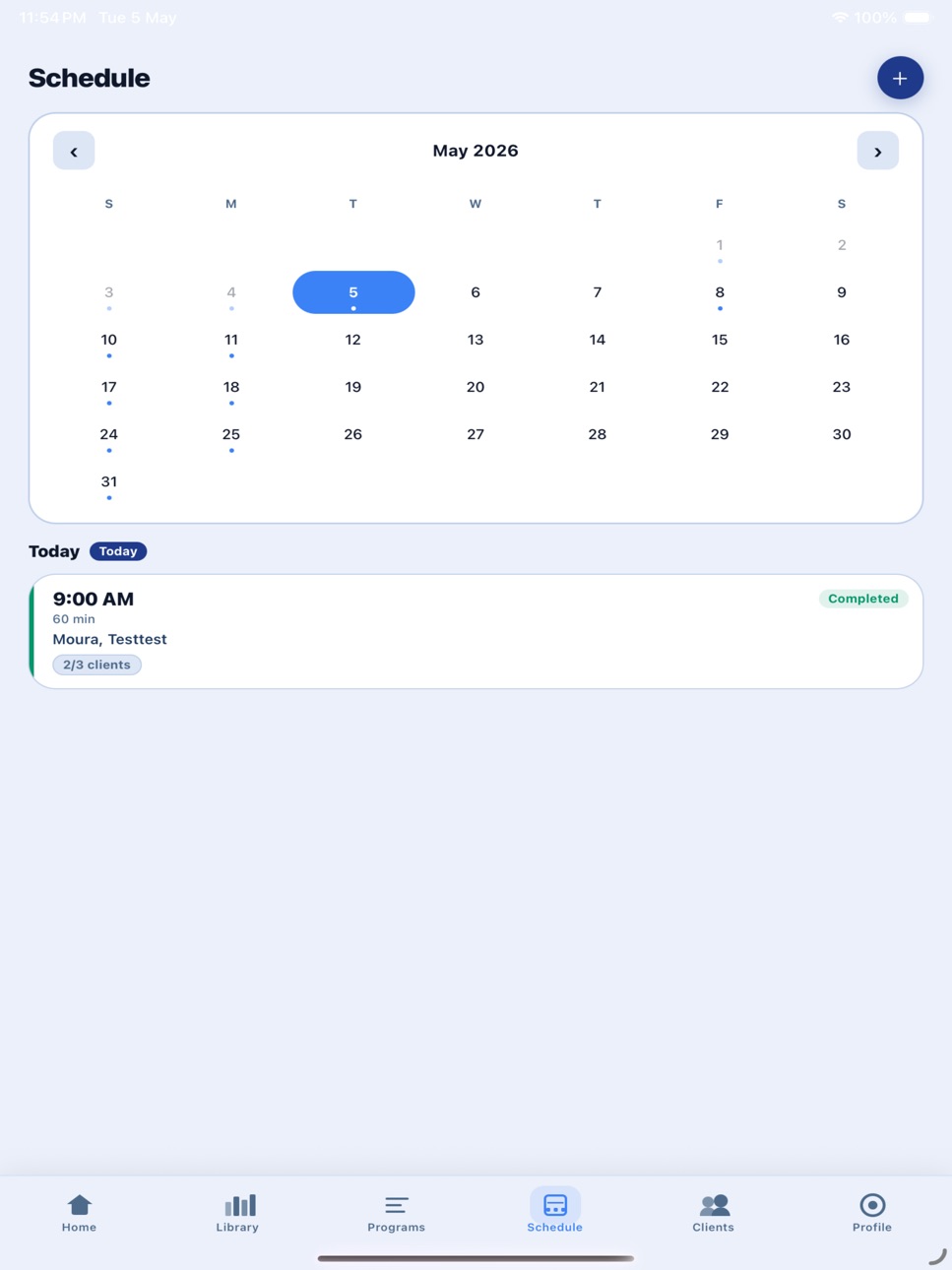


What’s New Version 1.0.16
WHOOP Integration
Connect your WHOOP wearable to bring recovery, strain, and sleep data right into Coachera. Coaches can now see clients' readiness at a glance, so training can be adjusted to how the body is actually recovering — not just the plan on paper.
Client Compliance Tracking
See how consistently your clients are following their programs with a new adherence score. Each client gets a compliance chip, and you get a gym-wide overall stat plus a detailed breakdown — making it easy to spot who's on track and who needs a n
Goals Improvements
Fixes and refinements to the goals experience for smoother, more reliable goal setting and tracki
Redesigned Client Vi
The coach's view of each client has been polished with UI updates that make
navigating client info,eaner and faster.
Expanded Notes
A roomier, more capable notes section so you can capture more detail where
it matters.
Biometric Login
Sign in instantly and securely with Face ID / Touch ID — no more typing your
password every time.
Payment Reminders fo
Automatic renewal and payment reminders help you stay on top of client
billing without the mans only.)
Coach Can Mark Worko
Coaches can now mark a session as done directly from the client calendar —
handy for in-person ses
Control What Clients
Choose how far ahead each client can view their programming — next workout only, next week, or fulntrol over how much ofthe plan is revealed.
Description
Coachera — Your Mobile Fitness Coaching Platform
Coachera connects coaches and clients with powerful tools to manage training, track progress, and achieve fitness goals together.
For Teams & Gyms:
- Build a shared exercise library your whole team contributes to
For Coaches:
- Create and manage personalized training programs with day-by-day exercises
- Build programs with video links, sets, reps, rest times, and coaching notes
- Assign private programs directly to your clients
- Schedule 1-on-1 or group training sessions with calendar integration
- View your clients' progress, body measurements, and strength logs
- Accept or decline client connection requests
- Schedule dated workouts on a day-by-day training calendar
- Send quick one-off workouts to a client or an entire group
- Run live group sessions in real time with a shared session board
For Clients:
- Connect with your personal coach using their unique username
- Follow assigned training programs day-by-day
- Track body progress: weight, body fat %, muscle mass
- Upload progress photos (front, side, back) with date comparison
- Log strength workouts and discover personal records (PRs)
- Book and manage your training sessions
- See your scheduled workouts on a clear, dated calendar
Additional Features:
- Support for English and Arabic (including RTL layout)
- Push notifications for session reminders and program updates
- Clean, intuitive mobile-first design
Whether you're a coach building your business or a client reaching your fitness goals, Coachera has everything you need — in your pocket.
Terms of Use (EULA): https://www.apple.com/legal/internet-services/itunes/dev/stdeula/
In-App Purchases US pricing
Pro Subscription Subscription
Coachera Pro · Monthly$4.99
Capabilities
In-App Purchases
Accessibility
ipadiphonemacrealityDevicetvoswatch
Version history 17 versions
Build 887974896v1.0.162026-07-10 08:17:08
WHOOP Integration
Connect your WHOOP wearable to bring recovery, strain, and sleep data right into Coachera. Coaches can now see clients' readiness at a glance, so training can be adjusted to how the body is actually recovering — not just the plan on paper.
Client Compliance Tracking
See how consistently your clients are following their programs with a new adherence score. Each client gets a compliance chip, and you get a gym-wide overall stat plus a detailed breakdown — making it easy to spot who's on track and who needs a n
Goals Improvements
Fixes and refinements to the goals experience for smoother, more reliable goal setting and tracki
Redesigned Client Vi
The coach's view of each client has been polished with UI updates that make
navigating client info,eaner and faster.
Expanded Notes
A roomier, more capable notes section so you can capture more detail where
it matters.
Biometric Login
Sign in instantly and securely with Face ID / Touch ID — no more typing your
password every time.
Payment Reminders fo
Automatic renewal and payment reminders help you stay on top of client
billing without the mans only.)
Coach Can Mark Worko
Coaches can now mark a session as done directly from the client calendar —
handy for in-person ses
Control What Clients
Choose how far ahead each client can view their programming — next workout only, next week, or fulntrol over how much ofthe plan is revealed.
Build 887913342v1.0.152026-07-07 05:48:03
• Membership & Billing — Record client payments, set renewal dates, add the amount, membership length, and a note (cash, transfer, etc.), and view full payment history. Get notified before a membership is due and when it lapses. Clients don't see any of this.
• Client look-ahead control — When assigning a program, choose how far ahead the client can see: the full program, just this week, or only their next workout. Changes apply instantly and never affect logged history.
• Invite clients by email — Invite a client by email even if they don't have a Coachera account yet; they'll get a branded signup link and connect to you automatically once they join.
• Smarter notifications — Tapping a notification now opens the exact screen it refers to (booked session, announcement, membership renewal, and more) instead of just the home page.
• Preserved workout history on edits — Editing a workout day while a client is mid-training no longer loses the sets they've already logged; their history follows the change.
• Polish — Added a confirmation before marking a workout done for a client, the Programs tab is always available, and minor label cleanups.
Build 887859729v1.0.142026-07-06 02:40:01
Coachera — Your Mobile Fitness Coaching Platform
Coachera connects coaches and clients with powerful tools to manage training, track progress, and achieve fitness goals together.
For Teams & Gyms:
- Build a shared exercise library your whole team contributes to
For Coaches:
- Create and manage personalized training programs with day-by-day exercises
- Build programs with video links, sets, reps, rest times, and coaching notes
- Assign private programs directly to your clients
- Schedule 1-on-1 or group training sessions with calendar integration
- View your clients' progress, body measurements, and strength logs
- Accept or decline client connection requests
- Schedule dated workouts on a day-by-day training calendar
- Send quick one-off workouts to a client or an entire group
- Run live group sessions in real time with a shared session board
For Clients:
- Connect with your personal coach using their unique username
- Follow assigned training programs day-by-day
- Track body progress: weight, body fat %, muscle mass
- Upload progress photos (front, side, back) with date comparison
- Log strength workouts and discover personal records (PRs)
- Book and manage your training sessions
- See your scheduled workouts on a clear, dated calendar
Additional Features:
- Support for English and Arabic (including RTL layout)
- Push notifications for session reminders and program updates
- Clean, intuitive mobile-first design
Whether you're a coach building your business or a client reaching your fitness goals, Coachera has everything you need — in your pocket.
Terms of Use (EULA): https://www.apple.com/legal/internet-services/itunes/dev/stdeula/
Build 887782015v1.0.132026-07-04 05:07:04
One place to train (clients)
- Your workouts now live in a calendar embedded right in the Programs tab. Open a day → do it → mark it complete, all in one place.
- The program view is now a clean read‑only plan reference (no more duplicate "mark complete" that could double‑count).
- Home's Next workout card opens that exact workout directly, and it now shows the correct day (e.g. "Day 2 of 2") matching what you'll open. Removed the redundant "My Calendar" shortcut.
No more double‑charged sessions
- Whether the coach ends the session or the client marks it complete, it's a single path — a session can't be completed twice and a package is deducted only once.
Program edits actually reach clients
- Editing a later week (Week 2, 3, …) now shows up for the client instead of the old Week‑1 version.
- Editing one client's day now carries forward to that day in the current and upcoming weeks (never backward into a week they already have pending).
Accurate progress
- Program progress is now counted from the days actually completed on the calendar — fixing the bug where it jumped to ~half after a couple of workouts.
Coaches see what clients lifted
- Weights, notes and form videos a client logs are now visible to the coach on the client calendar and progress screen (previously they weren't saved against the program).
- On an upcoming workout, the coach now sees the client's last‑logged weights as a faded "last time" reference, until it's overridden.
- Fixed logs bleeding across weeks — each week's sets now show only its own.
Choose what you hear about
- New Notification Settings in your Profile. A master switch to silence everything, plus individual toggles for exactly what pings you — session reminders, bookings and cancellations, program assignments, messages, and connection updates (coaches also get new requests, clients leaving a session, and depleted packages).
- Everything's on by default; flip the master switch off to go fully silent.
Reminders that actually arrive
- Fixed session reminders so your 24‑hour and 1‑hour heads‑ups before a session are delivered reliably and on time.
Faster program building (coaches)
- Drag to reorder exercises. Grab an exercise card and drop it exactly where you want it while building or editing a program — or a single day's workout. The up/down arrows are still there too.
Always on a supported version
- Added a minimum‑version check. If your app is too far out of date, you'll get a clear "Update Required" prompt with a one‑tap link to the App Store, so you're never stuck on an old, broken build.
Build 887712422v1.0.122026-07-02 19:40:33
One place to train (clients)
- Your workouts now live in a calendar embedded right in the Programs tab. Open a day → do it → mark it complete, all in one place.
- The program view is now a clean read‑only plan reference (no more duplicate "mark complete" that could double‑count).
- Home's Next workout card opens that exact workout directly, and it now shows the correct day (e.g. "Day 2 of 2") matching what you'll open. Removed the redundant "My Calendar" shortcut.
No more double‑charged sessions
- Whether the coach ends the session or the client marks it complete, it's a single path — a session can't be completed twice and a package is deducted only once.
Program edits actually reach clients
- Editing a later week (Week 2, 3, …) now shows up for the client instead of the old Week‑1 version.
- Editing one client's day now carries forward to that day in the current and upcoming weeks (never backward into a week they already have pending).
Accurate progress
- Program progress is now counted from the days actually completed on the calendar — fixing the bug where it jumped to ~half after a couple of workouts.
Coaches see what clients lifted
- Weights, notes and form videos a client logs are now visible to the coach on the client calendar and progress screen (previously they weren't saved against the program).
- On an upcoming workout, the coach now sees the client's last‑logged weights as a faded "last time" reference, until it's overridden.
- Fixed logs bleeding across weeks — each week's sets now show only its own.
Build 887572145v1.0.112026-07-01 04:15:21
* Limited copy to a single day and improved paste flow (auto-closes editor).
* Updated coach calendar UI on mobile app.
* Replaced phone share with copy link for better compatibility.
* Added client notes for coaches.
* Added goals, notes, packages, and expiry date visibility for coaches and head coaches.
* Moved Exercise Library to the top.
* Fixed missing autocomplete when editing programs.
* Set Column View as default and improved Compact/Edit view behavior.
* Enabled coaches to add exercise videos to the library.
* Added support for multiple schedule slots per day.
* Fixed client view to avoid confusion with greyed-out fields.
* Added owner-controlled admin permission to access the Coaches tab.
* Improved exercise autocomplete with fixed-width, scrollable suggestions showing all results.
* Fixed live board program edit save error.
Build 887434952v1.0.102026-06-26 21:32:42
We've packed this release with powerful improvements for coaches and clients alike:
- This release contains various performance optimizations and stability improvements.
- Client Invitations — Coaches can now invite clients directly through the app, automatically establishing the coach-client connection.
- AI Coach (Improved) — Revisited and refined AI responses with a more secure API key setup outside the codebase.
- Organisation Hierarchy & Head Coach Dashboard — Head coaches now have a dedicated dashboard to oversee their team, track coach activity, and monitor clients across the entire organisation.
- Quick Weight Updates — Clients can now log weight updates without being required to add notes.
- Goal Management — Coaches can add and delete goals collaboratively with their clients.
- Full Workouts on the Calendar — The calendar now supports complete workout details, not just placeholders.
- Packages for All Clients — Online clients now have access to packages, and all clients can increment package sessions when marking a workou
- Focused Next Workout — Tapping "Next Workout" now opens only the upcoming workout rather than the fprogram view.
- Reliable Completion Sync — Completed workout days are now consistently marked as complete for both coaches and clients.
- My Library Restored — The personal exercise library is back and fully functional.
- Optional Package Start Date — Coachert date when creating a package.
- Auto Expiry Calculation — Package expiry dates are automatically calculated based on the number of sessions entered.
- Shared Exercise Access — All team members can now view exercise details in the shared library, wit"Add to Mine" option available.
- Clean Deletions — Removing a client, assigned program, or related data now properly cleans up all associated records.
- Ad-hoc Workouts for Clients — Clients now have a dedicated view to log and track ad-hoc workouts outside their assigned program.
- Pre & Post Text in Supersets — Coaches can now add pre and post notes/instructions to supersets within a workout.
Build 887235624v1.0.92026-06-25 05:37:09
We've packed this release with powerful improvements for coaches and clients alike:
- Client Invitations — Coaches can now invite clients directly through the app, automatically establishing the coach-client connection.
- AI Coach (Improved) — Revisited and refined AI responses with a more secure API key setup outside the codebase.
- Organisation Hierarchy & Head Coach Dashboard — Head coaches now have a dedicated dashboard to oversee their team, track coach activity, and monitor clients across the entire organisation.
- Quick Weight Updates — Clients can now log weight updates without being required to add notes.
- Goal Management — Coaches can add and delete goals collaboratively with their clients.
- Full Workouts on the Calendar — The calendar now supports complete workout details, not just placeholders.
- Packages for All Clients — Online clients now have access to packages, and all clients can increment package sessions when marking a workou
- Focused Next Workout — Tapping "Next Workout" now opens only the upcoming workout rather than the fprogram view.
- Reliable Completion Sync — Completed workout days are now consistently marked as complete for both coaches and clients.
- My Library Restored — The personal exercise library is back and fully functional.
- Optional Package Start Date — Coachert date when creating a package.
- Auto Expiry Calculation — Package expiry dates are automatically calculated based on the number of sessions entered.
- Shared Exercise Access — All team members can now view exercise details in the shared library, wit"Add to Mine" option available.
- Clean Deletions — Removing a client, assigned program, or related data now properly cleans up all associated records.
- Ad-hoc Workouts for Clients — Clients now have a dedicated view to log and track ad-hoc workouts outside their assigned program.
- Pre & Post Text in Supersets — Coaches can now add pre and post notes/instructions to supersets within a workout.
Build 887164166v1.0.82026-06-19 18:30:11
- Workout Calendar — Coaches can now schedule and view client workouts on a dated calendar, making it easier to plan training week by week.
- Shared Exercise Library — Organisations can build a shared exercise library so the whole team works from the same exercises.
- Smarter Program Building — A faster, cleaner experience for creating and editing programs.
- AI Improvements — More reliable AI parsing of programs and workouts, and a better coaching assistant.
- Performance & Stability — Fixed an app crash, improved the calendar view, and polished various UI details.
Build 887123487v1.0.72026-06-18 19:12:48
Calendar — Plan and view your clients' workouts on a dated calendar, so you always know what's scheduled and when.
Clients, refreshed — A faster, cleaner client experience that makes managing your roster easier.
Fresh new look and a smoother, more polished app throughout.
Various bug fixes and performance improvements.
Build 887062035v1.0.62026-06-17 17:46:38
Session Packages
- Coaches can now create session packages for clients and track usage in real time
- Set an expiration date on any package so it auto-flags when it lapses
- Live board now warns you the moment you open a session if a client's package has expired or run out — no more surprises mid-session
- Receive a push notification when a client's package is fully used up
Session History
- Full session snapshots saved permanently — coaches and clients can now review exact exercises, sets, reps, and weight from any past session
- On-ground client session history now merges correctly after they connect via the app
Programs
- Fixed program editing and day management
- Added custom day labels (e.g. "Push", "Pull", "Legs")
- Improved recurring program cycle tracking
Groups
- Coaches can now create and manage client groups
- Assign programs to an entire group at once
Clients
- AI assistant to help coaches manage and understand their client base
- Client goals tracking added
- Fixed package visibility for clients who joined as walk-ups then connected via app
- Clients can disconnect and request reconnection
Progress Tracking
- Measurements, progress photos, and strength logs now visible from the coach dashboard
General
- Exercise videos now play directly inside the app — no more leaving to an external browser
- Added direct link to Coachera's website from the app
- Various bug fixes and performance improvements
Build 887026020v1.0.52026-06-16 17:55:40
- Password Reset — You can now reset your password directly from the login screen
- Program Improvements — Creating and editing programs is smoother, with better day management and exercise handling
- My Team & Groups — Several enhancements to team and group management for coaches
- AI Improvements — Better AI-assisted program and workout parsing
- Client Management — Improved client list and session logs
- Visit Coachera — New link to the Coachera website from your profile
- Bug fixes and performance improvements
Build 886904202v1.0.42026-06-13 15:52:12
AI program builder improvements
- The AI workout/program parser now picks up exercise video links — paste a link next to an exercise, or ask it to "auto-fill video links."
Customizable program days
- Coaches can now give each day in a program a custom name (e.g. "Push Day", "Legs") instead of just "Day 1, Day 2." Tap the day title to rename it.
Edit programs more flexibly
- Add and remove days when editing an existing program — previously you could only edit the days that already existed.
- Removing a day now clearly confirms how many exercises will be deleted.
Weekly team boards (Groups)
- Redesigned the team/group weekly board: co and add it to the whole week at once,instead of adding programs day-by-day.
- The week now runs Sunday → Saturday for cl
- Each day on the board opens just that day's workout, not the entire program.
- Added an in-app "How to build the week" gu
Link on-ground clients to their app account
- New "Link App Account" action lets coaches merge a walk-up (on-ground) client's history, packages, and programs into their profile once that client downloads the
- Added a helpful banner pointing coaches to this feature.
- Fixed an issue where packages created befothe client.
Other
- Various UI polish and bug fixes.
Build 886854836v1.0.32026-06-12 16:57:38
AI Improvements
- Client AI assistant is smarter and more context-aware
- Program parsing (from text/voice) is more accurate
- Workout parsing refined
- AI suggestions surfaced directly in the clients tab
Coach & Client Disconnect
- Coaches and clients can now disconnect from each other while keeping their full history intact — session logs, progress, and chat are preserved after disconnection
- Clients can request to reconnect after disconnecting
Subscriptions
- Fixed a bug where subscription status wasn't displaying correctly on the profile screen
UI/UX Enhancements
- Home screen overhauled with significantly richer content and layout
- Progress screen rebuilt — much more detailed session tracking and viewing
- My Sessions page completely revamped
- Programs screen improved
- Clients list polished
- Goals system added for clients (backed by a new client_goals table)
- Package notes column added
Workspaces
- Group workspaces enhanced — richer collaboration features inside group sessions
- Live board improvements during sessions
- Program detail view expanded
- Program workspace now properly saves with auth
Splash Screen & Login Polish
- New animated splash: logo floats in, then COACHERA letters stagger in one by one — dark themed to match the app
- Login screen: form lifts off the background as a card, logo and card both spring in with a scale pop
Account Recovery
- Added a "Forgot password?" flow — reset your password directly from the login screen
- Enter your username and we'll email you a secure 6-digit code to set a new password
- New accounts now include an email at sign-up, enabling secure account recovery
- Sign-in continues to work by username, now resolved to your account behind the scenes
Build 886803934v1.0.22026-06-11 17:33:12
Goals Tracking
Clients can now set and track personal fitness goals directly in the Progress tab. Supported goal types: target weight, body fat %, strength PRs, and custom goals. Each goal shows a live progress bar comparing current logged values against the target, and achieved goals are visually highlighted.
AI Enhancements
- AI Clients Assistant now shows quick-tap suggestion chips ("Who needs attention?", "Show program progress", "Who gave feedback?", "Upcoming sessions?") and displays a Beta badge.
- The assistant now scans 30 days of upcoming sessions (previously 14) for better coverage.
- AI Fill Entire Program (program creation) improved with clearer prompts and better support for Arabic and English input.
Workspace Role Management
Group owners can now promote members to Admin or revoke admin access directly from the Members tab. A new Roles card explains the three permission levels (Owner / Admin / Member) and what each can do.
Offline Client Detail Improvements
- Quick link to view a linked client's Measurements, Photos & Strength progress.
- Active package now shows sessions used / total sessions (e.g., 4/10).
- When an offline client links their app account, their assigned programs are automatically migrated to their online profile so they see their workouts immediately.
Home Screen (Dashboard)
- Coaches now see a pending request count on the dashboard.
- Offline client count correctly excludes already-linked clients.
- Client program assignments are filtered to only show client_visible programs.
Bug Fixes
- Fixed subscription status display.
- Fixed program deduplication when an offline client links their account (no duplicate program cards).
- Fixed real-time channel cleanup to prevent duplicate subscriptions.
- RLS policy fixes for client packages.
Build 885543899v1.0.12026-05-12 17:16:41
- Enhanced Live Board with the ability to add or delete exercises directly in live sessions
- Added weight field visibility and editability for exercises
- Bug fix: All edits made during a live session now persist to the program itself
Build 885151710v1.0.02026-05-07 08:17:31
Price history by region
Currency
Show
Columns
Search
Availability 1 of 1 storefronts
| Region | Language | Price | Ratings | Avg | Version |
|---|---|---|---|---|---|
| US | en-US | Free | 0 | — | 1.0.16 |
Change log 21 changes · US
✎
releaseNotes updated
WHOOP Integration
Connect your WHOOP wearable to bring recovery, strain, and sleep data right into Coachera. Coaches can now see clients' readiness at a glance,
✎
description updated
Coachera — Your Mobile Fitness Coaching Platform
Coachera connects coaches and clients with powerful tools to manage training, track progress, and achieve fitne
✎
subtitle updated
Train clients, track progress
✎
name updated
Coachera — Coaching Platform
◆
Version 1.0.16 released
WHOOP Integration
Connect your WHOOP wearable to bring recovery, strain, and sleep data right into Coachera. Coaches can now see clients' readiness at a glance, so training can be adjusted to how the body is actually recovering — not just t
◆
Version 1.0.15 released
• Membership & Billing — Record client payments, set renewal dates, add the amount, membership length, and a note (cash, transfer, etc.), and view full payment history. Get notified before a membership is due and when it lapses. Clients don
◆
Version 1.0.14 released
Coachera — Your Mobile Fitness Coaching Platform
Coachera connects coaches and clients with powerful tools to manage training, track progress, and achieve fitness goals together.
For Teams & Gyms:
- Build a shared exercise library your wh
◆
Version 1.0.13 released
One place to train (clients)
- Your workouts now live in a calendar embedded right in the Programs tab. Open a day → do it → mark it complete, all in one place.
- The program view is now a clean read‑only plan reference (no more duplicate "
◆
Version 1.0.12 released
One place to train (clients)
- Your workouts now live in a calendar embedded right in the Programs tab. Open a day → do it → mark it complete, all in one place.
- The program view is now a clean read‑only plan reference (no more duplicate "
◆
Version 1.0.11 released
* Limited copy to a single day and improved paste flow (auto-closes editor).
* Updated coach calendar UI on mobile app.
* Replaced phone share with copy link for better compatibility.
* Added client notes for coaches.
* Added goals, notes,
◆
Version 1.0.10 released
We've packed this release with powerful improvements for coaches and clients alike:
- This release contains various performance optimizations and stability improvements.
- Client Invitations — Coaches can now invite clients directly throug
◆
Version 1.0.9 released
We've packed this release with powerful improvements for coaches and clients alike:
- Client Invitations — Coaches can now invite clients directly through the app, automatically establishing the coach-client connection.
- AI Coach (Improve
◆
Version 1.0.8 released
- Workout Calendar — Coaches can now schedule and view client workouts on a dated calendar, making it easier to plan training week by week.
- Shared Exercise Library — Organisations can build a shared exercise library so the whole team work
◆
Version 1.0.7 released
Calendar — Plan and view your clients' workouts on a dated calendar, so you always know what's scheduled and when.
Clients, refreshed — A faster, cleaner client experience that makes managing your roster easier.
Fresh new look and a smoothe
◆
Version 1.0.6 released
Session Packages
- Coaches can now create session packages for clients and track usage in real time
- Set an expiration date on any package so it auto-flags when it lapses
- Live board now warns you the moment you open a session if a client
◆
Version 1.0.5 released
- Password Reset — You can now reset your password directly from the login screen
- Program Improvements — Creating and editing programs is smoother, with better day management and exercise handling
- My Team & Groups — Several enhancements
◆
Version 1.0.4 released
AI program builder improvements
- The AI workout/program parser now picks up exercise video links — paste a link next to an exercise, or ask it to "auto-fill video links."
Customizable program days
- Coaches can now give each day in a prog
◆
Version 1.0.3 released
AI Improvements
- Client AI assistant is smarter and more context-aware
- Program parsing (from text/voice) is more accurate
- Workout parsing refined
- AI suggestions surfaced directly in the clients tab
Coach & Client Disconnect
- Coache
◆
Version 1.0.2 released
Goals Tracking
Clients can now set and track personal fitness goals directly in the Progress tab. Supported goal types: target weight, body fat %, strength PRs, and custom goals. Each goal shows a live progress bar comparing current logged
◆
Version 1.0.1 released
- Enhanced Live Board with the ability to add or delete exercises directly in live sessions
- Added weight field visibility and editability for exercises
- Bug fix: All edits made during a live session now persist to the program itself
◆
Version 1.0.0 released