Home › Health & Fitness

 US
US
1 of 1 storefronts
Content in en-US
Content in en-US
Information
Apple ID6765602887
Bundle IDcom.yunusoktay.Hearly
SellerSeller
Min iOS26.0
Min macOS26.0
Device familiesiphone
Released2026-05-01
Copyright© 2026 Yunus Oktay
Privacy policyLink ↗
Preview 1 platform
iPhone 4 images


Description
Hearly: AirPods Hearing Test helps you check your hearing with a simple guided tone test, ear-by-ear results, and audiogram-style charts.
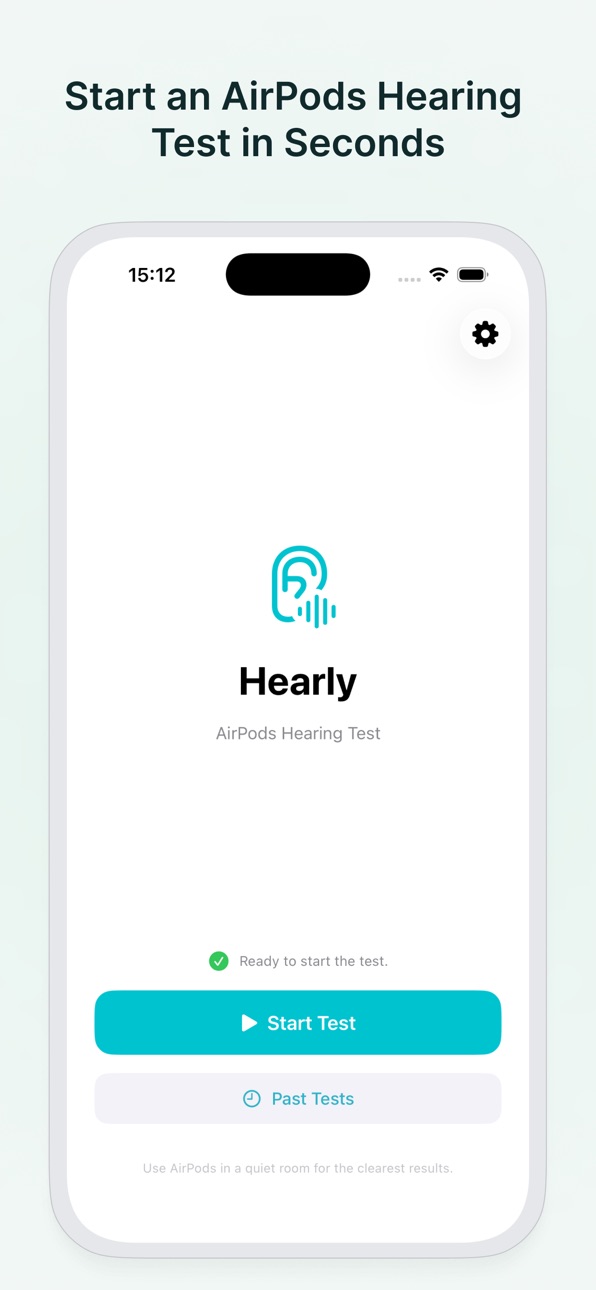
Connect your AirPods, set your iPhone volume, choose a quiet place, and follow the step-by-step test flow. Hearly plays tones across key frequencies and saves your results so you can review your hearing profile over time.
Start with one free hearing test. Upgrade to Hearly Pro to unlock unlimited tests and full test history.
What You Can Do With Hearly
• Take a hearing test with AirPods
• Test left and right ears separately
• View audiogram-style results
• Check key hearing frequencies
• Compare both ears
• Save your test history
• Track changes over time
• Review past results anytime
• Use a clean, focused test experience
• Unlock unlimited tests with Hearly Pro
AirPods Hearing Test
Hearly is designed around AirPods and iPhone. The app checks your audio route and volume before the test so you can start with the right setup. The test flow is simple: listen for tones, respond when you hear them, and get your results at the end.
Audiogram-Style Results
After each test, Hearly shows your results in an easy-to-read chart. You can review frequency-by-frequency results for each ear and understand how your hearing response changes across low, mid, and high frequencies.
Ear-by-Ear Comparison
Hearly tests each ear separately so you can compare your left and right ear results. This makes it easier to notice differences between ears and follow your hearing profile over time.
Private Test History
Your saved hearing test history stays on your device. Hearly is built for a private, focused experience without requiring an account.
Hearly Pro
Hearly Pro unlocks unlimited hearing tests and full access to your saved history. Use it to test regularly, compare results, and follow changes over time.
Hearly Pro includes:
• Unlimited hearing tests
• Full test history
• Ear-by-ear result tracking
• Audiogram-style charts
• Ongoing access to future Pro improvements
Who Is Hearly For?
Hearly is for anyone who wants a quick and simple way to check hearing with AirPods. Use it when you want to run a tone-based hearing check, compare both ears, or keep a personal history of your results.
Why Choose Hearly?
Hearly focuses on one clear job: AirPods hearing testing. No complicated setup, no account required, and no clutter. Just connect your AirPods, start the test, and view your results.
EULA:
https://docs.google.com/document/d/e/2PACX-1vSLvrxblrhBUuNuMbjeXpdm5cyRAQ-nSkVtju8P7T6r85tadRUV9YIrcJCYwRaSc1HOf4TWtmvCf4Te/pub
Capabilities
In-App Purchases
Accessibility
ipadiphonemacrealityDevicetvoswatch
Version history 1 versions
Build 885150357v1.0.02026-05-01 23:54:02
No pricing data captured yet — comparisons appear once the app has paid storefronts or in-app purchases.
Availability 1 of 1 storefronts
| Region | Language | Price | Ratings | Avg | Version |
|---|---|---|---|---|---|
| US | en-US | Free | 0 | — | 1.0.0 |
Change log 4 changes · US
✎
description updated
Hearly: AirPods Hearing Test helps you check your hearing with a simple guided tone test, ear-by-ear results, and audiogram-style charts.
Connect your AirPods,
✎
subtitle updated
Audiogram & Ear Check
✎
name updated
Hearly: AirPods Hearing Test
◆
Version 1.0.0 released