Home › Education

 US
US
1 of 1 storefronts
Content in en-US
Content in en-US
Information
Preview 2 platforms
iPhone 8 images


iPad 8 images


What’s New Version 1.1.3
Scan a physical book to turn its sentences into full flashcards, organize your cards into collections, and enjoy a refreshed review screen.
Description
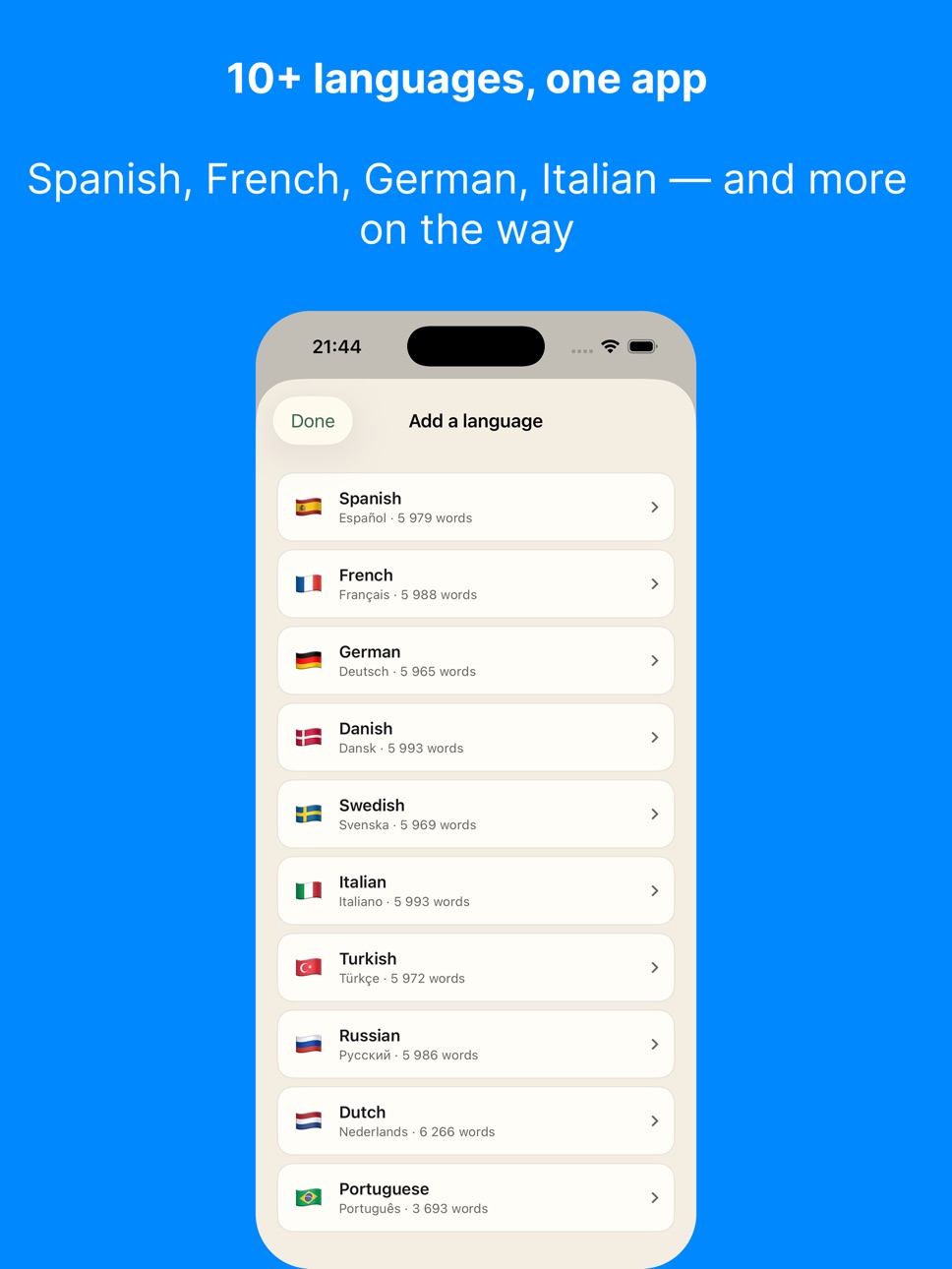
Learn real languages through real sentences. Not random words. Not boring drills. Lingden teaches Norwegian, Spanish, French, German, Italian, Russian and 7 more languages the way they're actually spoken - one real sentence at a time, with word-by-word meaning, native audio, and proven spaced-repetition that locks vocabulary into long-term memory.
Understand a language. Don't memorize it.
LEARN 12 LANGUAGES
Norwegian, Spanish, French, German, Italian, Portuguese, Dutch, Danish, Swedish, Turkish, Russian, Greek. CEFR levels A1 to B2 - from your very first word to confident conversation.
EVERY FLASHCARD IS A MICRO-LESSON
Tap any word to hear it. See the IPA pronunciation. Read the dictionary meaning. Listen to the full sentence in a native voice. Lingden treats every flashcard like an annotated textbook page, so you don't just memorize vocabulary, you understand how a sentence is built.
SPACED REPETITION THAT WORKS
A five-box review system based on proven spaced-repetition research. Words you struggle with come back sooner; words you've mastered move further out. Just 10 to 20 minutes a day and your review queue keeps shrinking while your vocabulary keeps growing.
NATIVE-SPEAKER AUDIO ON EVERY WORD
High-quality voices for every supported language. Hear correct pronunciation for every word and every full sentence. Build your ear before you ever speak.
6,700+ VERB CONJUGATIONS
Master verbs across 7 tenses: present, past, future, perfect, imperfect, conditional, imperative. Every conjugation arrives as a real example sentence with audio. Finally understand why Spanish has so many verb endings and why French verbs surprise you.
CREATE YOUR OWN CARDS WITH AI
Pro users paste any word or phrase and Lingden generates a complete flashcard: a real example sentence at your level, word-by-word breakdown, IPA, meaning, and native audio. Build a deck from this morning's article, your favorite song lyrics, or the words your language partner taught you yesterday.
TOPIC AND LEVEL FILTERS
Focus on travel vocabulary before a trip. Drill medical terms before an appointment. Lock to A1 basics or push into B2 nuance. Your study plan, your way.
VOCABULARY BROWSER
Browse every word you've ever learned. Search, filter, sort by mastery, and see your progress as a real, growing personal dictionary.
FREE FOREVER
1 language, 10 new cards per day, full A1 to B2 access, spaced repetition, word-by-word breakdowns, audio and IPA. No ads, no time limits, no trial countdown.
LINGDEN PRO
Unlock unlimited languages, 50 new cards per day, AI card generation, verb conjugations, topic filters, and the full vocabulary browser. Monthly or yearly subscription - the yearly plan is the best value. Cancel anytime in iOS Settings.
PRIVACY FIRST
We never sell your data. We never track you across the web. Your progress syncs securely with your account so you can switch devices without losing a streak.
WHY PEOPLE LOVE LINGDEN
- Real sentences from your very first card
- Beautiful, fast, native iOS app
- Works offline once a deck is loaded
- No autoplay videos, no streak shame, no mascot guilt
- Built by language learners, for language learners
WHO IT IS FOR
- Travelers who want to actually speak the language
- Heritage speakers reconnecting with their roots
- Students supplementing classroom courses
- Polyglots collecting their next language
- Anyone tired of language apps that feel like a game show
START LEARNING TODAY
Pick a language. Pick a level. Hit Continue. You will be on your first real sentence in 30 seconds.
Privacy Policy: https://lingden.app/privacy
Terms of Use: https://lingden.app/terms
In-App Purchases US pricing
Lingden Pro Subscription
Yearly · Yearly$49.99
Monthly · Monthly$4.99
Capabilities
In-App Purchases
Accessibility
ipadiphonemacrealityDevicetvoswatch
Version history 5 versions
Build 887874098v1.1.32026-07-06 21:57:23
Scan a physical book to turn its sentences into full flashcards, organize your cards into collections, and enjoy a refreshed review screen.
Build 886140964v1.1.2 (1)2026-05-28 13:47:55
• New widget colors: pick Cream, Sage, Linen, or Ink.
Long-press the widget → Edit Widget → Card color.
• Widget now shows full sentences cleanly — no more
duplicated sentence on the home screen.
• Review queue fixes: phantom "due" cards after a delete no longer linger, and sign-out on a flaky
network won't lose your last rating.
• Streak and XP sync more reliably across devices.
• Faster cold start and a smaller download.
Build 885259388v1.1.12026-05-05 19:02:37
• Forgot your password? Reset it in seconds — straight from the sign-in screen.
• Beautiful new iPad layout with two-column dashboard, vocabulary grid, and bigger flashcards.
• Hardware keyboard support on iPad and Mac (⌘1–⌘5 to switch tabs, Space to flip a card, 1–4 to rate).
• Apple Pencil and drag-and-drop into Add a Card.
• Smaller fixes for cross-device card sync and signup emails.
Build 885195002v1.1.02026-05-03 01:55:57
Faster, smoother, and a few quality-of-life upgrades you've been asking for.
Translate into your language
When you add a card, pick the language you want translations and explanations in - perfect if your first language isn't English.
Snappier reviews
Card transitions, rating taps, and tab switches all feel quicker. The Vocabulary swipe is noticeably crisper, and rapid rating no longer waits on a save.
Rate without flipping
New setting (Settings > Cards, or the Display panel during review): show the Again / Hard / Good / Easy buttons on the front side too, for when you want to self-test before peeking.
Redesigned account header
Your account, plan, and a quick Sign Out now sit at the top of Settings, with a clearly-labeled "Manage account" row for changing your name, password, or email.
Vocabulary tab tune-up
Header is more compact at large text sizes so the card never gets cut off, and the language pill is now reachable from the Vocabulary tab too.
Refreshed brand
New logo across the app - cleaner edges, the same friendly mark.
Behind the scenes
Lower CPU usage on Home and Vocabulary, faster first launch on older iPhones, and your last rating before backgrounding the app is now guaranteed to sync.
Thanks for learning with Lingden - keep tapping.
Build 885088443v1.0.02026-05-01 10:50:49
Price history by region
Currency
Show
Columns
Search
Availability 1 of 1 storefronts
| Region | Language | Price | Ratings | Avg | Version |
|---|---|---|---|---|---|
| US | en-US | Free | 0 | — | 1.1.3 |
Change log 9 changes · US
✎
releaseNotes updated
Scan a physical book to turn its sentences into full flashcards, organize your cards into collections, and enjoy a refreshed review screen.
✎
description updated
Learn real languages through real sentences. Not random words. Not boring drills. Lingden teaches Norwegian, Spanish, French, German, Italian, Russian and 7 mor
✎
subtitle updated
Flashcard for Language learner
✎
name updated
Lingden: Language Learning
◆
Version 1.1.3 released
Scan a physical book to turn its sentences into full flashcards, organize your cards into collections, and enjoy a refreshed review screen.
◆
Version 1.1.2 (1) released
• New widget colors: pick Cream, Sage, Linen, or Ink.
Long-press the widget → Edit Widget → Card color.
• Widget now shows full sentences cleanly — no more
duplicated sentence on the home screen.
• Review queue fixes: phantom "due" ca
◆
Version 1.1.1 released
• Forgot your password? Reset it in seconds — straight from the sign-in screen.
• Beautiful new iPad layout with two-column dashboard, vocabulary grid, and bigger flashcards.
• Hardware keyboard support on iPad and Mac (⌘1–⌘5 to switch tabs
◆
Version 1.1.0 released
Faster, smoother, and a few quality-of-life upgrades you've been asking for.
Translate into your language
When you add a card, pick the language you want translations and explanations in - perfect if your first language isn't English.
Sna
◆
Version 1.0.0 released