Home › Productivity

 US
US
1 of 1 storefronts
Content in en-US
Content in en-US
Information
Apple ID6763604216
Bundle IDcom.wenj.PDFReaderTTS
SellerSeller
Min iOS26.0
Min macOS26.0
Device familiesiphone, ipad
Released2026-06-26
Copyright© 2026 Wen Jiang
Privacy policyLink ↗
Preview 2 platforms
iPhone 7 images





iPad 7 images




Description
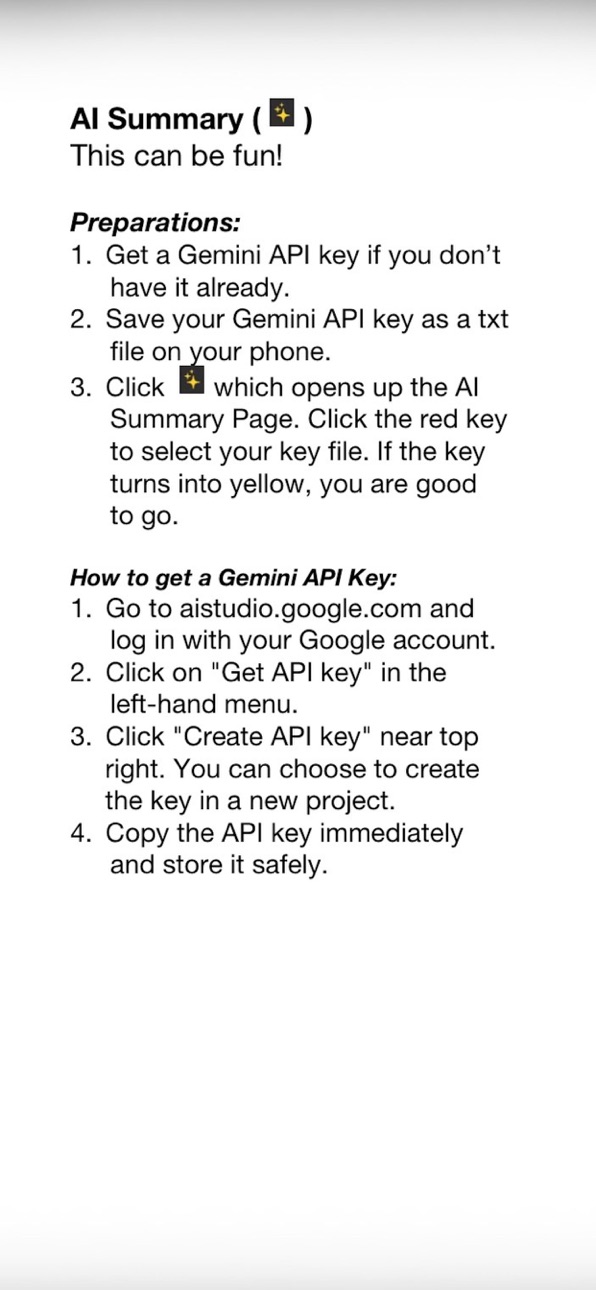
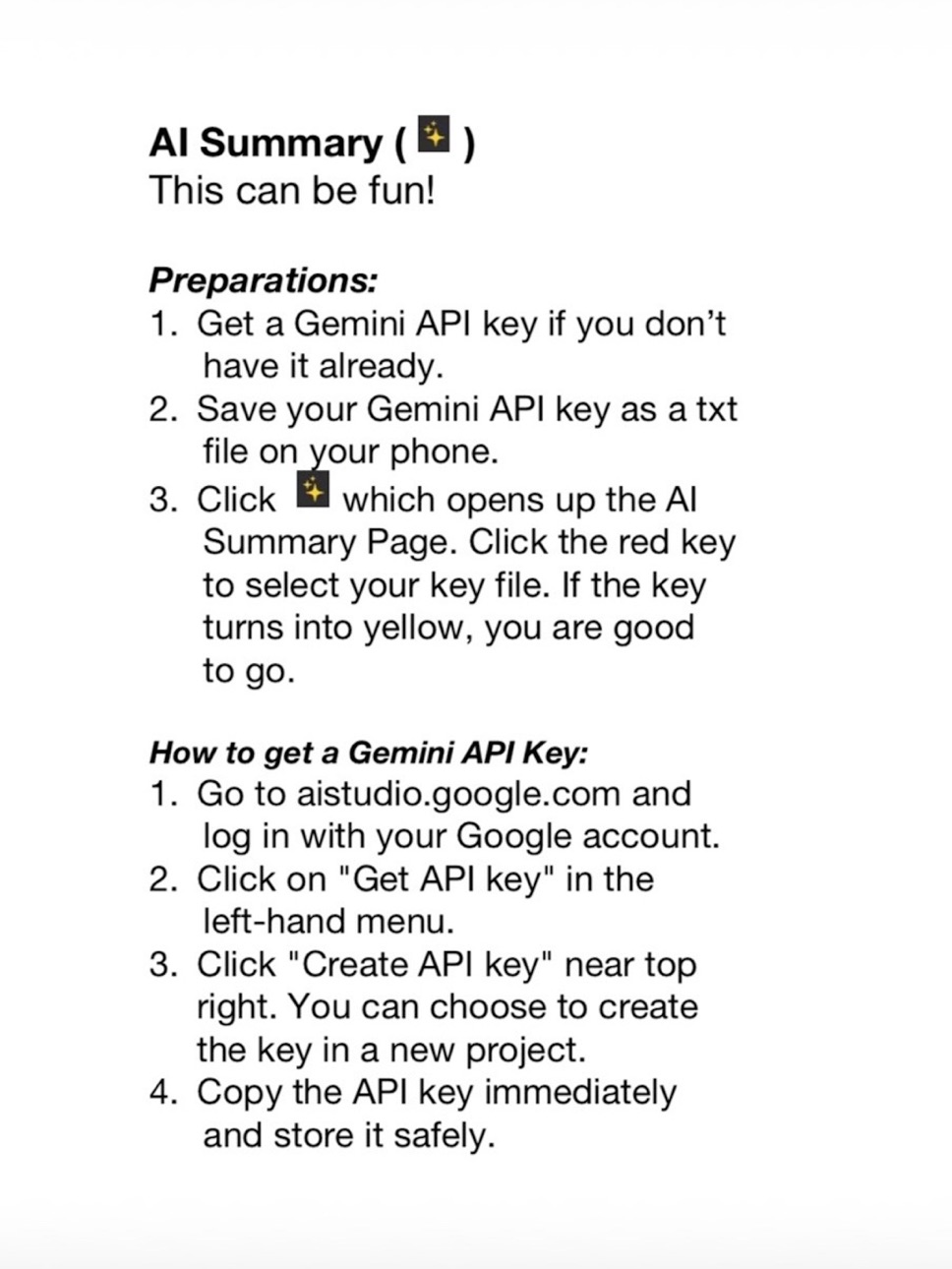
This free-of-charge PDF reader with text-to-speech is created by team VelaTango. It comes in handy when you want to listen to a book while taking a walk or working in garden. The AI summary of PDF text and continual discussion with AI can help you better understand the content as well as getting a good picture of books and articles that you do not have time to read in detail.
Privacy is fully protected with this app. PDF reading and text-to-speech are completely local. The AI summary part, if you choose to use it, sends selected PDF text directly to Google Gemini using your own API key. This app does not collect any user data. No email account needed. No login required.
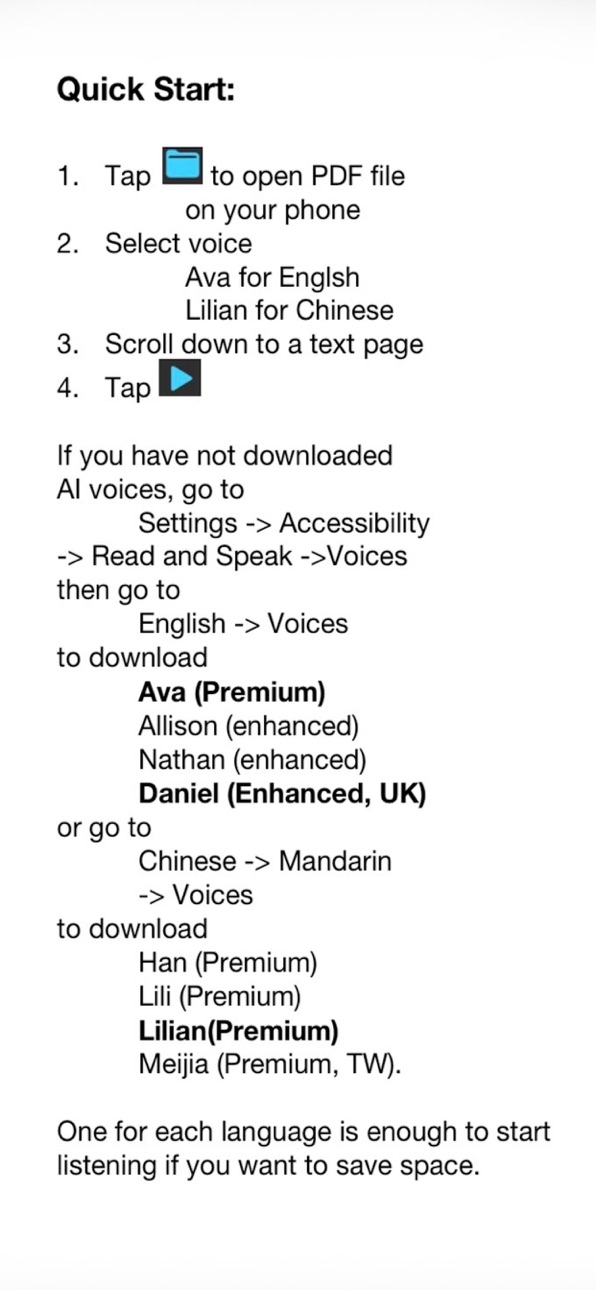
Please refer to instructions for details including how to download voices required by this app and how to apply for free Gemini API key if you are interested.
Some notes on features:
In principle, any PDF files can be loaded into this app. You can read by viewing. But when it comes to listening with text-to-speech (TTS), there are some limitations that you want to be aware of:
1) TTS part won't not work properly for PDFs with two or more columns.
2) Voices are limited to 4 for English and 4 for Chinese to avoid the overwhelmingly long list. If you like the app and would like to add voices of other languages, please specify which language, name of the voice (like Ana), and whether the voice is enhanced or premium.
Your PDF and Gemini API key files (a txt file with only the key information) are good to be kept in the same place like in the Files folder on your device.
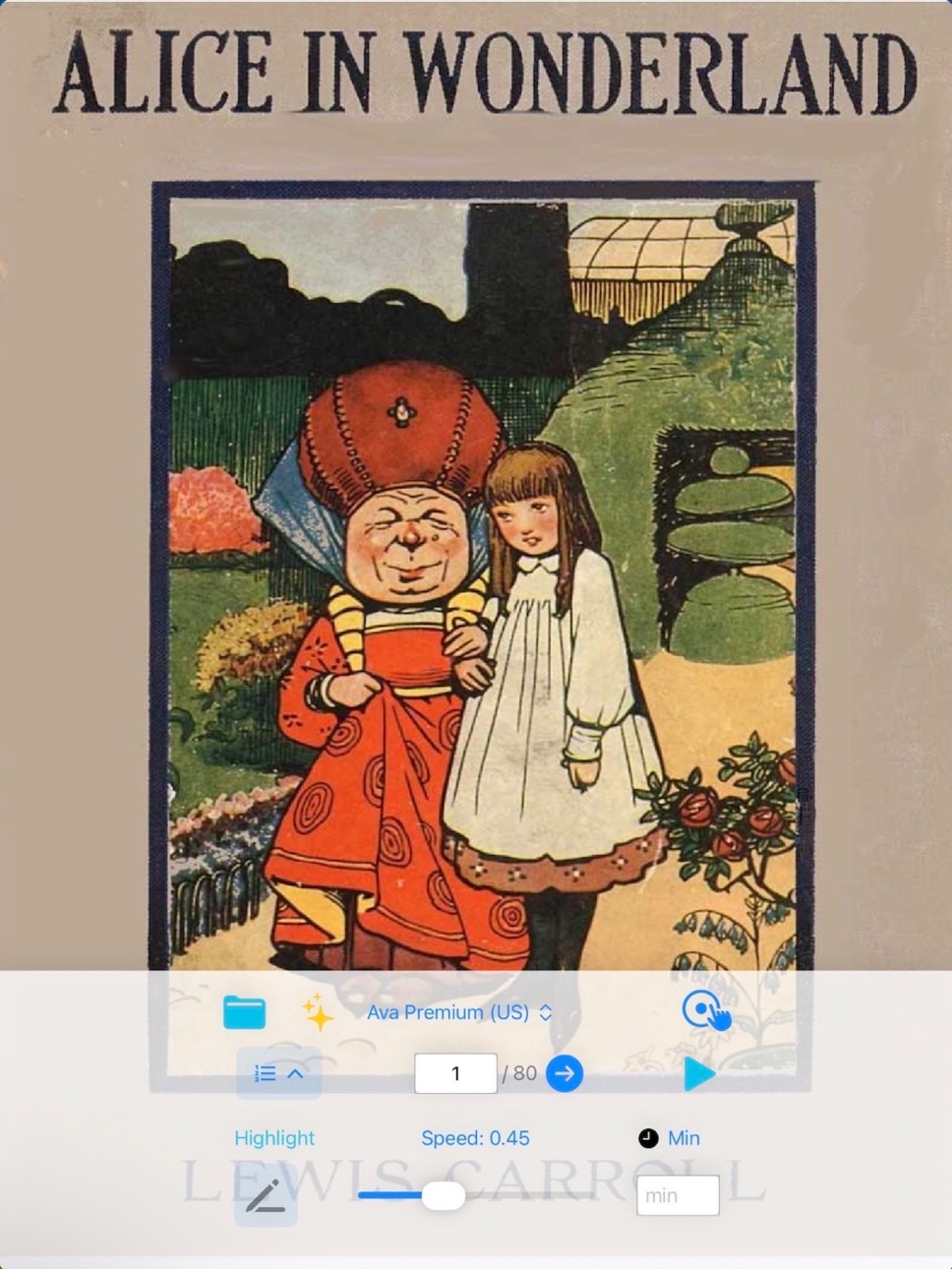
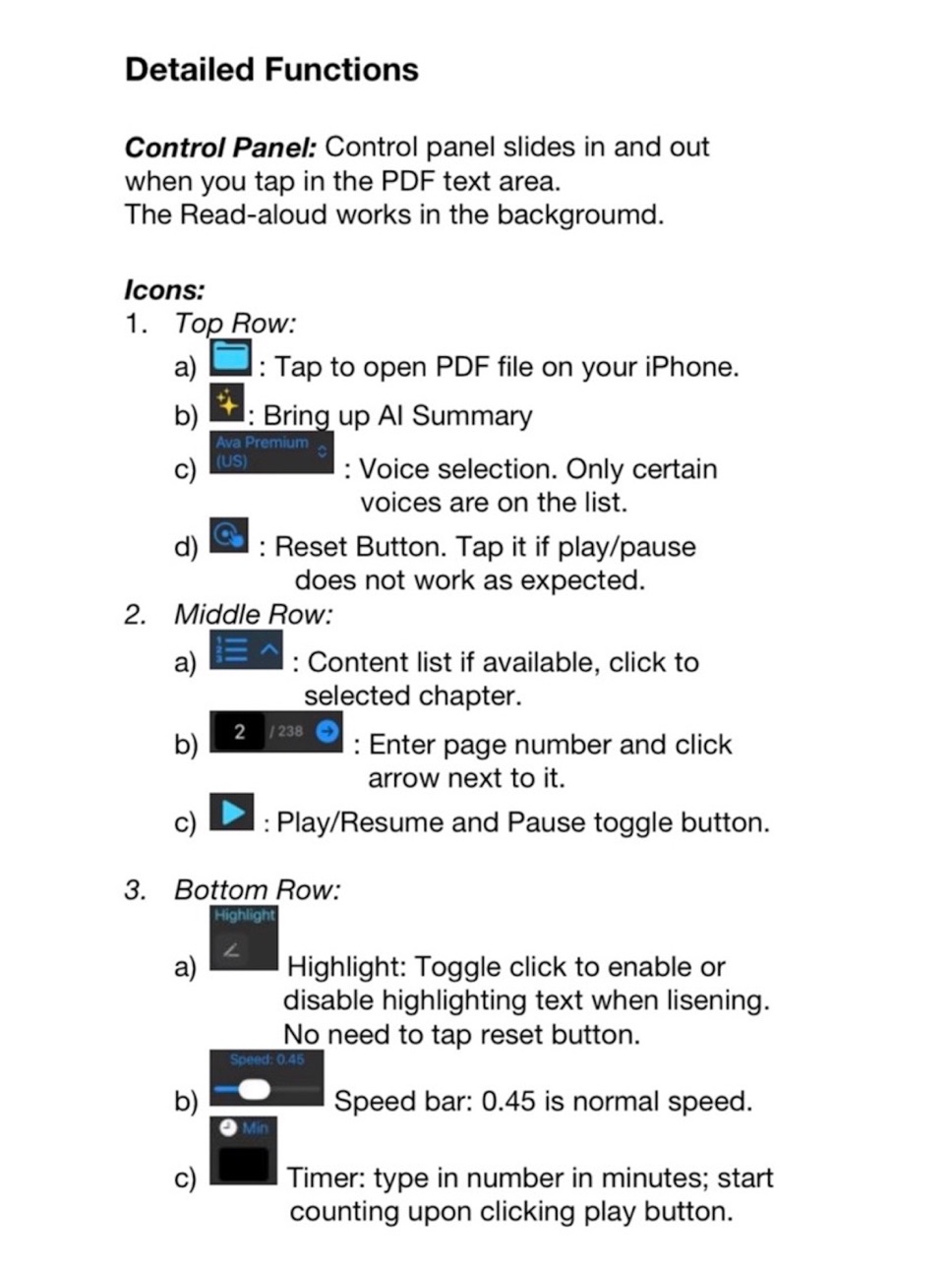
The buttons or icons on the control panel are quite intuitive, especially in this latest version where users no longer need to tap the reset icon before tapping the play icon.
Notice that when voice selection, page number, or speed selection changes, the voice will always start reading from the beginning of the page. Reset button also makes reading go back to the beginning of the page.
I have enjoyed using this app and I wish the same for you.
Accessibility
ipadiphonemacrealityDevicetvoswatch
Version history 1 versions
Build 884905080v1.02026-06-25 16:37:27
No pricing data captured yet — comparisons appear once the app has paid storefronts or in-app purchases.
Availability 1 of 1 storefronts
| Region | Language | Price | Ratings | Avg | Version |
|---|---|---|---|---|---|
| US | en-US | Free | 1 | 5.0 | 1.0 |
Change log 4 changes · US
✎
description updated
This free-of-charge PDF reader with text-to-speech is created by team VelaTango. It comes in handy when you want to listen to a book while taking a walk or work
✎
subtitle updated
PDF read aloud and AI summary
✎
name updated
VT PDF Voice Reader
◆
Version 1.0 released