Home › Lifestyle

 US
US
1 of 1 storefronts
Content in en-US
Content in en-US
Information
Preview 3 platforms
iPhone 5 images



iPad 5 images



Apple Watch 1 image

What’s New Version 2.9.1
Stability update:
• Recurring events now always appear correctly in the calendar.
• The calendar refreshes instantly when switching families or editing work schedules.
• The evening briefing now works independently of the morning brief.
• Notifications arrive in your language.
• More small fixes and improvements.
Description
The shared family calendar built for the way real households actually run — color-coded per person, one tap to see who has practice, who's on pickup, and who needs to be at daycare by 7:30.
Add events the fast way. Say "Lily, gymnastics, Wednesday at 5" and it's there. Or snap a photo of the new soccer schedule the coach handed out — every game lands in the right kid's calendar with the right time and place. Your weekly chaos, finally on autopilot.
KEY FEATURES
• Color-coded family view — every parent, kid, and pet has a color. Filter to one, see them all.
• Voice add and photo add — talk or scan, the event is in the calendar in seconds.
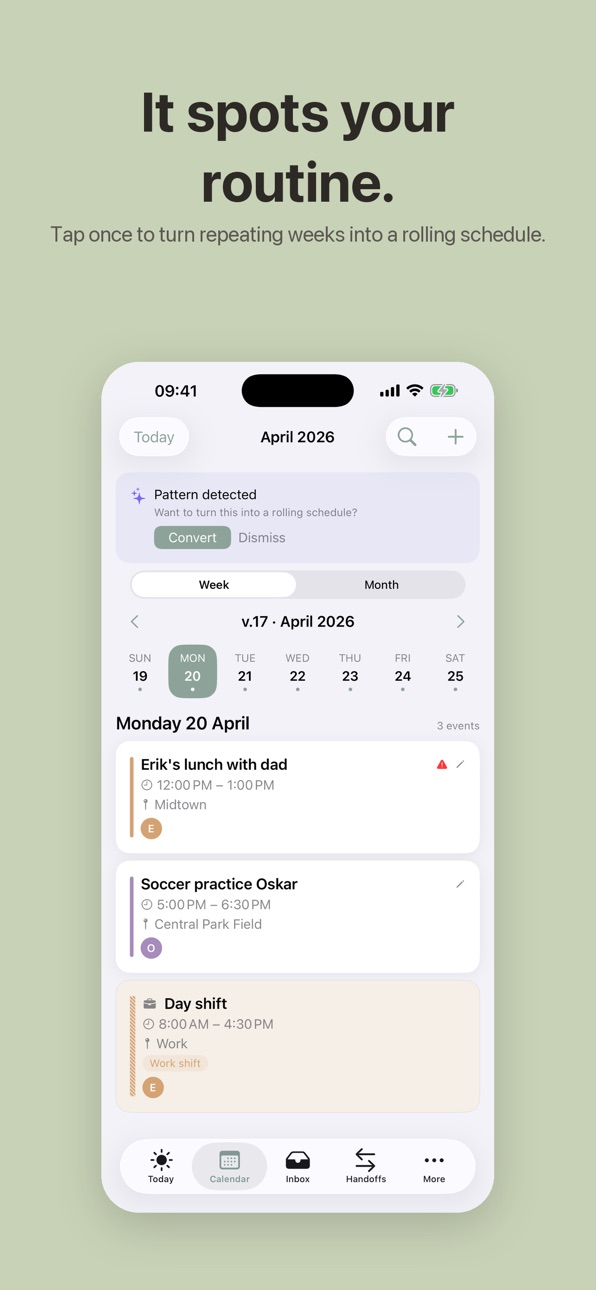
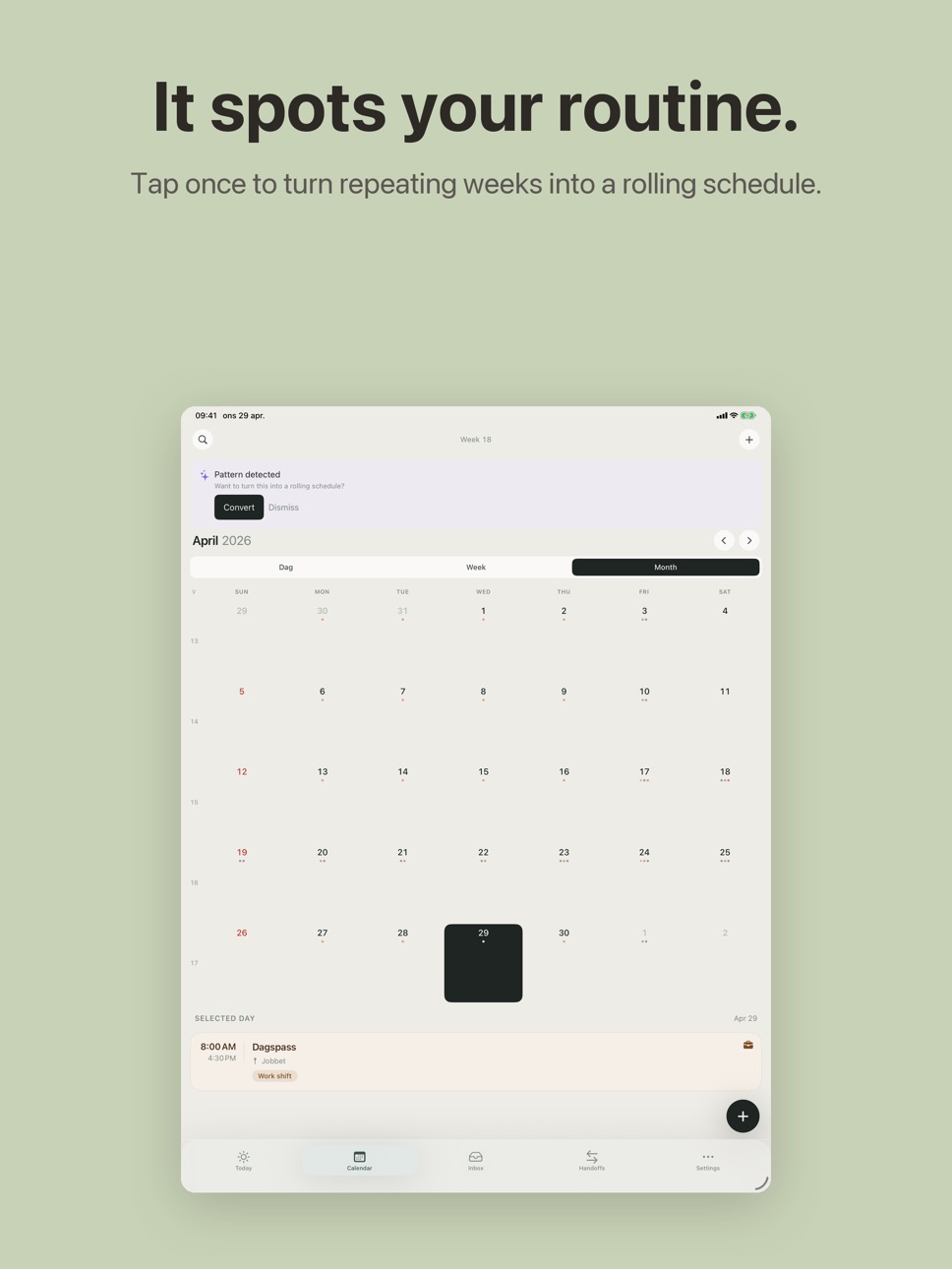
• Rolling schedules — 2-, 3-, or 4-week cycles for who picks up, who cooks dinner, who does bath time. Set it once, never argue about it again.
• AI weekly summary every Sunday night — your week ahead in one calm read.
• AI packing list in 10 seconds — kid-age aware, one for soccer camp, another for grandma's, another for the ski week.
• AI weekly menu — seven dinners and an auto-built grocery list, swap any meal you don't like.
• Parent handoffs — flag any pickup as "needs a swap", co-parent claims it with one tap. Built for two-home families.
• Bonus family — link two households so events flow across both homes without anyone retyping anything.
• Booking links — the coach sends a sign-up link, you tap once, the slot lands on the right kid.
• Smart travel time — the app knows the address and reminds you 25 minutes before you actually need to leave.
• Sync with Apple Calendar, Google Calendar and Outlook — keep your existing setup, add a family layer on top.
• Shared lists — groceries, packing, to-do, anything else, all live across every phone in the family.
• Pet card — microchip, allergies, vet, vaccination dates.
• Kid health card — blood type, allergies, doctor, emergency contact, all together for the babysitter.
• Family documents — insurance, school forms, lease, passports, in one searchable place.
WHY FAMILYBOARD
Most family calendars are just a shared inbox with extra steps. FamilyBoard was built for the actual mess of two working parents, three kids, four after-school activities, and a co-parent across town:
• Designed for iPhone and iPad — landscape on iPad gives you a full-week view that fits on the kitchen counter.
• Made for split households — rolling schedules and parent handoffs replace the "who has them this week?" thread.
• Calm by default — no badges shouting at you, no streaks, no FOMO. Open it, see what matters, close it.
• Works offline — events still show up on the train, on the plane, at the cabin.
PRIVACY FIRST
All data is encrypted and stored on EU servers. No ads. No third-party trackers. No analytics that profile your kids. You can delete your entire family with one tap, and your data is actually gone.
SUBSCRIPTION
FamilyBoard is free to use as a shared calendar with color-coded members and basic lists. The Pro subscription unlocks AI weekly summary, AI packing lists, AI weekly menu, rolling schedules, parent handoffs and unlimited family lists. Your money goes into running the service — no ads, ever.
Privacy policy: https://familyboard.io/privacy
Terms of service: https://familyboard.io/terms
Support: https://familyboard.io/support
In-App Purchases US pricing
FamilyBoard Premium Subscription
Monthly · Monthly 7-day free trial$4.99
Yearly · Yearly$34.99
Capabilities
In-App Purchases
Accessibility
ipadiphonemacrealityDevicetvoswatch
Version history 17 versions
Build 887723492v2.9.12026-07-02 18:52:21
Stability update:
• Recurring events now always appear correctly in the calendar.
• The calendar refreshes instantly when switching families or editing work schedules.
• The evening briefing now works independently of the morning brief.
• Notifications arrive in your language.
• More small fixes and improvements.
Build 887675593v2.9.02026-07-01 19:39:53
New: AI Weekly Digest — get a smart summary of your family's week ahead every Sunday evening, including scheduling conflicts to watch for. Turn it on or off in Settings.
Also: fixed an issue where opening the app could show a pile of duplicate notifications.
Build 886950774v2.8.92026-06-14 23:23:09
Faster app launch and a smoother return to the app, plus stability and performance improvements.
Build 886873279v2.8.82026-06-12 16:13:52
• New: Try everything free for 14 days — no subscription needed to get started.
• A fresher, more consistent design across the whole app.
• Clearer error messages, smoother loading, and improved accessibility.
Build 886515515v2.8.62026-06-04 18:54:42
When you set an event's start time, the end time now follows automatically (one hour later) — so you no longer have to set both.
Build 886379496v2.8.42026-06-01 17:51:48
• Smoother, faster scrolling on the Today screen.
• Swipe an event to hand it off — or share it via SMS to a coach, grandparent, or anyone outside the app.
• Remove family members from Settings.
• Your calendar now refreshes when you open the app, so a partner's new activities show up right away.
Build 885833403v2.8.32026-05-19 07:20:27
Bug fix: in some families, family members could disappear from the list when the app was restarted. This is now fixed — all members show up correctly again.
Build 885758909v2.8.22026-05-17 20:58:13
New: a guided setup for your rolling work schedule.
- Schedule builder: create a rolling schedule step by step — choose your shift types and lay them out on a weekly grid. Open it from Settings.
- Weather now appears on scheduled work shifts, based on the workplace location.
- Event cards show where an event sits in time: past events get a struck-through title, and your next event today shows a countdown ("in 45 min").
Build 885724084v2.8.12026-05-15 19:27:44
Bug fixes for schedule import and the calendar:
- Imported shifts now correctly leave the inbox once you approve them — previously they could linger even though they were already in the calendar.
- Review cards now show the date, not just the time — easier to tell which day a shift belongs to.
- The "this week" counter on Today now shows events still ahead, not the whole week including past days.
- Rolling schedules with an end date now stop generating shifts after that date.
Build 885634562v2.8.02026-05-14 16:31:19
LINK LISTS TO EVENTS
You can now link a shopping list (or any list) directly to an event. Open an event → tap the list icon → choose a list. The list appears embedded in the event detail — great for a packing list for a football match or a shopping list for a dinner party.
Bonus families see lists shared via a joint event. Family members can check off items directly from the event detail view.
Bug fix: push notifications (FCM HTTP v1) are working again for all devices after Google's API migration.
Build 885508164v2.7.02026-05-12 05:14:00
WEATHER ON EVENTS
Events with a location and start time within 7 days now show a forecast. Small icon and temperature on list cards, full forecast plus an AI-generated clothing tip in the event detail ("12° and partly cloudy — bring a light jacket").
Data comes from Met.no (Norwegian Meteorological Institute, EU-based). No personal data is sent. Turn off any time in Settings → Weather on events.
Bug fixes: bonus-family invite links work again after a 2.6.x regression. Server timestamps with millisecond precision now parse correctly.
Build 885555233v2.7.12026-05-12 19:26:33
WEATHER ON EVENTS
Events with a location and start time within 7 days now show a forecast. Small icon and temperature on list cards, full forecast plus an AI-generated clothing tip in the event detail ("12° and partly cloudy — bring a light jacket").
Data comes from Met.no (Norwegian Meteorological Institute, EU-based). No personal data is sent. Turn off any time in Settings → Weather on events.
Bug fixes: bonus-family invite links work again after a 2.6.x regression. Server timestamps with millisecond precision now parse correctly.
Build 885474692v2.6.22026-05-11 03:02:20
New:
- Bring items: The AI now spots items to pack in school emails. When the email says "bring a packed lunch", you will get a reminder at 8 PM the night before.
- Brand-new home screen widget in Apple Calendar style - small, medium, large with a vertical time-axis and a red "now" line.
- The widget automatically follows your chosen color theme.
Bug fixes:
- Time picker for the daily summary now actually saves the time you choose.
- Settings > Language now actually switches the UI language (requires an app restart).
Build 885460369v2.5.02026-05-09 16:28:59
What's new in 2.5:
• Connect your Tessa work schedule — shifts sync automatically and you get a push notification when a new schedule is published or something changes.
• Share individual children with the bonus family — perfect for co-parenting. Both households see the same calendar without sharing everything.
• Choose a time-of-day window when sharing availability — morning, midday, afternoon, evening, or custom.
• Refreshed home-screen widget.
• Multiple color themes to choose from in Settings.
• Bug fix: tagged participants now save correctly when editing an event.
Build 885399091v2.4.02026-05-07 21:11:38
The biggest update since launch. Six new features that save you time every week:
Your family's own inbox address
Every family gets a private alias — forward emails from school, sports clubs or coaches and AI proposes the event in your Inbox.
Hand off via SMS / iMessage
Need grandma to pick up? Hand off the event to someone without FamilyBoard through iMessage with pre-filled text.
Rolling schedules are now fully editable
Change cycle length, anchor week, window and every template after creation.
Daily summary v2
Different times for weekdays and weekends, an evening notification, and option to skip weekends.
Real-time push notifications
Inbox, availability share and handoff notifications arrive in real time — not when you next open the app.
Availability sharing got a month view
Recipients see the whole month with your free days highlighted in green instead of a long list.
Plus better AI email parsing and hundreds of small bug fixes.
Build 884899923v2.2.22026-05-05 07:54:25
Build 885296406v2.2.32026-05-05 23:13:33
Paywall + premium-gating fixes after a thorough internal code review. AI features (voice, photo, schedule import, weekly summary, packing list) are now correctly gated. Sign in with Apple nonce hardened. iPad paywall sheet sized correctly. Sign-out cleanup and entitlement-refresh on foreground. No new features.
Price history by region
Currency
Show
Columns
Search
Availability 1 of 1 storefronts
| Region | Language | Price | Ratings | Avg | Version |
|---|---|---|---|---|---|
| US | en-US | Free | 0 | — | 2.9.1 |
Change log 21 changes · US
✎
releaseNotes updated
Stability update:
• Recurring events now always appear correctly in the calendar.
• The calendar refreshes instantly when switching families or editing work sch
✎
description updated
The shared family calendar built for the way real households actually run — color-coded per person, one tap to see who has practice, who's on pickup, and who ne
✎
subtitle updated
Shared calendar for families
✎
name updated
FamilyBoard: Family Calendar
◆
Version 2.9.1 released
Stability update:
• Recurring events now always appear correctly in the calendar.
• The calendar refreshes instantly when switching families or editing work schedules.
• The evening briefing now works independently of the morning brief.
• N
◆
Version 2.9.0 released
New: AI Weekly Digest — get a smart summary of your family's week ahead every Sunday evening, including scheduling conflicts to watch for. Turn it on or off in Settings.
Also: fixed an issue where opening the app could show a pile of duplic
◆
Version 2.8.9 released
Faster app launch and a smoother return to the app, plus stability and performance improvements.
◆
Version 2.8.8 released
• New: Try everything free for 14 days — no subscription needed to get started.
• A fresher, more consistent design across the whole app.
• Clearer error messages, smoother loading, and improved accessibility.
◆
Version 2.8.6 released
When you set an event's start time, the end time now follows automatically (one hour later) — so you no longer have to set both.
◆
Version 2.8.4 released
• Smoother, faster scrolling on the Today screen.
• Swipe an event to hand it off — or share it via SMS to a coach, grandparent, or anyone outside the app.
• Remove family members from Settings.
• Your calendar now refreshes when you open t
◆
Version 2.8.3 released
Bug fix: in some families, family members could disappear from the list when the app was restarted. This is now fixed — all members show up correctly again.
◆
Version 2.8.2 released
New: a guided setup for your rolling work schedule.
- Schedule builder: create a rolling schedule step by step — choose your shift types and lay them out on a weekly grid. Open it from Settings.
- Weather now appears on scheduled work shif
◆
Version 2.8.1 released
Bug fixes for schedule import and the calendar:
- Imported shifts now correctly leave the inbox once you approve them — previously they could linger even though they were already in the calendar.
- Review cards now show the date, not just
◆
Version 2.8.0 released
LINK LISTS TO EVENTS
You can now link a shopping list (or any list) directly to an event. Open an event → tap the list icon → choose a list. The list appears embedded in the event detail — great for a packing list for a football match or a
◆
Version 2.7.1 released
WEATHER ON EVENTS
Events with a location and start time within 7 days now show a forecast. Small icon and temperature on list cards, full forecast plus an AI-generated clothing tip in the event detail ("12° and partly cloudy — bring a light
◆
Version 2.7.0 released
WEATHER ON EVENTS
Events with a location and start time within 7 days now show a forecast. Small icon and temperature on list cards, full forecast plus an AI-generated clothing tip in the event detail ("12° and partly cloudy — bring a light
◆
Version 2.6.2 released
New:
- Bring items: The AI now spots items to pack in school emails. When the email says "bring a packed lunch", you will get a reminder at 8 PM the night before.
- Brand-new home screen widget in Apple Calendar style - small, medium, large
◆
Version 2.5.0 released
What's new in 2.5:
• Connect your Tessa work schedule — shifts sync automatically and you get a push notification when a new schedule is published or something changes.
• Share individual children with the bonus family — perfect for co-pa
◆
Version 2.4.0 released
The biggest update since launch. Six new features that save you time every week:
Your family's own inbox address
Every family gets a private alias — forward emails from school, sports clubs or coaches and AI proposes the event in your Inbo
◆
Version 2.2.3 released
Paywall + premium-gating fixes after a thorough internal code review. AI features (voice, photo, schedule import, weekly summary, packing list) are now correctly gated. Sign in with Apple nonce hardened. iPad paywall sheet sized correctly.
◆
Version 2.2.2 released