Home › Productivity

 US
US
1 of 1 storefronts
Content in en-US
Content in en-US
Information
Preview 3 platforms
iPhone 10 images







iPad 2 images


Mac 1 image

What’s New Version 1.2.4
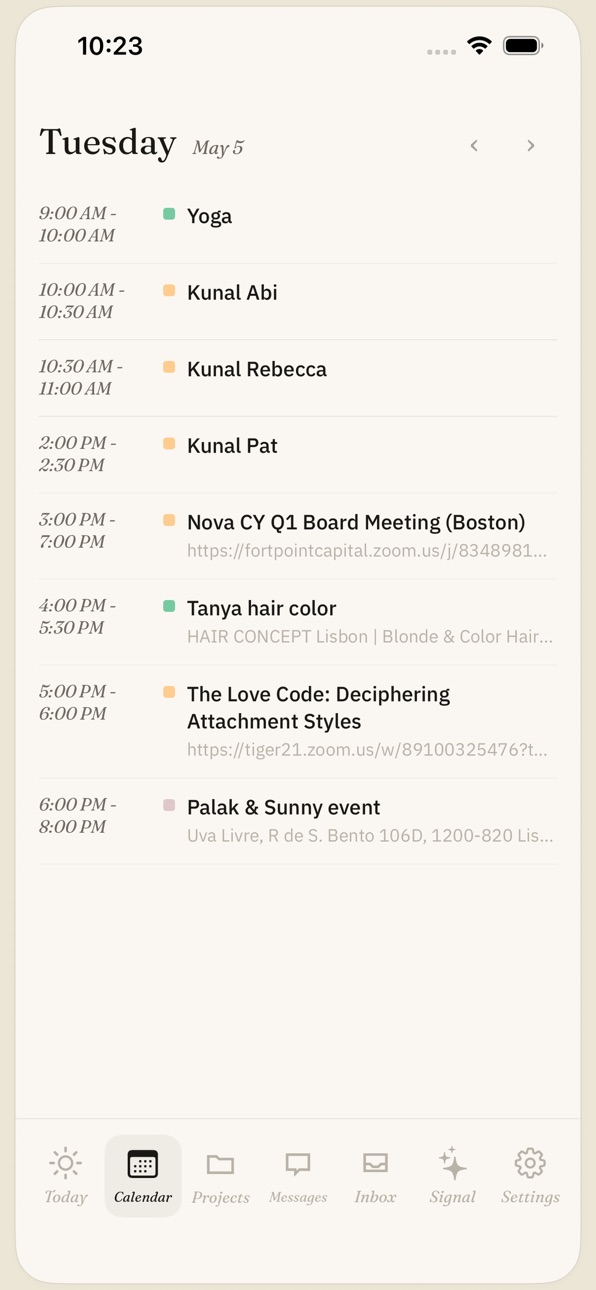
This update refreshes Ask Noto across tasks, schedule, chat, widgets, and assistants. It improves visual consistency, aligns more icons with the web experience, smooths everyday navigation, and adds richer Today widgets for tasks, schedule, weather, and quick actions. You also get a clearer path to tasks, calendar, notes, and ai, with everyday details refined for more confidence.
Description
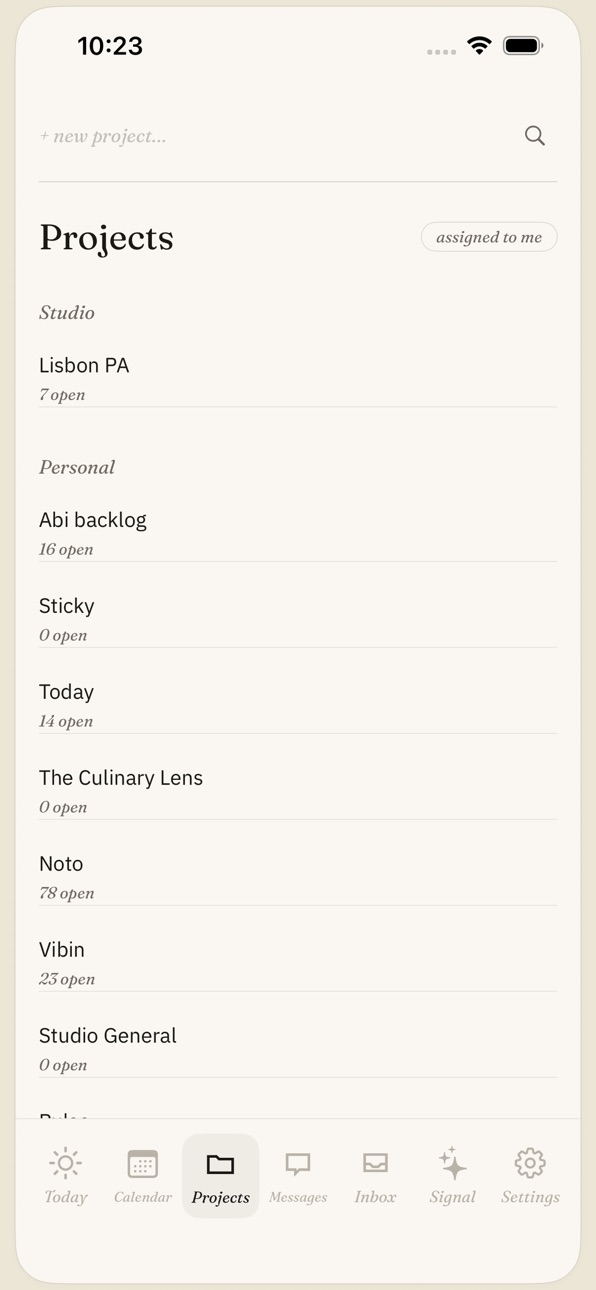
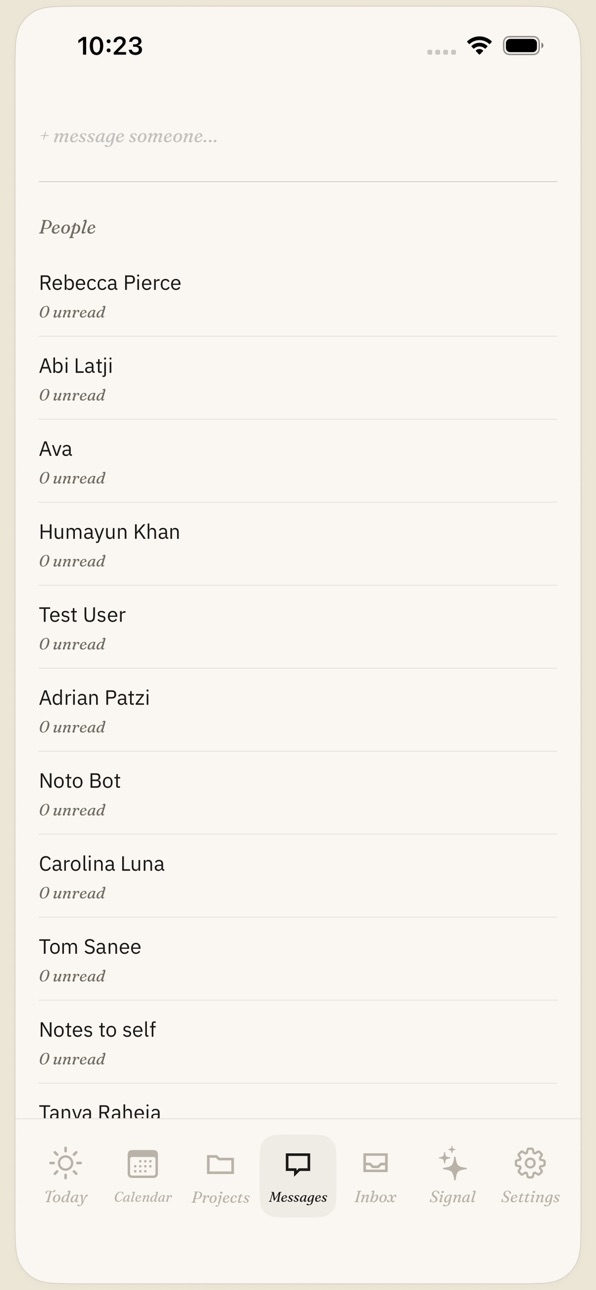
Ask Noto is a private workspace for the day in front of you. Bring tasks, calendar events, notes, links, projects, messages, widgets, and AI-assisted planning into one calm place that stays close to how you already work.
Capture a thought before it slips, plan today from your task list and schedule, keep project details together, and share links back into your workspace from iOS. Ask Noto helps you move between quick capture, focused planning, and the conversations that shape your work.
Use Ask Noto to:
- See today's tasks and schedule at a glance
- Capture notes, links, and ideas from anywhere on iPhone
- Keep project tasks, comments, and context together
- Follow messages and team conversations without losing the thread
- Use focused AI assistants for planning, translation, research, and shopping
- Add home screen widgets for tasks, schedule, weather, and quick actions
Ask Noto is built for private, everyday productivity. Your workspace remains yours, with clear account controls, optional integrations, and simple ways to manage what you share.
Accessibility
ipadiphonemacrealityDevicetvoswatch
Version history 4 versions
Build 887780319v1.2.42026-07-04 05:20:06
This update refreshes Ask Noto across tasks, schedule, chat, widgets, and assistants. It improves visual consistency, aligns more icons with the web experience, smooths everyday navigation, and adds richer Today widgets for tasks, schedule, weather, and quick actions. You also get a clearer path to tasks, calendar, notes, and ai, with everyday details refined for more confidence.
Build 887376132v1.2.32026-06-24 21:03:32
This update refreshes Ask Noto across tasks, schedule, chat, widgets, and assistants. It improves visual consistency, aligns more icons with the web experience, smooths everyday navigation, and adds richer Today widgets for tasks, schedule, weather, and quick actions. You also get a clearer path to tasks, calendar, notes, and ai, with everyday details refined for more confidence.
Build 886895599v1.2.22026-06-16 20:04:06
Bug fixes and improvements for calendar editing, chat, contacts, tasks, and news.
Build 884791870v1.2.12026-06-04 23:32:35
No pricing data captured yet — comparisons appear once the app has paid storefronts or in-app purchases.
Availability 1 of 1 storefronts
| Region | Language | Price | Ratings | Avg | Version |
|---|---|---|---|---|---|
| US | en-US | Free | 0 | — | 1.2.4 |
Change log 8 changes · US
✎
releaseNotes updated
This update refreshes Ask Noto across tasks, schedule, chat, widgets, and assistants. It improves visual consistency, aligns more icons with the web experience,
✎
description updated
Ask Noto is a private workspace for the day in front of you. Bring tasks, calendar events, notes, links, projects, messages, widgets, and AI-assisted planning i
✎
subtitle updated
Tasks, calendar, notes, and AI
✎
name updated
Ask Noto
◆
Version 1.2.4 released
This update refreshes Ask Noto across tasks, schedule, chat, widgets, and assistants. It improves visual consistency, aligns more icons with the web experience, smooths everyday navigation, and adds richer Today widgets for tasks, schedule,
◆
Version 1.2.3 released
This update refreshes Ask Noto across tasks, schedule, chat, widgets, and assistants. It improves visual consistency, aligns more icons with the web experience, smooths everyday navigation, and adds richer Today widgets for tasks, schedule,
◆
Version 1.2.2 released
Bug fixes and improvements for calendar editing, chat, contacts, tasks, and news.
◆
Version 1.2.1 released