Home › Education

 US
US
1 of 1 storefronts
Content in en-US
Content in en-US
Information
Preview 2 platforms
iPhone 6 images


iPad 6 images


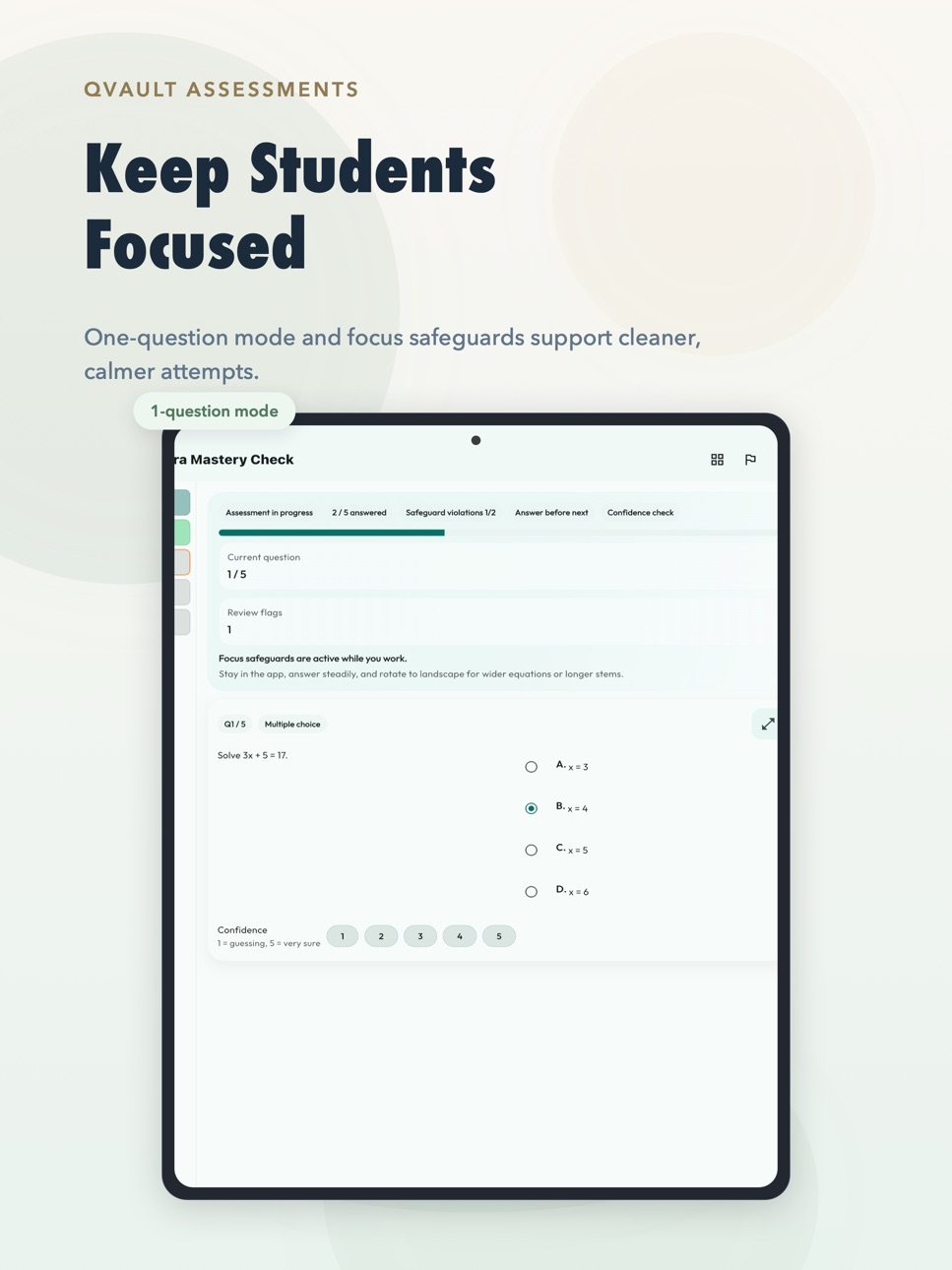


What’s New Version 1.4.3
Bug fixes and performance improvements.
Description
QVault-Assessments is a teacher-first classroom assessment app for secure quizzes, live sessions, and clear result workflows.
Create quizzes, run monitored assessments, and review results with calmer classroom control. Whether you are teaching in a school, coaching class, tuition setup, or training environment, QVault helps you move from quiz creation to live delivery without messy workflows.
What teachers can do with QVault-Assessments:
• Create and edit quizzes from the app
• Import questions from PDF, Excel, Markdown, OCR/photo input, and copied text
• Run live assessments with join codes
• Monitor student participation during active sessions
• Review results, attempts, and item-level insights
• Export evidence files like results CSV, item analysis CSV, quiz PDF, live snapshot CSV, and proctor incident CSV
• Preview exports on-device before saving
• Back up important work with teacher-controlled restore paths
Built for real classroom use
QVault is designed for serious teaching workflows, not just casual quizzes. Teachers can draft quietly on-device, use the hosted web builder when working from a laptop, and switch into live sessions when the real class is ready.
Students can join with a class code, complete assessments on their own device, and check results through a guided in-app flow.
Integrity and focus features
QVault includes anti-cheating and exam-readiness features designed for monitored assessments:
• Join-code based live sessions
• App-switch and integrity visibility during live assessments
• Proctor alerts for important integrity events
• Screenshot and screen-capture protection where supported by the platform
• Result access flows designed for individual student privacy
• Device readiness guidance before high-stakes attempts
Why teachers like it
• Cleaner route from drafting to live use
• Better control during real assessments
• Easier result review and export workflows
• Teacher-first design with fewer distracting surfaces
• Strong support for mobile-first classroom operations
QVault-Assessments is built by TeachVault as part of a broader educator-focused ecosystem designed to make classroom technology more practical, more secure, and easier to trust.
If you teach with live quizzes, class tests, practice assessments, or monitored student responses, QVault-Assessments gives you a more focused way to run them.
---
Terms of Use (EULA): https://www.apple.com/legal/internet-services/itunes/dev/stdeula/
Privacy Policy: https://drdishantpandya.com/qvault-assessments-privacy-policy
In-App Purchases US pricing
Live Cloud Subscriptions Subscription
Live Max Annual · Yearly$99.99
Live Pro Annual · Yearly$39.99
Live Max Monthly · Monthly$9.99
Live Pro Monthly · Monthly$3.99
One-Time Purchases
QVault Live Joins 500$1.99
QVault Image Boost 10 GB$1.99
QVault Live Joins 2500$7.99
QVault Image Boost 50 GB$9.99
QVault Live Joins 10000$24.99
QVault Image Boost 150 GB$24.99
Capabilities
In-App Purchases
Accessibility
ipadiphonemacrealityDevicetvoswatch
Version history 25 versions
Build 887572886v1.4.32026-06-29 13:26:45
Bug fixes and performance improvements.
Build 887513983v1.4.12026-06-28 13:37:52
Smoother experience, performance enhancement, and stability are improved.
Build 887433452v1.3.102026-06-25 19:27:12
Smoother experience, performance enhancement, and stability are improved.
Build 886832275v1.3.72026-06-12 18:56:59
This update improves live session reliability, teacher action flow, and app stability. We’ve reduced blocking issues around secure verification and fixed crashes affecting session end and other classroom actions.
Build 886633962v1.3.02026-06-07 15:38:00
This update is focused on making QVault calmer, clearer, and more dependable for serious classroom assessments.
For students:
- Student Join now previews the code status as soon as a valid code is typed: ready to join, scheduled for later, closed, or locked. This reduces "is the exam live now?" confusion before the student taps Join quiz.
- A pre-join live server check now separates active live codes, stale/inactive codes, and VPN/private DNS/DNS-ad-block filtering before a student starts.
- Live join now waits longer for cold live-session and quiz data, reducing false network failures on weak first-time mobile connections.
- Same-student live resume now handles same-device reopen, approved cross-device recovery, and join-lock/join-window edge cases more cleanly.
- New-device resume requests now use a server-mediated approval bridge, so a valid student can ask the teacher to take over an active attempt even when Firestore rules correctly hide the protected attempt-link document.
- After teacher approval, only the approved controller device can reopen or submit that active attempt; the original device is blocked from creating a duplicate attempt or finalizing stale answers.
For teachers:
- Teacher authoring helper screens now lead with the Cloud Workspace-first path: build or receive a quiz, review questions, save it, then share the join code.
- Plans now separate "Pay when", "Price", "Purchase", and "Upgrade trigger" on each card.
- Add-on checkout is split by intent: live join packs, Image Boost packs, and managed AI credits.
- Builder and live-session upgrade prompts now appear where the blocked action happens.
- Hosted web builder now imports QVault-compatible quiz sources directly into the browser builder, shows a student-mobile preview, and publishes the same Quiz Drop sync code flow for the app.
- Free Explorer hosted quizzes now support up to 50 questions.
Live exam safeguards:
- Student readiness checks are clearer before joining protected live quizzes.
- Default protected-exam policy now gives 3 recorded warnings before integrity auto-submit.
- App switching/backgrounding now counts after a short 5-second grace in protected exams.
- Short handset interruptions keep a 15-second grace window before becoming a warning.
Reliability and polish:
- Public market builds are English-only by default.
- Text rendering now uses bundled local app fonts.
- Backup messaging is clearer for passphrase-based restore across devices.
- Visual consistency, accessibility labels, and keyboard/focus behavior have improved.
Build 886043933v1.2.82026-05-23 15:05:24
This update is focused on making QVault calmer, clearer, and more dependable for serious classroom assessments.
For students:
- A pre-join live server check now separates active live codes, stale/inactive codes, and VPN/private DNS/DNS-ad-block filtering before a student starts.
- Live join now waits longer for cold live-session and quiz data, reducing false network failures on weak first-time mobile connections.
- Same-student live resume now handles same-device reopen, approved cross-device recovery, and join-lock/join-window edge cases more cleanly.
- New-device resume requests now use a server-mediated approval bridge, so a valid student can ask the teacher to take over an active attempt even when Firestore rules correctly hide the protected attempt-link document.
- After teacher approval, only the approved controller device can reopen or submit that active attempt; the original device is blocked from creating a duplicate attempt or finalizing stale answers.
- If an old device tries to join after teacher-approved transfer, the student now sees a clear "continue on the approved device" message instead of a generic join failure.
- Added Focus Mode Warning
For teachers:
- Plans now separate "Pay when", "Price", "Purchase", and "Upgrade trigger" on each card, reducing mental back-and-forth while deciding between Free, Creator Studio, Live Cloud, and School / Institution.
- Add-on checkout is split by intent: live join packs for one heavy class, Image Boost packs for image-heavy delivery, and managed AI credits for QVault-managed generation instead of local AI or BYOK. Summary copy shows capacity, while each purchase button shows the store-localized price.
- Builder and live-session upgrade prompts now appear where the blocked action happens, with Creator Studio guidance for authoring tools and Live Cloud guidance for hosted classroom scale.
- Hosted web builder now imports QVault-compatible quiz sources directly into the browser builder, shows a student-mobile preview, and then publishes the same Quiz Drop sync code flow for the app.
- Free Explorer hosted quizzes now support up to 50 questions, making real trial classes and entrance-test rehearsals less cramped while Creator Studio now includes 5 sessions/month, 500 joins/month, 50 saved hosted quizzes, and the 150-question premium builder lane.
- Quiz import is stronger across JSON, CSV, Word, Excel, PDF, LaTeX-style math, and sample templates.
Live exam safeguards:
- Student readiness checks are clearer before joining protected live quizzes.
- Default protected-exam policy now gives 3 recorded warnings before integrity auto-submit.
- App switching / backgrounding now counts after a short 5-second grace in protected exams, instead of being treated like a long handset overlay.
- Repeated brief app-switching is now promoted from grace notes to a safeguard warning, so accidental slips stay fair but repeated attempts do not create a loophole.
- Short handset interruptions, such as an incoming call overlay that is dismissed quickly, keep a 15-second grace window before becoming a warning.
- Same-student retry/reopen uses session-specific persistence so an older session's integrity history cannot immediately submit a newly allowed attempt.
Reliability and polish:
- Public market builds are English-only by default while the expanded localization scaffold stays gated behind a future rollout flag.
- Text rendering now uses bundled local app fonts, so core screens open reliably even when runtime font fetching is unavailable.
- Backup messaging is clearer for passphrase-based restore across devices.
- Visual consistency has improved across teacher, student, settings, and dashboard screens.
- Accessibility labels and keyboard/focus behavior have been improved across high-traffic flows.
- First-run readability prompts now close through the root navigator, so tapping Continue reliably returns users to the current QVault flow instead of leaving a non-responsive sheet on top of the app.
Build 886030932v1.2.72026-05-22 21:53:56
This update is focused on making QVault calmer, clearer, and more dependable for serious classroom assessments.
For students:
- A pre-join live server check now separates active live codes, stale/inactive codes, and VPN/private DNS/DNS-ad-block filtering before a student starts.
- Live join now waits longer for cold live-session and quiz data, reducing false network failures on weak first-time mobile connections.
- Same-student live resume now handles same-device reopen, approved cross-device recovery, and join-lock/join-window edge cases more cleanly.
- New-device resume requests now use a server-mediated approval bridge, so a valid student can ask the teacher to take over an active attempt even when Firestore rules correctly hide the protected attempt-link document.
- After teacher approval, only the approved controller device can reopen or submit that active attempt; the original device is blocked from creating a duplicate attempt or finalizing stale answers.
- If an old device tries to join after teacher-approved transfer, the student now sees a clear "continue on the approved device" message instead of a generic join failure.
For teachers:
- Plans now separate "Pay when", "Price", "Purchase", and "Upgrade trigger" on each card, reducing mental back-and-forth while deciding between Free, Creator Studio, Live Cloud, and School / Institution.
- Add-on checkout is split by intent: live join packs for one heavy class, Image Boost packs for image-heavy delivery, and managed AI credits for QVault-managed generation instead of local AI or BYOK. Summary copy shows capacity, while each purchase button shows the store-localized price.
- Builder and live-session upgrade prompts now appear where the blocked action happens, with Creator Studio guidance for authoring tools and Live Cloud guidance for hosted classroom scale.
- Hosted web builder now imports QVault-compatible quiz sources directly into the browser builder, shows a student-mobile preview, and then publishes the same Quiz Drop sync code flow for the app.
- Free Explorer hosted quizzes now support up to 50 questions, making real trial classes and entrance-test rehearsals less cramped while Creator Studio now includes 5 sessions/month, 500 joins/month, 50 saved hosted quizzes, and the 150-question premium builder lane.
- Quiz import is stronger across JSON, CSV, Word, Excel, PDF, LaTeX-style math, and sample templates.
Live exam safeguards:
- Student readiness checks are clearer before joining protected live quizzes.
- Default protected-exam policy now gives 3 recorded warnings before integrity auto-submit.
- App switching / backgrounding now counts after a short 5-second grace in protected exams, instead of being treated like a long handset overlay.
- Repeated brief app-switching is now promoted from grace notes to a safeguard warning, so accidental slips stay fair but repeated attempts do not create a loophole.
- Short handset interruptions, such as an incoming call overlay that is dismissed quickly, keep a 15-second grace window before becoming a warning.
- Same-student retry/reopen uses session-specific persistence so an older session's integrity history cannot immediately submit a newly allowed attempt.
Reliability and polish:
- Public market builds are English-only by default while the expanded localization scaffold stays gated behind a future rollout flag.
- Text rendering now uses bundled local app fonts, so core screens open reliably even when runtime font fetching is unavailable.
- Backup messaging is clearer for passphrase-based restore across devices.
- Visual consistency has improved across teacher, student, settings, and dashboard screens.
- Accessibility labels and keyboard/focus behavior have been improved across high-traffic flows.
- First-run readability prompts now close through the root navigator, so tapping Continue reliably returns users to the current QVault flow instead of leaving a non-responsive sheet on top of the app.
Build 885941315v1.2.62026-05-21 07:30:30
QVault 1.2.5 improves live quiz reliability, student joining, and exam-day clarity.
- Added pre-join live server checks for active codes, stale codes, and DNS/VPN/ad-block filtering.
- Added clearer guidance when an attempt is transferred to a teacher-approved device.
- Improved same-student resume handling for join lock, join window, app reopen, and approved device recovery.
- Added clearer active-session cleanup and Open to anyone mode for entrance/external exams.
- Improved student and teacher join-code flow.
- Fixed font-loading stability by using bundled local app fonts.
- Improved math rendering in quiz options and detailed result review.
- Strengthened imports for JSON, CSV, Word, Excel, PDF, and math templates.
Build 885928006v1.2.02026-05-20 22:21:09
QVault 1.2.0 improves live quiz reliability, student joining, and exam-day clarity.
- Added pre-join live server checks for active codes, stale codes, and DNS/VPN/ad-block filtering.
- Added clearer guidance when an attempt is transferred to a teacher-approved device.
- Improved same-student resume handling for join lock, join window, app reopen, and approved device recovery.
- Added clearer active-session cleanup and Open to anyone mode for entrance/external exams.
- Improved student and teacher join-code flow.
- Fixed font-loading stability by using bundled local app fonts.
- Improved math rendering in quiz options and detailed result review.
- Strengthened imports for JSON, CSV, Word, Excel, PDF, and math templates.
Build 885780094v1.1.32026-05-19 07:46:14
This update makes QVault calmer, clearer, and more dependable for serious classroom assessments.
For students:
- Student-side quota prompts now avoid purchase pressure and explain when the teacher account needs more monthly joins or session allowance.
- Student and teacher paths are clearer on the first screen, so students can reach join-code entry faster.
- Live quizzes now emphasize one total countdown timer instead of confusing per-question timer copy.
- Timed exams now show last-10, last-5, and last-1-minute warnings when applicable, followed by a final 10-second auto-submit countdown.
- Scheduled quiz codes now show a countdown or scheduled date/time before the open window, plus clear closed/locked messages after the teacher closes or locks new joins.
- Mathematical questions, options, and detailed result reviews render more cleanly for equations, fractions, summations, and technical notation.
- Randomized quizzes now show student-facing question numbers in normal sequence, even when actual order is shuffled.
For teachers:
- Plans now separate "Pay when", "Price", "Purchase", and "Upgrade trigger" on each card, reducing mental back-and-forth while deciding between Free, Creator Studio, Live Cloud, and School / Institution.
- Add-on checkout is split by intent: live join packs for one heavy class, Image Boost packs for image-heavy delivery, and managed AI credits for QVault-managed generation. Summary copy shows capacity, while each purchase button shows the store-localized price.
- TeachVault roster preload now explains when TeachVault must be installed first and sends teachers to the platform store instead of failing silently.
- Builder and live-session upgrade prompts now appear where the blocked action happens, with Creator Studio guidance for authoring tools and Live Cloud guidance for hosted classroom scale.
- Hosted web builder now imports QVault-compatible quiz sources directly into the browser builder, shows a student-mobile preview, and publishes the same Quiz Drop sync-code flow for the app.
- Free Explorer hosted quizzes now support up to 50 questions, making real trial classes and entrance-test rehearsals less cramped.
- Creator Studio now includes 5 sessions/month, 500 joins/month, 50 saved hosted quizzes, and the 150-question premium builder lane.
- Quiz import is stronger across JSON, CSV, Word, Excel, PDF, LaTeX-style math, and sample templates.
- Negative marking is available for competitive-style quizzes, including preset/custom penalties and no penalty for skipped answers.
Live exam safeguards:
- Student readiness checks are clearer before joining protected live quizzes.
- Default protected-exam policy now gives 3 recorded warnings before integrity auto-submit.
- Short handset interruptions, such as an incoming call overlay that is dismissed quickly, get a 15-second grace window before becoming a warning.
- Same-student retry/reopen uses session-specific persistence so an older session's integrity history cannot immediately submit a newly allowed attempt.
- Online live monitoring raises clearer proctoring alerts when configured safeguards detect app-switching or auto-submit events.
- Protected quiz screens handle tiny phones better, with improved math readability and full-screen math zoom where needed.
Reliability and polish:
- Public market builds are English-only by default while the expanded localization scaffold stays gated behind a future rollout flag.
- Text rendering now uses bundled local app fonts, so core screens open reliably even when runtime font fetching is unavailable.
- Backup messaging is clearer for passphrase-based restore across devices.
- Visual consistency has improved across teacher, student, settings, and dashboard screens.
- Accessibility labels and keyboard/focus behavior have been improved across high-traffic flows.
- First-run readability prompts now close through the root navigator, so tapping Continue reliably returns users to the current QVault flow.
Build 885879506v1.1.52026-05-19 22:07:56
QVault 1.1.5 improves live quiz reliability, student joining, and exam-day clarity.
- Added pre-join live server checks for active codes, stale codes, and DNS/VPN/ad-block filtering.
- Added clearer guidance when an attempt is transferred to a teacher-approved device.
- Improved same-student resume handling for join lock, join window, app reopen, and approved device recovery.
- Added clearer active-session cleanup and Open to anyone mode for entrance/external exams.
- Improved student and teacher join-code flow.
- Fixed font-loading stability by using bundled local app fonts.
- Improved math rendering in quiz options and detailed result review.
- Strengthened imports for JSON, CSV, Word, Excel, PDF, and math templates.
Build 885741942v1.1.12026-05-17 14:43:09
This update is focused on making QVault calmer, clearer, and more dependable for serious classroom assessments.
For students:
- The student and teacher paths are now separated more clearly on the first screen, so students can reach join-code entry faster.
- Live quizzes now emphasize one total countdown timer instead of confusing per-question timer copy.
- Timed exams now show last-10, last-5, and last-1-minute warnings when applicable, followed by a final 10-second auto-submit countdown.
- Scheduled quiz codes now show a countdown or scheduled date/time before the open window, and clear closed/locked messages after the teacher closes or locks new joins.
- Mathematical questions, options, and detailed result reviews render more cleanly for equations, fractions, summations, and technical notation.
- Randomized quizzes now show student-facing question numbers in normal sequence, even when the actual question order is shuffled.
- Review flags now follow the teacher's quiz policy: hidden when review/skip is not allowed, and available when students are allowed to return to questions.
- Result-check screens are easier to read, with clearer published-result and detailed-review flows.
For teachers:
- Quiz import is stronger across JSON, CSV, Word, Excel, PDF, LaTeX-style math, and sample templates.
- Negative marking is available for competitive-style quizzes, including preset/custom penalties and no penalty for skipped answers.
- Session controls for publish, notify, review, and end-session flows are clearer and easier to operate.
- Teachers can set scheduled open/close-new-joins windows and can lock or unlock new joins while a live quiz is already running.
- Manual result release is now the safer default for official exams; students cannot see answers or detailed review until the teacher releases results.
- Teacher review and moderation screens are more consistent for grading, corrections, and published results.
- Scheduled result release now asks for a valid future release time before publishing later.
Live exam safeguards:
- Student readiness checks are clearer before joining protected live quizzes.
- Default protected-exam policy now gives 3 recorded warnings before integrity auto-submit.
- Short handset interruptions, such as an incoming call overlay that is dismissed quickly, get a 15-second grace window before becoming a warning.
- Same-student retry/reopen uses session-specific persistence so an older session's integrity history cannot immediately submit a newly allowed attempt.
- Online live monitoring raises clearer proctoring alerts when configured safeguards detect app-switching or auto-submit events.
- Protected quiz screens handle tiny phones better, with improved math readability and full-screen math zoom where needed.
- On supported iOS devices, active screen recording or mirroring hides protected quiz content until capture stops.
Reliability and polish:
- Text rendering now uses bundled local app fonts, so core screens open reliably even when runtime font fetching is unavailable.
- Backup messaging is clearer for passphrase-based restore across devices.
- Visual consistency has improved across teacher, student, settings, and dashboard screens.
- Accessibility labels and keyboard/focus behavior have been improved across high-traffic flows.
- First-run readability prompts now close through the root navigator, so tapping Continue reliably returns users to the current QVault flow instead of leaving a non-responsive sheet on top of the app.
- Live Cloud renewal notifications now trigger server-side store verification and refresh the subscription expiry before scheduled expiry can fall back to base-tier limits.
- AI-credit in-app purchases now keep a secure pending-receipt recovery queue: the app submits the receipt to QVault first, then completes the store transaction only after the backend records the purchase.
Build 885716264v1.0.212026-05-15 16:01:55
This update is focused on making QVault calmer, clearer, and more dependable for serious classroom assessments.
Apart from that. We have now smoothly connected the in-app purchases for better experience.
For students:
- The student and teacher paths are now separated more clearly on the first screen, so students can reach join-code entry faster.
- Live quizzes now emphasize one total countdown timer instead of confusing per-question timer copy.
- Timed exams now show last-10, last-5, and last-1-minute warnings when applicable, followed by a final 10-second auto-submit countdown.
- Scheduled quiz codes now show a countdown or scheduled date/time before the open window, and clear closed/locked messages after the teacher closes or locks new joins.
- Mathematical questions, options, and detailed result reviews render more cleanly for equations, fractions, summations, and technical notation.
- Randomized quizzes now show student-facing question numbers in normal sequence, even when the actual question order is shuffled.
- Review flags now follow the teacher's quiz policy: hidden when review/skip is not allowed, and available when students are allowed to return to questions.
- Result-check screens are easier to read, with clearer published-result and detailed-review flows.
For teachers:
- Quiz import is stronger across JSON, CSV, Word, Excel, PDF, LaTeX-style math, and sample templates.
- Negative marking is available for competitive-style quizzes, including preset/custom penalties and no penalty for skipped answers.
- Session controls for publish, notify, review, and end-session flows are clearer and easier to operate.
- Teachers can set scheduled open/close-new-joins windows and can lock or unlock new joins while a live quiz is already running.
- Manual result release is now the safer default for official exams; students cannot see answers or detailed review until the teacher releases results.
- Teacher review and moderation screens are more consistent for grading, corrections, and published results.
- Scheduled result release now asks for a valid future release time before publishing later.
Live exam safeguards:
- Student readiness checks are clearer before joining protected live quizzes.
- Default protected-exam policy now gives 3 recorded warnings before integrity auto-submit.
- Short handset interruptions, such as an incoming call overlay that is dismissed quickly, get a 15-second grace window before becoming a warning.
- Same-student retry/reopen uses session-specific persistence so an older session's integrity history cannot immediately submit a newly allowed attempt.
- Online live monitoring raises clearer proctoring alerts when configured safeguards detect app-switching or auto-submit events.
- Protected quiz screens handle tiny phones better, with improved math readability and full-screen math zoom where needed.
- On supported iOS devices, active screen recording or mirroring hides protected quiz content until capture stops.
Reliability and polish:
- Text rendering now uses bundled local app fonts, so core screens open reliably even when runtime font fetching is unavailable.
- Backup messaging is clearer for passphrase-based restore across devices.
- Visual consistency has improved across teacher, student, settings, and dashboard screens.
- Accessibility labels and keyboard/focus behavior have been improved across high-traffic flows.
- First-run readability prompts now close through the root navigator, so tapping Continue reliably returns users to the current QVault flow instead of leaving a non-responsive sheet on top of the app.
- Live Cloud renewal notifications now trigger server-side store verification and refresh the subscription expiry before scheduled expiry can fall back to base-tier limits.
- AI-credit in-app purchases now keep a secure pending-receipt recovery queue: the app submits the receipt to QVault first, then completes the store transaction only after the backend records the purchase.
Build 885729216v1.0.222026-05-15 19:49:59
This update is focused on making QVault calmer, clearer, and more dependable for serious classroom assessments.
Apart from that. We have now smoothly connected the in-app purchases for better experience and bug fixes.
For students:
- The student and teacher paths are now separated more clearly on the first screen, so students can reach join-code entry faster.
- Live quizzes now emphasize one total countdown timer instead of confusing per-question timer copy.
- Timed exams now show last-10, last-5, and last-1-minute warnings when applicable, followed by a final 10-second auto-submit countdown.
- Scheduled quiz codes now show a countdown or scheduled date/time before the open window, and clear closed/locked messages after the teacher closes or locks new joins.
- Mathematical questions, options, and detailed result reviews render more cleanly for equations, fractions, summations, and technical notation.
- Randomized quizzes now show student-facing question numbers in normal sequence, even when the actual question order is shuffled.
- Review flags now follow the teacher's quiz policy: hidden when review/skip is not allowed, and available when students are allowed to return to questions.
- Result-check screens are easier to read, with clearer published-result and detailed-review flows.
For teachers:
- Quiz import is stronger across JSON, CSV, Word, Excel, PDF, LaTeX-style math, and sample templates.
- Negative marking is available for competitive-style quizzes, including preset/custom penalties and no penalty for skipped answers.
- Session controls for publish, notify, review, and end-session flows are clearer and easier to operate.
- Teachers can set scheduled open/close-new-joins windows and can lock or unlock new joins while a live quiz is already running.
- Manual result release is now the safer default for official exams; students cannot see answers or detailed review until the teacher releases results.
- Teacher review and moderation screens are more consistent for grading, corrections, and published results.
- Scheduled result release now asks for a valid future release time before publishing later.
Live exam safeguards:
- Student readiness checks are clearer before joining protected live quizzes.
- Default protected-exam policy now gives 3 recorded warnings before integrity auto-submit.
- Short handset interruptions, such as an incoming call overlay that is dismissed quickly, get a 15-second grace window before becoming a warning.
- Same-student retry/reopen uses session-specific persistence so an older session's integrity history cannot immediately submit a newly allowed attempt.
- Online live monitoring raises clearer proctoring alerts when configured safeguards detect app-switching or auto-submit events.
- Protected quiz screens handle tiny phones better, with improved math readability and full-screen math zoom where needed.
- On supported iOS devices, active screen recording or mirroring hides protected quiz content until capture stops.
Reliability and polish:
- Text rendering now uses bundled local app fonts, so core screens open reliably even when runtime font fetching is unavailable.
- Backup messaging is clearer for passphrase-based restore across devices.
- Visual consistency has improved across teacher, student, settings, and dashboard screens.
- Accessibility labels and keyboard/focus behavior have been improved across high-traffic flows.
- First-run readability prompts now close through the root navigator, so tapping Continue reliably returns users to the current QVault flow instead of leaving a non-responsive sheet on top of the app.
- Live Cloud renewal notifications now trigger server-side store verification and refresh the subscription expiry before scheduled expiry can fall back to base-tier limits.
- AI-credit in-app purchases now keep a secure pending-receipt recovery queue: the app submits the receipt to QVault first, then completes the store transaction only after the backend records the purchase.
Build 885632979v1.0.182026-05-14 00:20:46
This update makes QVault clearer, safer, and more dependable for serious classroom assessments.
For students:
- Clearer student and teacher paths on the first screen, so students can reach join-code entry faster.
- Live quizzes now use one clear total countdown timer.
- Timed exams now show last-10, last-5, and last-1-minute warnings, followed by a final 10-second auto-submit countdown.
- Scheduled quiz codes now show a countdown before opening, and clear locked/closed messages after the teacher closes new joins.
- Math questions, options, and result reviews render more cleanly for equations, fractions, summations, and technical notation.
- Randomized quizzes now show normal student-facing question numbers even when the question order is shuffled.
- Review flags now follow the teacher’s quiz policy.
- Result-check screens are easier to read, with clearer published-result and detailed-review flows.
For teachers:
- Stronger quiz import across JSON, CSV, Word, Excel, PDF, LaTeX-style math, and sample templates.
- Negative marking is now available with preset/custom penalties and no penalty for skipped answers.
- Cleaner session controls for publish, notify, review, and end-session workflows.
- Teachers can schedule quiz open/close-new-joins windows and lock or unlock new joins during a live quiz.
- Manual result release is now the safer default for official exams.
- Teacher review and moderation screens are more consistent for grading, corrections, and published results.
- Scheduled result release now requires a valid future release time.
Live exam safeguards:
- Clearer student readiness checks before protected live quizzes.
- Default protected-exam policy now gives 3 recorded warnings before integrity auto-submit.
- Short handset interruptions, such as an incoming call overlay dismissed quickly, get a 15-second grace window.
- Same-student retry/reopen is now session-specific, so older integrity history cannot immediately submit a newly allowed attempt.
- Online live monitoring gives clearer proctoring alerts for app-switching and auto-submit events.
- Protected quiz screens handle small phones better, with improved math readability and full-screen math zoom.
- On supported iOS devices, active screen recording or mirroring hides protected quiz content until capture stops.
Reliability and polish:
- Clearer backup messaging for passphrase-based restore across devices.
- Improved visual consistency across teacher, student, settings, and dashboard screens.
- Better accessibility labels and keyboard/focus behavior across high-traffic flows.
- First-run readability prompts now close reliably without leaving a non-responsive sheet.
- Live Cloud renewals now refresh server-side subscription expiry before fallback.
- AI-credit purchases now use a secure pending-receipt recovery queue before completing the store transaction.
Build 885671758v1.0.202026-05-14 14:45:18
This update is focused on making QVault calmer, clearer, and more dependable for serious classroom assessments.
For students:
- The student and teacher paths are now separated more clearly on the first screen, so students can reach join-code entry faster.
- Live quizzes now emphasize one total countdown timer instead of confusing per-question timer copy.
- Timed exams now show last-10, last-5, and last-1-minute warnings when applicable, followed by a final 10-second auto-submit countdown.
- Scheduled quiz codes now show a countdown or scheduled date/time before the open window, and clear closed/locked messages after the teacher closes or locks new joins.
- Mathematical questions, options, and detailed result reviews render more cleanly for equations, fractions, summations, and technical notation.
- Randomized quizzes now show student-facing question numbers in normal sequence, even when the actual question order is shuffled.
- Review flags now follow the teacher's quiz policy: hidden when review/skip is not allowed, and available when students are allowed to return to questions.
- Result-check screens are easier to read, with clearer published-result and detailed-review flows.
For teachers:
- Quiz import is stronger across JSON, CSV, Word, Excel, PDF, LaTeX-style math, and sample templates.
- Negative marking is available for competitive-style quizzes, including preset/custom penalties and no penalty for skipped answers.
- Session controls for publish, notify, review, and end-session flows are clearer and easier to operate.
- Teachers can set scheduled open/close-new-joins windows and can lock or unlock new joins while a live quiz is already running.
- Manual result release is now the safer default for official exams; students cannot see answers or detailed review until the teacher releases results.
- Teacher review and moderation screens are more consistent for grading, corrections, and published results.
- Scheduled result release now asks for a valid future release time before publishing later.
Live exam safeguards:
- Student readiness checks are clearer before joining protected live quizzes.
- Default protected-exam policy now gives 3 recorded warnings before integrity auto-submit.
- Short handset interruptions, such as an incoming call overlay that is dismissed quickly, get a 15-second grace window before becoming a warning.
- Same-student retry/reopen uses session-specific persistence so an older session's integrity history cannot immediately submit a newly allowed attempt.
- Online live monitoring raises clearer proctoring alerts when configured safeguards detect app-switching or auto-submit events.
- Protected quiz screens handle tiny phones better, with improved math readability and full-screen math zoom where needed.
- On supported iOS devices, active screen recording or mirroring hides protected quiz content until capture stops.
Reliability and polish:
- Text rendering now uses bundled local app fonts, so core screens open reliably even when runtime font fetching is unavailable.
- Backup messaging is clearer for passphrase-based restore across devices.
- Visual consistency has improved across teacher, student, settings, and dashboard screens.
- Accessibility labels and keyboard/focus behavior have been improved across high-traffic flows.
- First-run readability prompts now close through the root navigator, so tapping Continue reliably returns users to the current QVault flow instead of leaving a non-responsive sheet on top of the app.
- Live Cloud renewal notifications now trigger server-side store verification and refresh the subscription expiry before scheduled expiry can fall back to base-tier limits.
- AI-credit in-app purchases now keep a secure pending-receipt recovery queue: the app submits the receipt to QVault first, then completes the store transaction only after the backend records the purchase.
Build 885534212v1.0.142026-05-11 23:26:44
This update is focused on making QVault calmer, clearer, and more dependable for serious classroom assessments.
For students:
- Clearer student/teacher entry and faster join-code flow.
- One total countdown timer for live quizzes.
- Last-10, last-5, last-1-minute warnings, plus final 10-second auto-submit countdown.
- Scheduled quiz countdown/open/closed/locked messages.
- Better math rendering and result review.
- Safer retry/reopen handling for protected quizzes.
For teachers:
- Stronger imports across JSON, CSV, Word, Excel, PDF, LaTeX-style math, and templates.
- Negative marking with preset/custom penalties.
- Scheduled quiz windows and live lock/unlock for new joins.
- Manual result release is the safer default for official exams.
- Clearer session controls, review, moderation, and scheduled result release.
Build 885463109v1.0.132026-05-10 19:10:39
This update is focused on making QVault calmer, clearer, and more dependable for serious classroom assessments.
For students:
- The student and teacher paths are now separated more clearly on the first screen, so students can reach join-code entry faster.
- Live quizzes now emphasize one total countdown timer instead of confusing per-question timer copy.
- Timed exams now show last-10, last-5, and last-1-minute warnings when applicable, followed by a final 10-second auto-submit countdown.
- Scheduled quiz codes now show a countdown or scheduled date/time before the open window, and clear closed/locked messages after the teacher closes or locks new joins.
- Mathematical questions, options, and detailed result reviews render more cleanly for equations, fractions, summations, and technical notation.
- Randomized quizzes now show student-facing question numbers in normal sequence, even when the actual question order is shuffled.
- Review flags now follow the teacher's quiz policy: hidden when review/skip is not allowed, and available when students are allowed to return to questions.
- Result-check screens are easier to read, with clearer published-result and detailed-review flows.
For teachers:
- Quiz import is stronger across JSON, CSV, Word, Excel, PDF, LaTeX-style math, and sample templates.
- Negative marking is available for competitive-style quizzes, including preset/custom penalties and no penalty for skipped answers.
- Teachers can set scheduled open/close-new-joins windows and can lock or unlock new joins while a live quiz is already running.
- Manual result release is now the safer default for official exams; students cannot see answers or detailed review until the teacher releases results.
Live exam safeguards:
- Default protected-exam policy now gives 3 recorded warnings before integrity auto-submit.
- Short handset interruptions, such as an incoming call overlay that is dismissed quickly, get a 15-second grace window before becoming a warning.
- Same-student retry/reopen uses session-specific persistence so an older session's integrity history cannot immediately submit a newly allowed attempt.
- On supported iOS devices, active screen recording or mirroring hides protected quiz content until capture stops.
Reliability and polish:
- Backup messaging is clearer for passphrase-based restore across devices.
- Visual consistency has improved across teacher, student, settings, and dashboard screens.
- Accessibility labels and keyboard/focus behavior have been improved across high-traffic flows.
Build 885386487v1.0.122026-05-07 21:20:37
This update is focused on making QVault calmer, clearer, and more dependable for serious classroom assessments.
For students:
- The student and teacher paths are now separated more clearly on the first screen, so students can reach join-code entry faster.
- Live quizzes now emphasize one total countdown timer instead of confusing per-question timer copy.
- Mathematical questions, options, and detailed result reviews render more cleanly for equations, fractions, summations, and technical notation.
- Randomized quizzes now show student-facing question numbers in normal sequence, even when the actual question order is shuffled.
- Review flags now follow the teacher's quiz policy: hidden when review/skip is not allowed, and available when students are allowed to return to questions.
- Result-check screens are easier to read, with clearer published-result and detailed-review flows.
For teachers:
- Quiz import is stronger across JSON, CSV, Word, Excel, PDF, LaTeX-style math, and sample templates.
- Negative marking is available for competitive-style quizzes, including preset/custom penalties and no penalty for skipped answers.
- Session controls for publish, notify, review, and end-session flows are clearer and easier to operate.
- Teacher review and moderation screens are more consistent for grading, corrections, and published results.
- Scheduled result release now asks for a valid future release time before publishing later.
Live exam safeguards:
- Student readiness checks are clearer before joining protected live quizzes.
- Online live monitoring raises clearer proctoring alerts when configured safeguards detect app-switching or auto-submit events.
- Protected quiz screens handle tiny phones better, with improved math readability and full-screen math zoom where needed.
- On supported iOS devices, active screen recording or mirroring hides protected quiz content until capture stops.
Reliability and polish:
- Backup messaging is clearer for passphrase-based restore across devices.
- Visual consistency has improved across teacher, student, settings, and dashboard screens.
- Accessibility labels and keyboard/focus behavior have been improved across high-traffic flows.
Build 885186776v1.0.102026-05-03 02:08:10
QVault-Assessments 1.0.10 improves the post-exam result experience, especially for mathematics and technical-subject quizzes.
What’s improved:
• Detailed result review now preserves mathematical formatting.
Students can now see equations, fractions, summations, trigonometric expressions, and other LaTeX-style math content in a clean rendered format instead of raw markup.
• Student result review is now more consistent with the live quiz experience.
The same rich quiz renderer used while attempting the quiz is now used in detailed result review, so questions, submitted answers, and correct answers look familiar and readable.
• Published results are easier for students to understand.
Students can open their secure result, view their score, and then review each question with their own answer and the correct answer where detailed review is enabled.
• Better support for math-heavy classroom exams.
This release is especially useful for Mathematics, Physics, Chemistry, Engineering, Commerce, and other subjects where equations and structured answer options must remain readable after results are published.
• Release stability and diagnostics are improved.
Crash reporting symbol upload has been hardened for this release so future crash reports can be diagnosed more accurately.
This update is focused on making result publishing and student review clearer, calmer, and more trustworthy after a live quiz.
Build 885211536v1.0.112026-05-03 21:17:27
This update makes classroom quiz review clearer, calmer, and more useful for teachers and students.
- Detailed result review now renders mathematical questions and answers with cleaner equation formatting.
- Students can review their submitted answers and the correct answers more easily after results are published.
- Student and teacher entry paths are clearer, reducing confusion at the start of a live quiz.
- Quiz import remains stronger across JSON, CSV, Word, Excel, PDF, LaTeX-style math, and sample templates.
- Negative marking supports preset and custom penalties, with no penalty for skipped answers.
- Live quiz screens emphasize one total countdown timer and clearer review behavior.
Build 885014655v1.0.52026-04-29 01:58:23
QVault 1.0.5 improves real classroom exam reliability.
- Cleaner role-first launch flow for students and teachers.
- Stronger quiz import across JSON, CSV, Word, Excel, PDF, and LaTeX-style math.
- Negative marking support for competitive quizzes.
- one clear reverse exam timer
- Better math rendering in questions, options, and final review.
- Universal countdown timer for students.
- Improved skip, flag, previous/next, and final submit behavior.
- Student device readiness checks before joining.
- Better labels for quota vs class-capacity limits.
Build 885071092v1.0.72026-04-29 13:28:50
QVault-Assessments is now smoother and more classroom-ready for live quizzes.
• Clearer student and teacher entry flow, so students can join faster with less confusion.
• Improved quiz imports across JSON, CSV, Word, Excel, PDF, and math-heavy templates.
• Better rendering for mathematical questions, options, and review screens.
• Added negative marking support with presets, custom penalty, and no penalty for skipped answers.
• Cleaner total countdown timer for students during live exams.
• Stronger student readiness checks before entering configured live quizzes.
• Improved result, scoring, and teacher review reliability for real classroom use.
• Release build cleanup and verification improvements for a more stable store-ready app.
Built to make classroom quiz conduction calmer, clearer, and more dependable.
Build 885083215v1.0.82026-04-29 21:11:27
QVault-Assessments 1.0.8 focuses on smoother real-classroom quiz conduction and stronger exam trust.
• Clearer role-first entry for students and teachers.
• Stronger student readiness checks before live quiz entry.
• Improved protection around app switching, screen capture, overlays, and auto-submit evidence.
• Cleaner student-facing auto-submit receipts so students and teachers can see why an integrity submit happened.
• Better retry/reopen handling for genuine teacher-approved continuation cases.
• Negative marking support with presets/custom penalty and no penalty for skipped answers.
• Improved math rendering in questions, options, and review screens.
• More reliable quiz import and live-session flow for math-heavy classroom quizzes.
• Stronger result-token handling and teacher review reliability.
• Release build cleanup, symbol handling, and verification improvements.
Built to make classroom exams calmer, clearer, and more dependable.
Build 884954819v1.0.32026-04-27 16:00:04
QVault 1.0.3 focuses on real classroom reliability.
• Clear Student/Teacher role-first start flow
• Faster, less confusing student join experience
• Better math/equation and long-question rendering
• Clear global quiz timer and safer auto-submit behavior
• Improved skip, flag, review, previous/next, and final-submit logic
• Better handling for phone-call style interruptions and anti-cheat events
• Clearer quota and class-capacity messages
• Result-token recovery improvements
• Stronger Android/iOS release readiness and automated device smoke testing
Price history by region
Currency
Show
Columns
Search
Availability 1 of 1 storefronts
| Region | Language | Price | Ratings | Avg | Version |
|---|---|---|---|---|---|
| US | en-US | Free | 0 | — | 1.4.3 |
Change log 29 changes · US
✎
releaseNotes updated
Bug fixes and performance improvements.
✎
description updated
QVault-Assessments is a teacher-first classroom assessment app for secure quizzes, live sessions, and clear result workflows.
Create quizzes, run monitored ass
✎
subtitle updated
Secure Classroom Quizzes
✎
name updated
QVault Assessments
◆
Version 1.4.3 released
Bug fixes and performance improvements.
◆
Version 1.4.1 released
Smoother experience, performance enhancement, and stability are improved.
◆
Version 1.3.10 released
Smoother experience, performance enhancement, and stability are improved.
◆
Version 1.3.7 released
This update improves live session reliability, teacher action flow, and app stability. We’ve reduced blocking issues around secure verification and fixed crashes affecting session end and other classroom actions.
◆
Version 1.3.0 released
This update is focused on making QVault calmer, clearer, and more dependable for serious classroom assessments.
For students:
- Student Join now previews the code status as soon as a valid code is typed: ready to join, scheduled for later,
◆
Version 1.2.8 released
This update is focused on making QVault calmer, clearer, and more dependable for serious classroom assessments.
For students:
- A pre-join live server check now separates active live codes, stale/inactive codes, and VPN/private DNS/DNS-ad-
◆
Version 1.2.7 released
This update is focused on making QVault calmer, clearer, and more dependable for serious classroom assessments.
For students:
- A pre-join live server check now separates active live codes, stale/inactive codes, and VPN/private DNS/DNS-ad-
◆
Version 1.2.6 released
QVault 1.2.5 improves live quiz reliability, student joining, and exam-day clarity.
- Added pre-join live server checks for active codes, stale codes, and DNS/VPN/ad-block filtering.
- Added clearer guidance when an attempt is transferred
◆
Version 1.2.0 released
QVault 1.2.0 improves live quiz reliability, student joining, and exam-day clarity.
- Added pre-join live server checks for active codes, stale codes, and DNS/VPN/ad-block filtering.
- Added clearer guidance when an attempt is transferred
◆
Version 1.1.5 released
QVault 1.1.5 improves live quiz reliability, student joining, and exam-day clarity.
- Added pre-join live server checks for active codes, stale codes, and DNS/VPN/ad-block filtering.
- Added clearer guidance when an attempt is transferred
◆
Version 1.1.3 released
This update makes QVault calmer, clearer, and more dependable for serious classroom assessments.
For students:
- Student-side quota prompts now avoid purchase pressure and explain when the teacher account needs more monthly joins or sessio
◆
Version 1.1.1 released
This update is focused on making QVault calmer, clearer, and more dependable for serious classroom assessments.
For students:
- The student and teacher paths are now separated more clearly on the first screen, so students can reach join-cod
◆
Version 1.0.22 released
This update is focused on making QVault calmer, clearer, and more dependable for serious classroom assessments.
Apart from that. We have now smoothly connected the in-app purchases for better experience and bug fixes.
For students:
- The
◆
Version 1.0.21 released
This update is focused on making QVault calmer, clearer, and more dependable for serious classroom assessments.
Apart from that. We have now smoothly connected the in-app purchases for better experience.
For students:
- The student and te
◆
Version 1.0.20 released
This update is focused on making QVault calmer, clearer, and more dependable for serious classroom assessments.
For students:
- The student and teacher paths are now separated more clearly on the first screen, so students can reach join-co
◆
Version 1.0.18 released
This update makes QVault clearer, safer, and more dependable for serious classroom assessments.
For students:
- Clearer student and teacher paths on the first screen, so students can reach join-code entry faster.
- Live quizzes now use one
◆
Version 1.0.14 released
This update is focused on making QVault calmer, clearer, and more dependable for serious classroom assessments.
For students:
- Clearer student/teacher entry and faster join-code flow.
- One total countdown timer for live quizzes.
- Last-1
◆
Version 1.0.13 released
This update is focused on making QVault calmer, clearer, and more dependable for serious classroom assessments.
For students:
- The student and teacher paths are now separated more clearly on the first screen, so students can reach join-co
◆
Version 1.0.12 released
This update is focused on making QVault calmer, clearer, and more dependable for serious classroom assessments.
For students:
- The student and teacher paths are now separated more clearly on the first screen, so students can reach join-co
◆
Version 1.0.11 released
This update makes classroom quiz review clearer, calmer, and more useful for teachers and students.
- Detailed result review now renders mathematical questions and answers with cleaner equation formatting.
- Students can review their submi
◆
Version 1.0.10 released
QVault-Assessments 1.0.10 improves the post-exam result experience, especially for mathematics and technical-subject quizzes.
What’s improved:
• Detailed result review now preserves mathematical formatting.
Students can now see equation
◆
Version 1.0.8 released
QVault-Assessments 1.0.8 focuses on smoother real-classroom quiz conduction and stronger exam trust.
• Clearer role-first entry for students and teachers.
• Stronger student readiness checks before live quiz entry.
• Improved protection ar
◆
Version 1.0.7 released
QVault-Assessments is now smoother and more classroom-ready for live quizzes.
• Clearer student and teacher entry flow, so students can join faster with less confusion.
• Improved quiz imports across JSON, CSV, Word, Excel, PDF, and math-h
◆
Version 1.0.5 released
QVault 1.0.5 improves real classroom exam reliability.
- Cleaner role-first launch flow for students and teachers.
- Stronger quiz import across JSON, CSV, Word, Excel, PDF, and LaTeX-style math.
- Negative marking support for competitive
◆
Version 1.0.3 released
QVault 1.0.3 focuses on real classroom reliability.
• Clear Student/Teacher role-first start flow
• Faster, less confusing student join experience
• Better math/equation and long-question rendering
• Clear global quiz timer and safer auto-