Home › Utilities

Wifi Range Up: Boost My Signal
Find Where To Place Extenders
 US
US
1 of 1 storefronts
Content in en-US
Content in en-US
Information
Preview 2 platforms
iPhone 5 images


iPad 5 images



What’s New Version 1.1.2
Performance improvements.
Description
You pay for fast internet. Your bedroom gets dial-up. Range Up shows you exactly where to put a Wi-Fi extender so every room gets the speed you're paying for.
A $30 extender in the right spot can outperform a $300 mesh in the wrong spots. The hard part is knowing where "the right spot" actually is. Range Up turns that into a 2-minute, tap-tap-done answer.
HOW IT WORKS
1. Sketch your floor plan — start blank, use a smart starter layout, or pick a template.
2. Drop in your router where it actually sits.
3. Pick the room that matters most — your office, your bedroom, the patio.
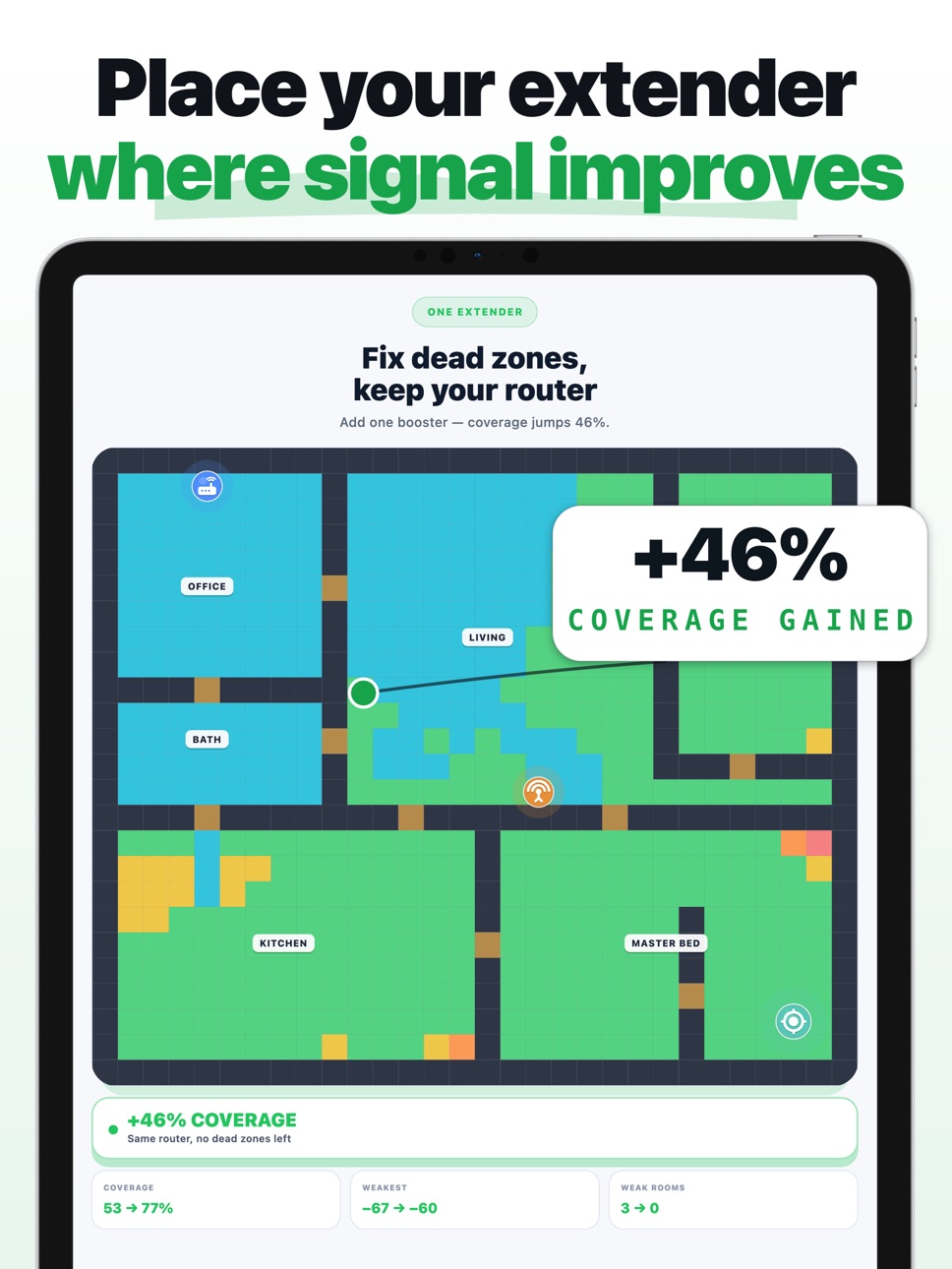
4. Get a recommended extender spot, with a side-by-side BEFORE / AFTER coverage view.
WHY IT WORKS
• Visual heatmap shows you exactly where your signal is dying — and why (walls, distance, building materials).
• Actionable placement advice, not raw dBm numbers you have to interpret.
• Works with any extender or mesh node — no vendor lock-in.
• Everything runs on-device. No accounts, no cloud, no Wi-Fi scanning permissions required.
GREAT FOR
• Remote workers tired of video calls dropping in the home office
• Anyone paying $50–$120/month for "gigabit" speeds they only see next to the router
• Renters who can't run ethernet
• People setting up mesh or extender systems who want to optimize placement before mounting anything
FREE TO TRY
Build a floor plan, place your router, and see your dead zones — free. Pro unlocks multi-floor homes, save & export your plans, and unlimited placements.
Stop paying for speeds you don't get in the rooms you actually use.
privacy policy: https://www.uzelabs.com/privacy?app=range-up&lang=en
terms of service: https://www.uzelabs.com/terms?app=range-up&lang=en
In-App Purchases US pricing
Range Up Pro Subscription
Pro Annual · Yearly$14.99
Pro Monthly · Monthly$9.99
Pro Weekly · 7 days$4.99
One-Time Purchases
Pro Lifetime$19.99
Capabilities
In-App Purchases
Accessibility
ipadiphonemacrealityDevicetvoswatch
Version history 4 versions
Build 886979483v1.1.22026-06-15 18:33:23
Performance improvements.
Build 886630692v1.1.12026-06-09 20:08:12
Performance improvements.
Build 886005148v1.1.02026-05-23 00:45:42
Performance improvements.
Build 884764715v1.02026-05-20 14:56:59
Price history by region
Currency
Show
Columns
Search
Availability 1 of 1 storefronts
| Region | Language | Price | Ratings | Avg | Version |
|---|---|---|---|---|---|
| US | en-US | Free | 1 | 5.0 | 1.1.2 |
Change log 8 changes · US
✎
releaseNotes updated
Performance improvements.
✎
description updated
You pay for fast internet. Your bedroom gets dial-up. Range Up shows you exactly where to put a Wi-Fi extender so every room gets the speed you're paying for.
✎
subtitle updated
Find Where To Place Extenders
✎
name updated
Wifi Range Up: Boost My Signal
◆
Version 1.1.2 released
Performance improvements.
◆
Version 1.1.1 released
Performance improvements.
◆
Version 1.1.0 released
Performance improvements.
◆
Version 1.0 released