Fruitful Registry
Home › Music
SaveSound icon

SaveSound

Save Songs from Audio Clips
US flag US
USen-USAENot AvailableAFNot AvailableAGNot AvailableAINot AvailableALNot AvailableAMNot AvailableAONot AvailableARNot AvailableATNot AvailableAUNot AvailableAZNot AvailableBANot AvailableBBNot AvailableBENot AvailableBFNot AvailableBGNot AvailableBHNot AvailableBJNot AvailableBMNot AvailableBNNot AvailableBONot AvailableBRNot AvailableBSNot AvailableBTNot AvailableBWNot AvailableBYNot AvailableBZNot AvailableCANot AvailableCDNot AvailableCGNot AvailableCHNot AvailableCINot AvailableCLNot AvailableCMNot AvailableCNNot AvailableCONot AvailableCRNot AvailableCVNot AvailableCYNot AvailableCZNot AvailableDENot AvailableDKNot AvailableDMNot AvailableDONot AvailableDZNot AvailableECNot AvailableEENot AvailableEGNot AvailableESNot AvailableFINot AvailableFJNot AvailableFMNot AvailableFRNot AvailableGANot AvailableGBNot AvailableGDNot AvailableGENot AvailableGHNot AvailableGMNot AvailableGRNot AvailableGTNot AvailableGWNot AvailableGYNot AvailableHKNot AvailableHNNot AvailableHRNot AvailableHUNot AvailableIDNot AvailableIENot AvailableILNot AvailableINNot AvailableIQNot AvailableISNot AvailableITNot AvailableJMNot AvailableJONot AvailableJPNot AvailableKENot AvailableKGNot AvailableKHNot AvailableKNNot AvailableKRNot AvailableKWNot AvailableKYNot AvailableKZNot AvailableLANot AvailableLBNot AvailableLCNot AvailableLKNot AvailableLRNot AvailableLTNot AvailableLUNot AvailableLVNot AvailableLYNot AvailableMANot AvailableMDNot AvailableMENot AvailableMGNot AvailableMKNot AvailableMLNot AvailableMMNot AvailableMNNot AvailableMONot AvailableMRNot AvailableMSNot AvailableMTNot AvailableMUNot AvailableMVNot AvailableMWNot AvailableMXNot AvailableMYNot AvailableMZNot AvailableNANot AvailableNENot AvailableNGNot AvailableNINot AvailableNLNot AvailableNONot AvailableNPNot AvailableNRNot AvailableNZNot AvailableOMNot AvailablePANot AvailablePENot AvailablePGNot AvailablePHNot AvailablePKNot AvailablePLNot AvailablePTNot AvailablePWNot AvailablePYNot AvailableQANot AvailableRONot AvailableRSNot AvailableRUNot AvailableRWNot AvailableSANot AvailableSBNot AvailableSCNot AvailableSENot AvailableSGNot AvailableSINot AvailableSKNot AvailableSLNot AvailableSNNot AvailableSRNot AvailableSTNot AvailableSVNot AvailableSZNot AvailableTCNot AvailableTDNot AvailableTHNot AvailableTJNot AvailableTMNot AvailableTNNot AvailableTONot AvailableTRNot AvailableTTNot AvailableTWNot AvailableTZNot AvailableUANot AvailableUGNot AvailableUYNot AvailableUZNot AvailableVCNot AvailableVENot AvailableVGNot AvailableVNNot AvailableVUNot AvailableXKNot AvailableYENot AvailableZANot AvailableZMNot AvailableZWNot Available
1 of 175 storefronts
Content in en-US
2 Ratings
5.0
★★★★★
Age Rating
4+
Years
Developer
Language
EN
Size
9.2
MB

Information

Apple ID6762502748
Bundle IDRonald-Fella.SaveSound
SellerSeller
Min iOS17.6
Min macOS14.6
Device familiesiphone, ipad
Released2026-04-20
Copyright© 2026 Ronald Fella
WebsiteLink ↗
Privacy policyLink ↗

Preview 2 platforms

iPhone 6 images
iPhone screenshot
iPhone screenshot
iPhone screenshot
iPhone screenshot
iPhone screenshot
iPhone screenshot

iPad 4 images

iPad screenshot
iPad screenshot
iPad screenshot
iPad screenshot

What’s New Version 4.4

Share from Photos & Voice Memos: We’ve added a new Share Extension! You can now identify audio from your videos or voice memos instantly—just tap the Share button in those apps and select SaveSound to scan without ever leaving your current screen. Faster Identification: By eliminating the need to manually open the main app, you can identify your media in a fraction of the time.

Description

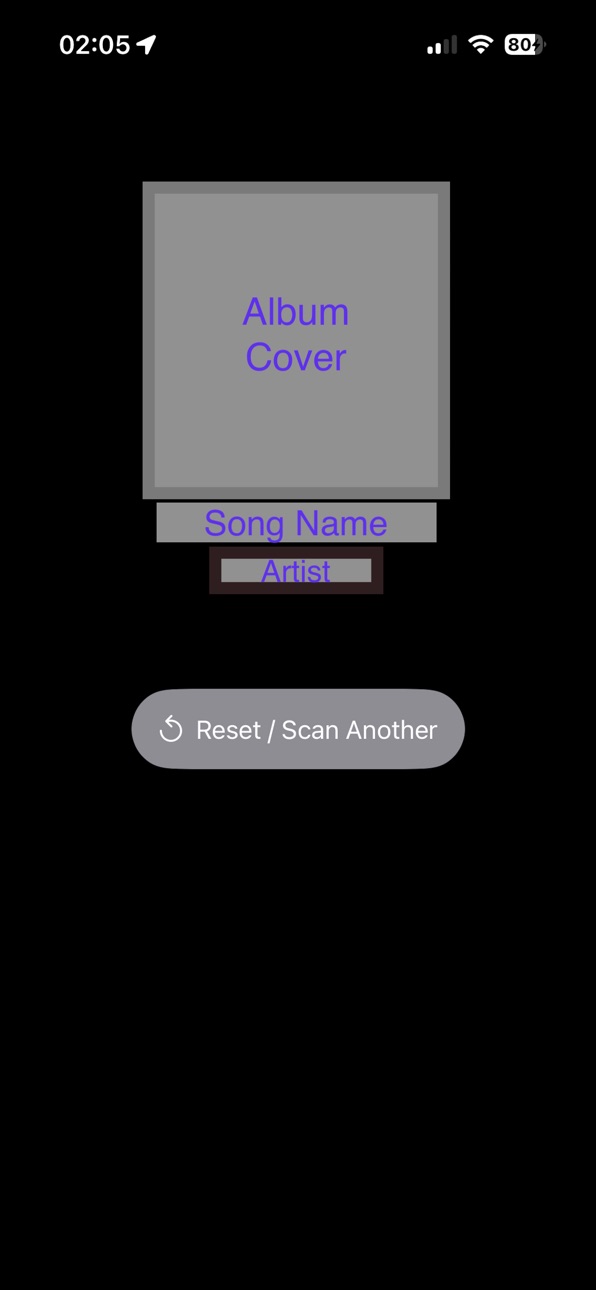
Identify the music and sounds hidden within your videos and audio files instantly. SaveSound allows you to scan any video from your library, audio file from your device, or live environment to discover track titles, artists, and artwork without ever leaving the app. Built with a focus on speed and privacy, SaveSound uses advanced recognition technology to analyze audio signatures securely. Whether it’s a clip from a social media video, a saved voice recording, or music playing nearby, you can find the soundtrack in seconds. Scan History: Automatically save your identified tracks to a personal history list. Revisit your favorite discoveries and tap any track directly from the Recent Scans side menu to launch it instantly in your preferred app. Share Extension Support: Identify audio from your videos or voice memos instantly. Just tap the Share button in apps like Photos or Voice Memos and select SaveSound to scan without needing to open the app manually. Multi-Platform Integration: Select your favorite default streaming platform in settings. Instantly open identified tracks in Apple Music, Spotify, Amazon Music, YouTube Music, Deezer, Tidal, or Pandora with a single tap directly from your search results or scan history. Key Features: Video Identification: Select any video from your Photos library to identify background music seamlessly. Audio & Voice Memo Support: Import files directly from the Files app or your Voice Memos for quick recognition. Live Scanning: Tap to scan live audio from your environment with a built-in 15-second timeout for efficiency. Scan History: Automatically save your identified tracks to a personal history list. Revisit your favorite discoveries and access streaming links anytime via the Recent Scans side menu. Multi-Platform Integration: Instantly open identified tracks in Apple Music, Spotify, Amazon Music, Youtube Music, and Pandora with a single tap. Powered by ShazamKit: Utilize industry-leading recognition technology for fast and accurate results. Privacy-First Design: The app requests microphone and tracking permissions only when necessary, processing audio signatures securely. Clean & Simple UI: No complex setups—just pick a file or start a live scan to get your results. Ad-Supported Experience: Features a non-intrusive design with App Open and Banner ads to keep the service free for everyone. How it Works: Select Media: Tap "Pick Video," "Pick Voice Memo," or use the "Live Scan" button to begin. Analyze: Let SaveSound generate a digital audio signature from your media or microphone. Discover & Stream: View the track details and high-quality artwork instantly once a match is found. Tap the song anywhere in your history list to open it directly in your preferred music player. Note: An active internet connection is required to match signatures with the recognition database. Microphone access is required for the live scan feature.

Accessibility

ipadiphonemacrealityDevicetvoswatch

Version history 19 versions

Build 886498671v4.42026-06-04 00:15:18
Share from Photos & Voice Memos: We’ve added a new Share Extension! You can now identify audio from your videos or voice memos instantly—just tap the Share button in those apps and select SaveSound to scan without ever leaving your current screen. Faster Identification: By eliminating the need to manually open the main app, you can identify your media in a fraction of the time.
Build 885843905v4.32026-05-19 16:46:03
Tappable Recent Scans: You can now tap directly on any song row in your Recents/Scan History list to launch it immediately in your chosen music platform. Dynamic Link Routing: The app now checks your active default music service setting on the fly and builds the correct search URL instantly when a recent item is tapped. Refined Platform Descriptions: Cleaned up the settings text to clearly explain exactly how each service behaves (including browser handshakes for TIDAL, web fallbacks for Deezer, and the app-launch limit for Pandora) so there are zero surprises.
Build 885740615v4.22026-05-17 03:03:22
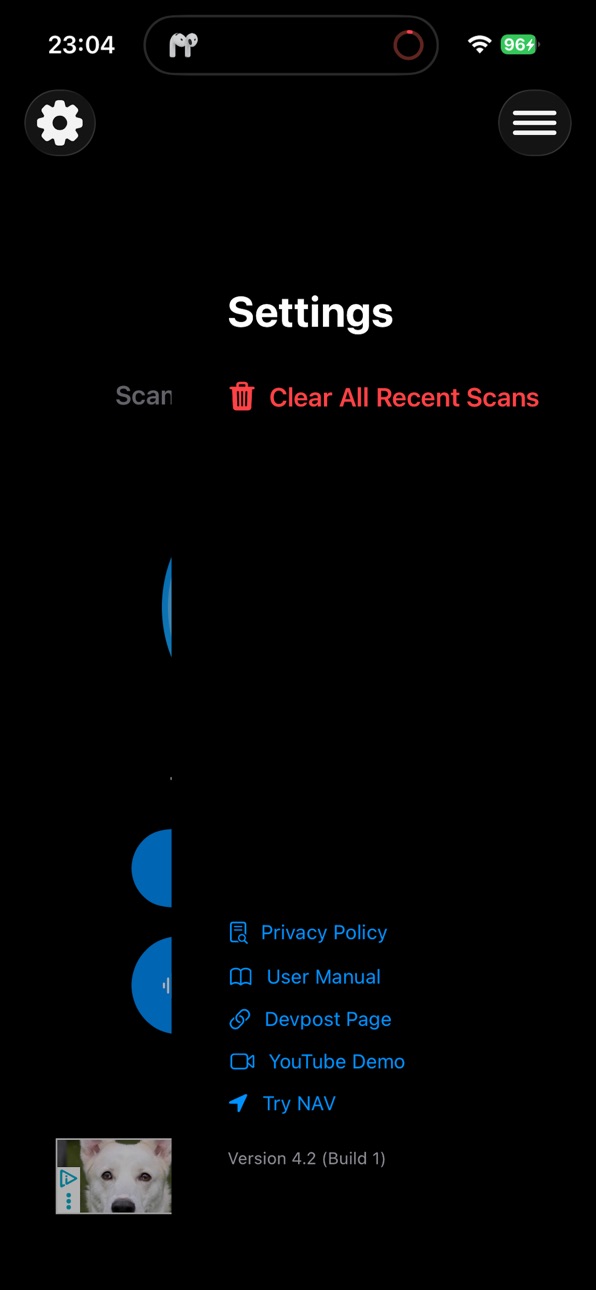
Interface Improvements Added a dedicated Settings Menu Settings now open from the right side of the screen Recent Scans menu remains on the right side Added dual-toolbar navigation layout for faster access Scan Management Added “Clear All Recent Scans” Added native iOS confirmation popup before deleting scan history Prevents accidental deletion of saved scans
Build 885479379v4.12026-05-11 03:00:37
• Improved Recent Scans functionality and data handling • All music service links now open correctly from saved scans • General bug fixes and performance improvements
Build 885362576v4.02026-05-07 19:07:22
New "Recent Scans" History: You can now keep track of every song you find! Access your identification history anytime through the new side menu.
Build 885308277v3.32026-05-06 18:26:47
Smart Analysis: Removed the need to crop videos. SaveSound now intelligently analyzes the entire file to find your track instantly. HackPrinceton Demo: I’ve added a link to our official HackPrinceton submission video! Check it out to see the story behind SaveSound.
Build 885270641v3.22026-05-05 19:03:27
SaveSound now includes a link to its original hackathon submission. Check out the project's roots at HackPrinceton via the new Devpost link
Build 885210539v3.12026-05-03 21:14:40
Added a link to the User Manual for quick access to help and guidance.
Build 885177166v3.02026-05-02 20:44:02
Redesigned Menu: We’ve updated the main interface with a cleaner, more intuitive menu design to help you navigate the app with ease. Integrated Privacy Policy: Your privacy matters. You can now access our full Privacy Policy directly within the new menu for total transparency.
Build 885137034v2.52026-05-01 00:02:26
Expanded Streaming Support: Added support for Deezer, Tidal, and YouTube to the service lineup. The "Elite Eight" Grid: Introduced a new 4x2 grid layout to organize all eight music services for a cleaner, more intuitive interface. Smart Deep-Linking: Each service icon now links directly to the identified track within its respective app, providing more variety for how you listen. Branding & UI Refresh: Updated the iconography and color gradients to match the specific branding of the new services, including the distinct red branding for the main YouTube app.
Build 885052442v2.42026-04-29 16:13:49
New Music Integration: You can now instantly open your song matches in Pandora to start a new station based on the artist or track discovered.
Build 885001620v2.32026-04-28 18:34:25
Amazon Music: Expanded song-saving support to include Amazon Music. Ad Delivery: Fixed underlying threading issues to ensure stable delivery of full-screen and banner ads.
Build 884960181v2.22026-04-27 17:22:32
Integrated YouTube Music: Added a direct search link for YouTube Music alongside Spotify, giving you more ways to listen to your discovered tracks instantly. Production Ad Readiness: Successfully transitioned to the live AdMob environment with full support for App Open and Banner ads.
Build 884937951v2.12026-04-26 20:49:19
Spotify Integration: Added deep-linking support using the ISRC to find and open tracks directly in the Spotify app.
Build 884917473v2.02026-04-25 16:52:45
Apple Music Integration: You can now instantly open any identified song directly in Apple Music with a single tap.
Build 884862487v1.22026-04-24 17:20:07
New live audio song search is here. Tap the big scan button to identify music playing around you, plus keep using video and voice memo imports to find songs faster and easier.
Build 884778352v1.0.12026-04-22 00:45:19
This update includes important privacy updates and behind-the-scenes improvements to enhance app stability and ad delivery.
Build 884819778v1.12026-04-22 23:28:17
You can now use SaveSound to identify songs in voice memos too, not just videos.
Build 884658400v1.02026-04-21 01:17:52

No pricing data captured yet — comparisons appear once the app has paid storefronts or in-app purchases.

Availability 1 of 175 storefronts

RegionLanguagePriceRatingsAvgVersion
US en-USFree25.04.4

Not available in: AE, AF, AG, AI, AL, AM, AO, AR, AT, AU, AZ, BA, BB, BE, BF, BG, BH, BJ, BM, BN, BO, BR, BS, BT, BW, BY, BZ, CA, CD, CG, CH, CI, CL, CM, CN, CO, CR, CV, CY, CZ, DE, DK, DM, DO, DZ, EC, EE, EG, ES, FI, FJ, FM, FR, GA, GB, GD, GE, GH, GM, GR, GT, GW, GY, HK, HN, HR, HU, ID, IE, IL, IN, IQ, IS, IT, JM, JO, JP, KE, KG, KH, KN, KR, KW, KY, KZ, LA, LB, LC, LK, LR, LT, LU, LV, LY, MA, MD, ME, MG, MK, ML, MM, MN, MO, MR, MS, MT, MU, MV, MW, MX, MY, MZ, NA, NE, NG, NI, NL, NO, NP, NR, NZ, OM, PA, PE, PG, PH, PK, PL, PT, PW, PY, QA, RO, RS, RU, RW, SA, SB, SC, SE, SG, SI, SK, SL, SN, SR, ST, SV, SZ, TC, TD, TH, TJ, TM, TN, TO, TR, TT, TW, TZ, UA, UG, UY, UZ, VC, VE, VG, VN, VU, XK, YE, ZA, ZM, ZW

Change log 23 changes · US

releaseNotes updated
Share from Photos & Voice Memos: We’ve added a new Share Extension! You can now identify audio from your videos or voice memos instantly—just tap the Share butt
description updated
Identify the music and sounds hidden within your videos and audio files instantly. SaveSound allows you to scan any video from your library, audio file from you
subtitle updated
Save Songs from Audio Clips
name updated
SaveSound
Version 4.4 released
Share from Photos & Voice Memos: We’ve added a new Share Extension! You can now identify audio from your videos or voice memos instantly—just tap the Share button in those apps and select SaveSound to scan without ever leaving your current
Version 4.3 released
Tappable Recent Scans: You can now tap directly on any song row in your Recents/Scan History list to launch it immediately in your chosen music platform. Dynamic Link Routing: The app now checks your active default music service setting on
Version 4.2 released
Interface Improvements Added a dedicated Settings Menu Settings now open from the right side of the screen Recent Scans menu remains on the right side Added dual-toolbar navigation layout for faster access Scan Management Added “Clear All R
Version 4.1 released
• Improved Recent Scans functionality and data handling • All music service links now open correctly from saved scans • General bug fixes and performance improvements
Version 4.0 released
New "Recent Scans" History: You can now keep track of every song you find! Access your identification history anytime through the new side menu.
Version 3.3 released
Smart Analysis: Removed the need to crop videos. SaveSound now intelligently analyzes the entire file to find your track instantly. HackPrinceton Demo: I’ve added a link to our official HackPrinceton submission video! Check it out to see t
Version 3.2 released
SaveSound now includes a link to its original hackathon submission. Check out the project's roots at HackPrinceton via the new Devpost link
Version 3.1 released
Added a link to the User Manual for quick access to help and guidance.
Version 3.0 released
Redesigned Menu: We’ve updated the main interface with a cleaner, more intuitive menu design to help you navigate the app with ease. Integrated Privacy Policy: Your privacy matters. You can now access our full Privacy Policy directly withi
Version 2.5 released
Expanded Streaming Support: Added support for Deezer, Tidal, and YouTube to the service lineup. The "Elite Eight" Grid: Introduced a new 4x2 grid layout to organize all eight music services for a cleaner, more intuitive interface. Smart D
Version 2.4 released
New Music Integration: You can now instantly open your song matches in Pandora to start a new station based on the artist or track discovered.
Version 2.3 released
Amazon Music: Expanded song-saving support to include Amazon Music. Ad Delivery: Fixed underlying threading issues to ensure stable delivery of full-screen and banner ads.
Version 2.2 released
Integrated YouTube Music: Added a direct search link for YouTube Music alongside Spotify, giving you more ways to listen to your discovered tracks instantly. Production Ad Readiness: Successfully transitioned to the live AdMob environment
Version 2.1 released
Spotify Integration: Added deep-linking support using the ISRC to find and open tracks directly in the Spotify app.
Version 2.0 released
Apple Music Integration: You can now instantly open any identified song directly in Apple Music with a single tap.
Version 1.2 released
New live audio song search is here. Tap the big scan button to identify music playing around you, plus keep using video and voice memo imports to find songs faster and easier.
Version 1.1 released
You can now use SaveSound to identify songs in voice memos too, not just videos.
Version 1.0.1 released
This update includes important privacy updates and behind-the-scenes improvements to enhance app stability and ad delivery.
Version 1.0 released
expanded screenshot