Home › Utilities

MP3 to AAC – Audio Converter
MP3, WAV, AIFF & FLAC to M4A
 US
US
1 of 1 storefronts
Content in en-US
Content in en-US
Information
Apple ID6762499230
Bundle IDRueben.AudioConverter.AudioConverter
SellerSeller
Min iOS17.6
Min macOS14.6
Device familiesiphone, ipad
Released2026-04-21
Copyright© AKANKOBATENG 2026
Privacy policyLink ↗
Preview 2 platforms
iPhone 3 images

iPad 3 images


What’s New Version 1.0.1
Multi-Format Support
• Now converts MP3, AIFF, M4A, and FLAC not just WAV
• 3 free conversions per day, unlimited with Pro
• Share and save your converted files always free
• Cleaner, faster export flow throughout
Description
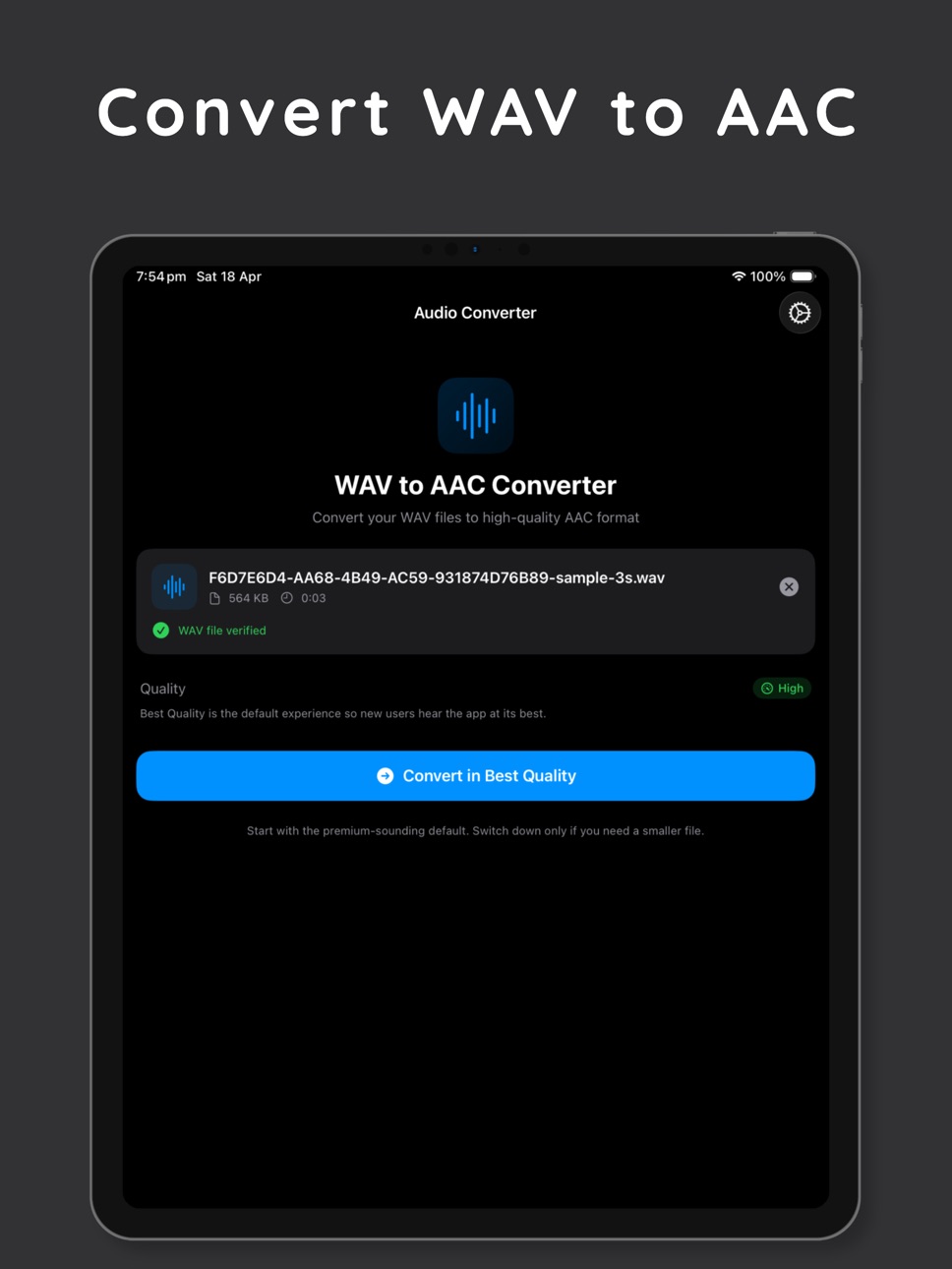
Convert WAV files into clean, compact AAC audio with a faster workflow and a premium-quality default.
Audio Converter is built for people who regularly work with recordings, voice notes, podcasts, music drafts, and other WAV files that need to be easier to store, share, and manage.
Why users install Audio Converter:
• Convert WAV to AAC quickly
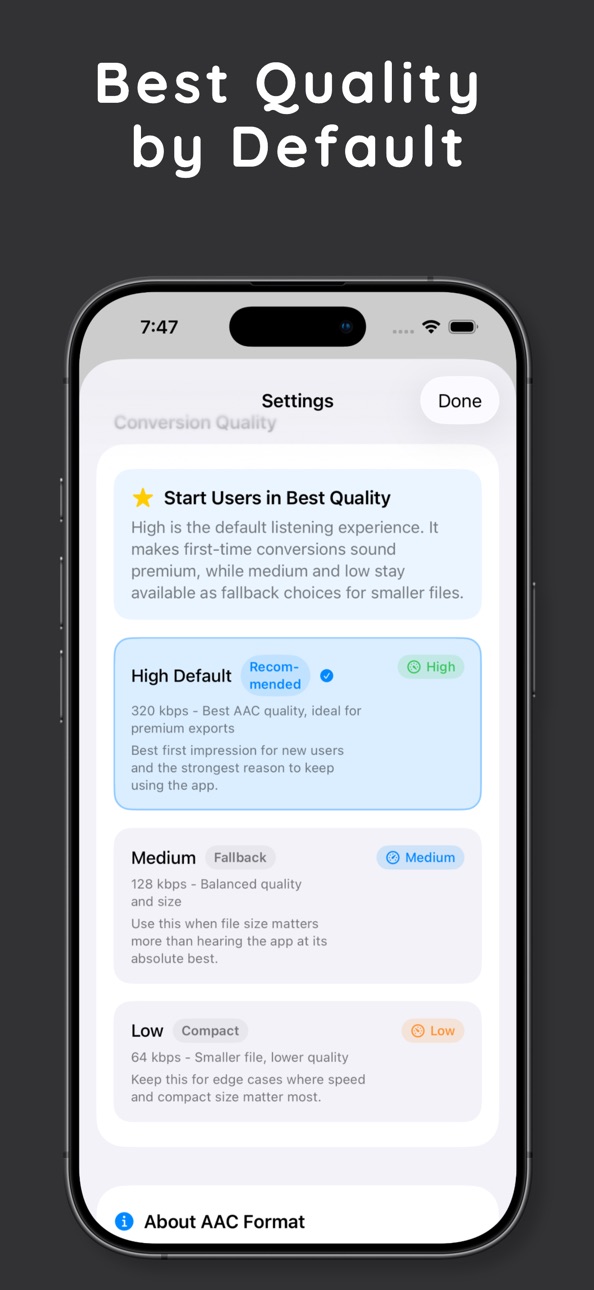
• Start with Best Quality by default for premium-sounding exports
• Choose smaller fallback quality modes when file size matters more
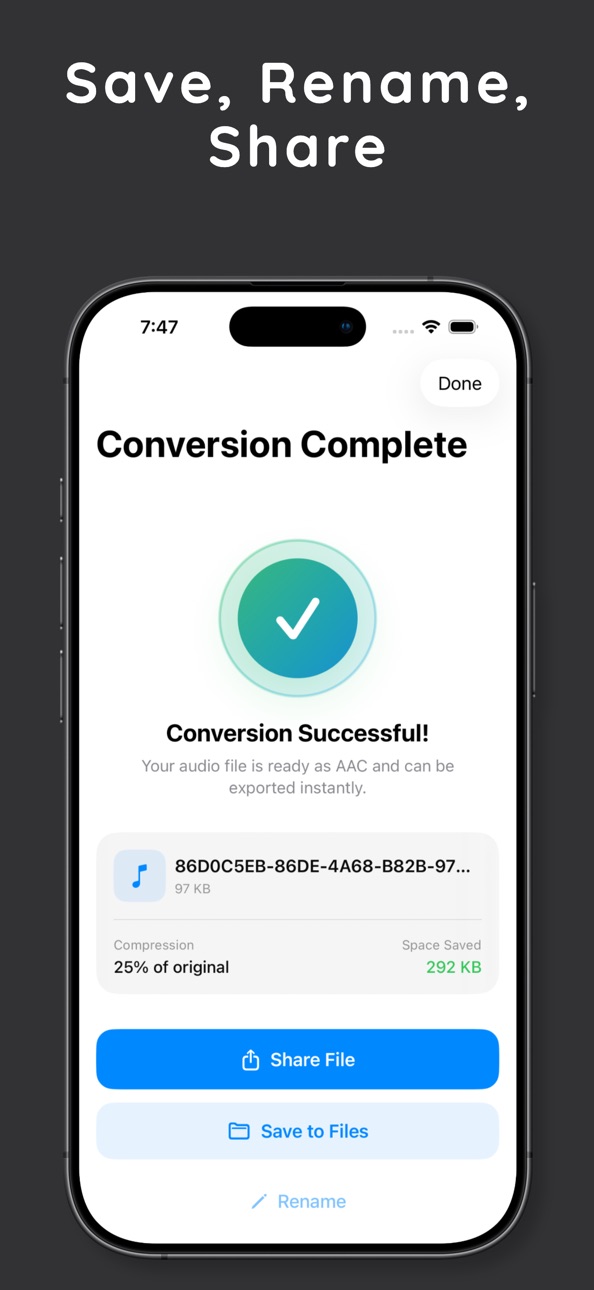
• Save, rename, and share converted files in a few taps
• Keep track of recent conversions for repeat workflows
• Use a simple interface without a complicated audio editor
Designed for practical everyday use:
• Great for creators, podcasters, musicians, students, and professionals
• Helpful when you need smaller files for sending, uploading, or archiving
• Ideal for turning large WAV recordings into AAC files that fit better into modern workflows
Core features:
• WAV file import
• AAC (.m4a) export
• High, Medium, and Low quality options
• Best Quality selected by default
• File rename after conversion
• Share exported files
• Save exported files to Files
• Conversion history
If you work with WAV recordings often and want a cleaner, faster path to AAC, Audio Converter gives you a focused tool that gets out of the way.
• Terms of Use: https://www.apple.com/legal/internet-services/itunes/dev/stdeula/
• Privacy Policy: https://docs.google.com/document/d/1Y4Mhhyeza2RJlpv2dAGQ2yM7A4Lisr6Y8B_jnYcvg-c/edit?usp=sharing
In-App Purchases US pricing
All Access Subscription
weekly · 7 days$4.99
yearly · Yearly$19.99
One-Time Purchases
All access Lifetime$59.99
Capabilities
In-App Purchases
Accessibility
ipadiphonemacrealityDevicetvoswatch
Version history 2 versions
Build 885486929v1.0.12026-05-18 20:50:06
Multi-Format Support
• Now converts MP3, AIFF, M4A, and FLAC not just WAV
• 3 free conversions per day, unlimited with Pro
• Share and save your converted files always free
• Cleaner, faster export flow throughout
Build 884656026v1.02026-04-21 07:23:42
Price history by region
Currency
Show
Columns
Search
Availability 1 of 1 storefronts
| Region | Language | Price | Ratings | Avg | Version |
|---|---|---|---|---|---|
| US | en-US | Free | 0 | — | 1.0.1 |
Change log 6 changes · US
✎
releaseNotes updated
Multi-Format Support
• Now converts MP3, AIFF, M4A, and FLAC not just WAV
• 3 free conversions per day, unlimited with Pro
• Share and save your converted file
✎
description updated
Convert WAV files into clean, compact AAC audio with a faster workflow and a premium-quality default.
Audio Converter is built for people who regularly work wi
✎
subtitle updated
MP3, WAV, AIFF & FLAC to M4A
✎
name updated
MP3 to AAC – Audio Converter
◆
Version 1.0.1 released
Multi-Format Support
• Now converts MP3, AIFF, M4A, and FLAC not just WAV
• 3 free conversions per day, unlimited with Pro
• Share and save your converted files always free
• Cleaner, faster export flow throughout
◆
Version 1.0 released