Home › Lifestyle

 US
US
1 of 1 storefronts
Content in en-US
Content in en-US
Information
Preview 1 platform
iPhone 8 images




What’s New Version 1.7
Salam! Bug fixes and general improvements to control your nafs.
Description
Nafs helps Muslims build better digital habits and reduce useless content through content blocking apps and websites, dhikr, dua , Quran and a community.
HOW IT WORKS
1. Set your intention — pledge for today, reflect on yesterday
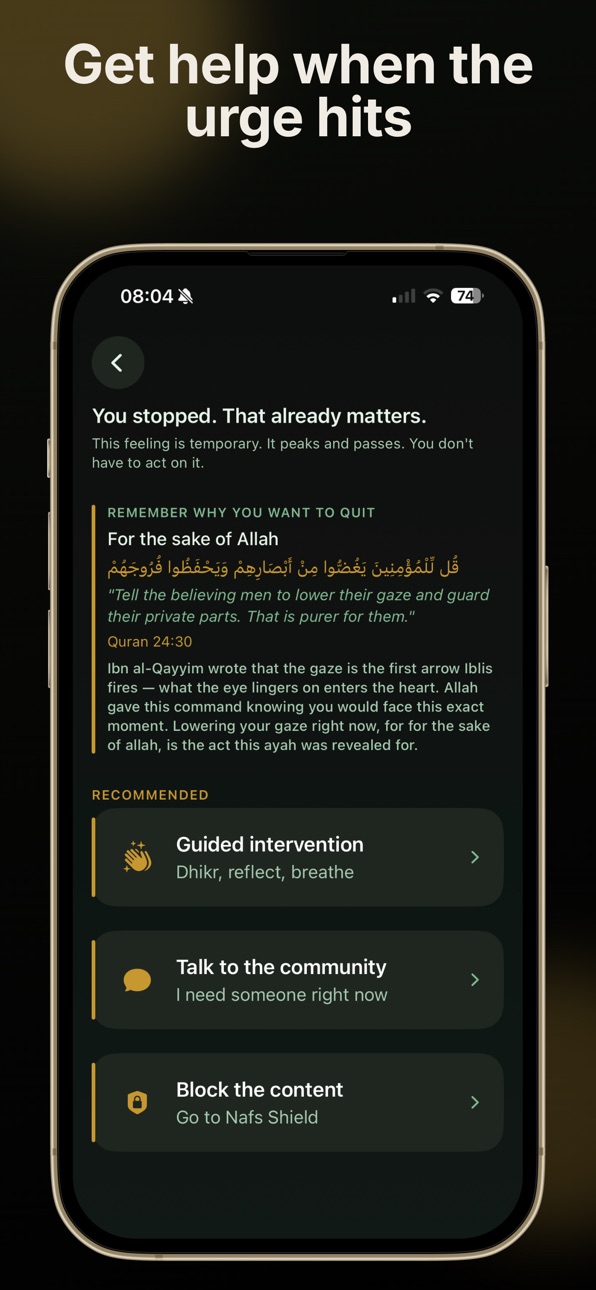
2. When an urge hits — tap the panic button, see your reasons, read a Quranic ayah
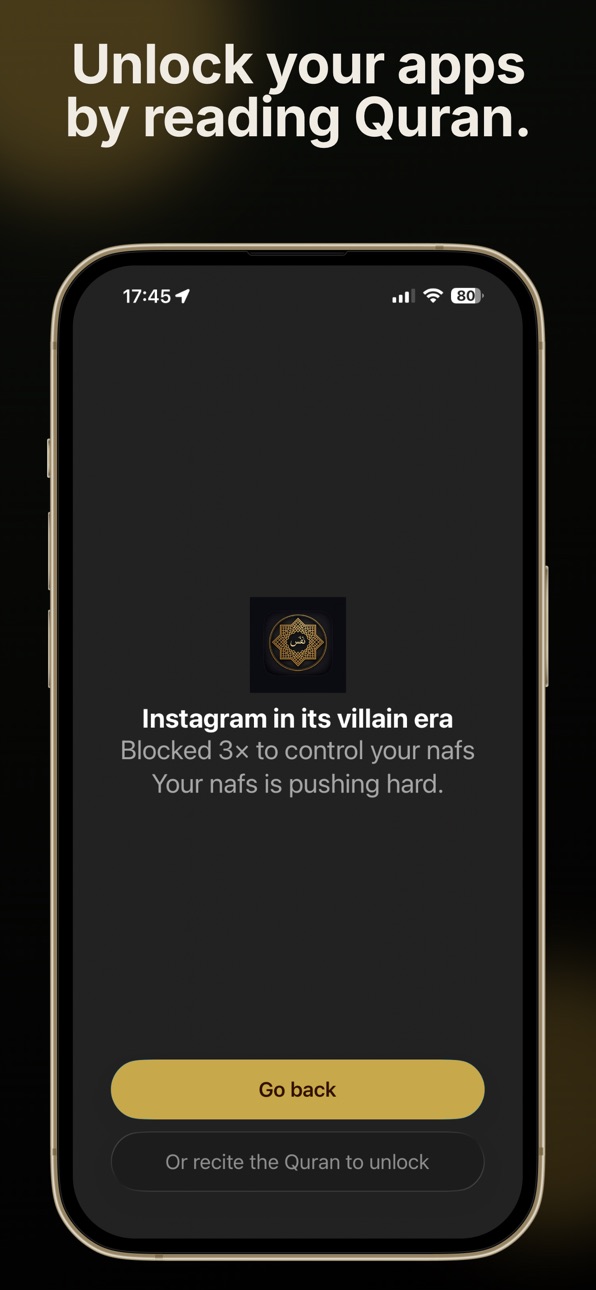
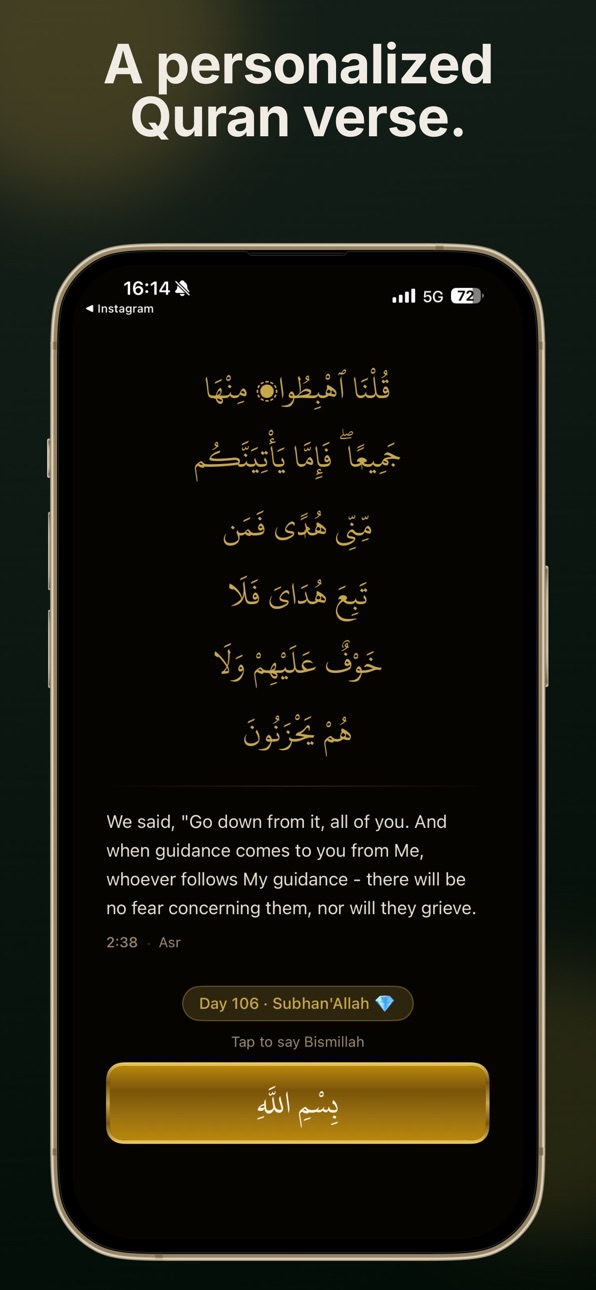
3. Block trigger apps and certain sites — when you open one, say Bismillah before entering
WHAT'S INSIDE
Panic Button — one tap when an urge hits. your reasons for change, a matched Quranic ayah, and a guided intervention to ride it out.
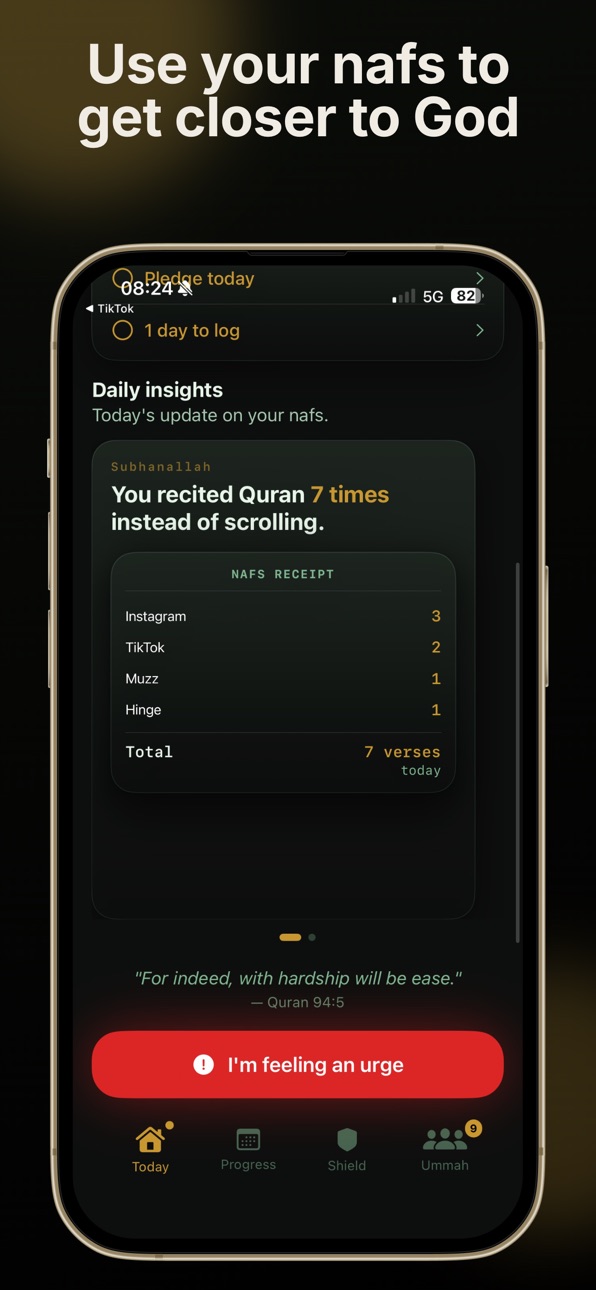
Daily Pledge — check in every morning. see how many Muslims are pledging alongside you today.
Nafs Shield — block trigger apps and websites on your device using Apple's Screen Time API. when you open a shielded app, a Quran verse pauses you before you enter.
90-Day Journey — track progress through four stages of the nafs: Ammara, Lawwama, Mutma'inna, Radiyya.
Relapse Help — no shame spiral. practical steps to get back on track the same day.
Ummah — anonymous companions on the same path. send an SOS when you need support. no real names, no judgment.
Progress Calendar — visual month-by-month view. green for clean days. watch the pattern build.
SUBSCRIPTION INFORMATION
Nafs requires a subscription to access all features.
Payment will be charged to your Apple ID at confirmation of purchase. The monthly or annual subscription automatically renews unless canceled at least 24 hours before the end of the current period. Manage or cancel your subscription in your Apple ID Account Settings. If you purchase a subscription before your free trial ends, the remaining trial period will be forfeited.
*All tools require a subscription. *
terms of use: https://controlnafs.com/terms.html
privacy policy: https://controlnafs.com/privacy.html
feedback: reza@controlnafs.com
In-App Purchases US pricing
Nafs Premium Subscription
Nafs Monthly · Monthly$4.99
Nafs Annual · Yearly$19.99
Capabilities
In-App Purchases
Accessibility
ipadiphonemacrealityDevicetvoswatch
Version history 8 versions
Build 887665751v1.72026-07-02 10:17:48
Salam! Bug fixes and general improvements to control your nafs.
Build 887334444v1.62026-06-24 16:12:05
Salam! More features and improvements to control your nafs.
Build 887037612v1.52026-06-18 07:05:18
Salam! Bug fixes and general improvements.
Build 886671695v1.42026-06-09 13:45:13
Salam! New features to help you control your Nafs and track your Quran journey.
Build 886214965v1.32026-05-28 12:20:54
Eid Mubarak! Bug fixes and more features to control your nafs.
Build 886129451v1.22026-05-27 08:25:20
Salam! Bug fixes and general improvements. Eid Mubarak to you and your family.
Build 885645784v1.12026-05-21 11:53:25
Nafs Shield is here.
Go to the Shield tab, add the apps you want to block, and the next time you
open one, Nafs pauses you with a Quran verse. Reflect on your intention, then
decide whether to continue. Your accountability partner is notified if you
turn the Shield off.
You can also block specific websites across all browsers from the Sites tab.
Also in this update: onboarding improvements and stability fixes.
Some notes to address first rejection:
Thank you for the detailed feedback. We've addressed both issues below.
---
Guideline 2.1(a) — Error message when creating an account
The error "No active subscription found" was shown by a button labeled "Already paid? Create account" on the Sign In screen. This button is not an account creation flow — it is an escape hatch
for users who already completed a purchase but exited the app before finishing account registration. It checks for an active entitlement via RevenueCat before proceeding.
When your reviewer tapped it without an active subscription, the app displayed the error. We understand the label made it appear to be the primary account creation CTA.
What we changed:
- The button is now labeled "Purchased but no account yet? Finish setup" — making clear it requires a prior purchase
- If no active purchase is found, the app now shows a prompt directing the user to begin onboarding, rather than displaying an error
New accounts are created at the end of the onboarding flow after subscribing — not from the Sign In screen.
---
Guideline 2.1(b) — Locating In-App Purchases
The In-App Purchases are accessed through the onboarding flow. Steps to locate them:
1. Launch the app
2. On the Welcome screen, tap "Get Started"
3. Proceed through the onboarding (approximately 22 screens)
4. The subscription paywall appears with two options:
- Monthly — $4.99/month with a 3-day free trial
- Lifetime Access — $9.99 one-time payment
5. Select a plan and complete the purchase
There are two ways to restore a prior purchase once you reach the paywall:
- Top-right "Restore" button on the paywall screen itself
- "Purchased but no account yet? Finish setup" on the Sign In screen (accessible from the Welcome screen → "Already have an account? Sign in")
Attached videos (all recorded using sandbox test accounts, United States storefront):
- Video 1 — Successful Monthly subscription purchase via sandbox
- Video 2 — Successful Lifetime Access purchase via sandbox
- Video 3 — "Purchased but no account yet? Finish setup" when a purchase exists: restores entitlement and navigates directly to account creation
- Video 4 — Same button when no purchase exists: user is directed to begin onboarding and reach the paywall
The Paid Apps Agreement, bank account, and tax forms are all active in App Store Connect.
Please let us know if you need anything else.
Build 884653216v1.02026-05-11 17:32:44
Price history by region
Currency
Show
Columns
Search
Availability 1 of 1 storefronts
| Region | Language | Price | Ratings | Avg | Version |
|---|---|---|---|---|---|
| US | en-US | Free | 6 | 5.0 | 1.7 |
Change log 12 changes · US
✎
releaseNotes updated
Salam! Bug fixes and general improvements to control your nafs.
✎
description updated
Nafs helps Muslims build better digital habits and reduce useless content through content blocking apps and websites, dhikr, dua , Quran and a community.
HOW I
✎
subtitle updated
Block Apps & Sites with Quran
✎
name updated
Nafs: Lower Your Gaze
◆
Version 1.7 released
Salam! Bug fixes and general improvements to control your nafs.
◆
Version 1.6 released
Salam! More features and improvements to control your nafs.
◆
Version 1.5 released
Salam! Bug fixes and general improvements.
◆
Version 1.4 released
Salam! New features to help you control your Nafs and track your Quran journey.
◆
Version 1.3 released
Eid Mubarak! Bug fixes and more features to control your nafs.
◆
Version 1.2 released
Salam! Bug fixes and general improvements. Eid Mubarak to you and your family.
◆
Version 1.1 released
Nafs Shield is here.
Go to the Shield tab, add the apps you want to block, and the next time you
open one, Nafs pauses you with a Quran verse. Reflect on your intention, then
decide whether to continue. Your accountability partner is notif
◆
Version 1.0 released