Home › Utilities

DayDots: Calendar Wallpaper
Daily Lock Screen & Countdown
 US
US
1 of 1 storefronts
Content in en-US
Content in en-US
Information
Preview 1 platform
iPhone 5 images



What’s New Version 1.2.1
·Optimized — Daily Rotation Logic
Improved the daily rotation mechanism for smoother and more stable content switching.
·Added — Text Descriptions for Important Dates
Added support for text descriptions on important dates, making it easier to record holidays, anniversaries, birthdays, and other meaningful occasions.
·Added — Countdown Feature in Bottom Signature
Added a countdown display feature to the bottom signature area for showing countdowns to important dates.
·Fixed — Material Style Parameters
Fixed issues related to material style parameters to improve consistency and accuracy of visual style rendering.
Description
Your Lock Screen doesn’t have to be just a background.
It can be a calendar, a reminder, a goal tracker, or a personal signature that belongs only to you.
DayDots is a DIY calendar Lock Screen wallpaper app. Start with ready-made templates and customize date colors, date styles, backgrounds, important date markers, and bottom signatures to create a Lock Screen that feels truly yours.
DayDots also works with iOS Shortcuts and Automations. Once set up, your calendar wallpaper can update automatically based on the date, so you no longer need to generate, save, and replace your wallpaper manually every day.
From yearly progress to monthly planning, from special dates to countdown goals, DayDots helps you turn your Lock Screen into something useful, beautiful, and personal.
【What can you do with DayDots?】
- Create your own calendar Lock Screen
Start with a template and make it your own.
Customize date colors, font styles, number styles, and even replace numbers with dots, shapes, or more visual design elements.
- Automatically update your Lock Screen wallpaper
The biggest problem with calendar wallpapers is that dates change every day.
DayDots can work with iOS Shortcuts and Automations, allowing your Lock Screen wallpaper to update automatically after setup.
No need to manually regenerate, save, and replace your wallpaper every day.
Open your phone and see the latest date state right on your Lock Screen.
- Mark important dates
Birthdays, anniversaries, exams, trips, paydays, project deadlines, workout check-ins, and more.
Mark the dates that matter and keep them visible on the screen you see every day.
- Change backgrounds and color themes
Whether you like minimal, fresh, retro, dark, bright, colorful, or trendy styles, DayDots makes it easy to create a look that matches your taste.
Choose from built-in theme colors or add your own background to make your calendar wallpaper fit your mood and style.
- Add a custom bottom signature
Write a sentence at the bottom of your Lock Screen.
It can be a goal, a motto, a mood note, or a simple reminder to yourself.
For example:
“Shine your own way”
“Make today count”
“One day closer to the goal”
【Four calendar templates for different needs】
- Year Calendar
Put the entire year on one Lock Screen wallpaper.
Perfect for tracking yearly progress, planning long-term goals, and seeing the flow of time.
How many days have passed?
How many are left?
See it all at a glance.
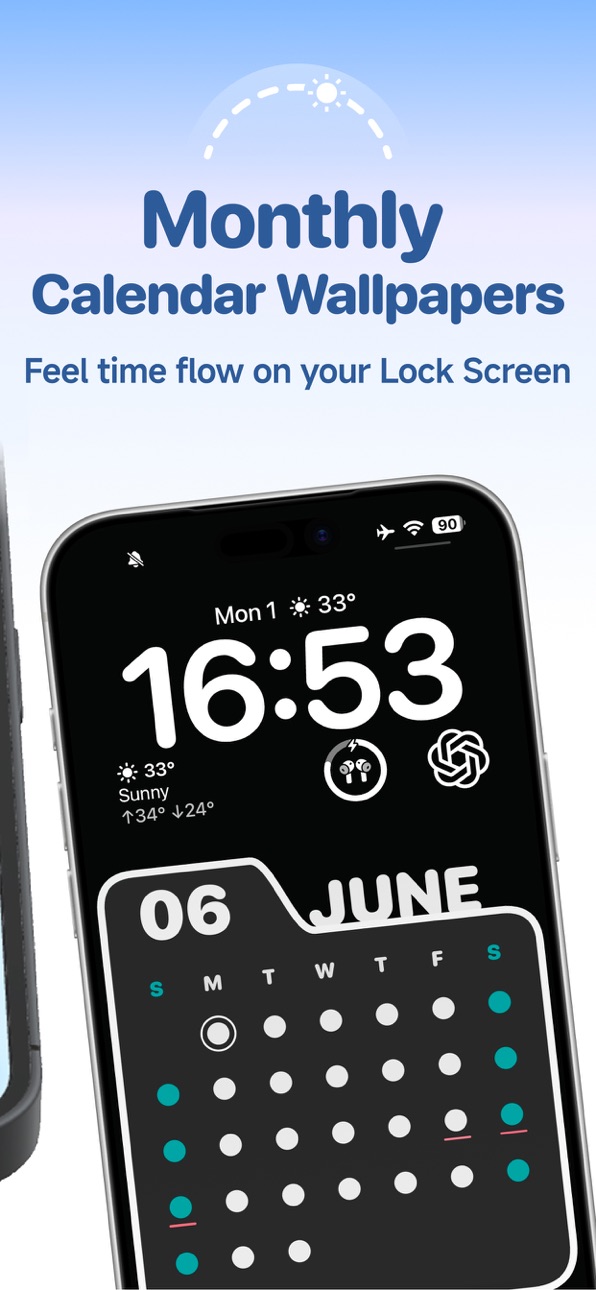
- Monthly Calendar
Focus on the current month, short-term plans, and upcoming tasks.
Perfect for checking monthly progress, marking important dates, and keeping your schedule visible.
Open your Lock Screen and quickly see where you are in the month.
- Folder Calendar
Keeps the practical structure of a monthly calendar while offering a stronger visual style.
With richer color options and more expressive layouts, it is perfect for users who want a more aesthetic, trendy, and personalized Lock Screen.
- Countdown
Turn your goals into visual reminders.
Use it for exam countdowns, trip countdowns, anniversaries, special events, or a 100-day challenge.
Display your countdown with numbers, dots, or shapes, and let your goal remind you every day.
【Why choose DayDots?】
DayDots is more than a wallpaper app.
It is more than a calendar app.
With DayDots, you can:
Turn your Lock Screen into a useful calendar dashboard
Keep important dates visible every day
Visualize yearly, monthly, and countdown progress
Let your calendar wallpaper update automatically as dates change
Bring your style, goals, and daily rhythm into your Lock Screen
You don’t need design skills.
Just choose a template, adjust colors, date styles, backgrounds, markers, and text, then create a Lock Screen wallpaper that is both beautiful and useful.
Use DayDots to make every day feel marked, visible, and personal.
Set it up once, and keep your calendar Lock Screen updated every day.
In-App Purchases US pricing
One-Time Purchases
Lifetime Access$0.99
Capabilities
In-App Purchases
Accessibility
ipadiphonemacrealityDevicetvoswatch
Version history 5 versions
Build 886836647v1.2.12026-06-18 17:58:45
·Optimized — Daily Rotation Logic
Improved the daily rotation mechanism for smoother and more stable content switching.
·Added — Text Descriptions for Important Dates
Added support for text descriptions on important dates, making it easier to record holidays, anniversaries, birthdays, and other meaningful occasions.
·Added — Countdown Feature in Bottom Signature
Added a countdown display feature to the bottom signature area for showing countdowns to important dates.
·Fixed — Material Style Parameters
Fixed issues related to material style parameters to improve consistency and accuracy of visual style rendering.
Build 886614565v1.2.02026-06-09 18:27:21
This update brings new features and experience improvements:
Added history records to the background album, making it easier to quickly select previously used wallpapers.
Countdown signatures can now be linked to countdown dates, with support for switching between different countdown display types.
Mood Calendar now supports recording today’s mood.
Important dates now support notes, making it easier to understand what each date represents.
Added a colored pencil scratch effect for past dates, which can be turned on or off in style settings.
Grid Calendar now supports lunar calendar display, with the option to enable or disable it.
Added support for selecting multiple wallpapers and changing wallpapers daily. This feature is off by default.
Optimized the signature position to reduce overlap with Do Not Disturb or Focus mode indicators.
Build 886536334v1.1.12026-06-04 18:54:44
Fixed an issue where a watermark might still appear after upgrading to membership when Shortcuts had been used as a non-member.
Added tutorials on the home page to help you get started more easily.
Added FAQs in Settings so you can quickly find answers while using the app.
Improved some details for a smoother and more stable experience.
Build 886345947v1.1.02026-06-02 11:10:43
Optimized UI details to improve the overall user experience.
Fixed known issues and improved app stability.
Added a redemption code feature to unlock related benefits.
Build 884427157v1.0.02026-05-29 16:11:25
Price history by region
Currency
Show
Columns
Search
Availability 1 of 1 storefronts
| Region | Language | Price | Ratings | Avg | Version |
|---|---|---|---|---|---|
| US | en-US | Free | 0 | — | 1.2.1 |
Change log 9 changes · US
✎
releaseNotes updated
·Optimized — Daily Rotation Logic
Improved the daily rotation mechanism for smoother and more stable content switching.
·Added — Text Descriptions for Important
✎
description updated
Your Lock Screen doesn’t have to be just a background.
It can be a calendar, a reminder, a goal tracker, or a personal signature that belongs only to you.
Day
✎
subtitle updated
Daily Lock Screen & Countdown
✎
name updated
DayDots: Calendar Wallpaper
◆
Version 1.2.1 released
·Optimized — Daily Rotation Logic
Improved the daily rotation mechanism for smoother and more stable content switching.
·Added — Text Descriptions for Important Dates
Added support for text descriptions on important dates, making it easier
◆
Version 1.2.0 released
This update brings new features and experience improvements:
Added history records to the background album, making it easier to quickly select previously used wallpapers.
Countdown signatures can now be linked to countdown dates, with sup
◆
Version 1.1.1 released
Fixed an issue where a watermark might still appear after upgrading to membership when Shortcuts had been used as a non-member.
Added tutorials on the home page to help you get started more easily.
Added FAQs in Settings so you can quickly
◆
Version 1.1.0 released
Optimized UI details to improve the overall user experience.
Fixed known issues and improved app stability.
Added a redemption code feature to unlock related benefits.
◆
Version 1.0.0 released