Home › Utilities

 US
US
1 of 1 storefronts
Content in en-US
Content in en-US
Information
Preview 1 platform
iPhone 6 images


What’s New Version 1.1
This update improves battery monitoring, graph accuracy, and overall app reliability during long-running live sessions.
New in this release:
• Added the new “More Information” section with built-in explanations and guidance throughout the app
• Expanded Battery Vitality insights and diagnostics presentation
• Improved visibility of temperatures, cell balance, limits, and backup power behavior
• Added new Overview graphs for AC voltage, AC frequency, temperatures, and backup power
• Improved graph rendering with dynamic scaling and accurate zero-crossing behavior
• Charging and discharging graphs are now colorized (green for charge, orange for discharge)
• Cell delta graphs now use the same color model as the cell matrix (green, yellow, red)
• Improved graph history updates during long-running sessions
• Added more reliable control commit verification with queued writes and readback confirmation
• Improved loading states and missing-value handling throughout the app
• Fixed several situations where values could temporarily appear as incorrect zeroes
• Improved polling stability and live refresh behavior
• Fixed battery hold-state recovery after successful reconnects
• Improved row tap targets and overall navigation usability
• Improved About and Settings screens (with extensive More Information section)
• Added many internal diagnostics and compatibility improvements
• Expanded automated testing and reliability checks
Technical foundation improvements:
APEXpulse now uses a more flexible battery-profile architecture internally, paving the way for broader compatibility and future expansion.
Thank you to everyone helping test and research the Marstek Modbus ecosystem.
Description
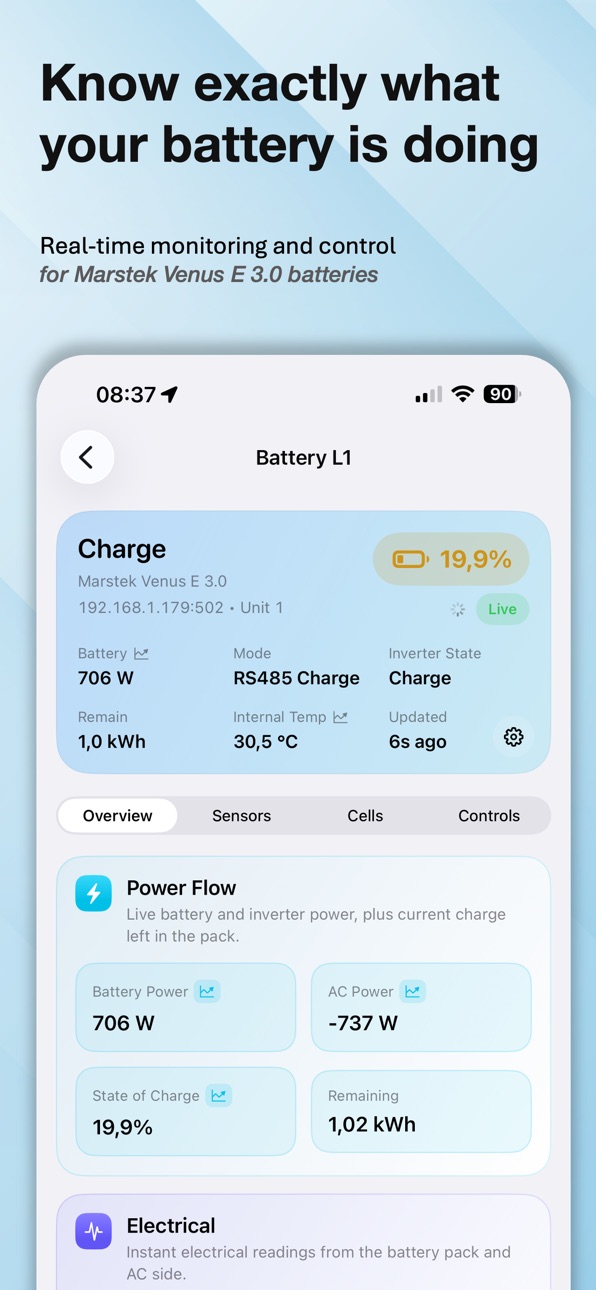
Real-time monitoring and control for your Marstek Venus E batteries.
Understand your energy system, detect issues early, and take full control over charging, discharging, and battery behavior.
• Monitor live power flow, charge state, limits, and system status
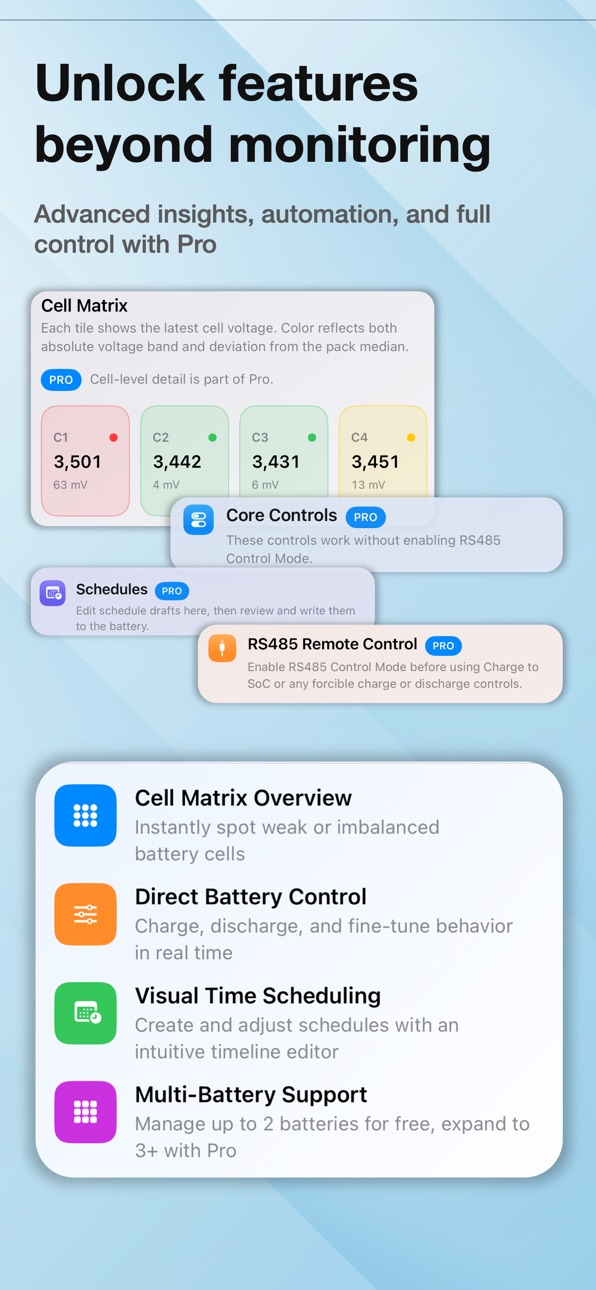
• Analyze battery vitality, temperatures, and cell balance in real time
• Detect weak cells and imbalance conditions early
• View detailed historical graphs for power, voltage, frequency, temperatures, and backup power
• Control charging, discharging, and power limits directly from the app
• Automate behavior with an intuitive scheduling system
• Manage multiple batteries in one place
• Built-in explanations and guidance help you better understand your system
Optimized for Marstek Venus E 3.0 via Modbus TCP.
Designed for users who want deeper insight, diagnostics, and control over their energy system.
APEXpulse is an independent application and is not affiliated with or endorsed by Marstek Energy Co.
In-App Purchases US pricing
One-Time Purchases
APEXpulse Pro Unlock$12.99
Capabilities
In-App Purchases
Accessibility
ipadiphonemacrealityDevicetvoswatch
Version history 3 versions
Build 885564661v1.12026-05-12 20:54:18
This update improves battery monitoring, graph accuracy, and overall app reliability during long-running live sessions.
New in this release:
• Added the new “More Information” section with built-in explanations and guidance throughout the app
• Expanded Battery Vitality insights and diagnostics presentation
• Improved visibility of temperatures, cell balance, limits, and backup power behavior
• Added new Overview graphs for AC voltage, AC frequency, temperatures, and backup power
• Improved graph rendering with dynamic scaling and accurate zero-crossing behavior
• Charging and discharging graphs are now colorized (green for charge, orange for discharge)
• Cell delta graphs now use the same color model as the cell matrix (green, yellow, red)
• Improved graph history updates during long-running sessions
• Added more reliable control commit verification with queued writes and readback confirmation
• Improved loading states and missing-value handling throughout the app
• Fixed several situations where values could temporarily appear as incorrect zeroes
• Improved polling stability and live refresh behavior
• Fixed battery hold-state recovery after successful reconnects
• Improved row tap targets and overall navigation usability
• Improved About and Settings screens (with extensive More Information section)
• Added many internal diagnostics and compatibility improvements
• Expanded automated testing and reliability checks
Technical foundation improvements:
APEXpulse now uses a more flexible battery-profile architecture internally, paving the way for broader compatibility and future expansion.
Thank you to everyone helping test and research the Marstek Modbus ecosystem.
Build 885228883v1.0.12026-05-04 18:20:28
Fixes the Backup Function status display and control mapping.
Build 884378444v1.02026-05-01 18:32:49
Price history by region
Currency
Show
Columns
Search
Availability 1 of 1 storefronts
| Region | Language | Price | Ratings | Avg | Version |
|---|---|---|---|---|---|
| US | en-US | Free | 0 | — | 1.1 |
Change log 7 changes · US
✎
releaseNotes updated
This update improves battery monitoring, graph accuracy, and overall app reliability during long-running live sessions.
New in this release:
• Added the new “M
✎
description updated
Real-time monitoring and control for your Marstek Venus E batteries.
Understand your energy system, detect issues early, and take full control over charging, di
✎
subtitle updated
Real-time control for Marstek
✎
name updated
APEXpulse Battery Control
◆
Version 1.1 released
This update improves battery monitoring, graph accuracy, and overall app reliability during long-running live sessions.
New in this release:
• Added the new “More Information” section with built-in explanations and guidance throughout the
◆
Version 1.0.1 released
Fixes the Backup Function status display and control mapping.
◆
Version 1.0 released