Home › Productivity

 US
US
1 of 1 storefronts
Content in en-US
Content in en-US
Information
Preview 2 platforms
iPhone 10 images





iPad 10 images



What’s New Version 1.2
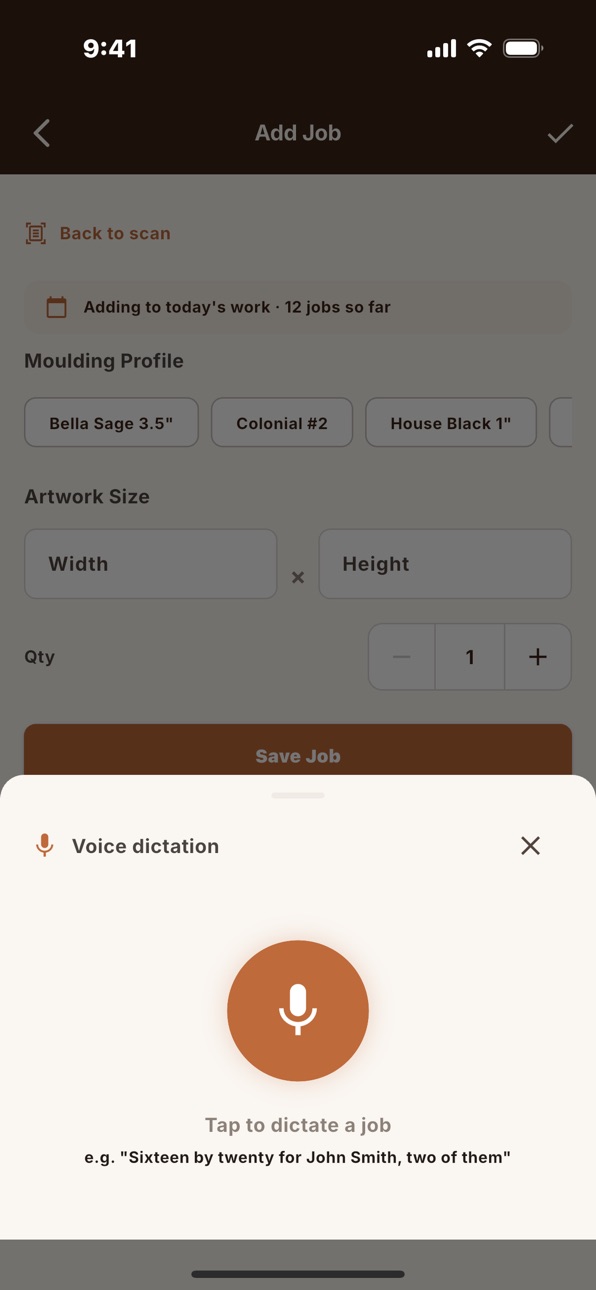
Voice dictation for work orders. Talk through the order and RailChop turns it into jobs — faster than typing, fewer keystrokes on the shop floor. Available on Pro, Business, and during the Business free trial.
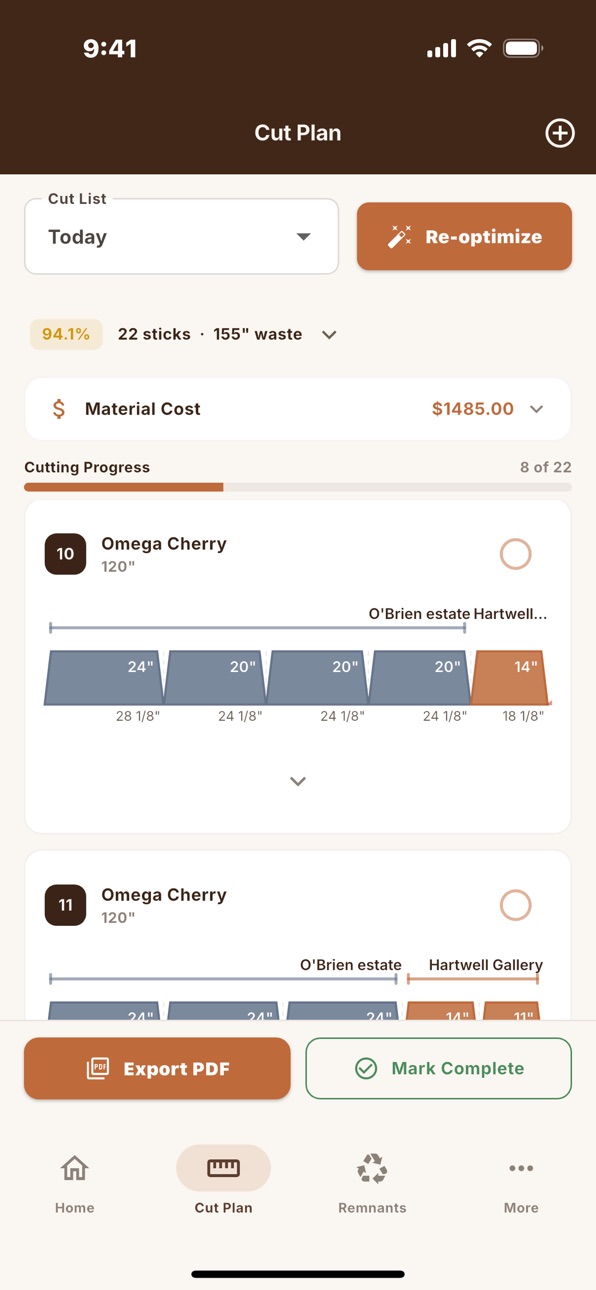
A new way to view cut plans. Cuts now render as trapezoids showing the miter angle, customer color, and remnant shape, so you can read a stick at a glance. Prefer the old bars? Toggle in Settings → Display.
Stock check before you optimize. RailChop now warns when your tracked stock won't cover the plan, so you catch shortages before you start cutting. One tap to restock or plan ahead.
Faster restocking. The stock card on the Optimize screen now has inline + / – steppers, so you can bump quantities without leaving the screen.
Plus the usual round of polish, accessibility improvements, and small fixes from real-world shop use.
Description
RailChop is a cut optimizer built for picture framers. It replaces handwritten math and guesswork with fast, accurate moulding optimization — right from your phone or iPad.
Scan a handwritten work order, import a cut list, or enter dimensions manually. RailChop calculates the best way to cut your moulding stock, minimizes waste, and gives you a clean PDF cut ticket to work from.
HOW IT WORKS
Enter your frame orders — scan a work order with your camera, import a CSV/Excel file, or type dimensions by hand.
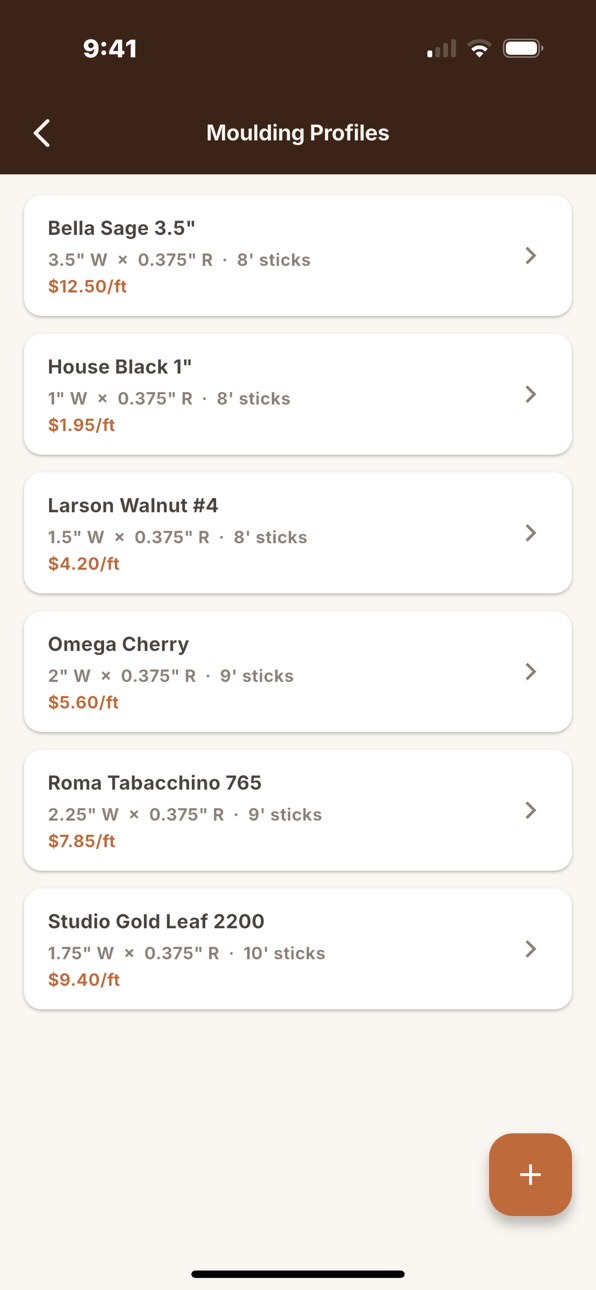
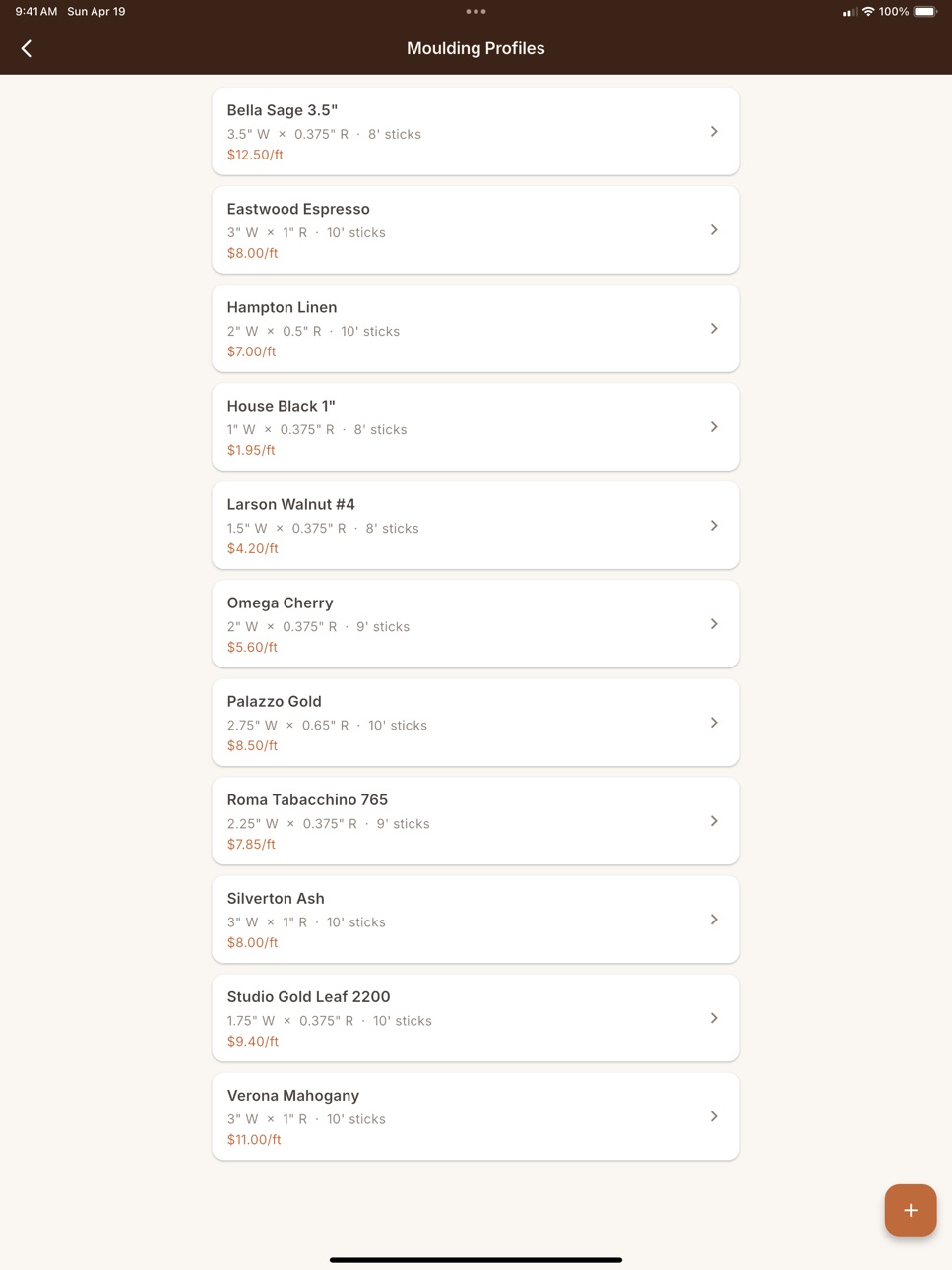
Set up your moulding profiles — widths, stock lengths, and kerf settings for each moulding you carry.
Tap Optimize — RailChop runs a multi-pass bin-packing algorithm to minimize waste and prioritize your remnant inventory.
Cut with confidence — follow the PDF cut ticket on the shop floor and mark sticks complete as you go.
KEY FEATURES
Now with Voice Dictation. Speak your work order aloud and RailChop turns it into a cut plan in seconds. Available on Pro and Business plans, including the free trial.
Smart Cut Optimization — Multi-pass best-fit decreasing algorithm finds efficient cuts across your stock lengths and existing remnants.
Work Order Scanning — Photograph handwritten work orders and let AI extract customer names, frame sizes, and quantities automatically (Business tier).
Cut List Import — Bring in cut lists from CSV, TSV, or Excel files. Columns auto-map to customer, dimensions, quantity, and profile.
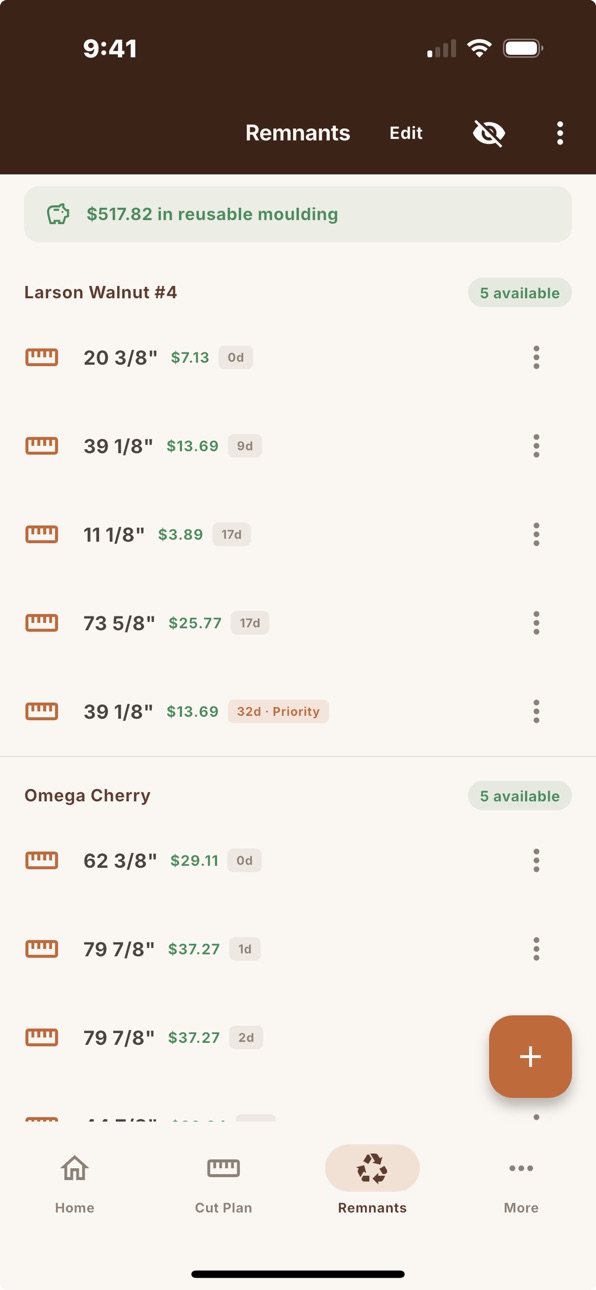
Remnant Manager — Track leftover moulding pieces so they get used on future jobs instead of collecting dust.
PDF Cut Tickets — Export professional cut plans showing every stick, every cut, and every remnant — ready for the shop floor.
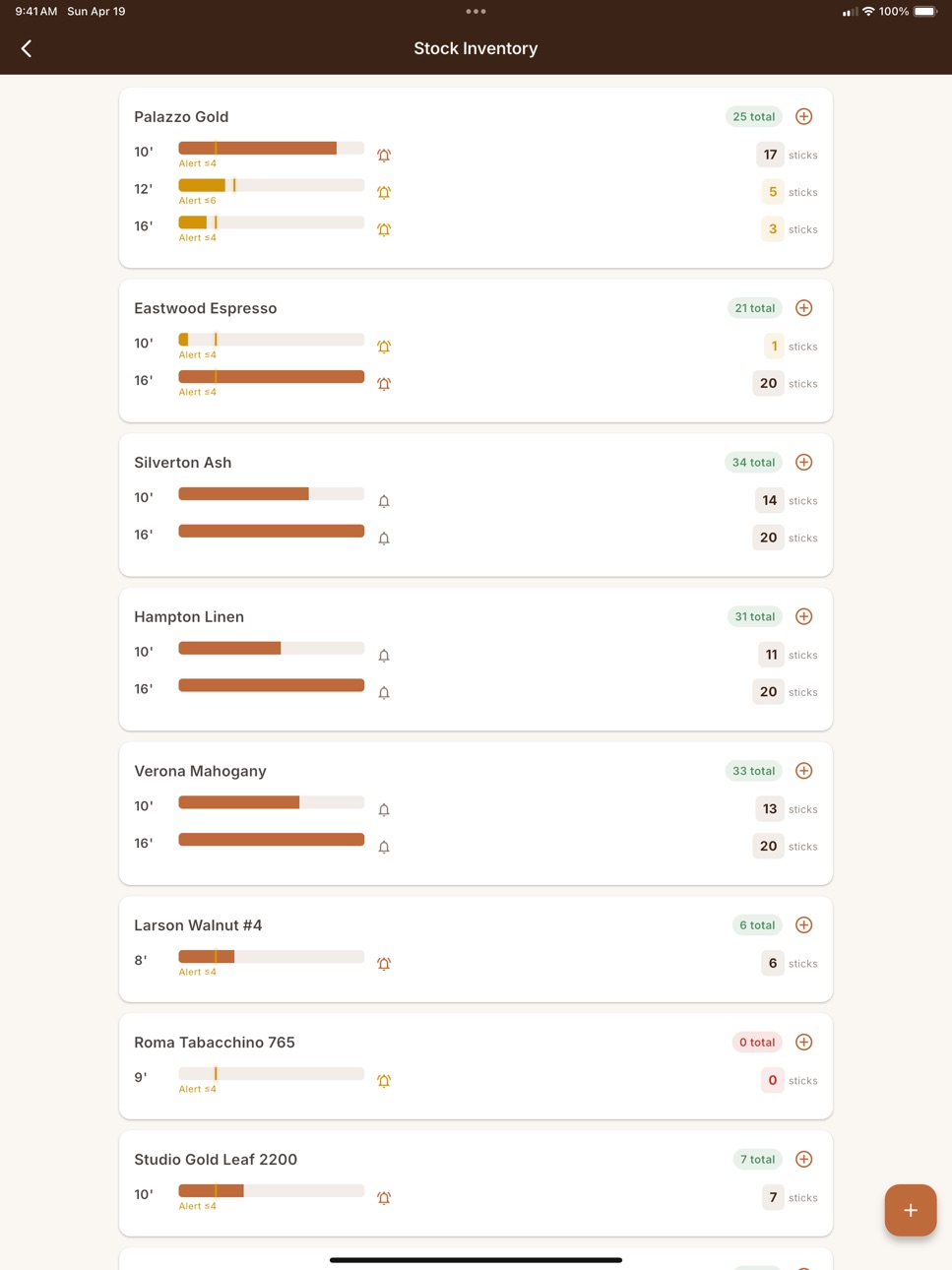
Stock Inventory — Track how many sticks of each profile you have on hand. Get low-stock alerts so you never run out mid-job.
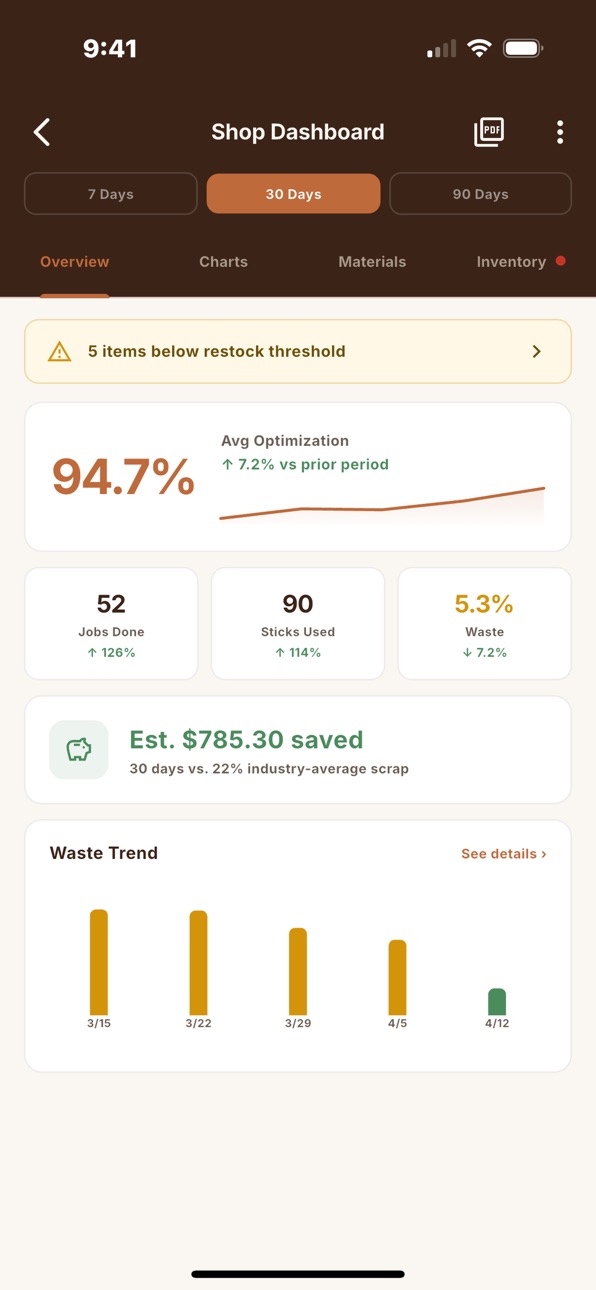
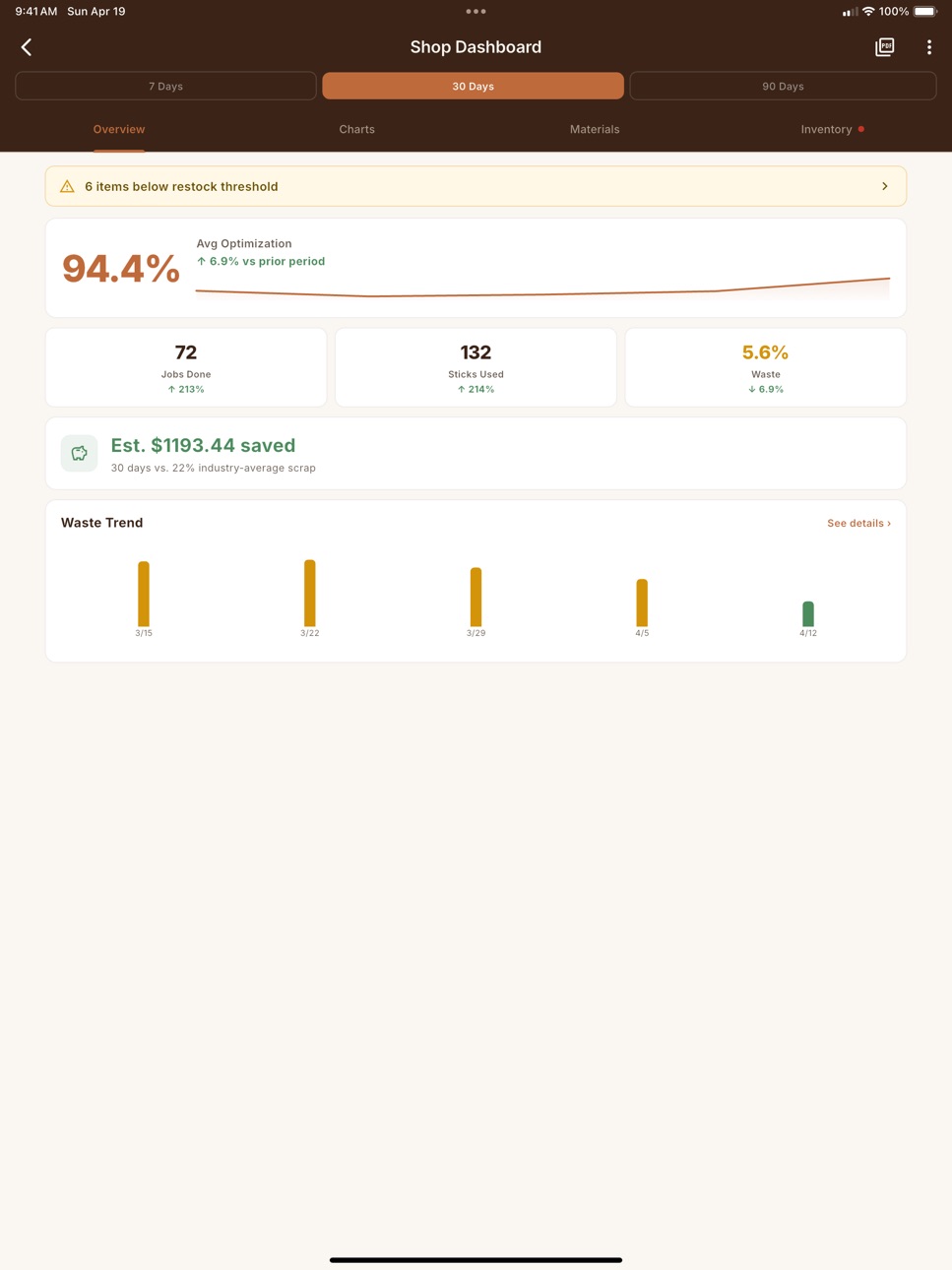
Shop Dashboard — See waste trends, optimization scores, cost savings, and material usage over time (Business tier).
Monthly Reports — Export PDF and CSV reports for shop management and accounting.
Fraction Support — Enter dimensions as fractions (16 1/2) or decimals. RailChop handles the conversion.
Dark Mode — Full dark theme for working in any lighting.
Offline-First — All core features work without an internet connection. Your data stays on your device.
iPad Optimized — Two-column layouts, navigation rail, and expanded views on larger screens.
THREE TIERS
Free — Manual entry, 3 jobs per day, 3 moulding profiles. Great for trying it out.
Pro ($9.99/mo or $84.99/yr) — Quick Scan (on-device OCR), unlimited jobs and profiles, remnant manager.
Business ($24.99/mo or $209.99/yr) — AI-powered scanning, shop dashboard with KPIs, cut list import, monthly reports, CSV exports, and everything in Pro.
Start with a free 14-day trial of the Business tier — full access to AI work order scanning, voice dictation, dashboards, and import. Cancel anytime during the trial.
Built by a framer, for framers.
SUBSCRIPTION TERMS
Pro and Business are auto-renewable subscriptions billed monthly or annually through your App Store account. Payment is charged at purchase confirmation. Subscriptions auto-renew unless cancelled at least 24 hours before the end of the current period. Manage or cancel in your device's Subscription settings. Any unused portion of a free trial is forfeited if you purchase a subscription.
Privacy Policy: https://railchop.com/privacy
Terms of Use (EULA): https://railchop.com/terms
In-App Purchases US pricing
RailChop Subscription
Business Plan — Annual · Yearly 14-day free trial$209.99
Business Plan— Monthly · Monthly 14-day free trial$24.99
Pro Plan — Annual · Yearly$84.99
Pro Plan - Monthly · Monthly$9.99
Capabilities
In-App Purchases
Accessibility
ipadiphonemacrealityDevicetvoswatch
Version history 2 versions
Build 885454170v1.22026-05-12 10:54:17
Voice dictation for work orders. Talk through the order and RailChop turns it into jobs — faster than typing, fewer keystrokes on the shop floor. Available on Pro, Business, and during the Business free trial.
A new way to view cut plans. Cuts now render as trapezoids showing the miter angle, customer color, and remnant shape, so you can read a stick at a glance. Prefer the old bars? Toggle in Settings → Display.
Stock check before you optimize. RailChop now warns when your tracked stock won't cover the plan, so you catch shortages before you start cutting. One tap to restock or plan ahead.
Faster restocking. The stock card on the Optimize screen now has inline + / – steppers, so you can bump quantities without leaving the screen.
Plus the usual round of polish, accessibility improvements, and small fixes from real-world shop use.
Build 884349206v1.02026-04-26 00:04:55
Price history by region
Currency
Show
Columns
Search
Availability 1 of 1 storefronts
| Region | Language | Price | Ratings | Avg | Version |
|---|---|---|---|---|---|
| US | en-US | Free | 5 | 5.0 | 1.2 |
Change log 6 changes · US
✎
releaseNotes updated
Voice dictation for work orders. Talk through the order and RailChop turns it into jobs — faster than typing, fewer keystrokes on the shop floor. Available on P
✎
description updated
RailChop is a cut optimizer built for picture framers. It replaces handwritten math and guesswork with fast, accurate moulding optimization — right from your ph
✎
subtitle updated
Cut Optimizer for Framers
✎
name updated
RailChop
◆
Version 1.2 released
Voice dictation for work orders. Talk through the order and RailChop turns it into jobs — faster than typing, fewer keystrokes on the shop floor. Available on Pro, Business, and during the Business free trial.
A new way to view cut plans.
◆
Version 1.0 released