Home › Utilities

 US
US
1 of 1 storefronts
Content in en-US
Content in en-US
Information
Apple ID6761963451
Bundle IDim.jsp.PageScribble
SellerSeller
Min iOS17.6
Device familiesmac, iphone, ipad
Released2026-04-13
Copyright© 2026 João Pedro Oliveira
Privacy policyLink ↗
Preview 3 platforms
iPhone 3 images


iPad 3 images


Mac 3 images


What’s New Version 1.1
Version 1.1 includes the following enhancements:
• Bug fixes and performance improvements.
Description
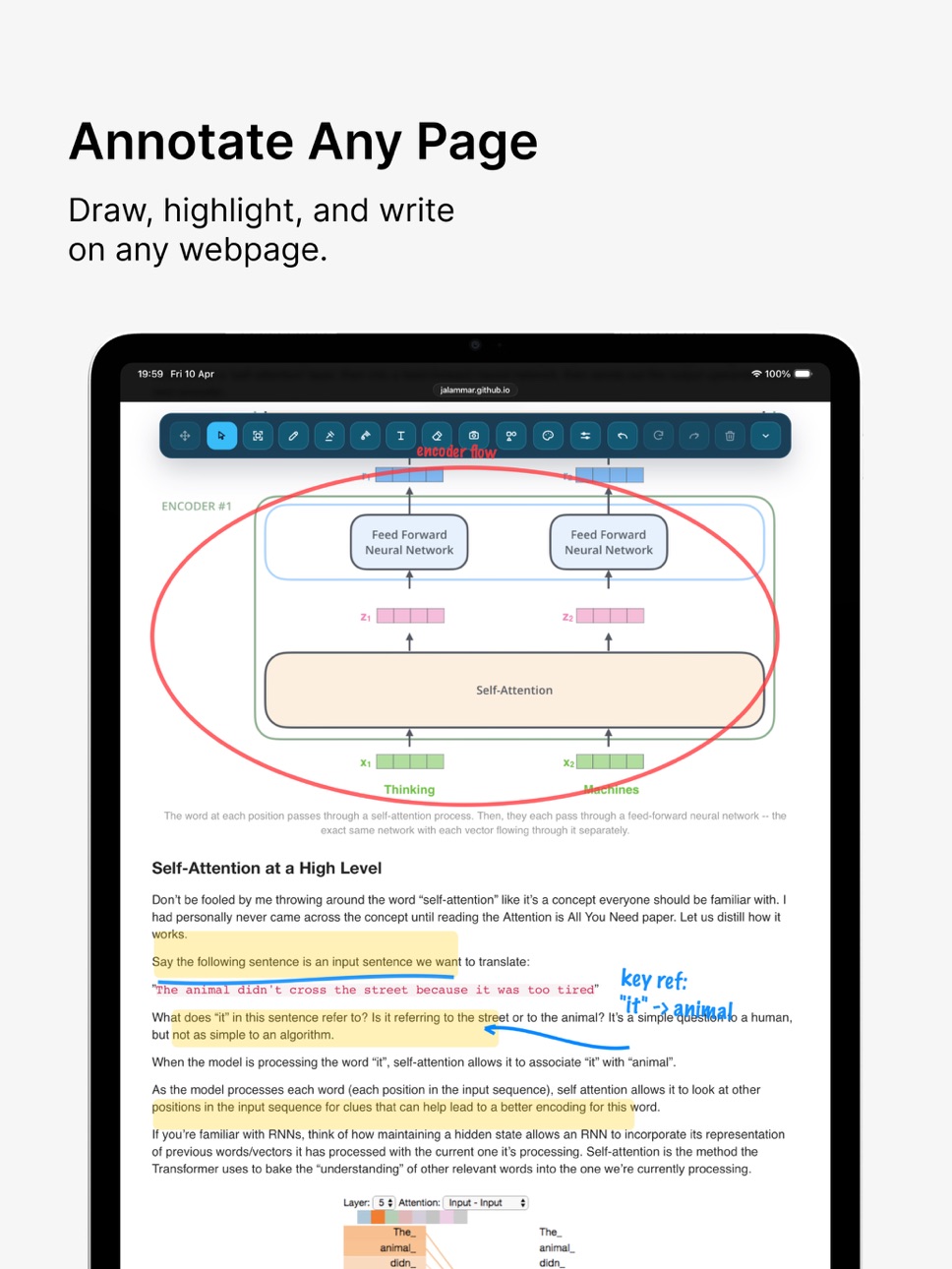
PageScribble turns every webpage into a canvas. Whether you're reviewing a design, teaching a concept, highlighting research, or just thinking out loud — grab a pen and start drawing.
- Draw freely
Choose from pen, marker, eraser, text blocks, lines, arrows, rectangles, and ellipses. Adjust stroke width and pick any color with a full color picker or sample directly from the page using the eyedropper tool.
- Apple Pencil & stylus ready
Draw however you prefer — mouse, trackpad, finger, or stylus. When used with Apple Pencil on a compatible iPad, you also get native palm rejection for a natural, uninterrupted drawing experience.
- Stay in control
Select, move, and resize any drawing after placing it. Undo and redo as many times as you need. Clear everything with a single tap, or delete individual elements.
- Capture your work
Screenshot the full visible page or drag to select exactly the region you want — exported instantly as a PNG.
- A dock that gets out of the way
The toolbar docks to any edge of the screen, scales to three sizes, and supports fixed or freely draggable positioning. Choose from dark, sand, or sky themes. Set it to auto-collapse when you're drawing so nothing interrupts your flow.
- Picks up where you left off
Drawings are saved per page and restored automatically every time you return. Your tools, colors, and preferences carry across every session.
PageScribble is built for focus. No accounts, no cloud sync, no clutter — just you and the page.
Terms of Use:
https://www.apple.com/legal/internet-services/itunes/dev/stdeula/
Capabilities
Safari extension
Accessibility
ipadiphonemacrealityDevicetvoswatch
Version history 6 versions
Build 887612662v1.12026-06-30 21:06:11
Version 1.1 includes the following enhancements:
• Bug fixes and performance improvements.
Build 886308236v1.0.42026-05-30 16:27:10
Version 1.0.4 includes the following enhancements:
• Quickly switch between pen, eraser and highlighter sizes — just press and hold to pick from a set of presets.
• Bug fixes and performance improvements.
Build 885351267v1.0.32026-05-07 18:57:13
Version 1.0.3 includes the following enhancements:
• Added French and German language support
• Added finger drawing toggle: when disabled, your finger interacts with the page normally while the Apple Pencil is reserved for annotations
• Fixed annotations shifting position during page scrolling
• Fixed unintended interactions with the dock bar when set to hidden
Build 885251537v1.0.22026-05-04 21:34:29
Version 1.0.2 includes the following enhancements:
• Bug fixes and minor improvements.
Build 885040594v1.0.12026-04-29 19:46:55
Version 1.0.1 includes the following enhancements:
• You can now hide or disable individual Dock tools directly from the app
• The Dock fades to a lower opacity when collapsed
• Safari status is now reflected automatically in real time
• Fixed an issue where tooltips appeared unexpectedly
Build 884349133v1.02026-04-14 02:22:08
Price history by region
Currency
Show
Columns
Search
Availability 1 of 1 storefronts
| Region | Language | Price | Ratings | Avg | Version |
|---|---|---|---|---|---|
| US | en-US | USD 2.99 | 1 | 5.0 | 1.1 |
Change log 10 changes · US
✎
releaseNotes updated
Version 1.1 includes the following enhancements:
• Bug fixes and performance improvements.
✎
description updated
PageScribble turns every webpage into a canvas. Whether you're reviewing a design, teaching a concept, highlighting research, or just thinking out loud — grab a
✎
subtitle updated
Draw and annotate websites
✎
name updated
PageScribble for Safari
◆
Version 1.1 released
Version 1.1 includes the following enhancements:
• Bug fixes and performance improvements.
◆
Version 1.0.4 released
Version 1.0.4 includes the following enhancements:
• Quickly switch between pen, eraser and highlighter sizes — just press and hold to pick from a set of presets.
• Bug fixes and performance improvements.
◆
Version 1.0.3 released
Version 1.0.3 includes the following enhancements:
• Added French and German language support
• Added finger drawing toggle: when disabled, your finger interacts with the page normally while the Apple Pencil is reserved for annotations
• F
◆
Version 1.0.2 released
Version 1.0.2 includes the following enhancements:
• Bug fixes and minor improvements.
◆
Version 1.0.1 released
Version 1.0.1 includes the following enhancements:
• You can now hide or disable individual Dock tools directly from the app
• The Dock fades to a lower opacity when collapsed
• Safari status is now reflected automatically in real time
• F
◆
Version 1.0 released