Home › Education

 US
US
1 of 1 storefronts
Content in en-US
Content in en-US
Information
Apple ID6761850184
Bundle IDcom.MaxL.Flashcards.Mnemo
SellerSeller
Min iOS26.2
Device familiesmac, iphone, ipad
Released2026-05-14
Copyright© 2026 Max Lottermoser
Privacy policyLink ↗
Preview 3 platforms
iPhone 8 images


iPad 8 images


Mac 8 images




What’s New Version 3.2
• Multi-select in decks: select and delete multiple cards at once
• Improved readability, animations, and appearance in Light and Dark Mode
• Improved settings, diagnostics view, and menu structure
• General performance improvements and bug fixes
Description
Study with flashcards that fit into your day — on iPhone, iPad, and Mac. Mnemo combines clean card creation, interactive widgets, iCloud sync, and optional spaced repetition in one private, Apple-native study app.
Mnemo is built for learners who want a simple way to remember more without setting up a complicated system. Create decks, review cards, answer questions, and keep your progress in sync across your Apple devices. No account required. No ads. No external learning profile.
LEARN FROM YOUR HOME SCREEN
• Interactive widgets let you flip cards, answer multiple-choice questions, and rate your recall directly from your Home Screen.
• Passive review mode rotates questions and answers automatically, so you can study during short moments throughout the day.
• Lock Screen support keeps your study flow close without needing to open the app.
• Designed for iPhone, iPad, and Mac with a consistent native experience.
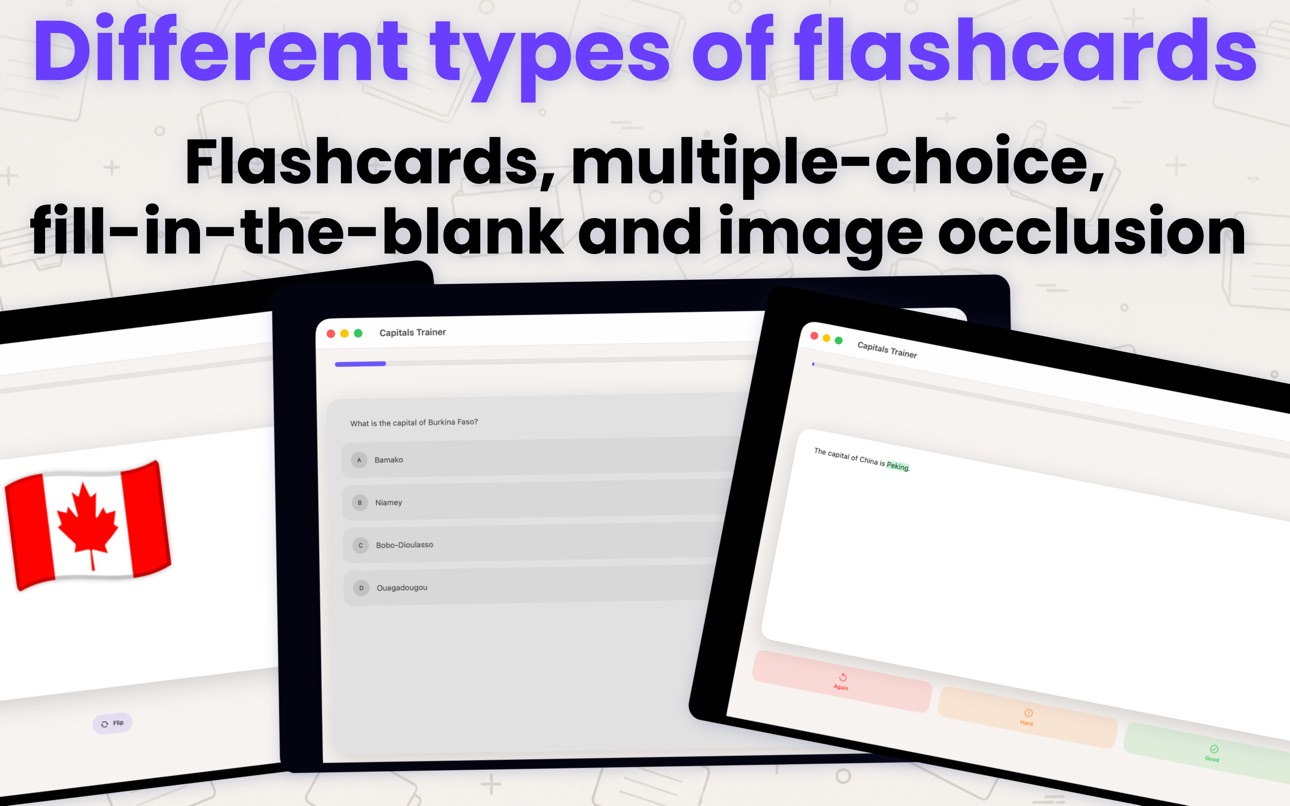
FOUR CARD TYPES
• Classic flashcards for fast memorization and daily review.
• Multiple-choice cards for focused quiz-style practice.
• Fill-in-the-blank cards for precise recall of key words, concepts, and definitions.
• Image Occlusion cards for diagrams, labels, anatomy images, maps, workflows, and other visual material.
AUDIO & LANGUAGE REVIEW
• Turn written cards into audio flashcards with built-in text-to-speech.
• Automatic language detection helps with vocabulary, pronunciation, and listening practice.
• Useful for language learners who want lightweight review without a distracting setup.
SPACED REPETITION FOR LONG-TERM RETENTION
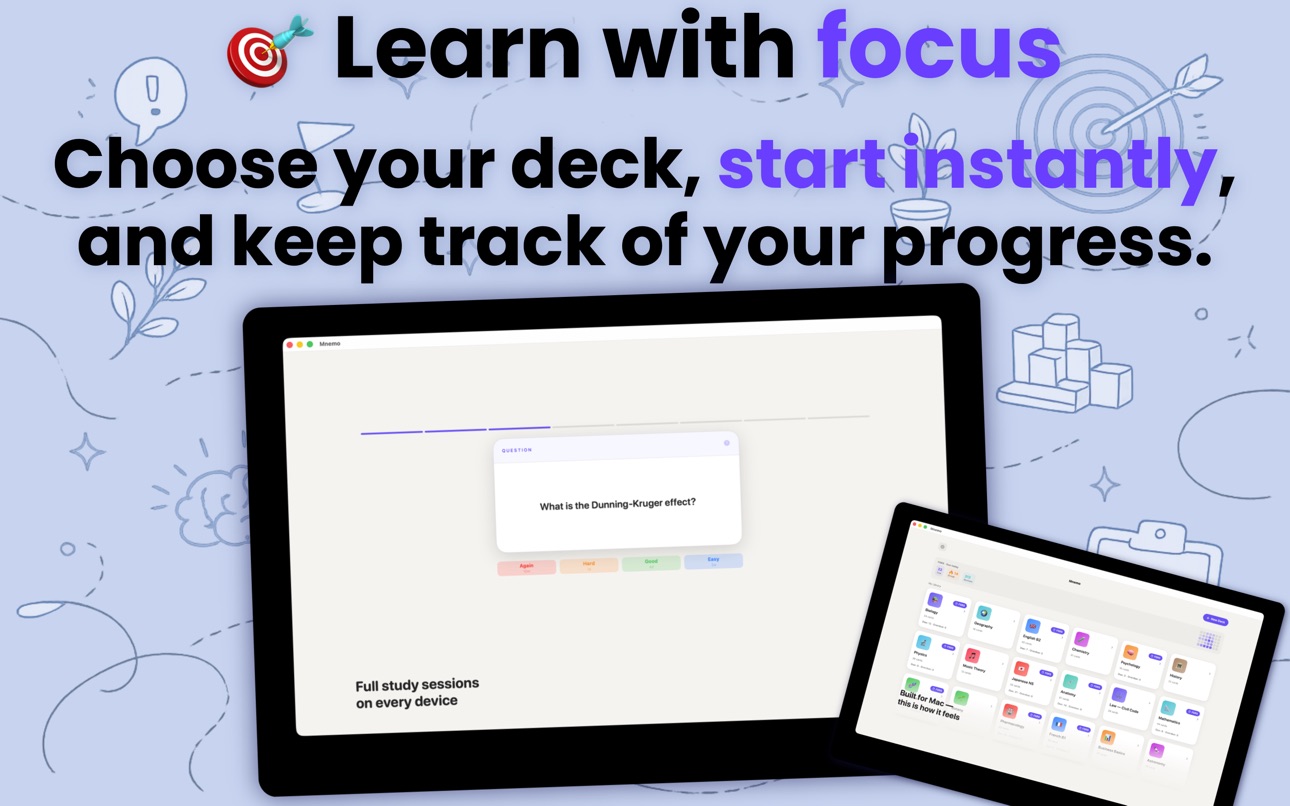
• Optional intelligent scheduling helps you focus on cards you are more likely to forget.
• Built around active recall, spaced repetition, and memory-based review.
• Use Mnemo for exam prep, daily revision, vocabulary practice, professional learning, or long-term knowledge retention.
MADE FOR STUDENTS AND LIFELONG LEARNERS
• Create study decks for school, university, medical topics, law, finance, IT, languages, science, and certification exams.
• Review facts, concepts, definitions, formulas, diagrams, and recurring material in one clean system.
• Works for short-term preparation as well as knowledge you want to keep over time.
PRIVATE BY DESIGN
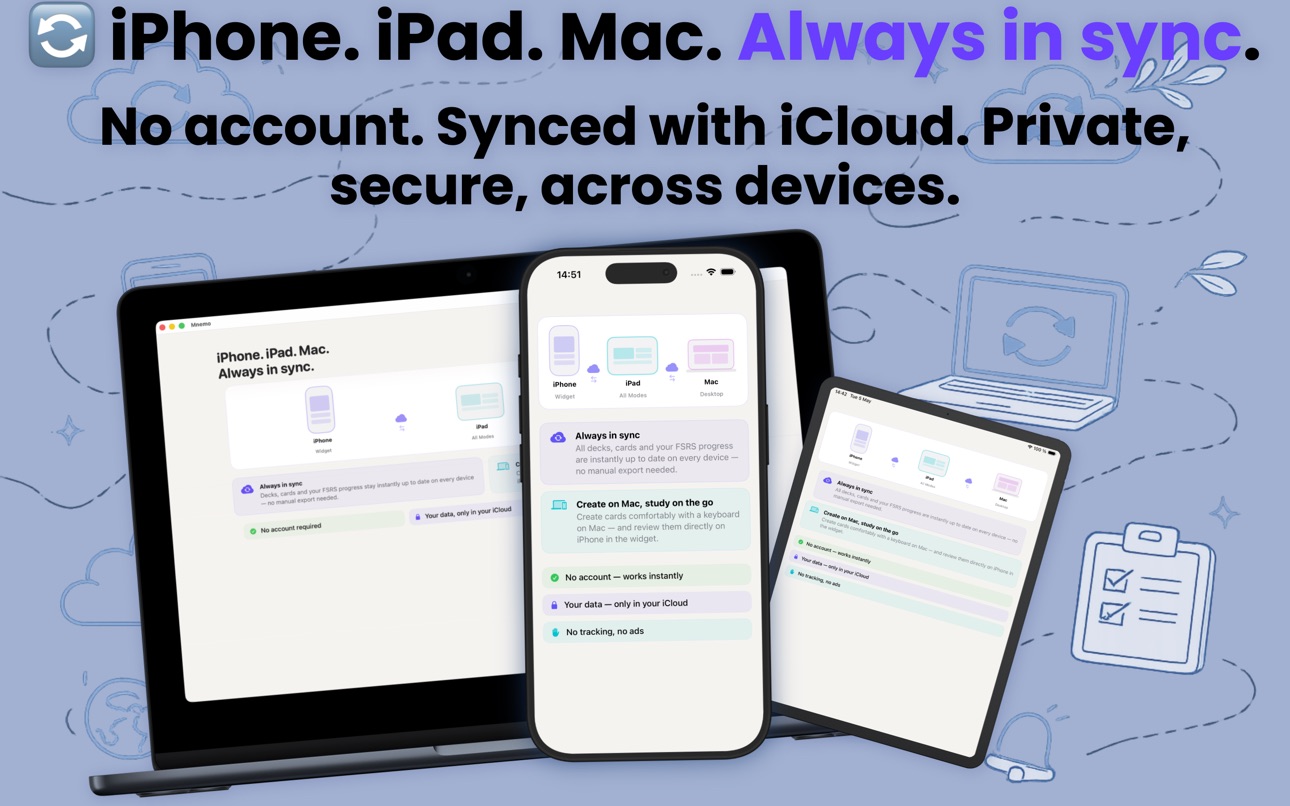
• Sync decks through your own iCloud using CloudKit.
• No signup, no account, no ads, and no external servers for your learning data.
• Start studying immediately without building a complex workspace first.
FAST DECK CREATION
• Import CSV files from notes, vocabulary lists, exam facts, or existing notecards.
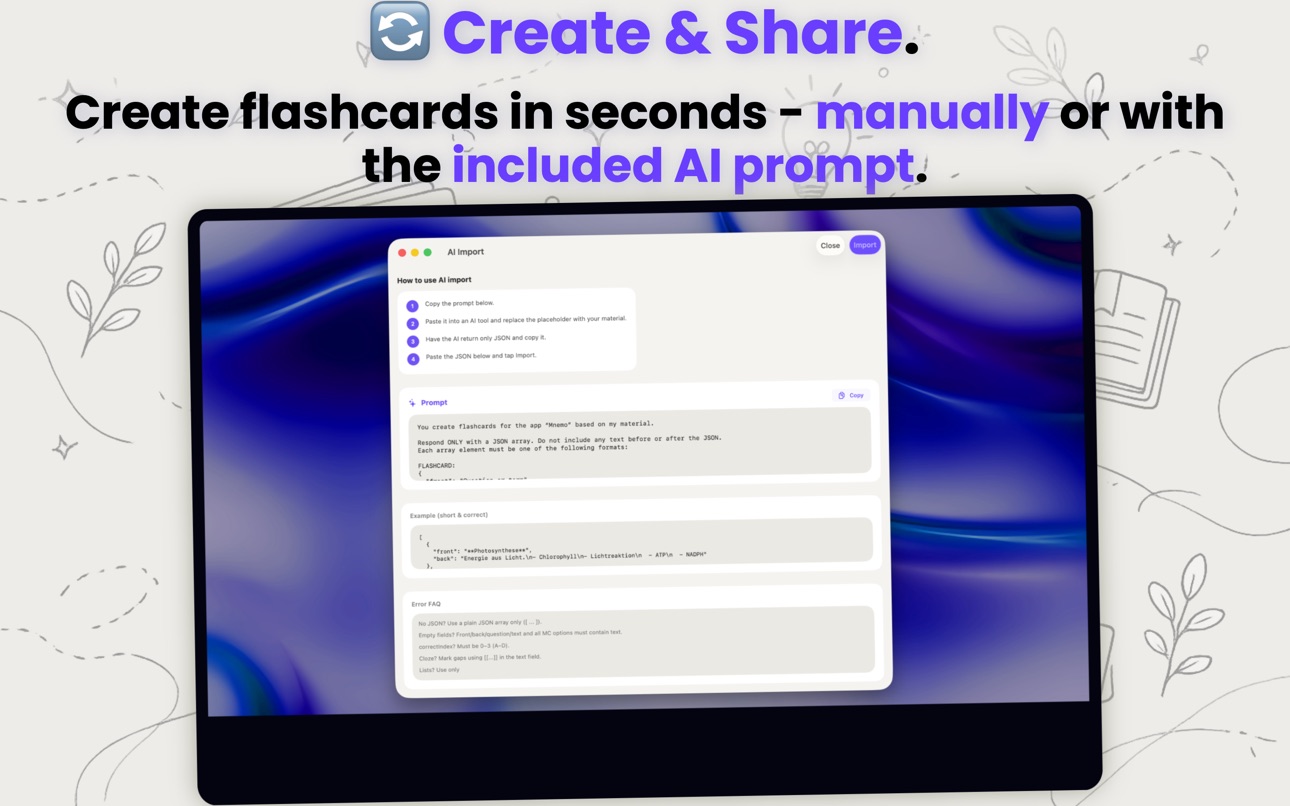
• Prepare structured decks with your preferred AI tool and import them into Mnemo.
• Build useful study material quickly without locking yourself into a heavy platform.
MNEMO PRO
• Try Mnemo for free with example decks and core learning features.
• Mnemo Pro is a one-time purchase for unlimited decks and unlimited custom flashcards.
• Pay once, use forever. No subscription required.
Developed by a psychologist and built for learners who want a clean, private, Apple-native flashcard app for active recall, widgets, spaced repetition, image occlusion, audio review, and durable knowledge retention.
In-App Purchases US pricing
One-Time Purchases
Mnemo Pro$4.99
Capabilities
In-App Purchases
Accessibility
ipadiphonemacrealityDevicetvoswatch
Version history 8 versions
Build 887411410v3.22026-06-30 22:01:16
• Multi-select in decks: select and delete multiple cards at once
• Improved readability, animations, and appearance in Light and Dark Mode
• Improved settings, diagnostics view, and menu structure
• General performance improvements and bug fixes
Build 886608576v3.12026-06-18 17:36:02
- Refined design with improved contrast for better readability.
- Widgets have been completely redesigned.
- Widgets now support light and dark mode.
- Widget appearance can now be adjusted directly in the widget settings.
- Image occlusion cards now support zooming images in and out.
- Zoom settings are synced via iCloud.
- Significant performance improvements across all devices.
- More robust iCloud syncing in many situations.
Build 886495335v2.32026-06-04 16:38:32
Improved cloze cards: selected text can now be turned into a gap more reliably and is highlighted directly in the editor.
Build 886431745v2.22026-06-03 17:23:48
We have improved the text fields for flashcards. Text input is now more reliable, especially when using Chinese, Japanese, and Korean keyboards.
Keyboard shortcuts for text formatting have also been improved. Bold, italic, underline, and other formatting options now work more reliably.
This update also includes minor stability improvements.
Build 886260537v2.12026-05-29 15:16:49
• Image Occlusion is here: Create visual cards, hide relevant parts of an image, and learn complex content step by step.
• Flashcards you can listen to: Have questions and answers read aloud. The language is selected automatically based on the content.
• We’ve also made various performance improvements and refinements to make the app even more stable and smooth.
• Bug Fixes: We fixed an issue that caused iCloud sync to freeze for some users—your data will now sync smoothly in the background again.
Build 886098482v2.02026-05-28 16:22:55
• Image Occlusion is here: Create visual cards, hide relevant parts of an image, and learn complex content step by step.
• Flashcards you can listen to: Have questions and answers read aloud. The language is selected automatically based on the content.
• We’ve also made various performance improvements and refinements to make the app even more stable and smooth.
Build 885829983v1.12026-05-19 19:29:50
* Improved synchronization between your devices
* New, cleaner design with a modern Liquid Glass look
* New extra-large widget for supported devices
* Improved AI import with proper formatting support
* Many stability and performance improvements
* Various bug fixes
Build 884290379v1.02026-05-14 22:21:01
Price history by region
Currency
Show
Columns
Search
Availability 1 of 1 storefronts
| Region | Language | Price | Ratings | Avg | Version |
|---|---|---|---|---|---|
| US | en-US | Free | 0 | — | 3.2 |
Change log 12 changes · US
✎
releaseNotes updated
• Multi-select in decks: select and delete multiple cards at once
• Improved readability, animations, and appearance in Light and Dark Mode
• Improved settings,
✎
description updated
Study with flashcards that fit into your day — on iPhone, iPad, and Mac. Mnemo combines clean card creation, interactive widgets, iCloud sync, and optional spac
✎
subtitle updated
Study Cards with Smart Widgets
✎
name updated
Mnemo - Flashcards & Learning
◆
Version 3.2 released
• Multi-select in decks: select and delete multiple cards at once
• Improved readability, animations, and appearance in Light and Dark Mode
• Improved settings, diagnostics view, and menu structure
• General performance improvements and bug
◆
Version 3.1 released
- Refined design with improved contrast for better readability.
- Widgets have been completely redesigned.
- Widgets now support light and dark mode.
- Widget appearance can now be adjusted directly in the widget settings.
- Image occlusion
◆
Version 2.3 released
Improved cloze cards: selected text can now be turned into a gap more reliably and is highlighted directly in the editor.
◆
Version 2.2 released
We have improved the text fields for flashcards. Text input is now more reliable, especially when using Chinese, Japanese, and Korean keyboards.
Keyboard shortcuts for text formatting have also been improved. Bold, italic, underline, and ot
◆
Version 2.1 released
• Image Occlusion is here: Create visual cards, hide relevant parts of an image, and learn complex content step by step.
• Flashcards you can listen to: Have questions and answers read aloud. The language is selected automatically based on
◆
Version 2.0 released
• Image Occlusion is here: Create visual cards, hide relevant parts of an image, and learn complex content step by step.
• Flashcards you can listen to: Have questions and answers read aloud. The language is selected automatically based on
◆
Version 1.1 released
* Improved synchronization between your devices
* New, cleaner design with a modern Liquid Glass look
* New extra-large widget for supported devices
* Improved AI import with proper formatting support
* Many stability and performance improv
◆
Version 1.0 released