Home › Education

 US
US
1 of 1 storefronts
Content in en-US
Content in en-US
Information
Apple ID6761840354
Bundle IDcom.ryosuke.gmat
SellerSeller
Min iOS15.1
Min macOS12.0
Device familiesiphone, ipad, ipod
Released2026-04-17
Copyright© 2026 Ryosuke Yokota
Privacy policyLink ↗
Preview 2 platforms
iPhone 9 images





iPad 9 images




What’s New Version 1.2.2
What's new in this version:
- The app is now available in many more display languages.
- Various minor improvements and bug fixes.
Description
Build the vocabulary you need to dominate the GMAT Verbal section. 2,000 essential words chosen for business school applicants — master them with 6 effective study modes.
====================
WHO IS THIS APP FOR?
====================
• GMAT test takers targeting top MBA programs
• Business school applicants worldwide
• Working professionals preparing for the GMAT alongside their careers
• Non-native English speakers who need to strengthen business vocabulary
• Anyone preparing for the GMAT Focus Edition
====================
KEY FEATURES
====================
【BUSINESS & ACADEMIC VOCABULARY】
2,000 words drawn from GMAT Verbal question banks, business publications, and academic sources. Master the vocabulary that appears in Critical Reasoning, Reading Comprehension, and Sentence Correction.
【6 STUDY MODES】
① Multiple Choice (JP→EN)
Active recall training — retrieve English words from their meanings.
② Multiple Choice (EN→JP)
Build reading speed for dense GMAT passages.
③ Definition Quiz
Understand nuanced word meanings — crucial for Sentence Correction.
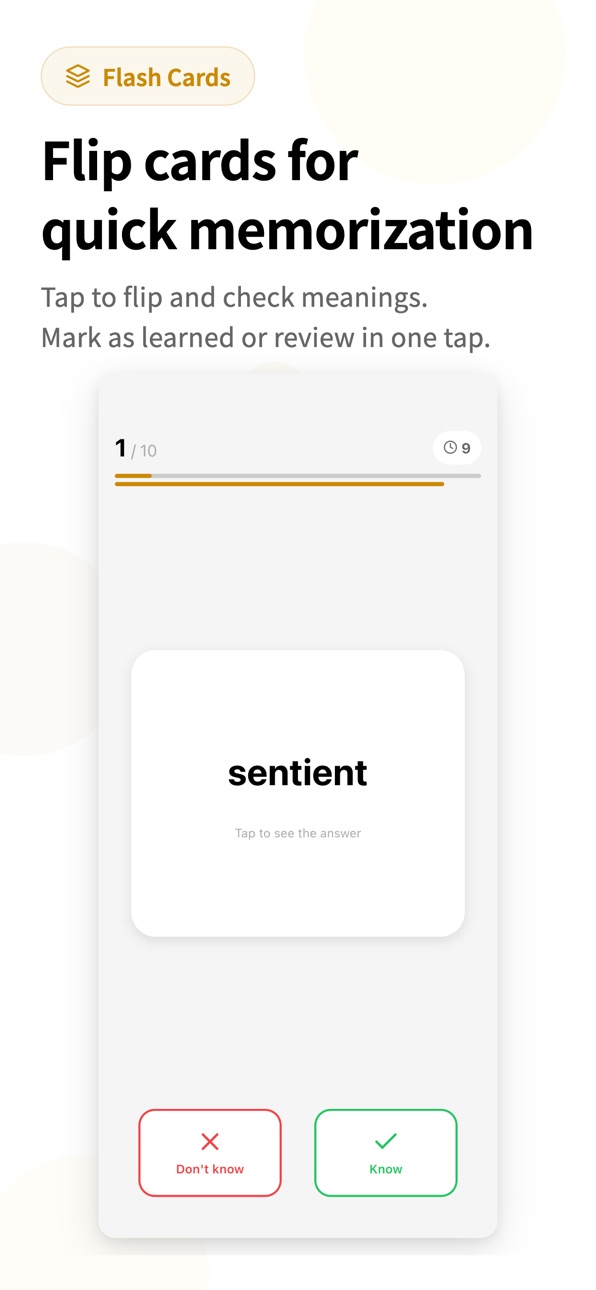
④ Flashcards
Efficient review during coffee breaks and commutes.
⑤ Sentence Ordering
Strengthen grammar and sentence structure — directly applicable to Sentence Correction.
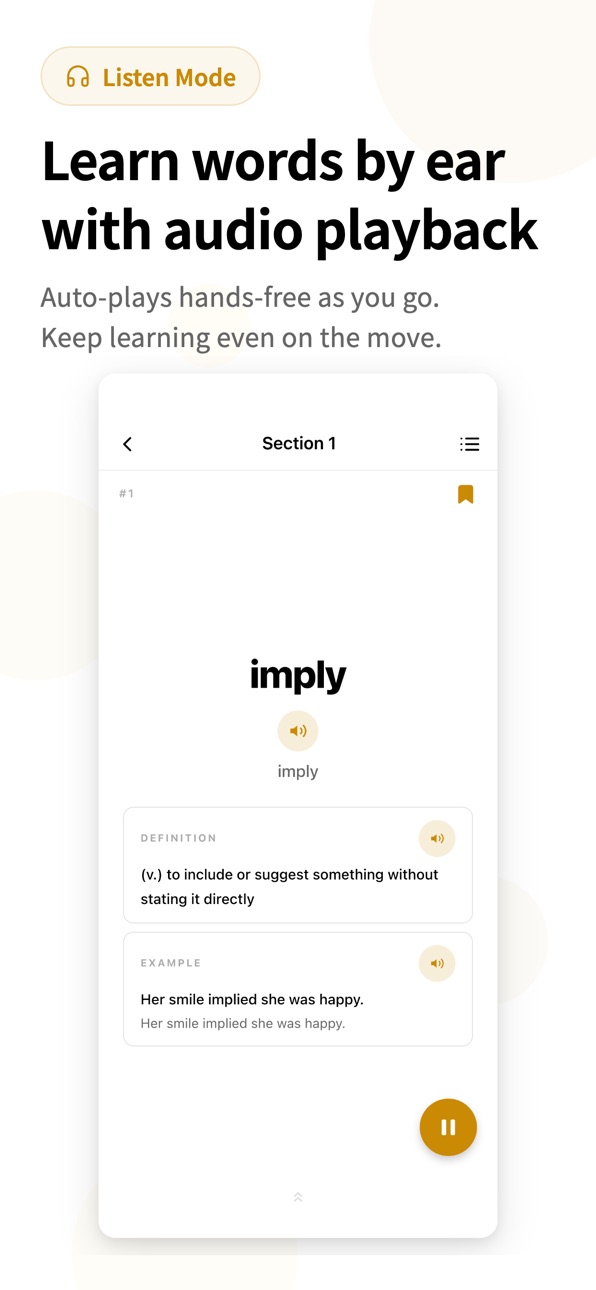
⑥ Audio Learning
Native pronunciation for every word. Builds confident business English.
【SMART REVIEW SYSTEM】
Spaced repetition algorithm ensures you review words at optimal intervals. Difficult words appear more frequently; mastered words are spaced out. Study smarter, not harder.
【PROGRESS DASHBOARD】
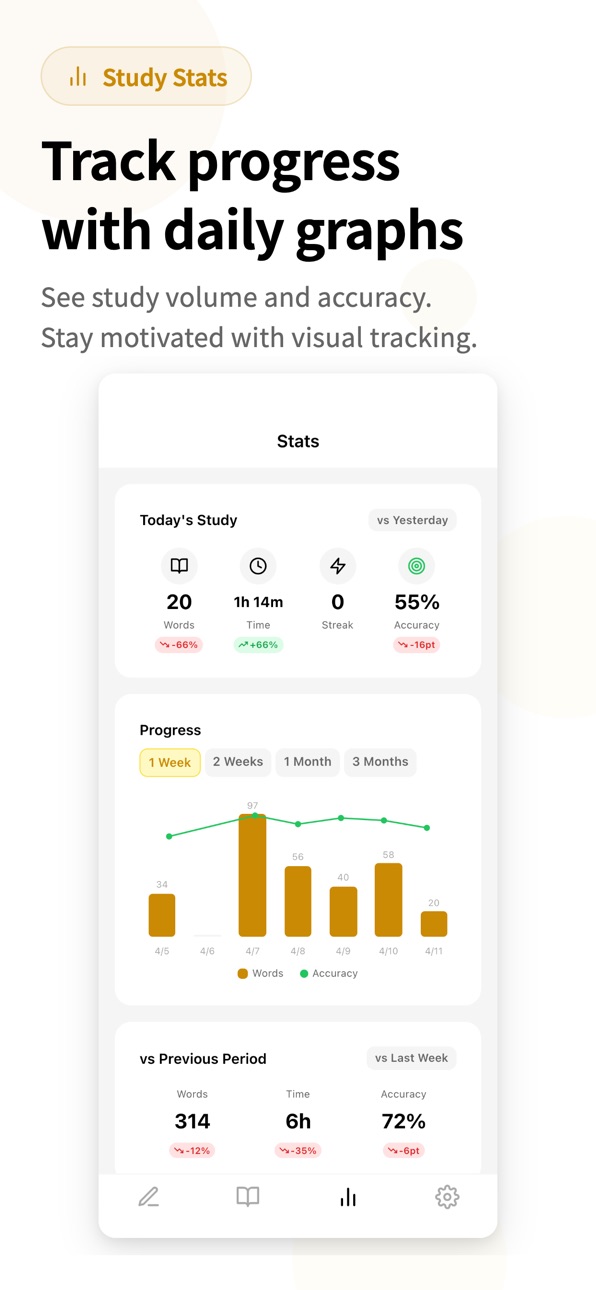
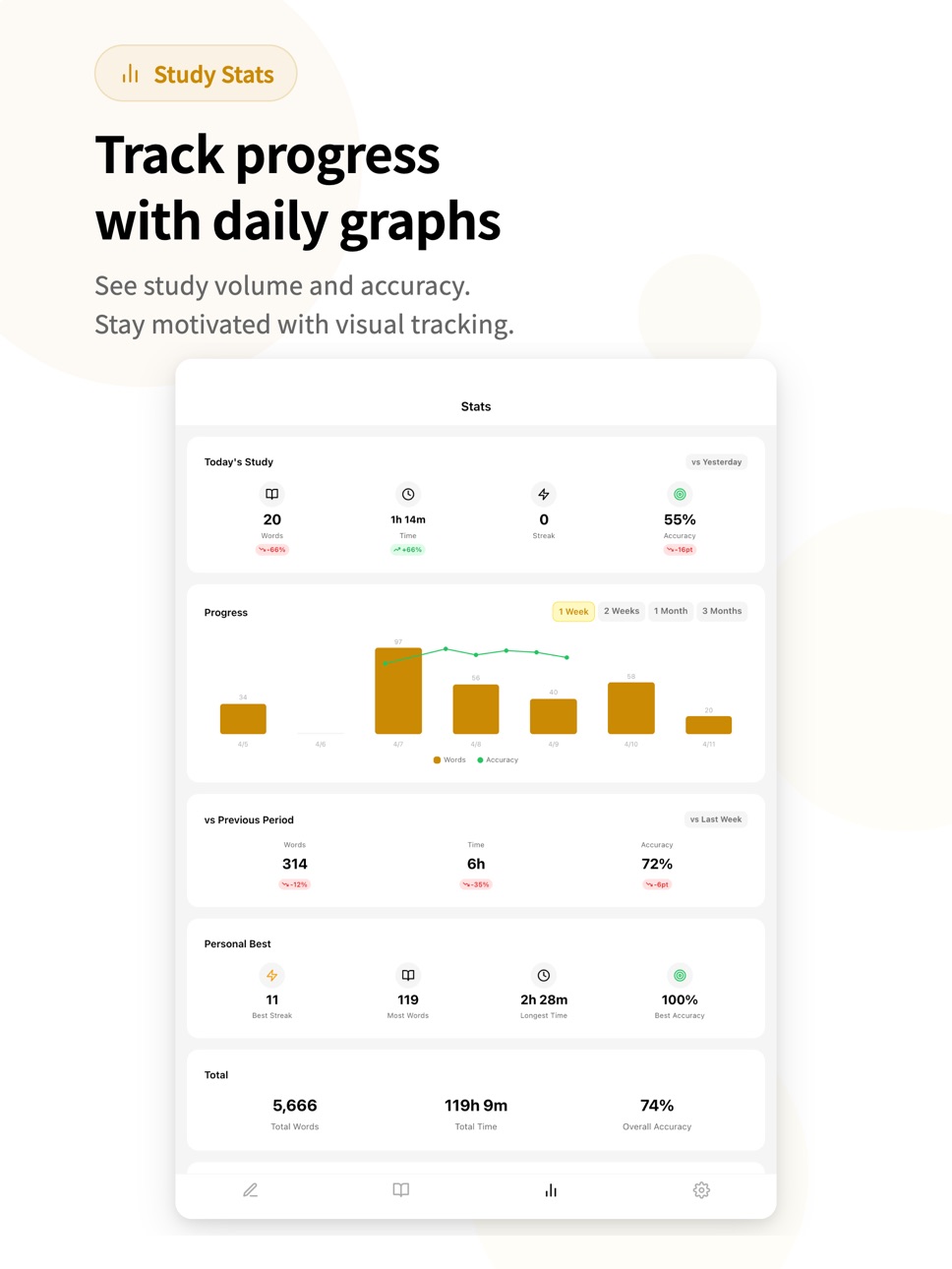
• Daily study statistics with visual charts
• Accuracy tracking across sessions
• Section completion percentages
• Streak counter and achievement badges
【BUILT FOR BUSY PROFESSIONALS】
• 100% offline — study during flights and commutes
• Dark mode for studying after work
• 30+ interface languages supported
====================
VOCABULARY & GMAT VERBAL
====================
The GMAT Verbal section demands precise language understanding:
• CRITICAL REASONING: Arguments use sophisticated vocabulary that changes meaning with subtle word choices
• READING COMPREHENSION: Business and social science passages require strong vocabulary for quick comprehension
• SENTENCE CORRECTION: Knowing exact word meanings helps identify correct grammar and usage
A strong vocabulary gives you speed and confidence across all Verbal question types.
====================
YOUR MBA JOURNEY STARTS HERE
====================
Top MBA programs expect strong GMAT scores. Strong scores require strong vocabulary.
Invest 10 minutes a day and build the word power that opens doors to top business schools.
Download now and start your GMAT preparation!
In-App Purchases US pricing
One-Time Purchases
Full Access$6.99
Capabilities
In-App Purchases
Accessibility
ipadiphonemacrealityDevicetvoswatch
Version history 7 versions
Build 887461937v1.2.22026-06-29 23:17:38
What's new in this version:
- The app is now available in many more display languages.
- Various minor improvements and bug fixes.
Build 886908763v1.2.12026-06-16 03:10:17
What's new in this version:
- New "Library" tab: flick through words with a quick vertical swipe.
- New "Listen mode": audio auto-plays and moves on to the next word, so you can learn hands-free by ear (playback speed is adjustable).
- Smarter study reminders with daily-rotating messages and a "word of the day" quiz. Tap a notification to jump straight to that word.
- Smoother navigation makes it easier to get back to Home after a study session.
- Various minor improvements and bug fixes.
Build 886336369v1.2.02026-05-31 22:58:31
What's new in this version:
- New "Library" tab: flick through words with a quick vertical swipe.
- New "Listen mode": audio auto-plays and moves on to the next word, so you can learn hands-free by ear (playback speed is adjustable).
- Smarter study reminders with daily-rotating messages and a "word of the day" quiz. Tap a notification to jump straight to that word.
- Smoother navigation makes it easier to get back to Home after a study session.
- Various minor improvements and bug fixes.
Build 885871132v1.1.32026-05-19 22:26:51
What's new in this version:
• All sections are now free — every word is accessible from day one
• New study modes added as Premium features: Definition mode (pick the word from its English definition) and Arrange mode (build sentences from words)
• Streamlined onboarding (the exam date can now be set later in Settings)
• Fixed an issue on small-screen devices like iPhone SE where the signature and commit buttons on the pledge screen were hard to tap
• Reorganized the Settings menu so the learning guide and help options are easier to find
• Other minor improvements and bug fixes
Build 884899142v1.1.12026-04-24 23:15:45
- Fixed a bug where accuracy wasn't displayed as 100% on perfect rounds
- Improved onboarding with clearer notification and goal setup
- Made daily goals easier to enable
Build 884683350v1.1.02026-04-21 22:20:20
- Fixed minor bugs
- Improved onboarding
Build 884285030v1.02026-04-17 16:45:14
Price history by region
Currency
Show
Columns
Search
Availability 1 of 1 storefronts
| Region | Language | Price | Ratings | Avg | Version |
|---|---|---|---|---|---|
| US | en-US | Free | 1 | 5.0 | 1.2.2 |
Change log 11 changes · US
✎
releaseNotes updated
What's new in this version:
- The app is now available in many more display languages.
- Various minor improvements and bug fixes.
✎
description updated
Build the vocabulary you need to dominate the GMAT Verbal section. 2,000 essential words chosen for business school applicants — master them with 6 effective st
✎
subtitle updated
Words & Flashcards for MBA
✎
name updated
GMAT 2000 Vocabulary Prep
◆
Version 1.2.2 released
What's new in this version:
- The app is now available in many more display languages.
- Various minor improvements and bug fixes.
◆
Version 1.2.1 released
What's new in this version:
- New "Library" tab: flick through words with a quick vertical swipe.
- New "Listen mode": audio auto-plays and moves on to the next word, so you can learn hands-free by ear (playback speed is adjustable).
- Sma
◆
Version 1.2.0 released
What's new in this version:
- New "Library" tab: flick through words with a quick vertical swipe.
- New "Listen mode": audio auto-plays and moves on to the next word, so you can learn hands-free by ear (playback speed is adjustable).
- Sma
◆
Version 1.1.3 released
What's new in this version:
• All sections are now free — every word is accessible from day one
• New study modes added as Premium features: Definition mode (pick the word from its English definition) and Arrange mode (build sentences from
◆
Version 1.1.1 released
- Fixed a bug where accuracy wasn't displayed as 100% on perfect rounds
- Improved onboarding with clearer notification and goal setup
- Made daily goals easier to enable
◆
Version 1.1.0 released
- Fixed minor bugs
- Improved onboarding
◆
Version 1.0 released