Home › Utilities

 US
US
1 of 1 storefronts
Content in en-US
Content in en-US
Information
Apple ID6761837619
Bundle IDJIRI-CHOMAT.Screencast2gif
SellerSeller
Min iOS26.2
Min macOS26.2
Device familiesiphone, ipad
Released2026-04-09
Copyright© 2026 Jiri Chomat
Privacy policyLink ↗
Preview 2 platforms
iPhone 6 images


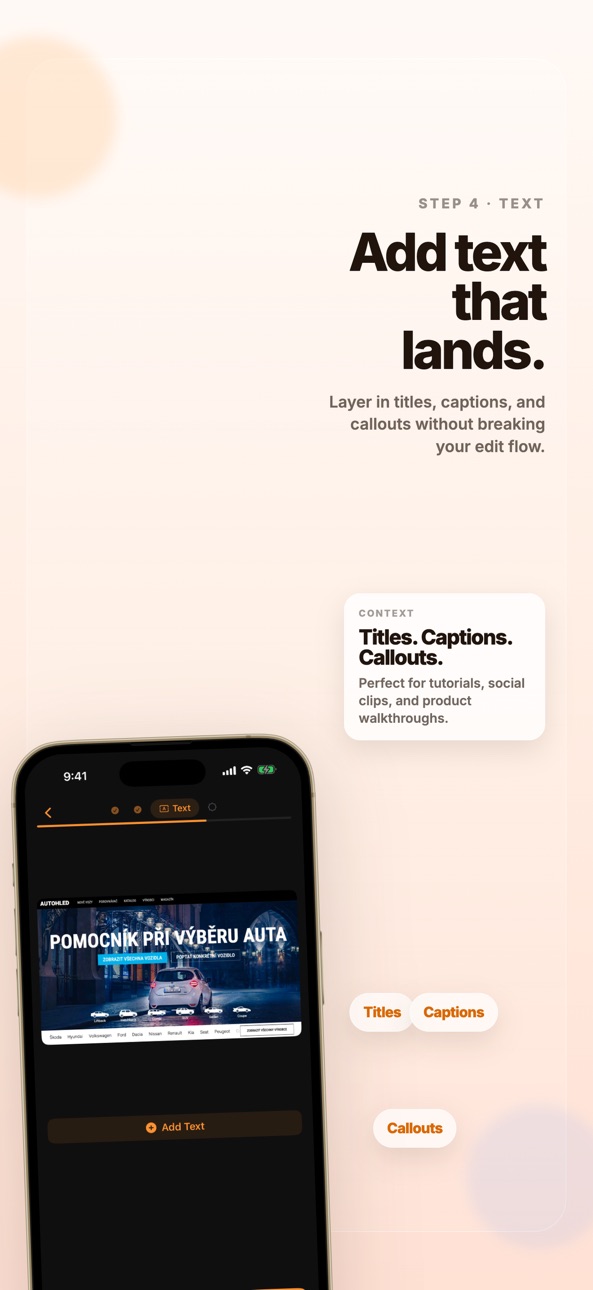


iPad 1 image

What’s New Version 1.3
What's new in 1.3
- Captions are now generated from the trimmed part of your clip, so exports match what you actually keep.
- Added a bottom-sheet caption timing editor with a live preview that updates both the video frame and text while you retime sequences.
- Transcript edits now save automatically, caption defaults are more compact, and text editing is more stable.
Description
Convert your screen recordings into beautiful, shareable GIF animations in seconds.
POWERFUL EDITING TOOLS
• Trim — Cut your video to the perfect length
• Crop — Remove unwanted areas with precision
• Auto Captions — Generate editable on-device captions with multiple styles
• Text Overlay — Add captions and labels anywhere on the GIF
• Watermark — Brand your GIFs with text or image watermarks
SMART EXPORT
• Adjustable FPS, width, and color palette
• Real-time file size estimation
• Share directly or save to Photos
• Upload to Imgur or Giphy with one tap
• Copy to clipboard for instant pasting
DESIGNED FOR CREATORS
• Dark-themed interface that's easy on the eyes
• Paste from clipboard, Photos, or Files
• Works great with screen recordings and short demo videos
• Fast processing — no waiting around
Perfect for developers sharing bug reports, designers showcasing UI flows, educators creating tutorials, or anyone who needs to turn a video into a GIF.
Accessibility
ipadiphonemacrealityDevicetvoswatch
Version history 4 versions
Build 884619240v1.32026-04-17 16:56:38
What's new in 1.3
- Captions are now generated from the trimmed part of your clip, so exports match what you actually keep.
- Added a bottom-sheet caption timing editor with a live preview that updates both the video frame and text while you retime sequences.
- Transcript edits now save automatically, caption defaults are more compact, and text editing is more stable.
Build 884364708v1.12026-04-11 05:06:21
What's new in 1.1
- Added editable on-device auto captions with multiple visual styles.
- Fixed preview rendering so captions carry through later editing steps.
- Improved import flow with paste-from-clipboard support and refreshed home branding.
Build 884398457v1.22026-04-11 17:39:46
What's new in 1.2
- Added an optional loop blend that eases the end of a GIF back into its first frame for smoother infinite playback.
- Added per-frame background removal as an export post-processing option.
Build 884282385v1.02026-04-09 21:42:36
No pricing data captured yet — comparisons appear once the app has paid storefronts or in-app purchases.
Availability 1 of 1 storefronts
| Region | Language | Price | Ratings | Avg | Version |
|---|---|---|---|---|---|
| US | en-US | Free | 0 | — | 1.3 |
Change log 8 changes · US
✎
releaseNotes updated
What's new in 1.3
- Captions are now generated from the trimmed part of your clip, so exports match what you actually keep.
- Added a bottom-sheet caption timi
✎
description updated
Convert your screen recordings into beautiful, shareable GIF animations in seconds.
POWERFUL EDITING TOOLS
• Trim — Cut your video to the perfect length
• Crop
✎
subtitle updated
Video to GIF Maker & Editor
✎
name updated
Screen Recording to GIF
◆
Version 1.3 released
What's new in 1.3
- Captions are now generated from the trimmed part of your clip, so exports match what you actually keep.
- Added a bottom-sheet caption timing editor with a live preview that updates both the video frame and text while y
◆
Version 1.2 released
What's new in 1.2
- Added an optional loop blend that eases the end of a GIF back into its first frame for smoother infinite playback.
- Added per-frame background removal as an export post-processing option.
◆
Version 1.1 released
What's new in 1.1
- Added editable on-device auto captions with multiple visual styles.
- Fixed preview rendering so captions carry through later editing steps.
- Improved import flow with paste-from-clipboard support and refreshed home br
◆
Version 1.0 released