Home › Photo & Video

 US
US
1 of 1 storefronts
Content in en-US
Content in en-US
Information
Preview 2 platforms
iPhone 3 images


iPad 3 images


What’s New Version 1.0.3
• Adjusted the screen layout to make the app easier to use
• Adjusted ad display behavior
• Minor bug fixes
Description
A handy app for changing the voice in videos is here!
This app lets you easily transform the audio in a video you choose and save it as a new video with a different voice.
It's perfect when you want to change the impression of a voice or avoid using the original voice as it is.
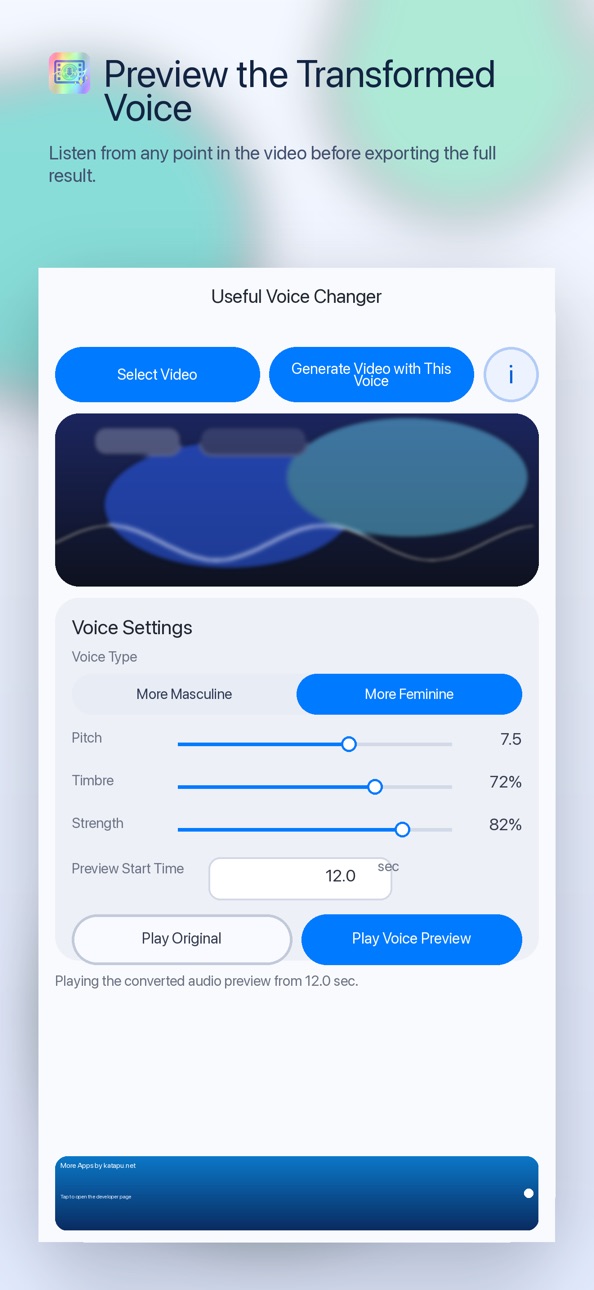
After selecting a video, you can adjust "Voice Type", "Pitch", and "Timbre", then preview the converted audio before creating the video.
You can also set the "Start Time" and listen to the part you care about first, so you can fine-tune the result with confidence.
Converted videos can be saved to your Camera Roll or to Files.
It's useful when you want to change the feel of a talking video, adjust the voice before posting to social media, or keep a video while making the original voice a little less recognizable.
From importing a video to previewing, generating, and saving, everything follows a simple and easy-to-understand flow.
Video and audio processing are performed on your device, so you can review the result locally as you work.
【How to use】
1. Tap "Select Video" and choose the video you want to convert.
2. Adjust "Voice Type", "Pitch", and "Timbre", and set "Start Time" if needed.
3. Tap "Play Voice Preview" to hear the converted audio.
4. Tap "Generate Video with This Voice" to create the converted video.
5. On the confirmation screen after generation, check the result and tap "Save to Camera Roll" or "Save to Files" to save it.
If you want an easy way to change the voice in your videos, give this app a try.
In-App Purchases US pricing
One-Time Purchases
Remove Ads$2.99
Capabilities
In-App Purchases
Accessibility
ipadiphonemacrealityDevicetvoswatch
Version history 4 versions
Build 884924407v1.0.32026-04-25 14:35:50
• Adjusted the screen layout to make the app easier to use
• Adjusted ad display behavior
• Minor bug fixes
Build 884653581v1.0.22026-04-20 13:59:56
• Added a one-time purchase option to remove ads
Build 884482143v1.0.12026-04-15 02:25:09
• Ad-related fixes
Build 884268918v1.0.02026-04-14 02:42:40
Price history by region
Currency
Show
Columns
Search
Availability 1 of 1 storefronts
| Region | Language | Price | Ratings | Avg | Version |
|---|---|---|---|---|---|
| US | en-US | Free | 0 | — | 1.0.3 |
Change log 8 changes · US
✎
releaseNotes updated
• Adjusted the screen layout to make the app easier to use
• Adjusted ad display behavior
• Minor bug fixes
✎
description updated
A handy app for changing the voice in videos is here!
This app lets you easily transform the audio in a video you choose and save it as a new video with a diffe
✎
subtitle updated
Change Voices in Videos
✎
name updated
Useful Voice Changer
◆
Version 1.0.3 released
• Adjusted the screen layout to make the app easier to use
• Adjusted ad display behavior
• Minor bug fixes
◆
Version 1.0.2 released
• Added a one-time purchase option to remove ads
◆
Version 1.0.1 released
• Ad-related fixes
◆
Version 1.0.0 released