Home › Productivity

 US
US
1 of 1 storefronts
Content in en-US
Content in en-US
Information
Preview 2 platforms
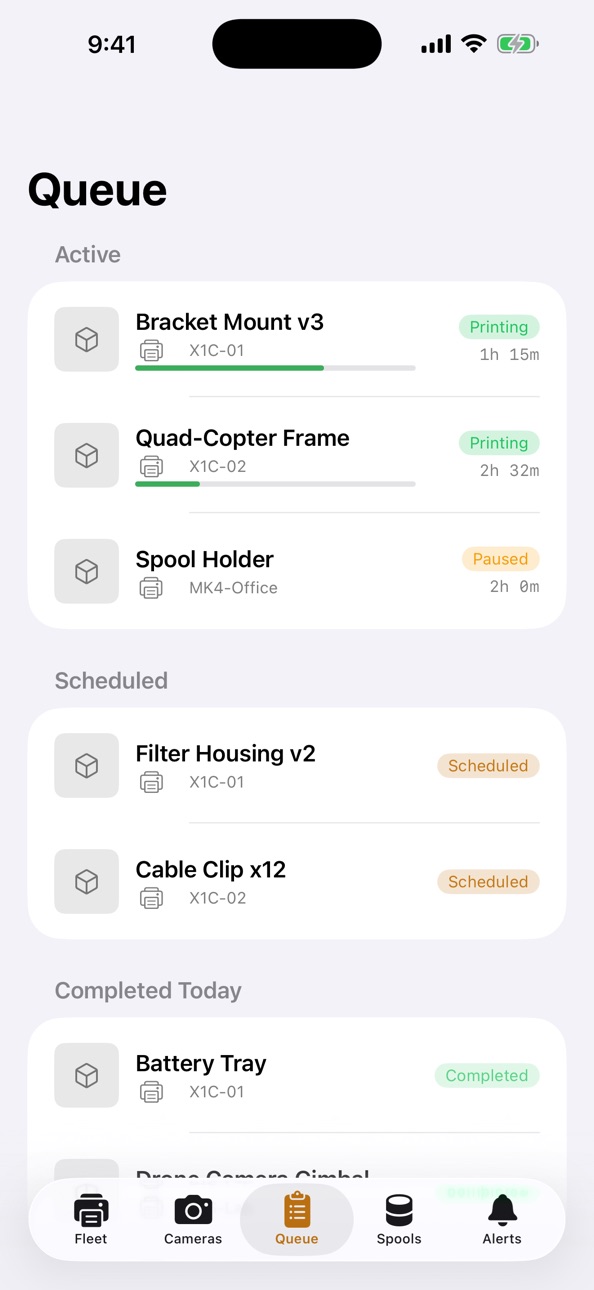
iPhone 5 images



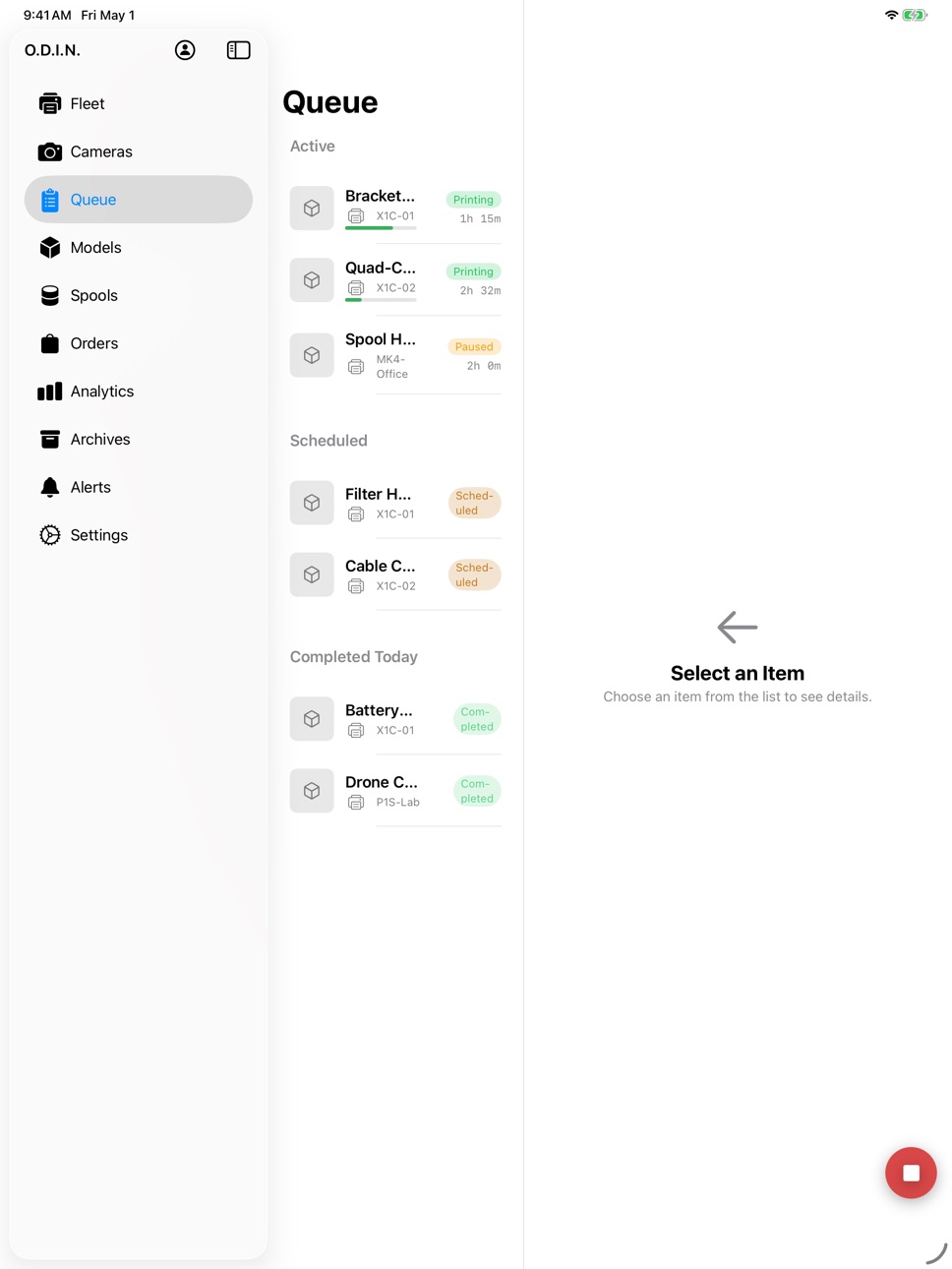
iPad 5 images



Description
ODIN brings your self-hosted 3D print farm to iPhone, iPad, and Mac.
If you run an ODIN backend on your own network, this app is the native client. Watch every printer in your fleet — anything on Klipper, Moonraker, PrusaLink, Bambu, or Elegoo — from one screen, with live telemetry over your LAN.
WHAT YOU GET
• Fleet — every printer, live status and progress at a glance
• Printer detail — temperatures, active job, layer count, ETA
• Cameras — multi-printer camera grid for any printer with a stream
• Queue — see what is up next across the whole farm
• Spools — track filament and material inventory across machines
• Alerts — push notifications when a print finishes, fails, or needs attention
ON IPAD
• AlwaysOn — kiosk mode for shop-floor iPads. Mount it, leave it on, see the whole farm with auto-dim and idle-timer override.
• Analytics — utilization and throughput surfaces, sized for the bigger screen.
ON MAC
• Menu bar — fleet status without opening a window. Quick actions for pause and emergency stop.
• Split-view dashboard — sidebar, list, detail.
• Keyboard shortcuts — ⌘R refresh fleet, ⌘⇧P pause all, ⌘⇧E emergency stop.
• Launch at login, with a Dock-or-menu-bar-only toggle.
INTEGRATIONS
• Live Activities — active prints on the lock screen and Dynamic Island.
• Widgets — five sizes for home screen, lock screen, and StandBy.
• Siri Shortcuts — call up fleet status by voice.
• Handoff — pick up where you left off across iPhone, iPad, and Mac.
BUILT TO RUN ON YOUR NETWORK
ODIN does not phone home. Your printer telemetry, camera feeds, and design files stay on the network where you put them. The app talks to your ODIN server over WebSocket, with HTTP polling as a fallback. Face ID or Touch ID gates the refresh tokens. SwiftData keeps the last fetched state visible if your link drops.
WHAT THIS APP IS NOT
This is a monitoring and on-the-go control client for an existing ODIN deployment. It does not host the backend. Print file upload, timelapse playback, and Vigil vision-detection review live on the web dashboard your ODIN server provides — the Mac app has an "Open Web UI" menu item for that.
REQUIREMENTS
• An ODIN backend running on your network. Install instructions at runsodin.com.
• iOS 17, iPadOS 17, or macOS 14 or later.
Documentation, install scripts, and the open-source backend are at runsodin.com.
Accessibility
ipadiphonemacrealityDevicetvoswatch
Version history 1 versions
Build 884163906v1.02026-05-06 06:39:49
No pricing data captured yet — comparisons appear once the app has paid storefronts or in-app purchases.
Availability 1 of 1 storefronts
| Region | Language | Price | Ratings | Avg | Version |
|---|---|---|---|---|---|
| US | en-US | Free | 0 | — | 1.0 |
Change log 4 changes · US
✎
description updated
ODIN brings your self-hosted 3D print farm to iPhone, iPad, and Mac.
If you run an ODIN backend on your own network, this app is the native client. Watch every
✎
subtitle updated
Self-hosted fleet client
✎
name updated
ODIN PFM
◆
Version 1.0 released