Home › Business

 US
US
USen-US AGNot Available
 AINot Available
 AONot Available
 ARNot Available
 BBNot Available
 BFNot Available
 BJNot Available
 BONot Available
 BRNot Available
 BSNot Available
 BWNot Available
 BZNot Available
 CDNot Available
 CGNot Available
 CINot Available
 CLNot Available
 CMNot Available
 CONot Available
 CRNot Available
 CVNot Available
 DMNot Available
 DONot Available
 DZNot Available
 ECNot Available
 GANot Available
 GDNot Available
 GHNot Available
 GMNot Available
 GTNot Available
 GWNot Available
 GYNot Available
 HNNot Available
 JMNot Available
 KENot Available
 KNNot Available
 KYNot Available
 LCNot Available
 LRNot Available
 LYNot Available
 MANot Available
 MGNot Available
 MLNot Available
 MSNot Available
 MUNot Available
 MWNot Available
 MXNot Available
 MZNot Available
 NANot Available
 NENot Available
 NGNot Available
 NINot Available
 PANot Available
 PENot Available
 PYNot Available
 RWNot Available
 SCNot Available
 SLNot Available
 SNNot Available
 SRNot Available
 STNot Available
 SVNot Available
 SZNot Available
 TCNot Available
 TDNot Available
 TNNot Available
 TTNot Available
 TZNot Available
 UGNot Available
 UYNot Available
 VCNot Available
 VENot Available
 VGNot Available
 ZMNot Available
 ZWNot Available
1 of 75 storefronts
Content in en-US
Content in en-US
Information
Preview 1 platform
iPhone 10 images


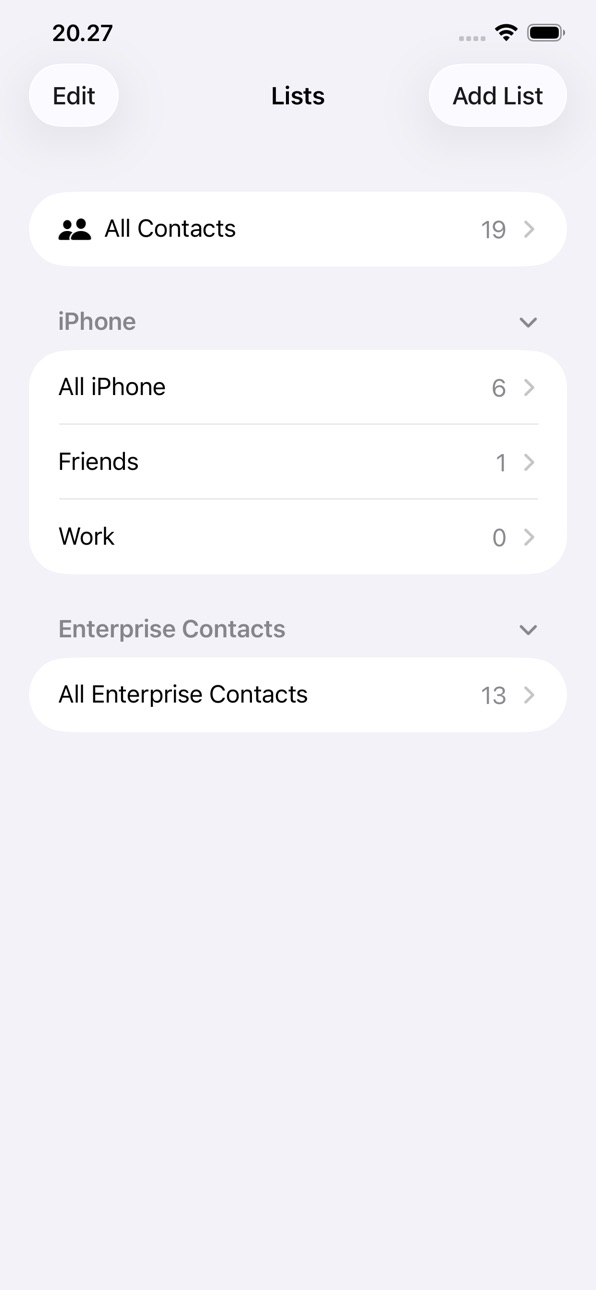


What’s New Version 1.1
This update improves reliability:
- More dependable contact syncing, with fewer interruptions.
- Fixed an issue that could briefly show an incorrect "access revoked" message for sources you still have access to.
- Clearer sign-in handling when your password or account access changes.
- Performance and stability improvements.
Thank you for using Enterprise Contacts!
Description
Enterprise Contacts keeps your organisation's directory always up to date — right inside the iOS Contacts app.
Once set up by your IT admin, Enterprise Contacts automatically syncs contacts from Microsoft Exchange shared mailboxes, Entra ID security groups, and your own mailbox directly to your iPhone. Every phone call, message, or search in the native iOS Contacts app will find the right person immediately.
KEY FEATURES
- Native iOS Contacts integration — contacts appear in the built-in Contacts app, Phone app, and Messages, with no extra steps
- Works with Microsoft 365 — uses your existing Microsoft account, no separate password required
- Multiple contact sources — sync from shared mailboxes, Entra ID groups, or your personal Contacts folder
- Set a background sync schedule to keep contacts up to date automatically — no need to open the app
- Contact photos — profile photos from Microsoft 365 are downloaded and stored locally
- Privacy first — contacts are stored on-device only; no data is sent to third parties
- Demo mode — explore the app with sample data before connecting your account
REQUIREMENTS
- iPhone running iOS 18 or later
- A Microsoft 365 / Entra ID account (provided by your organisation)
- IT admin must approve the app in your organisation's Entra ID tenant (one-time setup)
- No MDM or device enrolment required
FOR IT ADMINS
Enterprise Contacts is a multi-tenant Microsoft 365 app. After granting admin consent, create a security group named App_EnterpriseContacts_Config to configure which contact sources appear in the app. See the full setup guide at enterprisecontacts.eu.
Accessibility
ipadiphonemacrealityDevicetvoswatch
Version history 2 versions
Build 887657173v1.12026-07-01 04:38:54
This update improves reliability:
- More dependable contact syncing, with fewer interruptions.
- Fixed an issue that could briefly show an incorrect "access revoked" message for sources you still have access to.
- Clearer sign-in handling when your password or account access changes.
- Performance and stability improvements.
Thank you for using Enterprise Contacts!
Build 884152248v1.02026-06-22 17:27:17
No pricing data captured yet — comparisons appear once the app has paid storefronts or in-app purchases.
Availability 1 of 75 storefronts
| Region | Language | Price | Ratings | Avg | Version |
|---|---|---|---|---|---|
| US | en-US | Free | 0 | — | 1.1 |
Not available in: AG, AI, AO, AR, BB, BF, BJ, BO, BR, BS, BW, BZ, CD, CG, CI, CL, CM, CO, CR, CV, DM, DO, DZ, EC, GA, GD, GH, GM, GT, GW, GY, HN, JM, KE, KN, KY, LC, LR, LY, MA, MG, ML, MS, MU, MW, MX, MZ, NA, NE, NG, NI, PA, PE, PY, RW, SC, SL, SN, SR, ST, SV, SZ, TC, TD, TN, TT, TZ, UG, UY, VC, VE, VG, ZM, ZW
Change log 6 changes · US
✎
releaseNotes updated
This update improves reliability:
- More dependable contact syncing, with fewer interruptions.
- Fixed an issue that could briefly show an incorrect "access rev
✎
description updated
Enterprise Contacts keeps your organisation's directory always up to date — right inside the iOS Contacts app.
Once set up by your IT admin, Enterprise Contact
✎
subtitle updated
Sync your M365 contacts
✎
name updated
Enterprise Contacts
◆
Version 1.1 released
This update improves reliability:
- More dependable contact syncing, with fewer interruptions.
- Fixed an issue that could briefly show an incorrect "access revoked" message for sources you still have access to.
- Clearer sign-in handling w
◆
Version 1.0 released