Home › Education

 US
US
1 of 1 storefronts
Content in en-US
Content in en-US
Information
Apple ID6761488149
Bundle IDcom.hugogarza.chineselearning1
SellerSeller
Min iOS14.0.0
Min macOS11.0
Device familiesiphone, ipad, ipod
Released2026-04-02
Copyright© 2026 Hugo Garza
Privacy policyLink ↗
Preview 2 platforms
iPhone 10 images




iPad 10 images





What’s New Version 1.2.0
Play & Practice activities
Picture matching: match words to their images
Character building: connect characters to form words
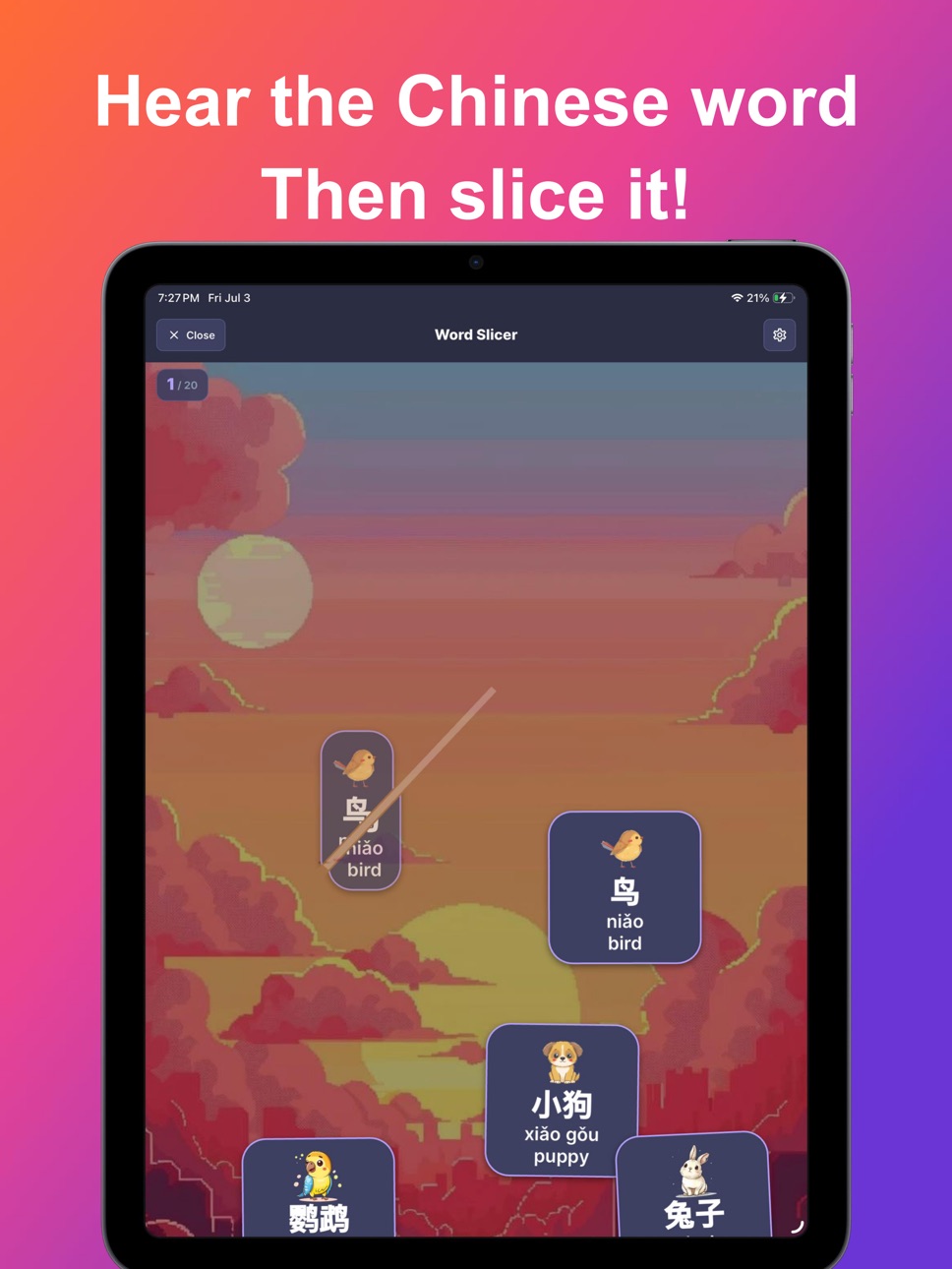
Audio slicing: listen for a word, then slice it before it lands
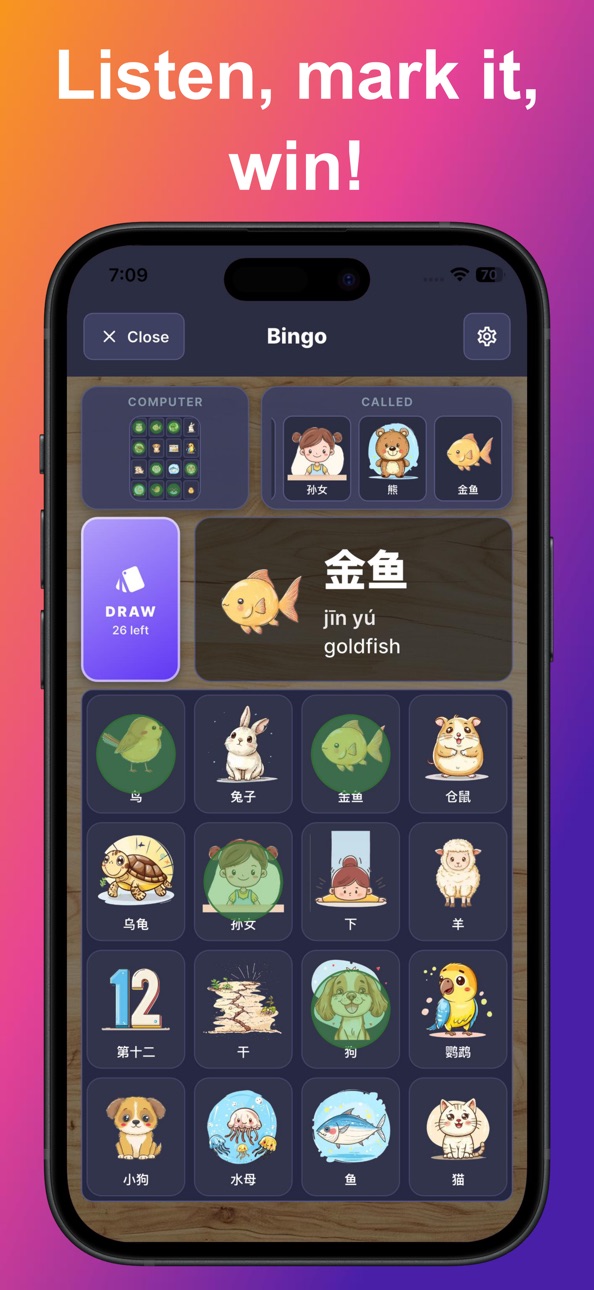
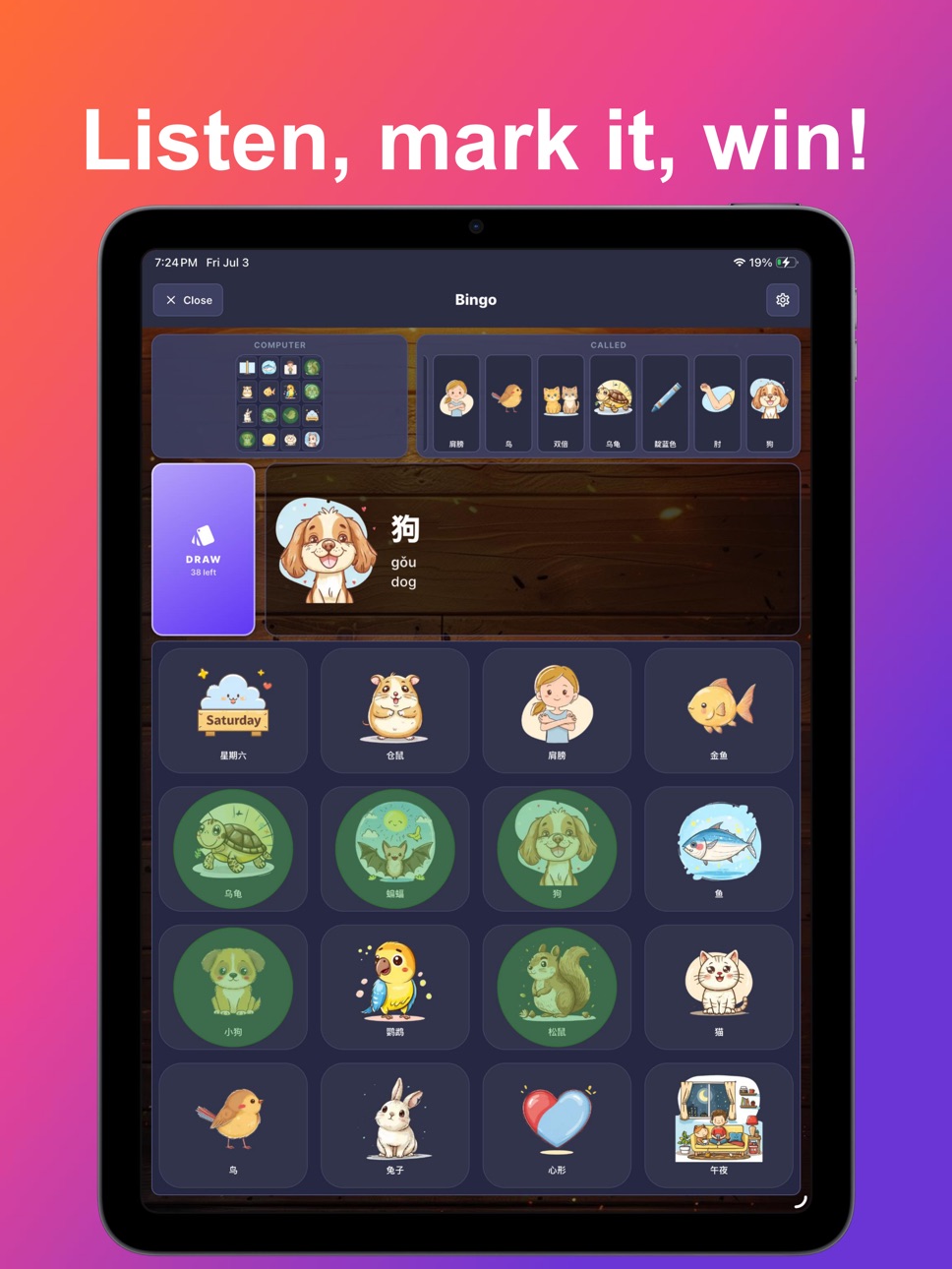
Bingo: hear the word, mark your card, and race the computer
Word blocks: fit word pieces together and clear the lines
Word invaders: listen, aim, and blast the right word out of the sky
Improved audio quality
New scroll with the click of a button on the hand writing activities on iPad
Bug fixes, performance and UI improvements.
Description
ScriptPad: Chinese Writing helps you learn to read, write, type, and speak Chinese from scratch.
Start with Chinese Basics, learn essential strokes, radicals, and your first characters with animated stroke-order guides that show you exactly how to write each one. Practice on an interactive drawing canvas and build real muscle memory as you trace each stroke.
Move beyond the basics into structured vocabulary lessons across 6 units and 130+ lessons. Every word comes with audio so you can hear and practice correct pronunciation as you learn.
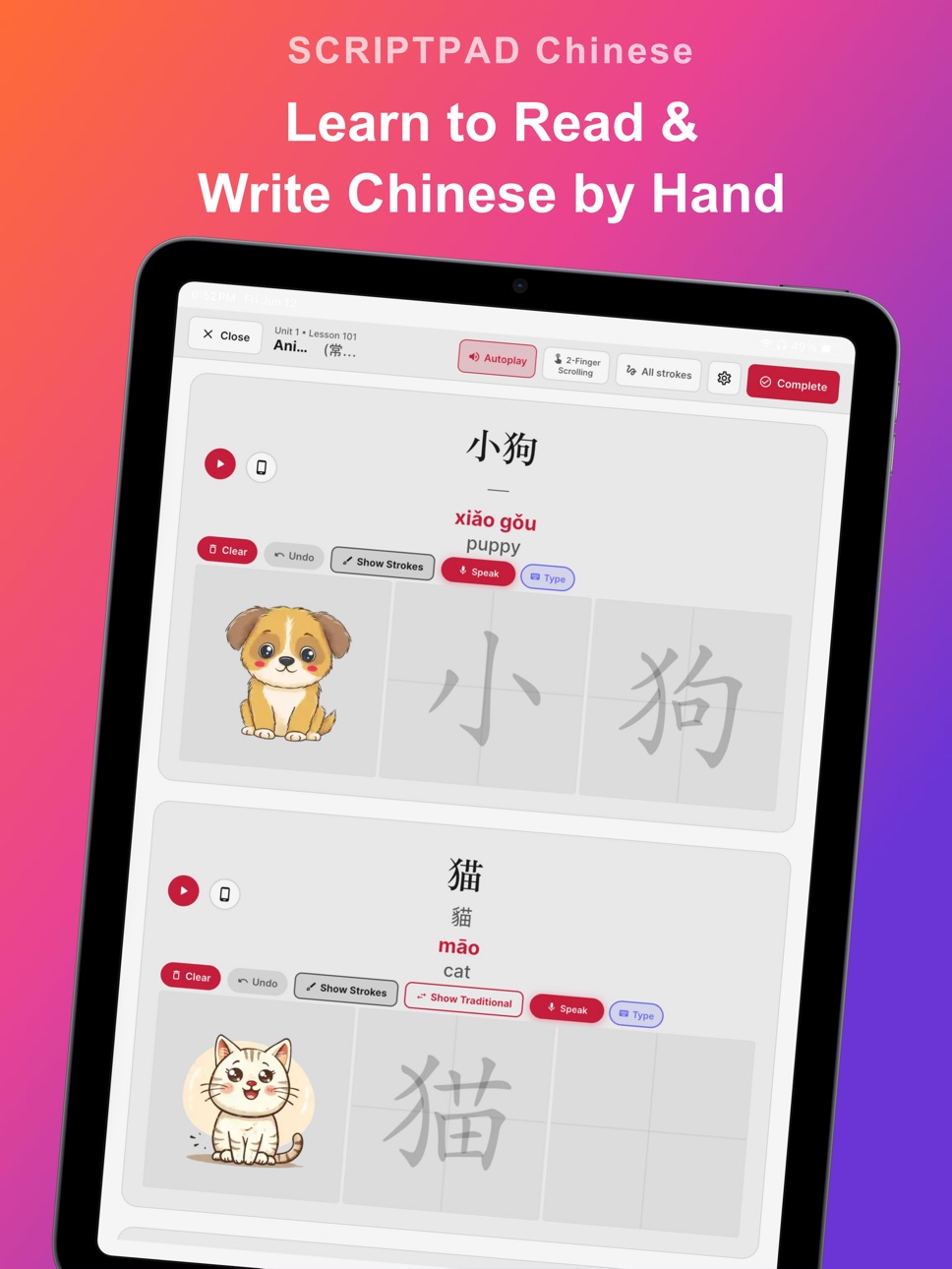
Write by Hand: A full drawing canvas for every word, practice writing Chinese characters with your finger or stylus. The character outlines guide your strokes, and stroke-order animations show you exactly how each character is written.
Speak & Compare: Record yourself saying each word and compare your pronunciation side by side. Instant playback lets you hear exactly where to improve.
Type Mode: Learn how to type Chinese words. Instant feedback shows you what you got right and what to review.
Create Your Own Lessons: Paste any Chinese text, vocabulary lists, song lyrics, textbook sentences, and turn it into a writing lesson with audio.
Play & Practice: Reinforce every lesson with hands on activities that make vocabulary stick. Match words to pictures, build words by connecting their characters, listen for a word and slice it before it lands, mark your card in a listen and win bingo against the computer, fit word blocks together to clear the board, and blast word aliens out of the sky. Each activity plays the word's audio as you go, so you're always hearing the Chinese as you learn it.
Word Meanings in Your Language: See each word's meaning in English, Japanese, or Korean, switch the translation language anytime.
Features:
2,000+ words with audio across 6 structured units
Stroke-order animations for every Chinese character
Pinyin shown for every word
Interactive drawing canvas with character guides
Speak & Compare pronunciation practice with recording
Type mode for Chinese keyboard practice
Playful practice activities: picture matching, character building, audio slicing, bingo, word blocks, and word invaders
Traditional mode, toggle between Simplified and Traditional characters for every word
Create custom lessons from any Chinese text
Word meanings in multiple languages
iPad Writing Mode, multi-card writing grid with stroke animations
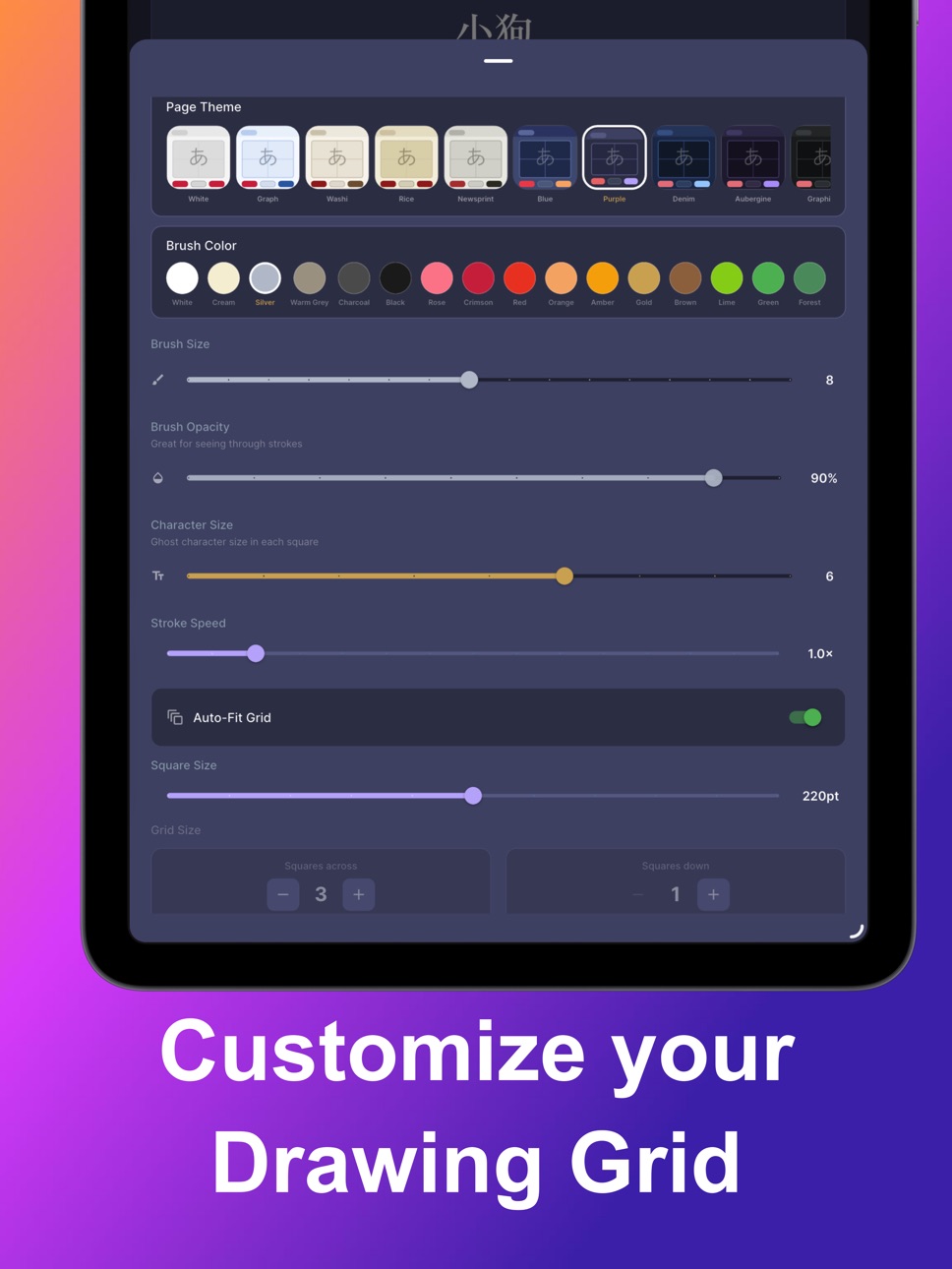
14 page themes for a comfortable study environment
Works beautifully on iPhone and iPad
Fully offline, no internet required
Interface available in English, Chinese, Spanish, French, Japanese, Korean, and Russian
One-time purchase, no subscription
Whether you are a complete beginner or brushing up on your Chinese writing skills, ScriptPad gives you the tools to practice at your own pace.
Download ScriptPad and start writing Chinese today.
Capabilities
In-App Purchases
Accessibility
ipadiphonemacrealityDevicetvoswatch
Version history 4 versions
Build 887602678v1.2.02026-07-04 05:12:20
Play & Practice activities
Picture matching: match words to their images
Character building: connect characters to form words
Audio slicing: listen for a word, then slice it before it lands
Bingo: hear the word, mark your card, and race the computer
Word blocks: fit word pieces together and clear the lines
Word invaders: listen, aim, and blast the right word out of the sky
Improved audio quality
New scroll with the click of a button on the hand writing activities on iPad
Bug fixes, performance and UI improvements.
Build 886880825v1.1.02026-06-12 21:08:10
Added several new activities: Flashcards, Words Matching, and Reviews
Added a new font that matches the stroke order view
Added images for every word
Added a design your own lesson option
Added a new beginners unit
Added new UI languages and translated words languages
Build 884078112v1.0.22026-04-03 14:15:20
Fixed audio mismatch on Lesson 1
Added 2 finger scrolling option
Moved the autoplay audio button to the settings menu
Build 884026356v1.02026-04-02 16:11:31
No pricing data captured yet — comparisons appear once the app has paid storefronts or in-app purchases.
Availability 1 of 1 storefronts
| Region | Language | Price | Ratings | Avg | Version |
|---|---|---|---|---|---|
| US | en-US | Free | 0 | — | 1.2.0 |
Change log 8 changes · US
✎
releaseNotes updated
Play & Practice activities
Picture matching: match words to their images
Character building: connect characters to form words
Audio slicing: listen for a word,
✎
description updated
ScriptPad: Chinese Writing helps you learn to read, write, type, and speak Chinese from scratch.
Start with Chinese Basics, learn essential strokes, radicals,
✎
subtitle updated
Learn to write Chinese
✎
name updated
ScriptPad: Chinese Writing
◆
Version 1.2.0 released
Play & Practice activities
Picture matching: match words to their images
Character building: connect characters to form words
Audio slicing: listen for a word, then slice it before it lands
Bingo: hear the word, mark your card, and race the
◆
Version 1.1.0 released
Added several new activities: Flashcards, Words Matching, and Reviews
Added a new font that matches the stroke order view
Added images for every word
Added a design your own lesson option
Added a new beginners unit
Added new UI languages an
◆
Version 1.0.2 released
Fixed audio mismatch on Lesson 1
Added 2 finger scrolling option
Moved the autoplay audio button to the settings menu
◆
Version 1.0 released