Home › Developer Tools

 US
US
1 of 1 storefronts
Content in en-US
Content in en-US
Information
Apple ID6761324976
Bundle IDde.rnd7.iotpanels
SellerSeller
Min iOS26.0
Device familiesmac, iphone, ipad
Released2026-04-07
Copyright© 2026 Philipp Arndt
Privacy policyLink ↗
Preview 3 platforms
iPhone 9 images




iPad 9 images


Mac 2 images
What’s New Version 1.3.0
• Native macOS app — IoT Panels now runs natively on your Mac
• Persistent MQTT data store — sensor data is stored locally in SQLite, surviving app restarts and view changes with 24-hour retention
• Background sparklines — subtle trend lines behind single-value and circular gauge panels showing recent data
• Improved MQTT reliability — auto-reconnect on foreground, connection error banners, and ALPN protocol support for AWS IoT
• Smaller time ranges down to 5 minutes
Description
Visualize and control your IoT devices from iPhone, iPad, and Mac.
IoT Panels is the essential dashboard app for smart home enthusiasts, IoT developers, and anyone working with sensor data and connected devices.
Free, open source, and no ads.
BUILD CUSTOM DASHBOARDS
• Create interactive dashboards with drag-and-drop panels
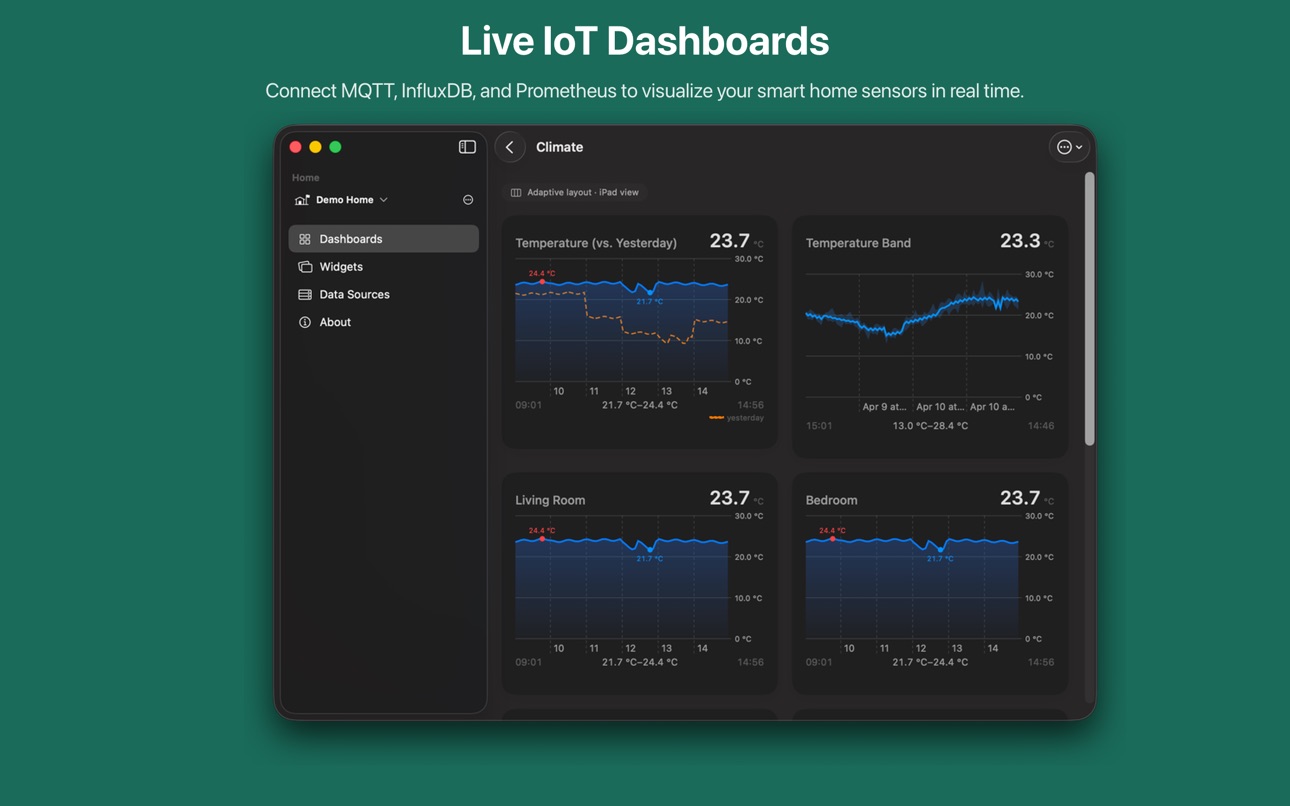
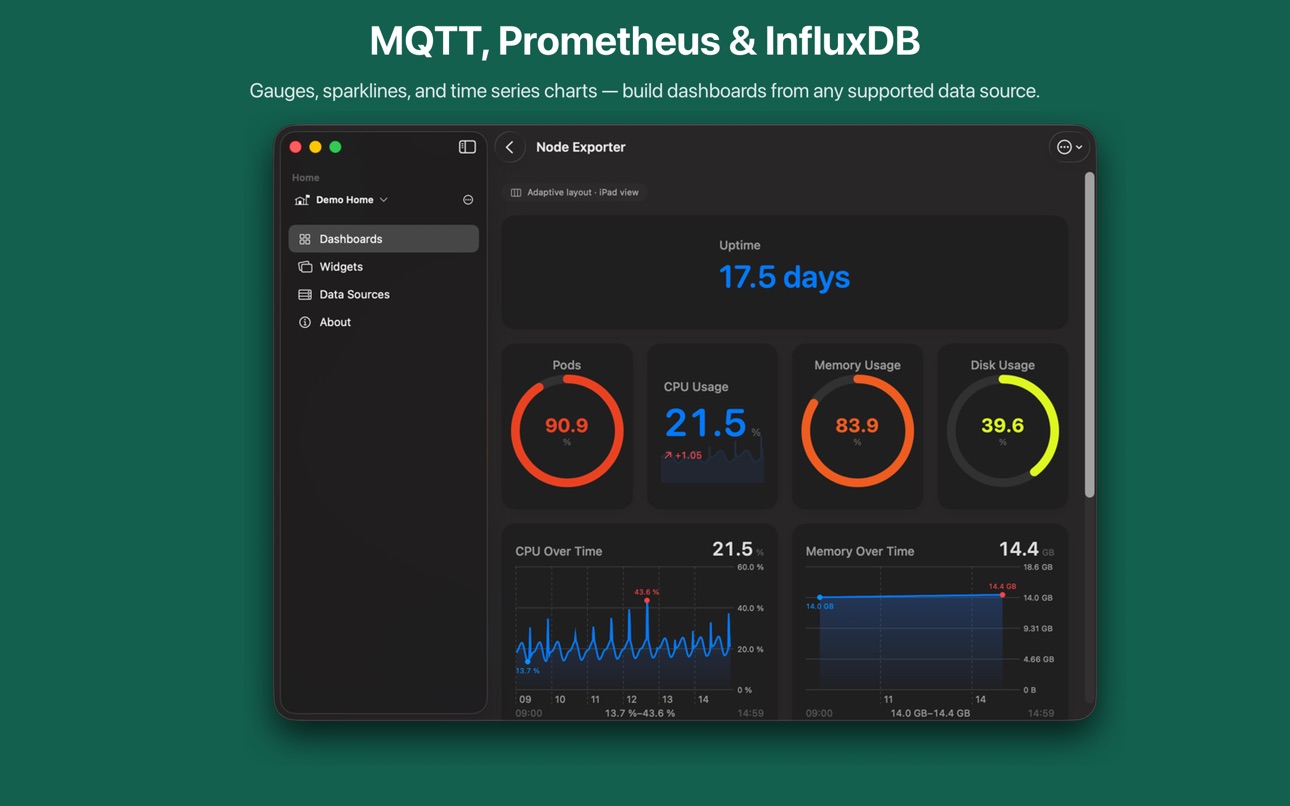
• Line charts, band charts, heatmaps, gauges, sparklines, stacked bar and area charts, state timelines, tables, and more
• Threshold-based color rules for at-a-glance status
• Design your own widget templates and use them on your home screen
• Grid-based layout with multiple panel sizes
CONNECT YOUR DATA SOURCES
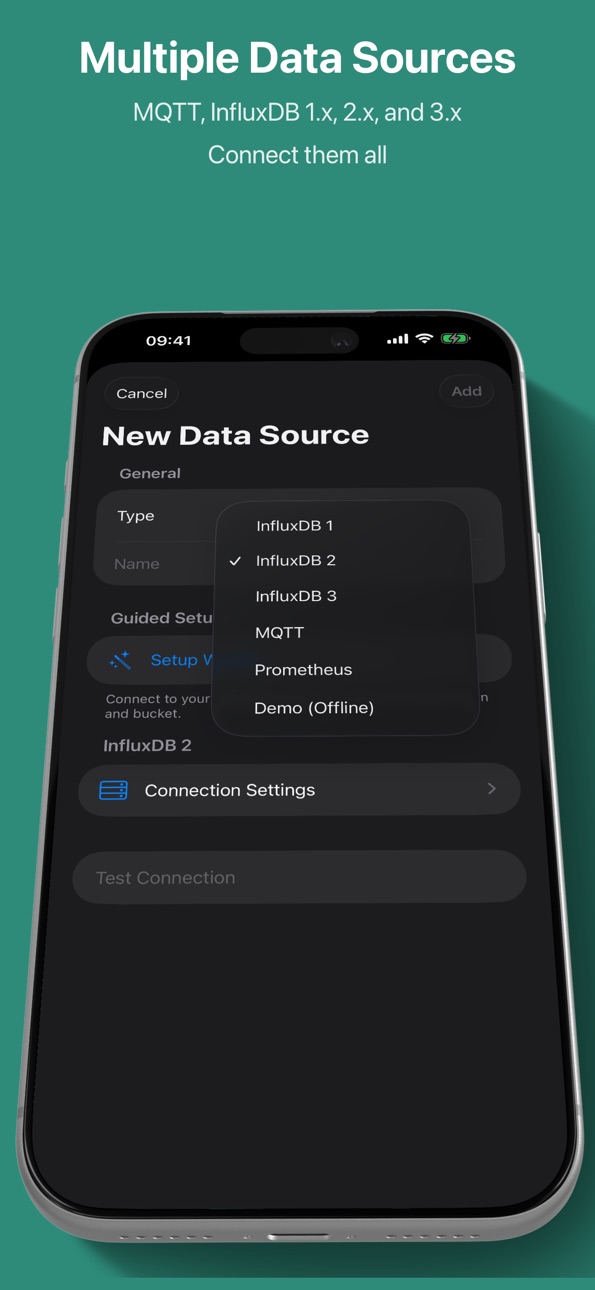
• MQTT broker support with SSL/TLS, client certificates, and ALPN
• InfluxDB 1.x (InfluxQL), 2.x (Flux), and 3.x (SQL)
• Prometheus with guided query builder and raw PromQL editor
• Automatic MQTT topic and Prometheus metric discovery
• Multiple data sources per dashboard
• Persistent MQTT data store — data survives restarts and view changes
• Built-in demo data to explore features instantly
DASHBOARD TEMPLATES
• Pre-built templates for quick setup — get started in seconds
• Node Exporter Lite template for Prometheus with 8 panels
• Automatic unit conversion — bytes, temperature, rates, and more
POWERFUL QUERY BUILDER
• Visual query builder — no code required
• Select measurements, fields, and tag filters with autocomplete
• Aggregation functions: min, max, mean, sum, and more
• Compare current data against historical periods — spot trends and anomalies
• Manual query editor for advanced users
MULTI-HOME SUPPORT
• Organize dashboards by home or location
• Switch between homes with a tap
• Custom icons for each home
WORKS EVERYWHERE
• Native experience on iPhone, iPad, and Mac
• Home screen widgets with your custom designs
• Lock screen widgets powered by your queries — see live data at a glance
• Background sparklines on gauges and single-value panels for trend at a glance
• Real-time data with configurable refresh intervals
• Offline support with intelligent data caching
PUBLISH AND CONTROL
• Send MQTT messages directly from the app
• Control IoT devices and actuators
• Topic discovery for quick access
BACKUP AND EXPORT
• Full backup and restore of all configurations
• JSON and CSV data export for further analysis
Available in English, German, Spanish, French, Japanese, Portuguese, Korean, and Chinese.
Have feedback or feature requests? Visit our GitHub page — IoT Panels is open source and community-driven.
Accessibility
ipadiphonemacrealityDevicetvoswatch
Version history 4 versions
Build 884330778v1.3.02026-04-10 22:48:59
• Native macOS app — IoT Panels now runs natively on your Mac
• Persistent MQTT data store — sensor data is stored locally in SQLite, surviving app restarts and view changes with 24-hour retention
• Background sparklines — subtle trend lines behind single-value and circular gauge panels showing recent data
• Improved MQTT reliability — auto-reconnect on foreground, connection error banners, and ALPN protocol support for AWS IoT
• Smaller time ranges down to 5 minutes
Build 884281782v1.2.02026-04-08 16:45:05
What's New in 1.2.0
• Adaptive dashboard layouts — set each panel to small, medium, or full width and automatically get more columns on iPad
• Force a line break before any panel to group related panels into rows
• Demo home on demand — create (and delete) a demo home anytime from the home picker, no more duplicates across iCloud devices
• More realistic demo data to better showcase charts and widgets
• Background iCloud sync — dashboards stay in sync across devices even when the app isn't open
Build 883891623v1.02026-04-07 08:32:02
Build 884234640v1.1.02026-04-07 18:08:42
What's New in 1.1.0
• Prometheus data source with guided query builder and PromQL editor
• Dashboard templates for quick setup — start with pre-built layouts
• New chart types: circular gauge, sparkline, stacked bar, stacked area, state timeline, status indicator, table, and text display
• Automatic unit conversion — values scale to human-readable formats (bytes, temperature, rates)
• Deep linking — tap widgets to jump directly to their query details
• Chart type picker now grouped by category for easier navigation
• New app icon
No pricing data captured yet — comparisons appear once the app has paid storefronts or in-app purchases.
Availability 1 of 1 storefronts
| Region | Language | Price | Ratings | Avg | Version |
|---|---|---|---|---|---|
| US | en-US | Free | 0 | — | 1.3.0 |
Change log 8 changes · US
✎
releaseNotes updated
• Native macOS app — IoT Panels now runs natively on your Mac
• Persistent MQTT data store — sensor data is stored locally in SQLite, surviving app restarts and
✎
description updated
Visualize and control your IoT devices from iPhone, iPad, and Mac.
IoT Panels is the essential dashboard app for smart home enthusiasts, IoT developers, and any
✎
subtitle updated
Smarthome monitoring
✎
name updated
IoT Panels
◆
Version 1.3.0 released
• Native macOS app — IoT Panels now runs natively on your Mac
• Persistent MQTT data store — sensor data is stored locally in SQLite, surviving app restarts and view changes with 24-hour retention
• Background sparklines — subtle trend line
◆
Version 1.2.0 released
What's New in 1.2.0
• Adaptive dashboard layouts — set each panel to small, medium, or full width and automatically get more columns on iPad
• Force a line break before any panel to group related panels into rows
• Demo home on deman
◆
Version 1.1.0 released
What's New in 1.1.0
• Prometheus data source with guided query builder and PromQL editor
• Dashboard templates for quick setup — start with pre-built layouts
• New chart types: circular gauge, sparkline, stacked bar, stacked area, st
◆
Version 1.0 released