Home › Lifestyle

 US
US
 GBen-GB
 AEen-GB
 ALen-GB
 AMen-GB
 ATde-DE
 AUen-AU
 AZen-GB
 BAen-GB
 BEen-GB
 BGen-GB
 BHen-GB
 BMen-GB
 BNen-GB
 BTen-GB
 BYen-GB
 CAen-CA
 CHde-CH
 CNzh-Hans-CN
 CYen-GB
 CZen-GB
 DEde-DE
 DKen-GB
 EEen-GB
 EGen-GB
 ESes-ES
 FIen-GB
 FJen-GB
 FMen-GB
 FRfr-FR
 GEen-GB
 GRen-GB
 HKzh-Hant-HK
 HRen-GB
 HUen-GB
 IDen-GB
 IEen-GB
 ILen-GB
 INen-GB
 IQen-GB
 ISen-GB
 ITit
ITit JOen-GB
 JPja
JPja KGen-GB
 KHen-GB
 KRko
KRko KWen-GB
 KZen-GB
 LAen-GB
 LBen-GB
 LKen-GB
 LTen-GB
 LUen-GB
 LVen-GB
 MDen-GB
 MEen-GB
 MKen-GB
 MNen-GB
 MOzh-Hant-HK
 MRen-GB
 MTen-GB
 MVen-GB
 MYen-GB
 NLnl
NLnl NOen-GB
 NPen-GB
 NRen-GB
 NZen-AU
 OMen-GB
 PGen-GB
 PHen-GB
 PLen-GB
 PTpt-PT
 PWen-GB
 QAen-GB
 ROen-GB
 RSen-GB
 RUru
RUru SAen-GB
 SBen-GB
 SEsv
SEsv SGen-GB
 SIen-GB
 SKen-GB
 THen-GB
 TJen-GB
 TMen-GB
 TOen-GB
 TRen-GB
 TWzh-Hant-TW
 UAen-GBUSen-US
 UZen-GB
 VNen-GB
 VUen-GB
 XKen-GB
 YEen-GB
 ZAen-GB
 AFNot Available
 MMNot Available
 PKNot Available
98 of 101 storefronts
Content in en-US
Content in en-US
Information
Preview 2 platforms
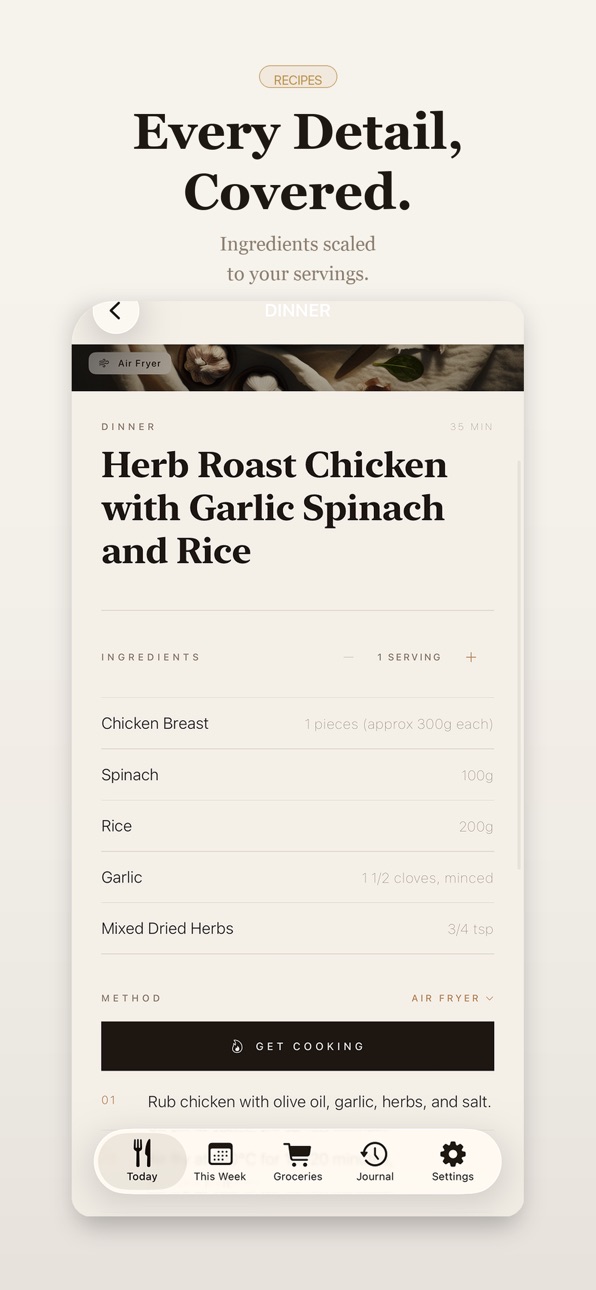
iPhone 10 images




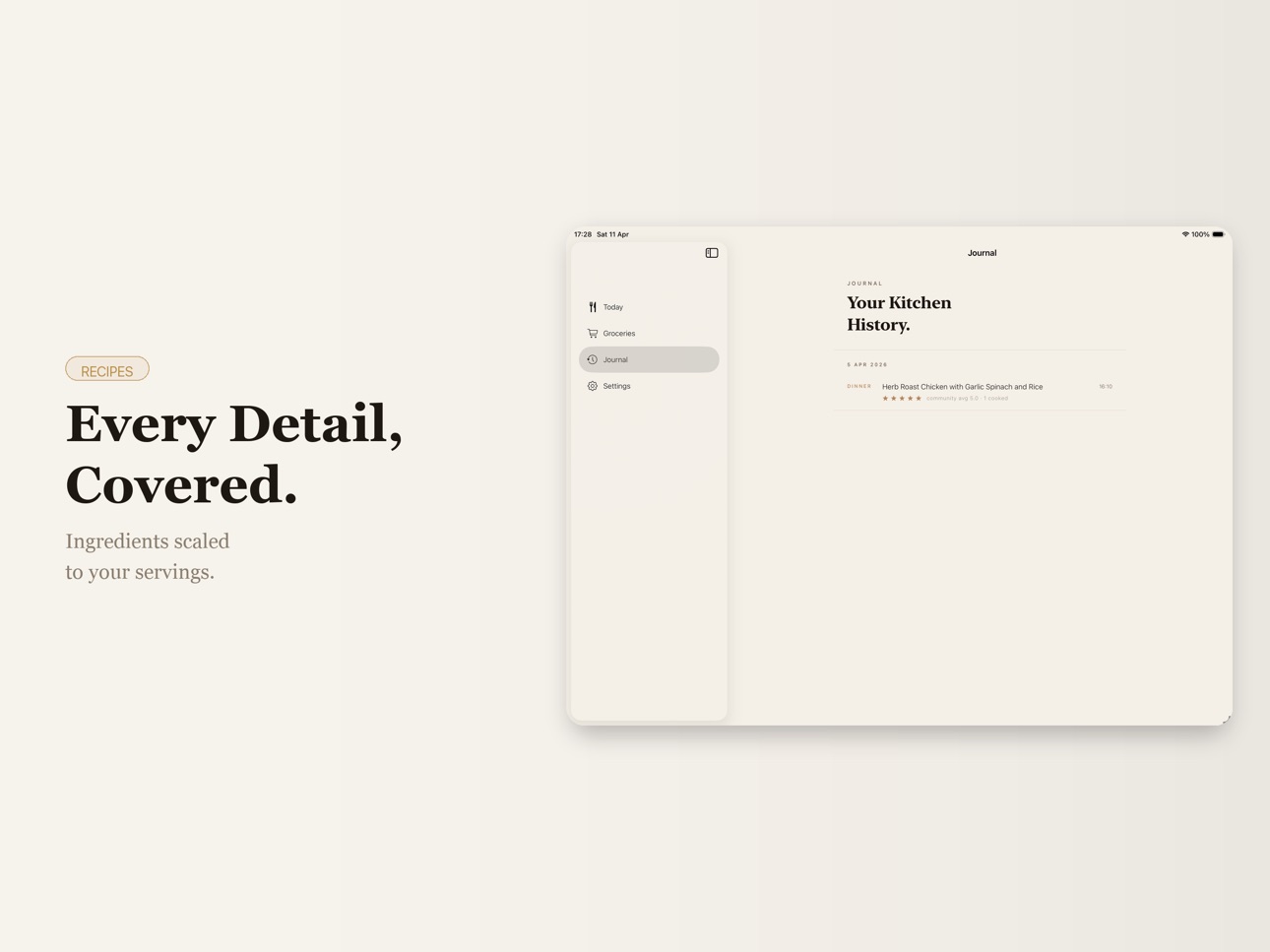
iPad 10 images




What’s New Version 1.3
React to meals with emojis on any card in Today and see what the community loves.
The Today tab now shows meals as a live carousel. Swipe between breakfast, lunch, and dinner with smooth animations.
Ingredients in recipes are now grouped by category (Produce, Protein, Dairy, Pantry) and animate in as the page loads. Long-press any ingredient to search it on Google or copy it.
Send a shopping list to whoever's doing the groceries. Open any meal in the By Meal view and tap "Share Shopping List" — it generates a clean card you can send on WhatsApp, save, or copy.
Description
Stop deciding what to cook.
Your week plans itself.
You just cook.
What to Make removes the daily question of what to eat and replaces it with a clear, structured plan for your week.
Your meals are chosen for you.
Your shopping list writes itself.
Your cooking becomes simple again.
What it does (Pro subscription required):
- A full week of meals appears instantly
- Breakfast, lunch, and dinner — already planned
- Recipes adapt to how you cook: air fryer, oven, stovetop, or microwave
- Your grocery list is organised and ready to shop
- Each meal explains why it was chosen
- A focused cooking mode shows one step at a time
- See today’s meals from your home screen
- View your full week at a glance
- Revisit meals anytime
How it works:
- Choose your preferences
- The app generates your week
- Follow the plan and cook with confidence
Make it yours:
- Vegetarian, high protein, low carb, or quick meals
- Set your maximum cook time
- Choose your cooking method
- Adjust your week in seconds
Why it’s different?
This isn’t a recipe app. It’s not a food tracker. It’s a system that removes decisions.
Subscription terms:
Your first week is free. Once your free trial ends, the recurring monthly payment is automatically charged.
To stop service, go to account settings and turn off auto-renew at least 24 hours before the end of your billing period. Prorating is unavailable — when you turn off auto-renew, service will continue until the end of that billing period.
You don’t browse.
You don’t scroll.
You don’t wonder what to cook next.
You follow a plan designed for you.
Privacy Policy: https://whattomake.parkinsad.com/privacy/
Terms of Use: https://whattomake.parkinsad.com/terms/
EULA: https://www.apple.com/legal/internet-services/itunes/dev/stdeula/
In-App Purchases US pricing
What to Make Pro Subscription
Monthly 7-day free trial$1.99
Capabilities
In-App Purchases
Accessibility
ipadiphonemacrealityDevicetvoswatch
Version history 4 versions
Build 885730448v1.32026-05-16 21:15:00
React to meals with emojis on any card in Today and see what the community loves.
The Today tab now shows meals as a live carousel. Swipe between breakfast, lunch, and dinner with smooth animations.
Ingredients in recipes are now grouped by category (Produce, Protein, Dairy, Pantry) and animate in as the page loads. Long-press any ingredient to search it on Google or copy it.
Send a shopping list to whoever's doing the groceries. Open any meal in the By Meal view and tap "Share Shopping List" — it generates a clean card you can send on WhatsApp, save, or copy.
Build 885087337v1.22026-04-29 21:12:49
debug, ui improvement and promo code
Build 884957501v1.12026-04-27 18:47:19
Performance improvements and bug fixes to make your experience smoother.
Build 883885209v1.02026-04-23 22:53:24
Price history by region
Currency
Show
Columns
Search
Availability 98 of 101 storefronts
| Region | Language | Price | Ratings | Avg | Version |
|---|---|---|---|---|---|
| GB | en-GB | Free | 3 | 5.0 | 1.3 |
| AE | en-GB | Free | 0 | — | 1.3 |
| AL | en-GB | Free | 0 | — | 1.3 |
| AM | en-GB | Free | 0 | — | 1.3 |
| AT | de-DE | Free | 0 | — | 1.3 |
| AU | en-AU | Free | 0 | — | 1.3 |
| AZ | en-GB | Free | 0 | — | 1.3 |
| BA | en-GB | Free | 0 | — | 1.3 |
| BE | en-GB | Free | 0 | — | 1.3 |
| BG | en-GB | Free | 0 | — | 1.3 |
| BH | en-GB | Free | 0 | — | 1.3 |
| BM | en-GB | Free | 0 | — | 1.3 |
| BN | en-GB | Free | 0 | — | 1.3 |
| BT | en-GB | Free | 0 | — | 1.3 |
| BY | en-GB | Free | 0 | — | 1.3 |
| CA | en-CA | Free | 0 | — | 1.3 |
| CH | de-CH | Free | 0 | — | 1.3 |
| CN | zh-Hans-CN | Free | 0 | — | 1.3 |
| CY | en-GB | Free | 0 | — | 1.3 |
| CZ | en-GB | Free | 0 | — | 1.3 |
| DE | de-DE | Free | 0 | — | 1.3 |
| DK | en-GB | Free | 0 | — | 1.3 |
| EE | en-GB | Free | 0 | — | 1.3 |
| EG | en-GB | Free | 0 | — | 1.3 |
| ES | es-ES | Free | 0 | — | 1.3 |
| FI | en-GB | Free | 0 | — | 1.3 |
| FJ | en-GB | Free | 0 | — | 1.3 |
| FM | en-GB | Free | 0 | — | 1.3 |
| FR | fr-FR | Free | 0 | — | 1.3 |
| GE | en-GB | Free | 0 | — | 1.3 |
| GR | en-GB | Free | 0 | — | 1.3 |
| HK | zh-Hant-HK | Free | 0 | — | 1.3 |
| HR | en-GB | Free | 0 | — | 1.3 |
| HU | en-GB | Free | 0 | — | 1.3 |
| ID | en-GB | Free | 0 | — | 1.3 |
| IE | en-GB | Free | 0 | — | 1.3 |
| IL | en-GB | Free | 0 | — | 1.3 |
| IN | en-GB | Free | 0 | — | 1.3 |
| IQ | en-GB | Free | 0 | — | 1.3 |
| IS | en-GB | Free | 0 | — | 1.3 |
| IT | it | Free | 0 | — | 1.3 |
| JO | en-GB | Free | 0 | — | 1.3 |
| JP | ja | Free | 0 | — | 1.3 |
| KG | en-GB | Free | 0 | — | 1.3 |
| KH | en-GB | Free | 0 | — | 1.3 |
| KR | ko | Free | 0 | — | 1.3 |
| KW | en-GB | Free | 0 | — | 1.3 |
| KZ | en-GB | Free | 0 | — | 1.3 |
| LA | en-GB | Free | 0 | — | 1.3 |
| LB | en-GB | Free | 0 | — | 1.3 |
| LK | en-GB | Free | 0 | — | 1.3 |
| LT | en-GB | Free | 0 | — | 1.3 |
| LU | en-GB | Free | 0 | — | 1.3 |
| LV | en-GB | Free | 0 | — | 1.3 |
| MD | en-GB | Free | 0 | — | 1.3 |
| ME | en-GB | Free | 0 | — | 1.3 |
| MK | en-GB | Free | 0 | — | 1.3 |
| MN | en-GB | Free | 0 | — | 1.3 |
| MO | zh-Hant-HK | Free | 0 | — | 1.3 |
| MR | en-GB | Free | 0 | — | 1.3 |
| MT | en-GB | Free | 0 | — | 1.3 |
| MV | en-GB | Free | 0 | — | 1.3 |
| MY | en-GB | Free | 0 | — | 1.3 |
| NL | nl | Free | 0 | — | 1.3 |
| NO | en-GB | Free | 0 | — | 1.3 |
| NP | en-GB | Free | 0 | — | 1.3 |
| NR | en-GB | Free | 0 | — | 1.3 |
| NZ | en-AU | Free | 0 | — | 1.3 |
| OM | en-GB | Free | 0 | — | 1.3 |
| PG | en-GB | Free | 0 | — | 1.3 |
| PH | en-GB | Free | 0 | — | 1.3 |
| PL | en-GB | Free | 0 | — | 1.3 |
| PT | pt-PT | Free | 0 | — | 1.3 |
| PW | en-GB | Free | 0 | — | 1.3 |
| QA | en-GB | Free | 0 | — | 1.3 |
| RO | en-GB | Free | 0 | — | 1.3 |
| RS | en-GB | Free | 0 | — | 1.3 |
| RU | ru | Free | 0 | — | 1.3 |
| SA | en-GB | Free | 0 | — | 1.3 |
| SB | en-GB | Free | 0 | — | 1.3 |
| SE | sv | Free | 0 | — | 1.3 |
| SG | en-GB | Free | 0 | — | 1.3 |
| SI | en-GB | Free | 0 | — | 1.3 |
| SK | en-GB | Free | 0 | — | 1.3 |
| TH | en-GB | Free | 0 | — | 1.3 |
| TJ | en-GB | Free | 0 | — | 1.3 |
| TM | en-GB | Free | 0 | — | 1.3 |
| TO | en-GB | Free | 0 | — | 1.3 |
| TR | en-GB | Free | 0 | — | 1.3 |
| TW | zh-Hant-TW | Free | 0 | — | 1.3 |
| UA | en-GB | Free | 0 | — | 1.3 |
| US | en-US | Free | 0 | — | 1.3 |
| UZ | en-GB | Free | 0 | — | 1.3 |
| VN | en-GB | Free | 0 | — | 1.3 |
| VU | en-GB | Free | 0 | — | 1.3 |
| XK | en-GB | Free | 0 | — | 1.3 |
| YE | en-GB | Free | 0 | — | 1.3 |
| ZA | en-GB | Free | 0 | — | 1.3 |
Not available in: AF, MM, PK
Change log 8 changes · US
✎
releaseNotes updated
React to meals with emojis on any card in Today and see what the community loves.
The Today tab now shows meals as a live carousel. Swipe between breakfast, lu
✎
description updated
Stop deciding what to cook.
Your week plans itself.
You just cook.
What to Make removes the daily question of what to eat and replaces it with a clear, structu
✎
subtitle updated
Weekly meals. No decisions.
✎
name updated
What to Make
◆
Version 1.3 released
React to meals with emojis on any card in Today and see what the community loves.
The Today tab now shows meals as a live carousel. Swipe between breakfast, lunch, and dinner with smooth animations.
Ingredients in recipes are now grouped
◆
Version 1.2 released
debug, ui improvement and promo code
◆
Version 1.1 released
Performance improvements and bug fixes to make your experience smoother.
◆
Version 1.0 released