Home › Education

 US
US
1 of 1 storefronts
Content in en-US
Content in en-US
Information
Apple ID6761284422
Bundle IDcom.KentaroMatsuo.Furigana.dev1
SellerSeller
Min iOS18.0
Min macOS15.0
Device familiesiphone, ipad
Released2026-03-28
Copyright© 2025 Kentaro Matsuo
Privacy policyLink ↗
Preview 2 platforms
iPhone 6 images


iPad 6 images



What’s New Version 2.1
Live Camera Improvements: Fixed bugs affecting the live camera view for a more stable scanning experience.
Dictionary Enhancements: Refined the UI for dictionary popups within the ZoomedTextView for better clarity and ease of use.
Performance: Under-the-hood optimizations to improve overall app responsiveness.
Description
Features:
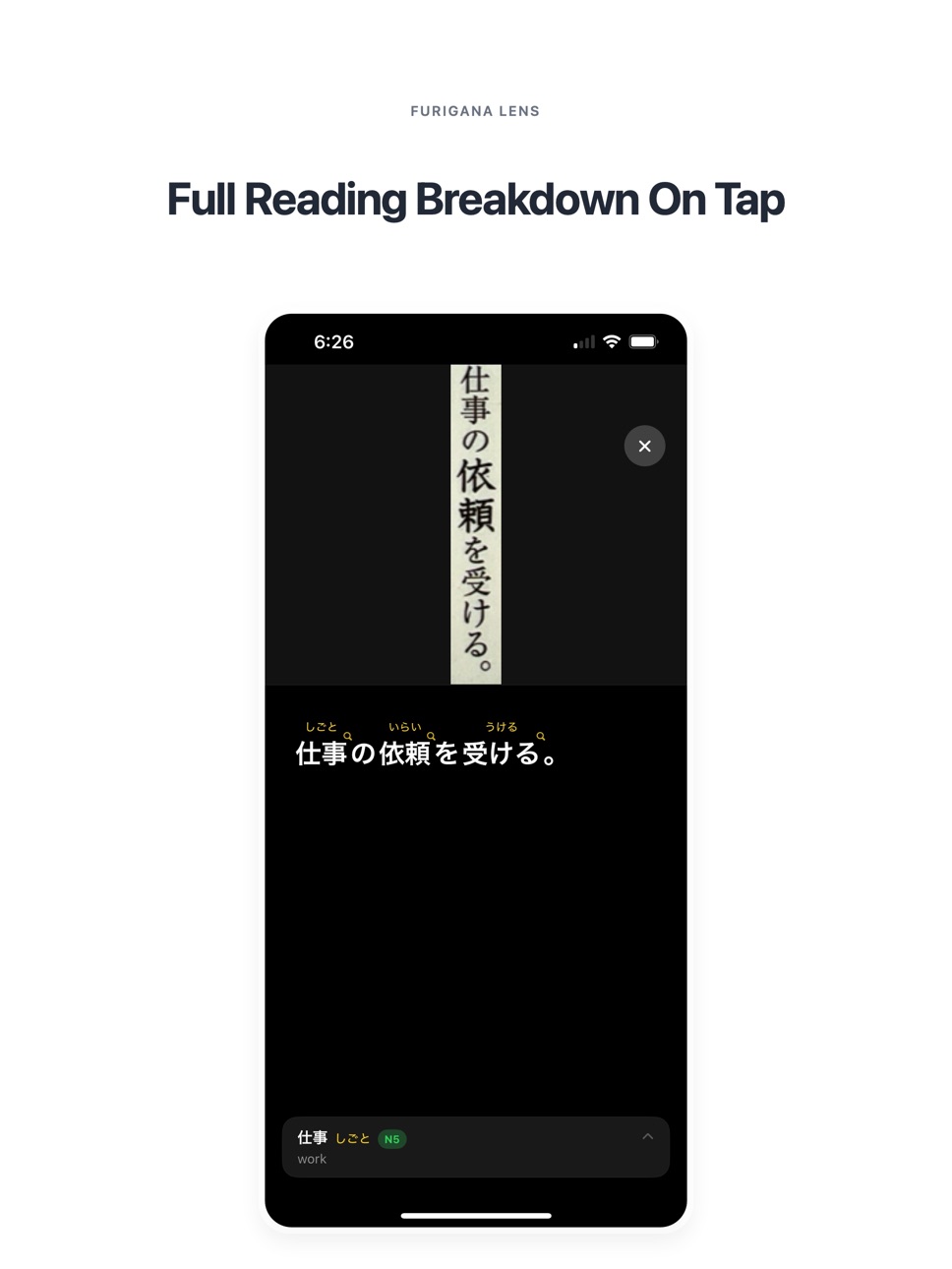
LIVE FURIGANA OVERLAY
See hiragana or romaji readings above kanji as you scan in real time.
FREEZE FRAME
Pause the camera and keep detected words locked in place so you can inspect them at your own pace.
WORD BREAKDOWN
Tap a detected word to break it down character by character and explore how it is read.
FULL DICTIONARY MENU
Browse words in a dedicated dictionary view with richer lookup details and a cleaner study experience.
DETAILED WORD ENTRIES
View readings, parts of speech, English definitions, example sentences, related words, and voice playback.
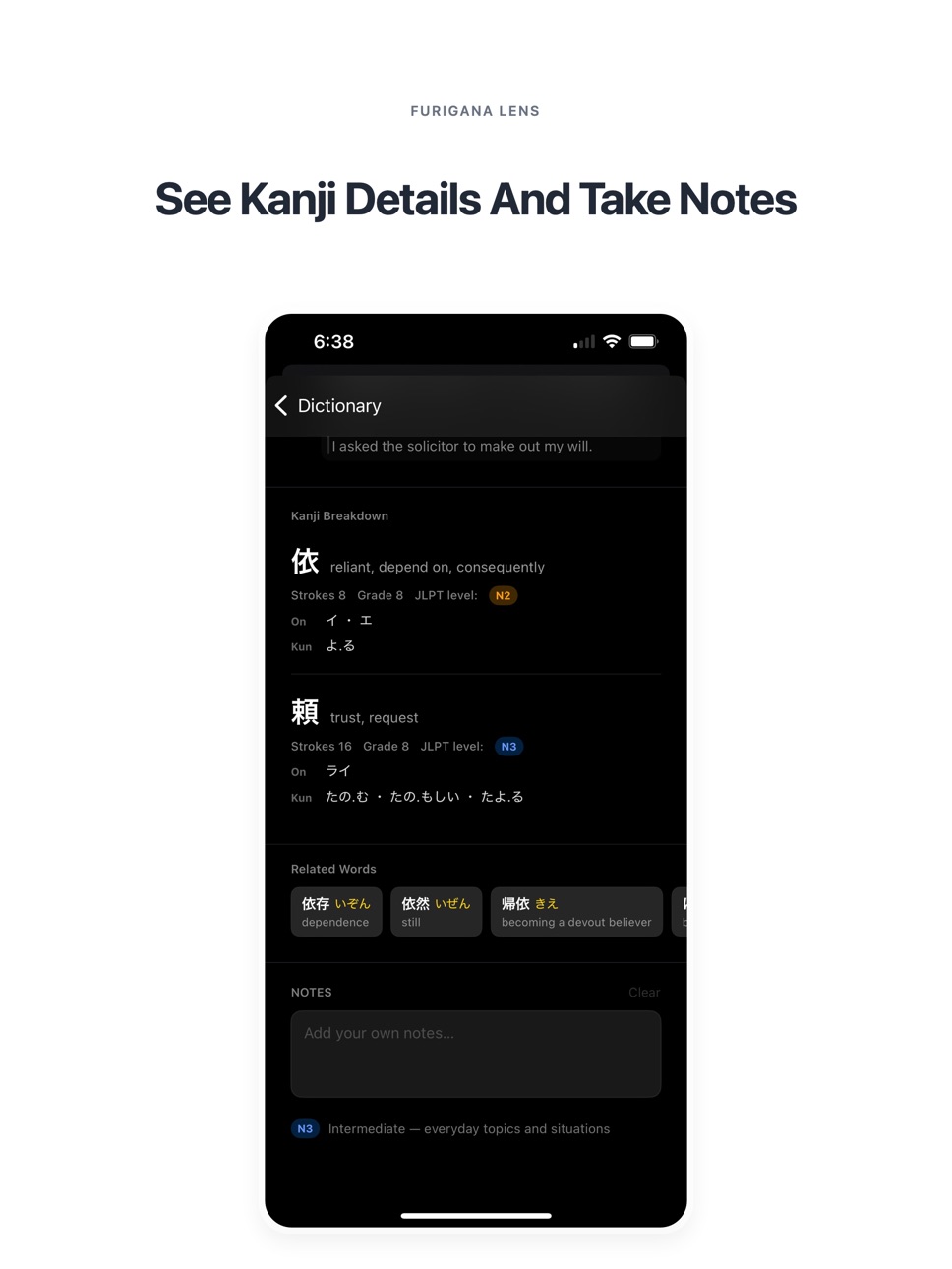
KANJI DETAILS
Inspect individual kanji with on-yomi, kun-yomi, stroke count, grade level, and JLPT information.
HIRAGANA OR ROMAJI
Switch between reading styles depending on your learning stage.
NOTES AND HISTORY
Save notes, revisit previous lookups, and build a more consistent review habit.
Furigana is designed for Japanese learners who want a faster, cleaner, and more practical way to read real-world text.
Accessibility
ipadiphonemacrealityDevicetvoswatch
Version history 3 versions
Build 884256937v2.12026-04-23 20:32:04
Live Camera Improvements: Fixed bugs affecting the live camera view for a more stable scanning experience.
Dictionary Enhancements: Refined the UI for dictionary popups within the ZoomedTextView for better clarity and ease of use.
Performance: Under-the-hood optimizations to improve overall app responsiveness.
Build 884099334v2.02026-04-04 19:06:36
Version 2 introduces the biggest update to Furigana yet.
Added a full dictionary menu for browsing and reviewing words outside the live scanner
Added detailed word pages with readings, parts of speech, English definitions, example sentences, and related words
Added kanji breakdown with on-yomi, kun-yomi, stroke count, grade level, and JLPT information
Added notes and history for easier review
Added voice playback for dictionary words
Improved the Zoomed Text lookup experience and overall dictionary layout
Improved scanner stability, lookup speed, and UI polish
Fixed bugs and refined the reading experience throughout the app
Build 883858818v1.02026-03-28 12:08:53
No pricing data captured yet — comparisons appear once the app has paid storefronts or in-app purchases.
Availability 1 of 1 storefronts
| Region | Language | Price | Ratings | Avg | Version |
|---|---|---|---|---|---|
| US | en-US | Free | 5 | 5.0 | 2.1 |
Change log 7 changes · US
✎
releaseNotes updated
Live Camera Improvements: Fixed bugs affecting the live camera view for a more stable scanning experience.
Dictionary Enhancements: Refined the UI for dictiona
✎
description updated
Features:
LIVE FURIGANA OVERLAY
See hiragana or romaji readings above kanji as you scan in real time.
FREEZE FRAME
Pause the camera and keep detected words lo
✎
subtitle updated
Live Kanji Reader & Dictionary
✎
name updated
Furigana Lens
◆
Version 2.1 released
Live Camera Improvements: Fixed bugs affecting the live camera view for a more stable scanning experience.
Dictionary Enhancements: Refined the UI for dictionary popups within the ZoomedTextView for better clarity and ease of use.
Perform
◆
Version 2.0 released
Version 2 introduces the biggest update to Furigana yet.
Added a full dictionary menu for browsing and reviewing words outside the live scanner
Added detailed word pages with readings, parts of speech, English definitions, example sentence
◆
Version 1.0 released