Home › Health & Fitness

 US
US
1 of 1 storefronts
Content in en-US
Content in en-US
Information
Preview 2 platforms
iPhone 4 images


iPad 3 images


What’s New Version 1.1.3
- Cleaner onboarding layout: The welcome screen has been reorganized for clearer messaging and improved readability during first-time setup.
- More reliable stop flow behavior: Stop intent handling has been refactored so alarm dismissal actions are more predictable and consistent.
- Barcode workflow polish: Barcode and alarm model updates reduce edge-case friction when dismissing alarms tied to barcode verification.
Description
Tired of snoozing through your mornings?
QuitSnooze is the alarm clock that actually gets you out of bed. Link your alarm to a barcode — on your toothpaste, coffee bag, or anything far from your bed — and you won't be able to silence it until you get up and scan it.
How it works
Set an alarm, pick a barcode, and place that item somewhere you have to walk to. When your alarm goes off, the only way to stop it is to open the app and scan that barcode. Try to dismiss it any other way? It rings again in one minute. And again. And again.
Key features
• Barcode-linked alarms — attach a real-world barcode to force yourself out of bed
• Persistent ringing — the alarm keeps coming back until you scan the barcode
• Works with AlarmKit — fires even when the app is closed, in Sleep Mode, or Focus mode is on
• Live Activity on Lock Screen & Dynamic Island — see your alarm at a glance
• Morning streaks — track your consistency and build the habit
• Beautiful, modern design with light and dark mode
QuitSnooze Pro
Unlock the full experience with a free 14-day trial:
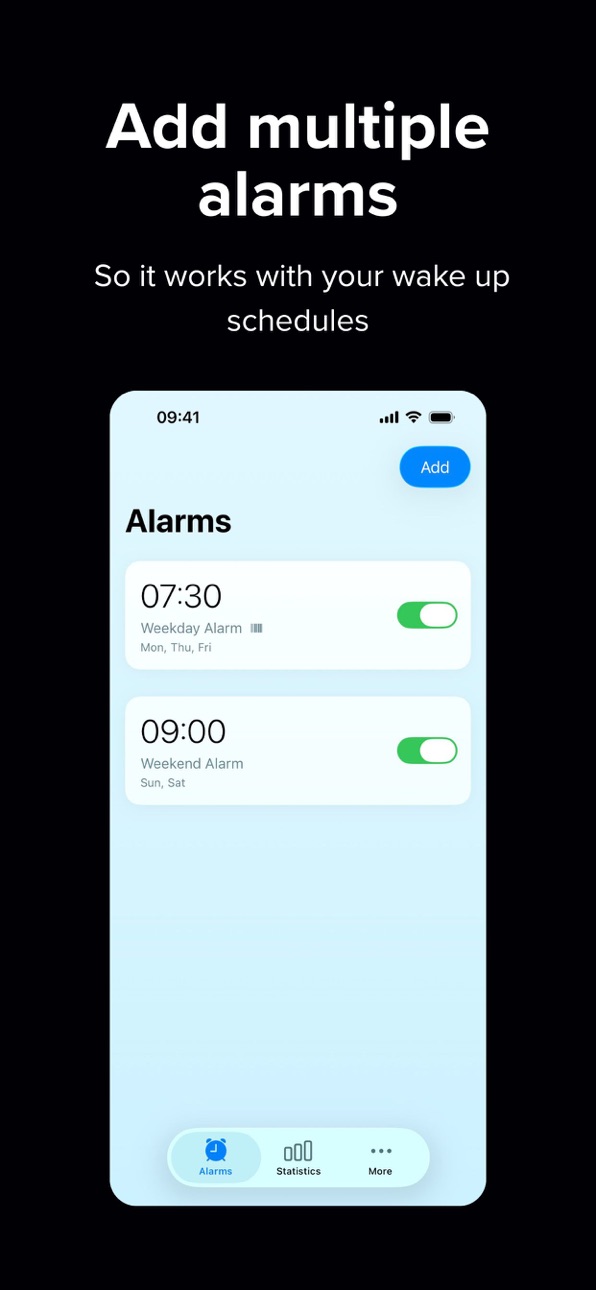
• Unlimited alarms
• Up to 3 barcodes per alarm, randomly selected each morning — no memorizing one spot
• Full statistics & insights — see how fast you dismiss, how often you snooze, and more
QuitSnooze is not a gentle nudge. It's the alarm for people who are serious about waking up.
Terms of Use (EULA): https://www.apple.com/legal/internet-services/itunes/dev/stdeula/
Capabilities
In-App Purchases
Accessibility
ipadiphonemacrealityDevicetvoswatch
Version history 8 versions
Build 886253096v1.1.32026-05-28 20:49:48
- Cleaner onboarding layout: The welcome screen has been reorganized for clearer messaging and improved readability during first-time setup.
- More reliable stop flow behavior: Stop intent handling has been refactored so alarm dismissal actions are more predictable and consistent.
- Barcode workflow polish: Barcode and alarm model updates reduce edge-case friction when dismissing alarms tied to barcode verification.
Build 886166259v1.1.22026-05-26 21:45:37
More reliable snooze chains — Tapping Stop on a barcode-protected alarm now continues the wake cycle from the Live Activity / widget extension, so the next snooze can fire even when the app is closed or slow to open.
Backup alarms for barcode dismissal — Up to five follow-up timer alarms are pre-scheduled ahead of time so the chain keeps going if you miss interacting with an earlier step.
Smoother barcode scanning — Setup and dismissal scanners manage the camera session more carefully: scanning resumes after replacing a barcode, and the torch turns off when you leave setup to save battery.
Build 885497894v1.1.12026-05-17 21:45:34
Redesigned onboarding — A new welcome experience with starfield visuals, refined animations, haptic feedback, and a consolidated snooze-impact flow. Steps cover your plan, barcode setup, and how barcode dismissal works (including which barcodes are compatible).
Custom alarm sounds — Choose from built-in sounds organized by category, or use custom sounds with Pro. The sound picker is available when editing an alarm.
Smarter barcode dismissal — Improved scanning and image capture during setup; prompts when a barcode is lost; barcodes are available to all users when editing alarms.
Clearer free vs Pro limits — Free tier keeps a single non-repeating alarm; weekday repeats and custom sounds require Pro. The paywall highlights unlimited alarms and weekday repeats, with a 7-day trial (subscriptions only).
More reliable stats — Time-until-dismissal and wake-cycle tracking are more accurate across snoozes.
Settings help — New troubleshooting entries for alarm issues and barcode compatibility.
Localization — Alarm time pickers respect the system locale.
Build 885398467v1.0.52026-05-07 21:24:20
Smoother alarm editing - Editing alarm time and recurrence is now more responsive by removing redundant background update calls while making changes.
Cleaner save flow - Alarm updates are now applied through the existing save path, reducing unnecessary update attempts during in-progress edits.
Build 885344705v1.0.42026-05-06 23:28:05
Barcode setup scanning — Barcode setup now has clearer status feedback and a cancel action, making it easier to back out or retry during onboarding/edit flows.
Scanner lifecycle reliability — Scanner start/stop behavior is more consistent across setup and dismissal screens, with tighter camera resource handling when entering and leaving scanner views.
Alarm editing clarity — The alarm edit action now uses a Save button (instead of Done) and persists edits through SwiftData and AlarmKit more reliably.
Alarm handling stability — Snooze suppression and fallback alarm handling were hardened to better manage alerting-state transitions and reduce edge-case failures.
Live Activities cleanup — Alarm stop and fallback flows now better clean up lingering Live Activities so Lock Screen/Dynamic Island state stays accurate.
Build 885217329v1.0.32026-05-04 00:24:29
Onboarding — The welcome step shows the progress bar and welcome button more predictably: task handling around the loading delay was tightened, progress updates avoid jarring animations, and the welcome button can appear as soon as the flow allows.
Barcode dismissal — Dismissing an alarm with the barcode flow is clearer and more reliable, with improved session handling in the scanner and deferred cleanup of snooze data so lists stay consistent after dismissal.
Live Activities — Stopping an alarm from shortcuts or intents now ends the Live Activity explicitly, so Dynamic Island and Lock Screen status clear when the alarm stops.
Build 885195975v1.0.22026-05-03 02:00:53
Bug fixes.
Cleans up stale Live Activities so alarm status on the Lock Screen and Dynamic Island stays in sync when alarms finish or are dismissed.
Starting the camera for barcode setup or dismissal is more reliable when moving between screens; scanning begins consistently when the scanner view appears.
Alarm scheduling and stopping are more robust, including clear handling when an alarm is stopped more than once.
Build 883858364v1.0.12026-05-02 18:53:56
No pricing data captured yet — comparisons appear once the app has paid storefronts or in-app purchases.
Availability 1 of 1 storefronts
| Region | Language | Price | Ratings | Avg | Version |
|---|---|---|---|---|---|
| US | en-US | Free | 0 | — | 1.1.3 |
Change log 12 changes · US
✎
releaseNotes updated
- Cleaner onboarding layout: The welcome screen has been reorganized for clearer messaging and improved readability during first-time setup.
- More reliable sto
✎
description updated
Tired of snoozing through your mornings?
QuitSnooze is the alarm clock that actually gets you out of bed. Link your alarm to a barcode — on your toothpaste, co
✎
subtitle updated
Scan a Barcode to Stop Alarm
✎
name updated
QuitSnooze
◆
Version 1.1.3 released
- Cleaner onboarding layout: The welcome screen has been reorganized for clearer messaging and improved readability during first-time setup.
- More reliable stop flow behavior: Stop intent handling has been refactored so alarm dismissal act
◆
Version 1.1.2 released
More reliable snooze chains — Tapping Stop on a barcode-protected alarm now continues the wake cycle from the Live Activity / widget extension, so the next snooze can fire even when the app is closed or slow to open.
Backup alarms for barco
◆
Version 1.1.1 released
Redesigned onboarding — A new welcome experience with starfield visuals, refined animations, haptic feedback, and a consolidated snooze-impact flow. Steps cover your plan, barcode setup, and how barcode dismissal works (including which barc
◆
Version 1.0.5 released
Smoother alarm editing - Editing alarm time and recurrence is now more responsive by removing redundant background update calls while making changes.
Cleaner save flow - Alarm updates are now applied through the existing save path, reducing
◆
Version 1.0.4 released
Barcode setup scanning — Barcode setup now has clearer status feedback and a cancel action, making it easier to back out or retry during onboarding/edit flows.
Scanner lifecycle reliability — Scanner start/stop behavior is more consistent a
◆
Version 1.0.3 released
Onboarding — The welcome step shows the progress bar and welcome button more predictably: task handling around the loading delay was tightened, progress updates avoid jarring animations, and the welcome button can appear as soon as the flow
◆
Version 1.0.2 released
Bug fixes.
Cleans up stale Live Activities so alarm status on the Lock Screen and Dynamic Island stays in sync when alarms finish or are dismissed.
Starting the camera for barcode setup or dismissal is more reliable when moving between scr
◆
Version 1.0.1 released